SVG font-size with absolute CSS units (mm, cm, in) is not converted per SVG specification
Description:
LightBurn appears to ignore absolute CSS length units on SVG font-size values.
Instead of converting mm to SVG/CSS px units per the SVG specification, LightBurn appears to interpret the numeric value directly. This could be a feature of the viewbox that I’ve specified in the example below, where the user units are equal to 1mm, but this is valid SVG to the best of my knowledge
Observed behavior:
LightBurn renders font-size="10mm" approximately the same as font-size="10px" resulting in text that is underscaled by approximately 3.78×.
If you look at the settings boxes, you will see Lightburn does not use pixels to size fonts. It uses mm or inches.
Are you saying it does not properly render 10mm SVG text as 10mm text in Lightburn? Can you provide both your .svg and .lbrn2 files that show this for evaluation.
I’ve provided a sample SVG in my previous comment. You’ll get the same importing it into Lightburn (I’m using 2.0.05 which I believe is latest).
After some more investigation:
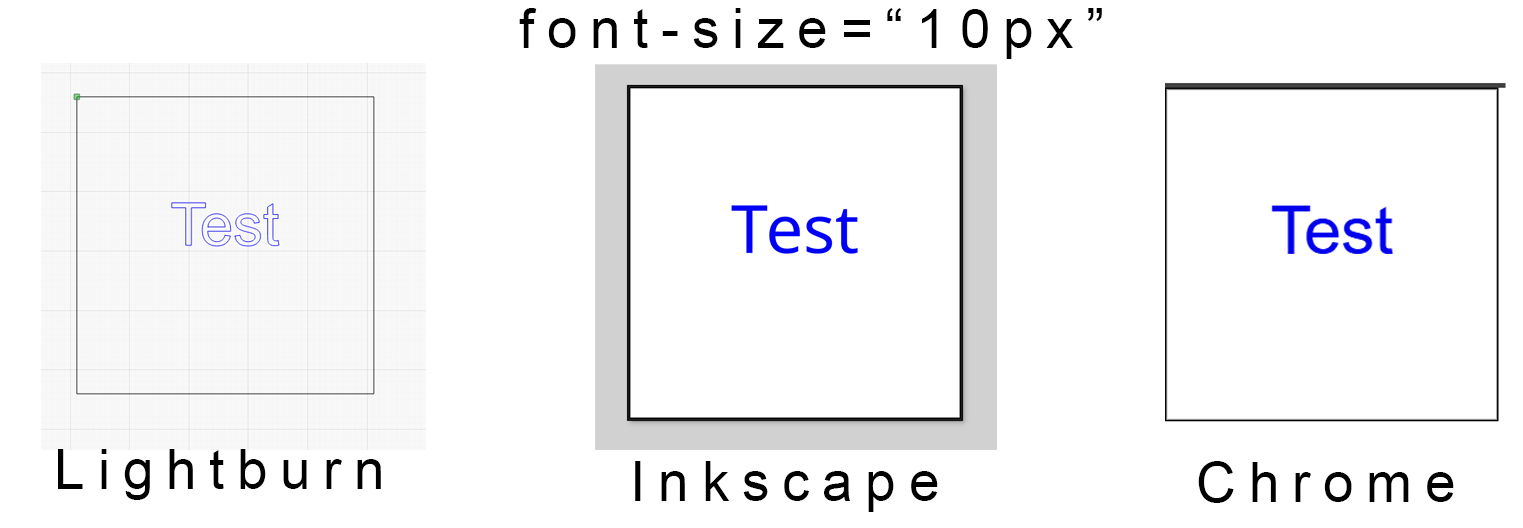
This SVG has font-size="10px" which renders the same in Inkscape, Lightburn and Chrome. This is also the same size text that you would get by creating text directly in Lightburn and setting it’s height to “10”.
Next up, it’s probably worth mentioning that Inkscape lies when you enter 10mm as your text height, and explicitly saves 10px in the SVG that it generates, and if you set it to 10px in the UI, it actually writes 2.64583px to the SVG (which is that same 3.7795px/mm factor again).
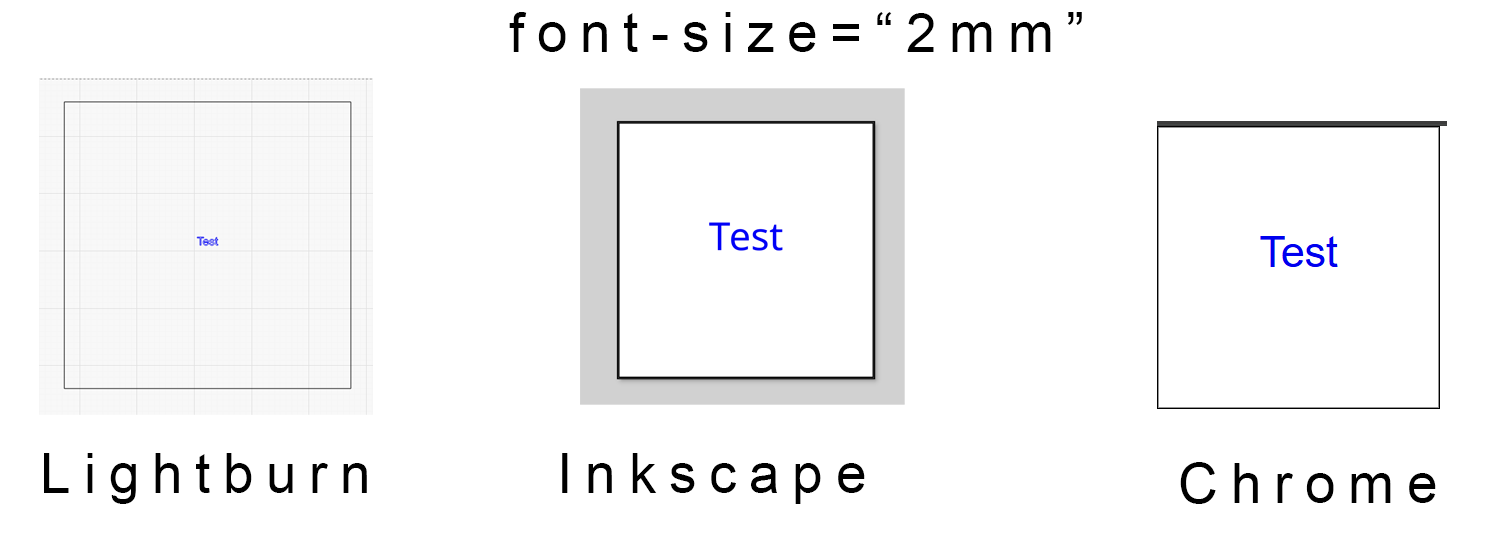
This next SVG has font-size="2mm" which renders the same in Inkscape and Chrome, but differently in Lightburn.