Bug: The svg file below contains a single rectangle with rgb color (243, 105, 38). Per the layer colors this should import to layer T1. However it is importing to layer 05, which is the closest non-tool layer. The svg displays as a picture and not a link to a svg file so… I assume you can right click the orange square and click “save as”.
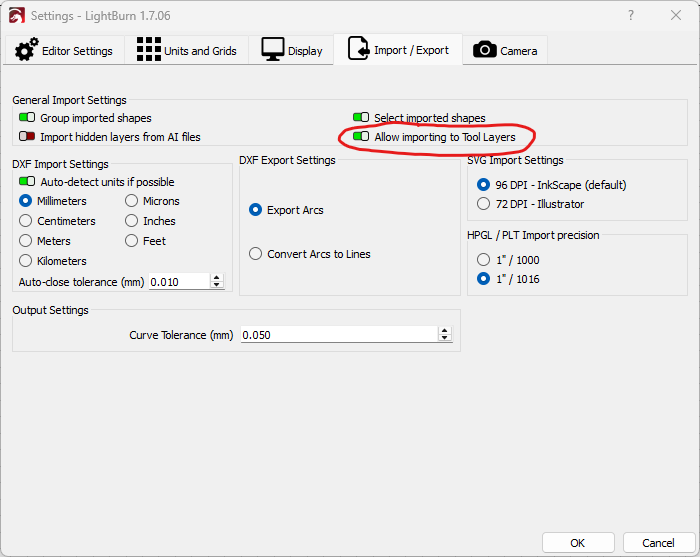
@Marcus_Wakefield I did not have that option enabled, and enabling it was the solution. For others on the internet, the option is located at “Edit“ → “Settings” → “Import/Export“ tab → “Allow importing to Tool Layers“.
I’m bit embarrassed I didn’t catch that… I was suspicious something like that was happening but my internet searching prowess wasn’t strong enough to find it. I’m adding some words to this post so that it comes up for people searching the forum for the symptom and not the solution.
lightburn import wrong layer tool layer wrong color wrong shade blue orange svg color rgb T1 T2