Hi everyone I’m not quite sure where’s the right area to post this but I have a request / question to see if something like this can get implemented at some point or there’s someway currently that I’m not aware that would allow my use case.
I’m working with designs that contain thousands of small repeated closed shapes (mostly circles) arranged in organic or semi-structured patterns (often around larger geometry).
When running jobs on GRBL-based lasers, toolpath efficiency has a major impact on total job time, especially due to:
-
frequent start/stop motions
-
travel moves between shapes
-
inconsistent entry points
Currently in LightBurn (v2.0.5):
-
There is no way to set or propagate start points across many shapes in a flow-aware way
-
There is no control over how shapes are sequenced spatially beyond basic optimization
-
Optimization settings do not ensure:
-
consistent entry point alignment
-
or directional continuity between neighboring shapes
-
This results in:
-
inefficient paths
-
unnecessary travel moves
-
increased job time (significant on GRBL)
Manual adjustment is not feasible at scale (thousands of shapes).
What I’m Trying to Achieve
Given a large number of small closed shapes (e.g., circles), I want:
-
Consistent cut direction (CW or CCW) across all shapes
-
Start points aligned relative to motion direction
-
Sequential ordering based on proximity and direction, so that:
- each shape starts near where the previous one ended
- motion follows a continuous “flow” (e.g., left-to-right, snake pattern, or nearest-neighbor)
Why This Matters
For GRBL users especially:
-
travel optimization directly impacts runtime
-
reducing unnecessary moves can significantly improve:
-
speed
-
consistency
-
burn quality (less dwell/overburn)
-
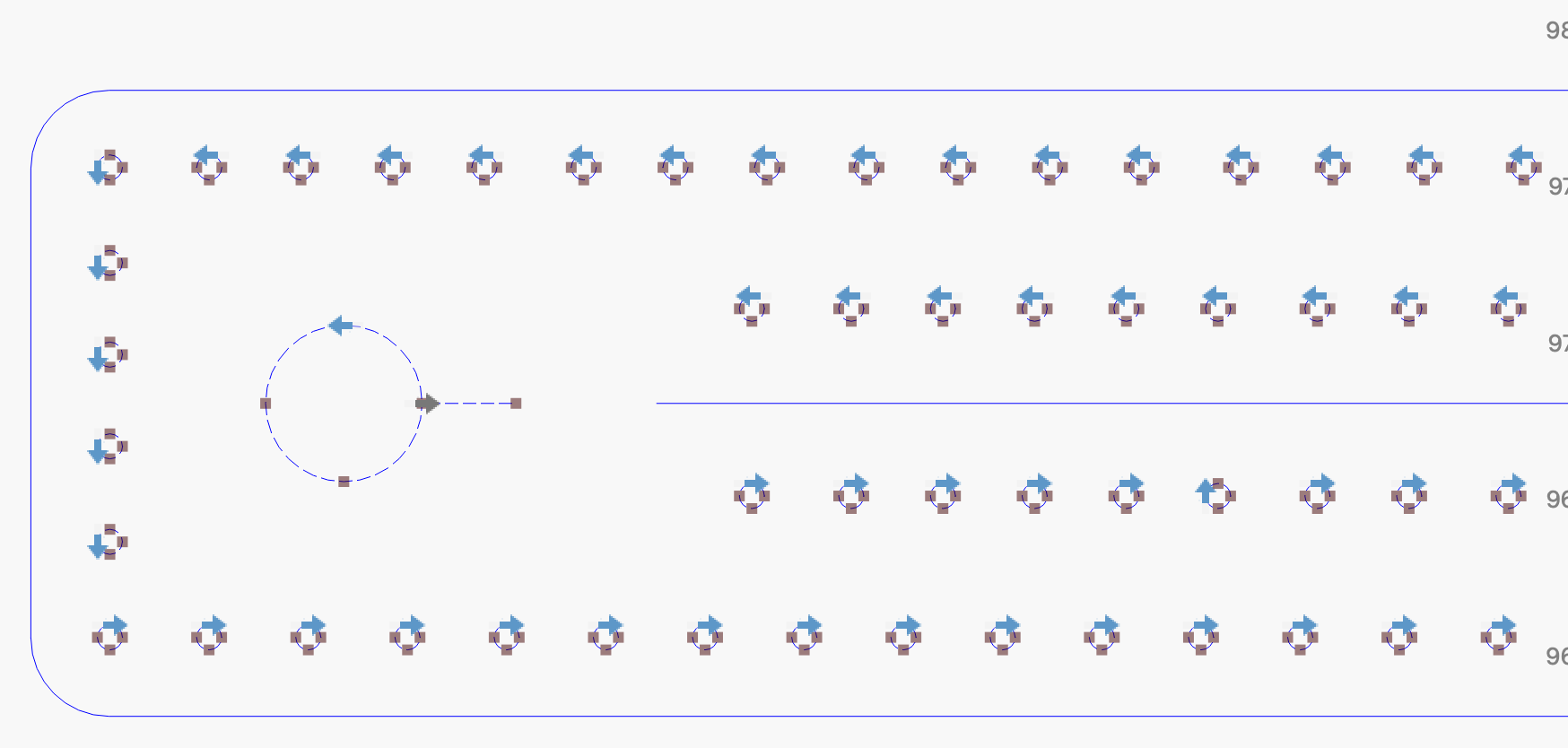
In my case, manually optimizing a small section already produces dramatic improvements, but it is not scalable.
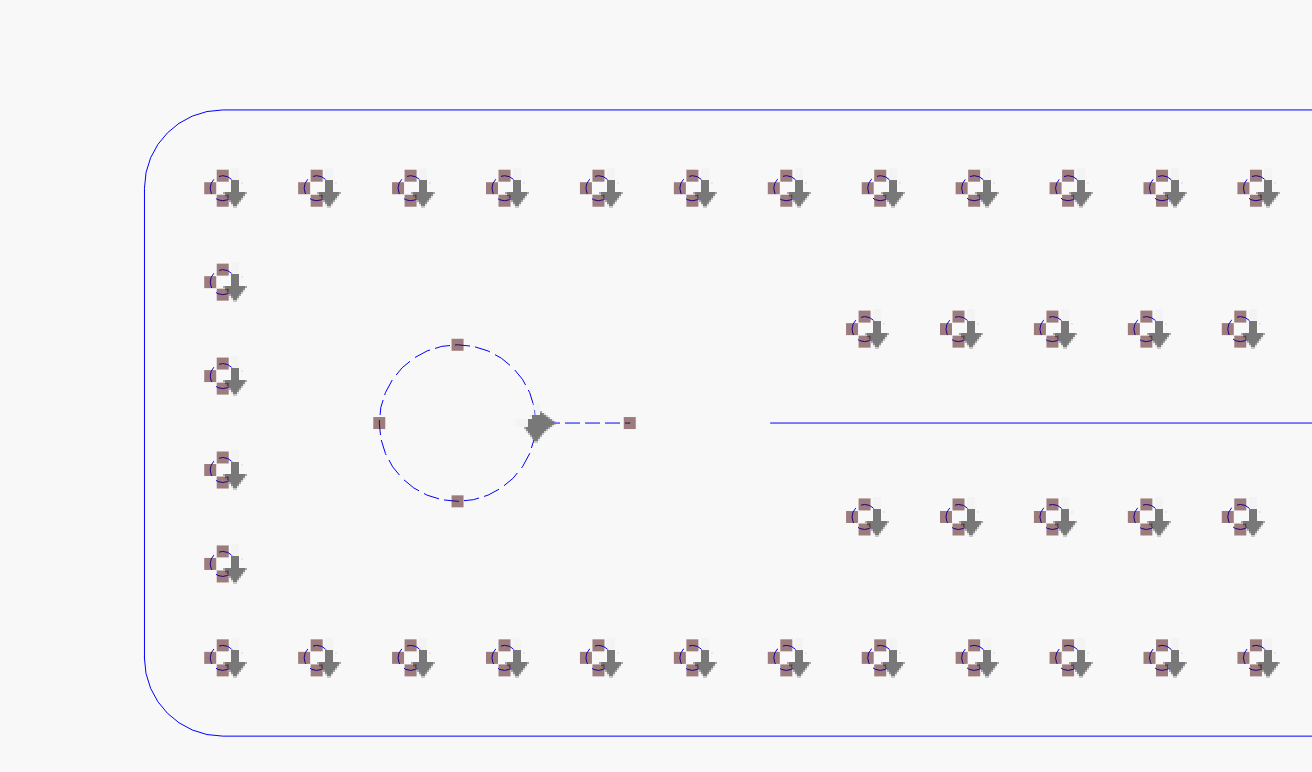
Here are some screenshots:
Unoptimized path:
Optimized path:
In both cases when running the full design with this optimization settings:
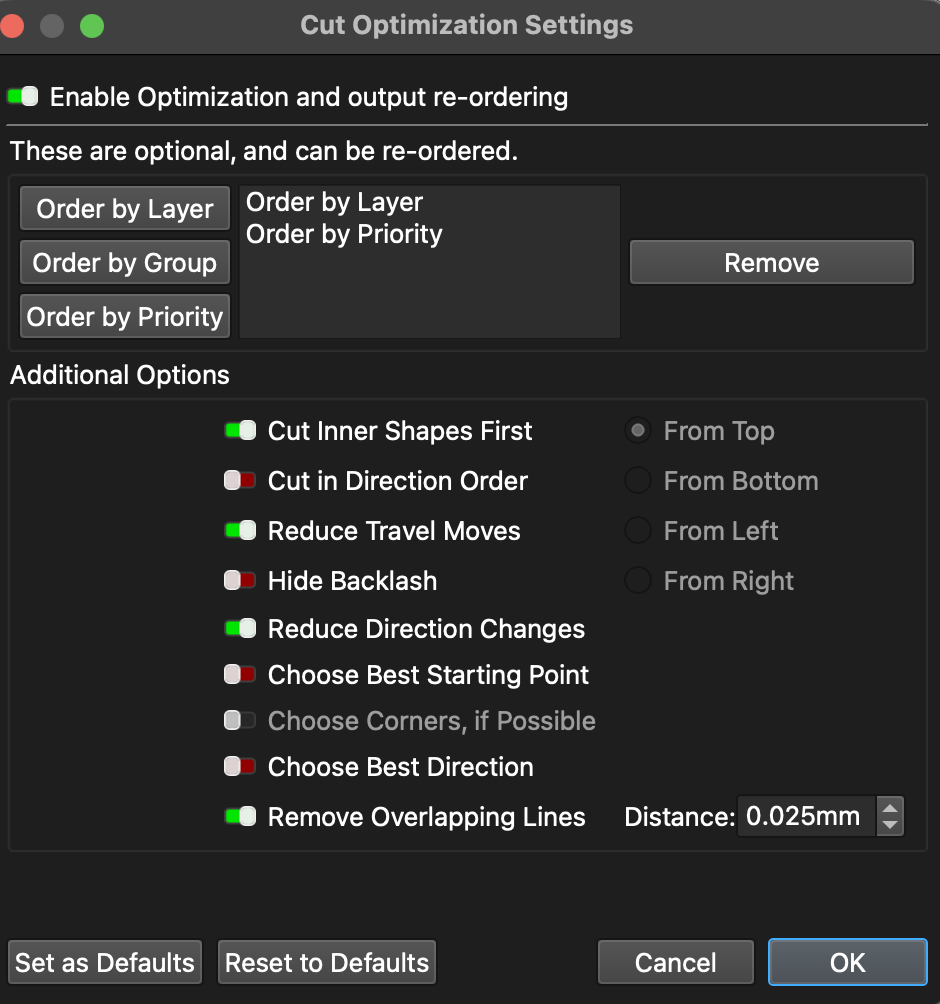
At 18mm/s with an Y accel of 2500 mm/s and a X accel of 5000 mm/s and the avg. size of the circle at 0.8mm I get around 3 mins less every time I run the file which may not sound like much, but over the same design being run over and over again it quickly adds up (I have to run it around 100 times every time I work on that design)
if I use “best starting point or best direction” in any combination it either takes more time as not having those or a couple seconds less, so no dramatic improvement there.
So to summarize what would I like to see that could fix those issues are the next feature / requests for features
1. Bulk Start Point Tool (Relative Position)
Ability to set start points for multiple shapes at once based on:
-
cardinal positions (leftmost, rightmost, top, bottom)
-
or relative to travel direction
2. Direction-Aware Path Optimization
An optimization mode that:
-
considers shape direction + start point
-
attempts to minimize distance between:
- end of previous shape → start of next shape
3. “Continuous Flow” / Nearest-Neighbor Sequencing
A more advanced optimization mode that:
-
sequences shapes based on nearest valid entry point
-
respects direction (CW/CCW)
-
optionally follows patterns like:
-
nearest neighbor
-
row-wise (snake)
-
user-guided path
-
4. Optional: Guide Path / Flow Hint
Allow users to define a guide curve or direction field that:
-
influences how shapes are ordered and entered
-
useful for organic layouts
And in case someone says that I could manually set one and then use the pattern tool… the spacing of the circles it’s a fraction of a distance calculated in CAD so the spacing it’s not the same for all the sections and it’s smaller than what Lightburn allows to use (in the screenshot would be something like 3.100034) and given that it’s such a small number if I round it up at the end of where the line of circles end I would already have them out of place due to the accumulated shift
If you reached here, thanks for reading