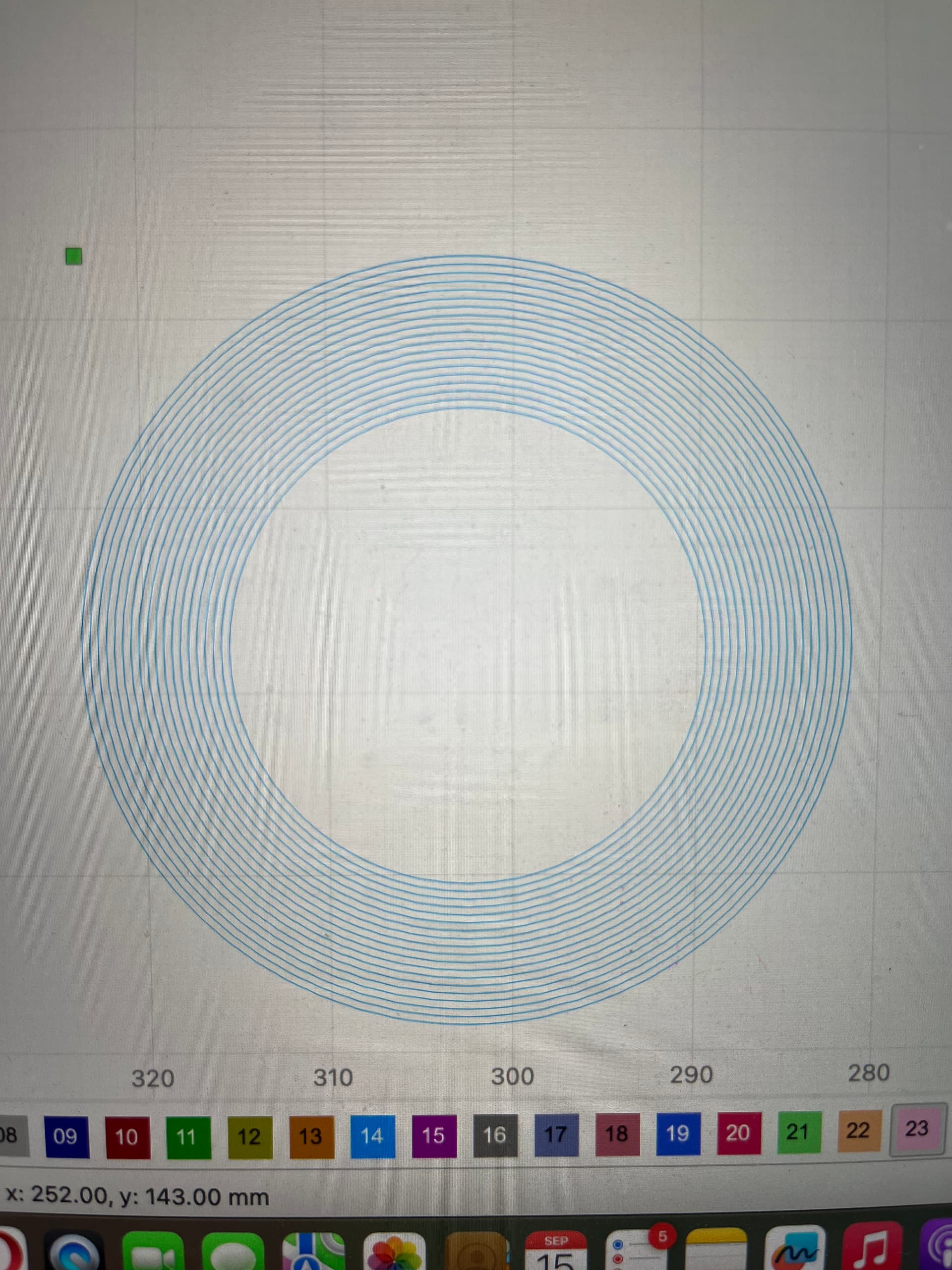
I’m getting burns from doing circles in Line mode. The burns are where the laser starts and stops. I’ve tried lower speed/power but nothing has worked. Because I’m using CO2 Ruida controller so there’s no adjusting Constant Power feature. Please help..

There is, you just need to understand how the Ruida works, it’s a bit different animal … I think they’re much better than grbl…
The hardware in the Ruida computes how power is applied. If you want constant power, set both minimum and maximum values the same.
I didn’t see any indication of how fast your going or what power you’re using.
It looks like it’s not getting up to speed fast enough.
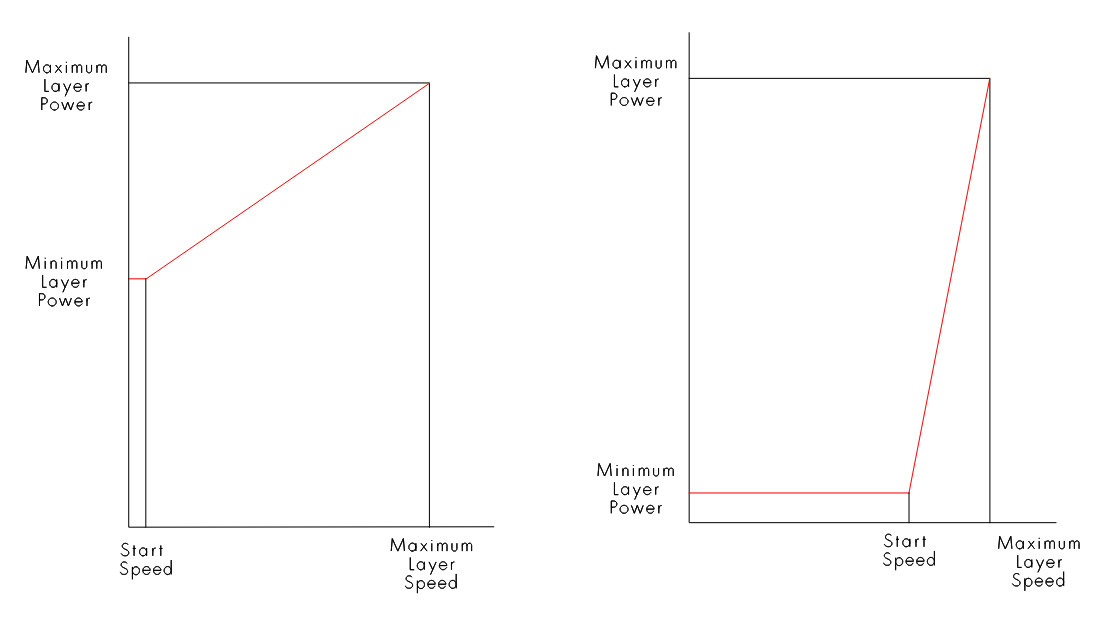
Minimum and maximum power level limits cause the Ruida to adjust it based on the start speed value in the Ruida.
I think it works like this…
Give us a bit more information and maybe we can have a better response.

I’ve tried the lowest power at 10% or speed up to 350mm and results are still the same. I’ve tried min power 10% and max up to 18%. The speed and power parameters limits are from the factory.
What kind of machine do you have? Your profile indicates a grbl Atomstack?
It’s CO2 with Ruida controller.
Is it a kW machine or something more hobby like. It’s hard to diagnose something with incorrect or missing information.
Did you lower your start speed on both axes?
Did you set minimum/maximum values equal?
This is my machine and the settings I use for this circle. I tried to adjust speed/min-max power and the results came out the same.
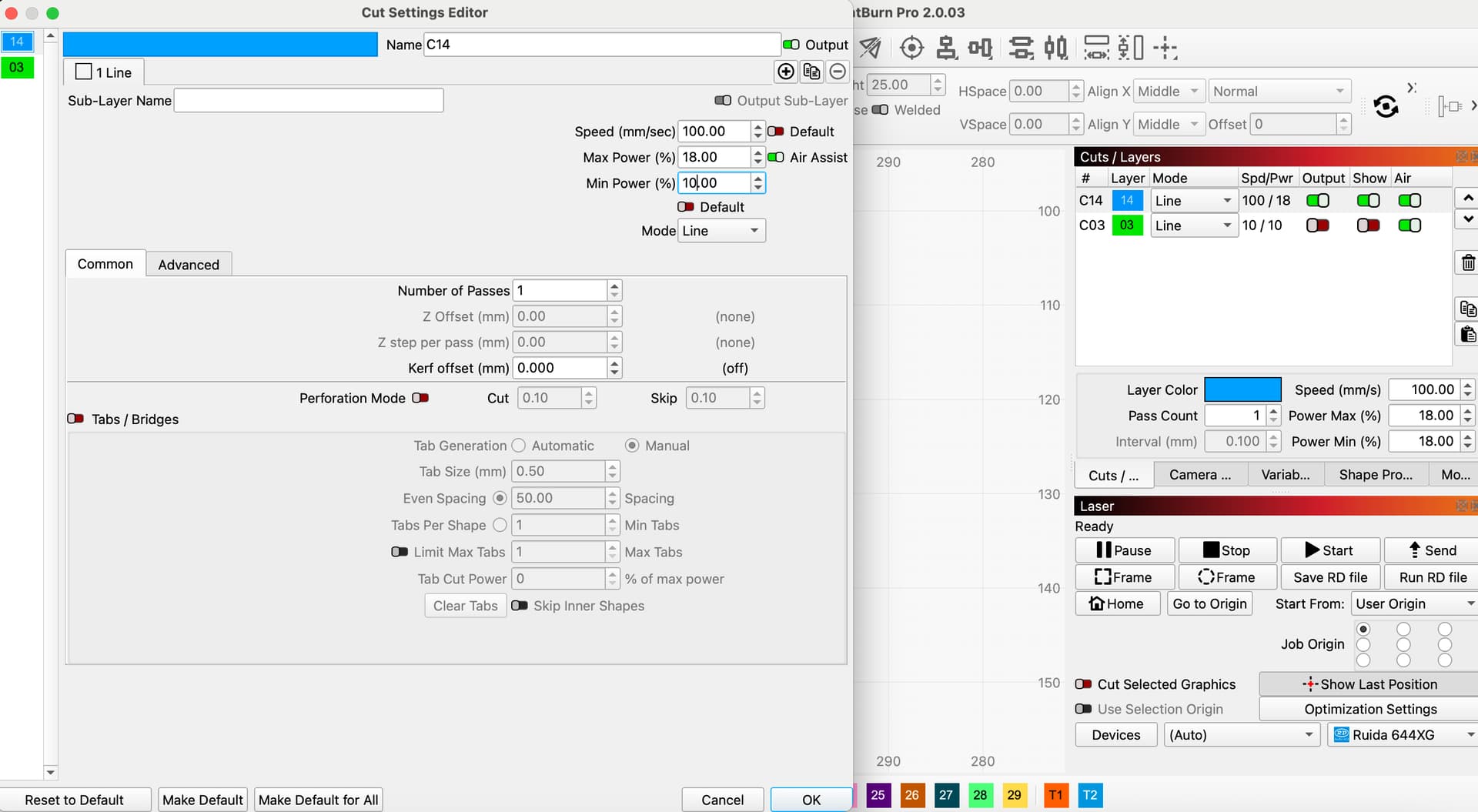
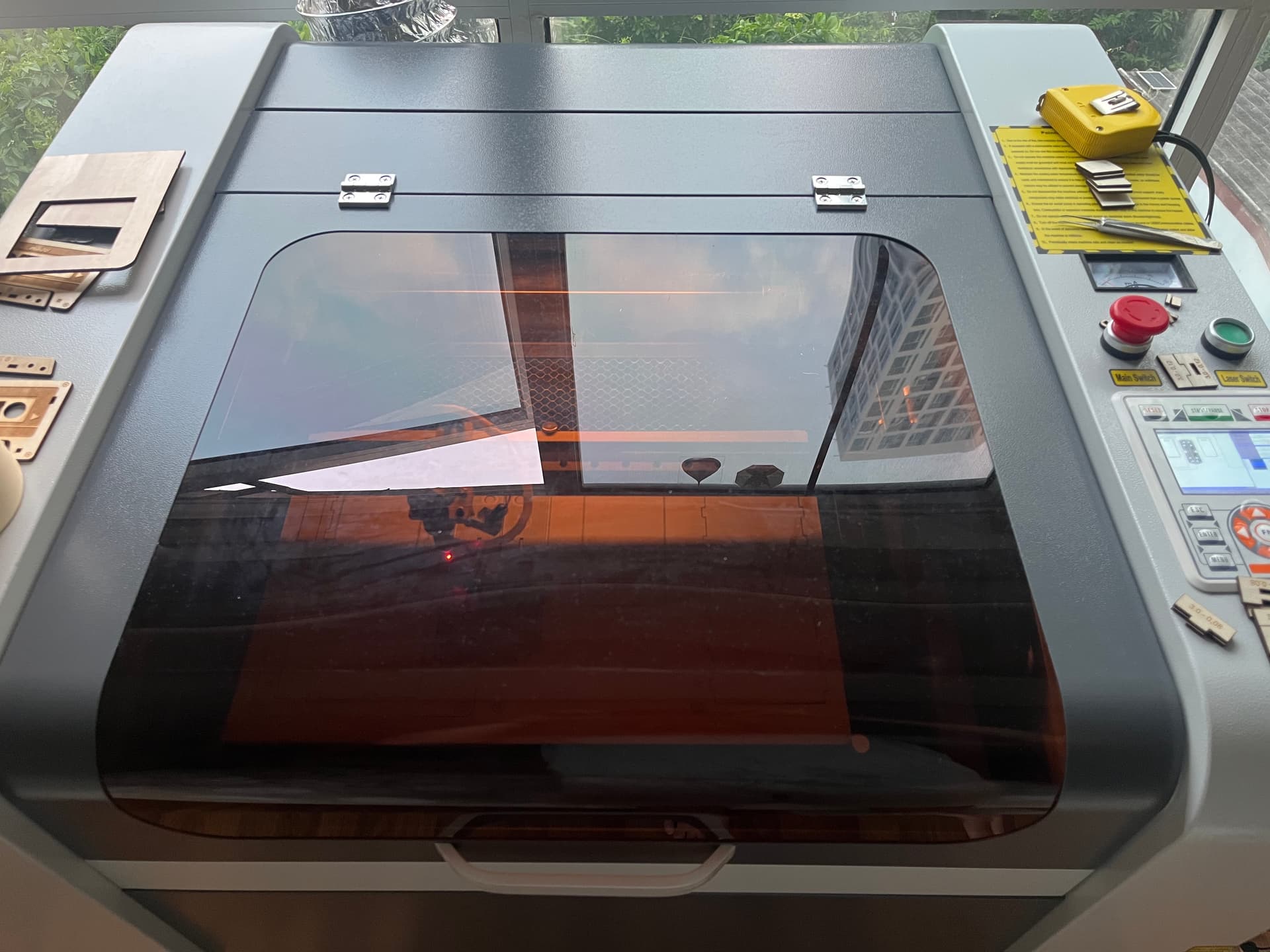
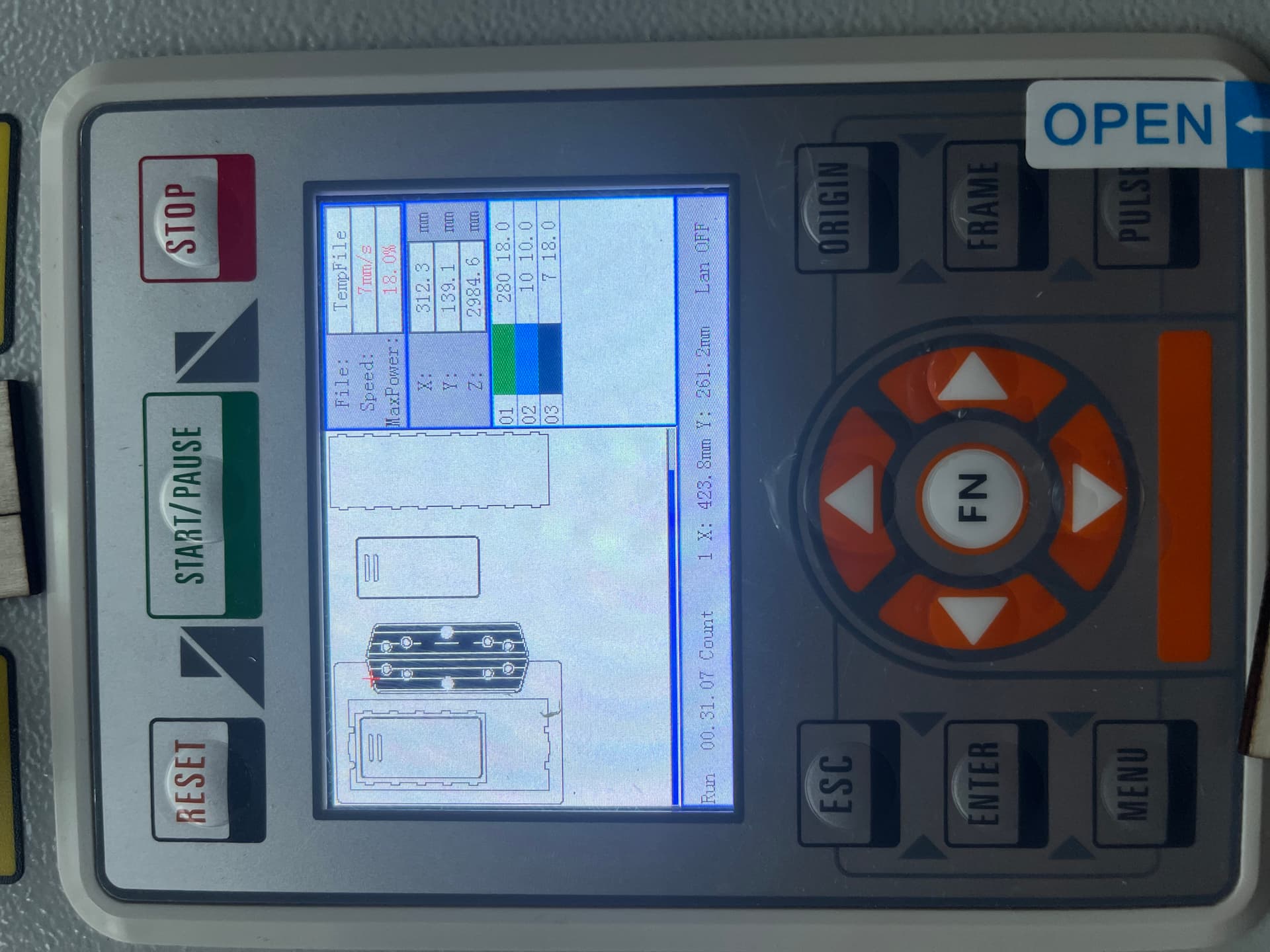
I tried min/max values equal already. For start speed on both axes I’m not sure how to do that. I just use the basic settings like in the picture. I’m quite a newbie and still learning everyday.
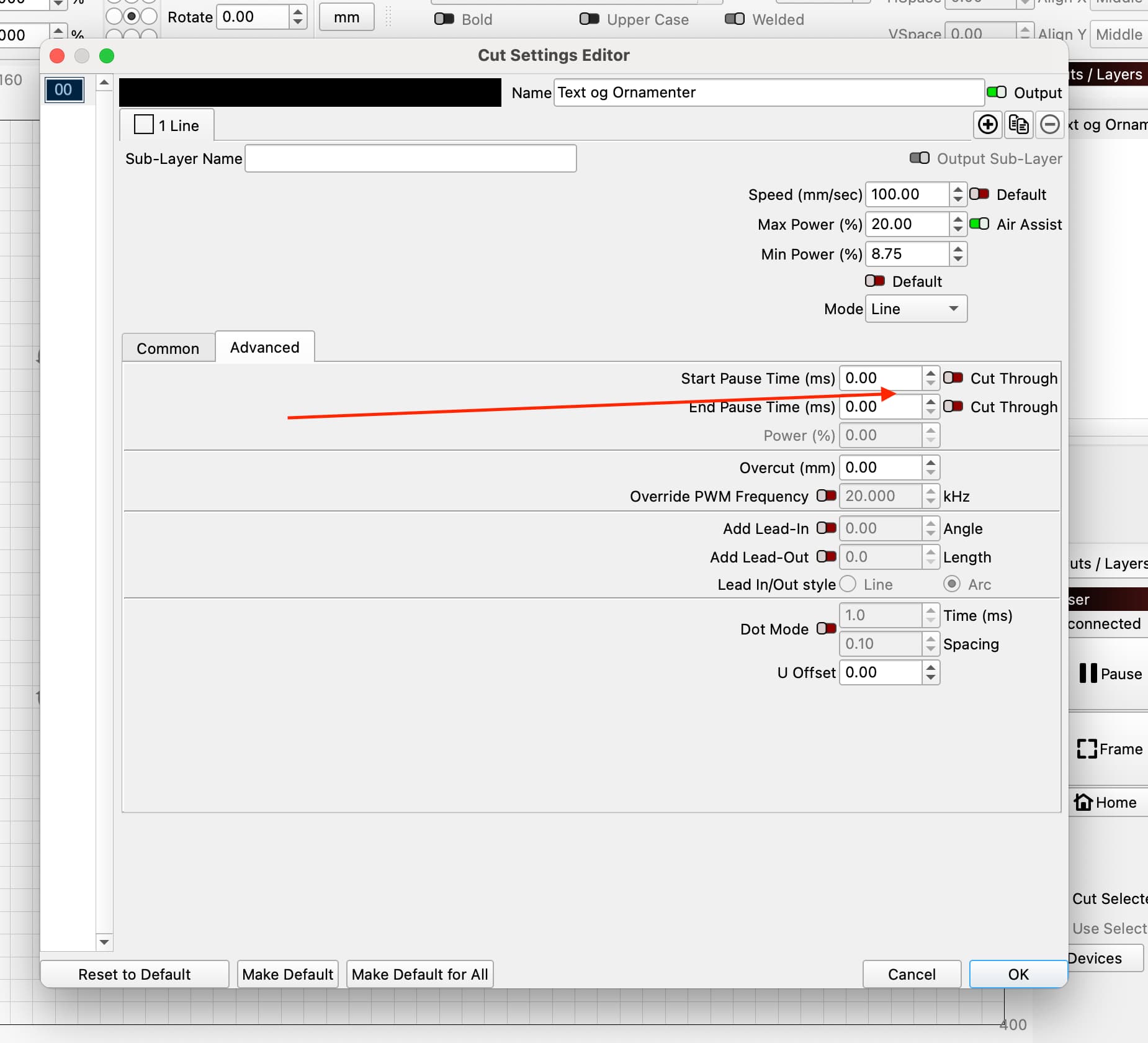
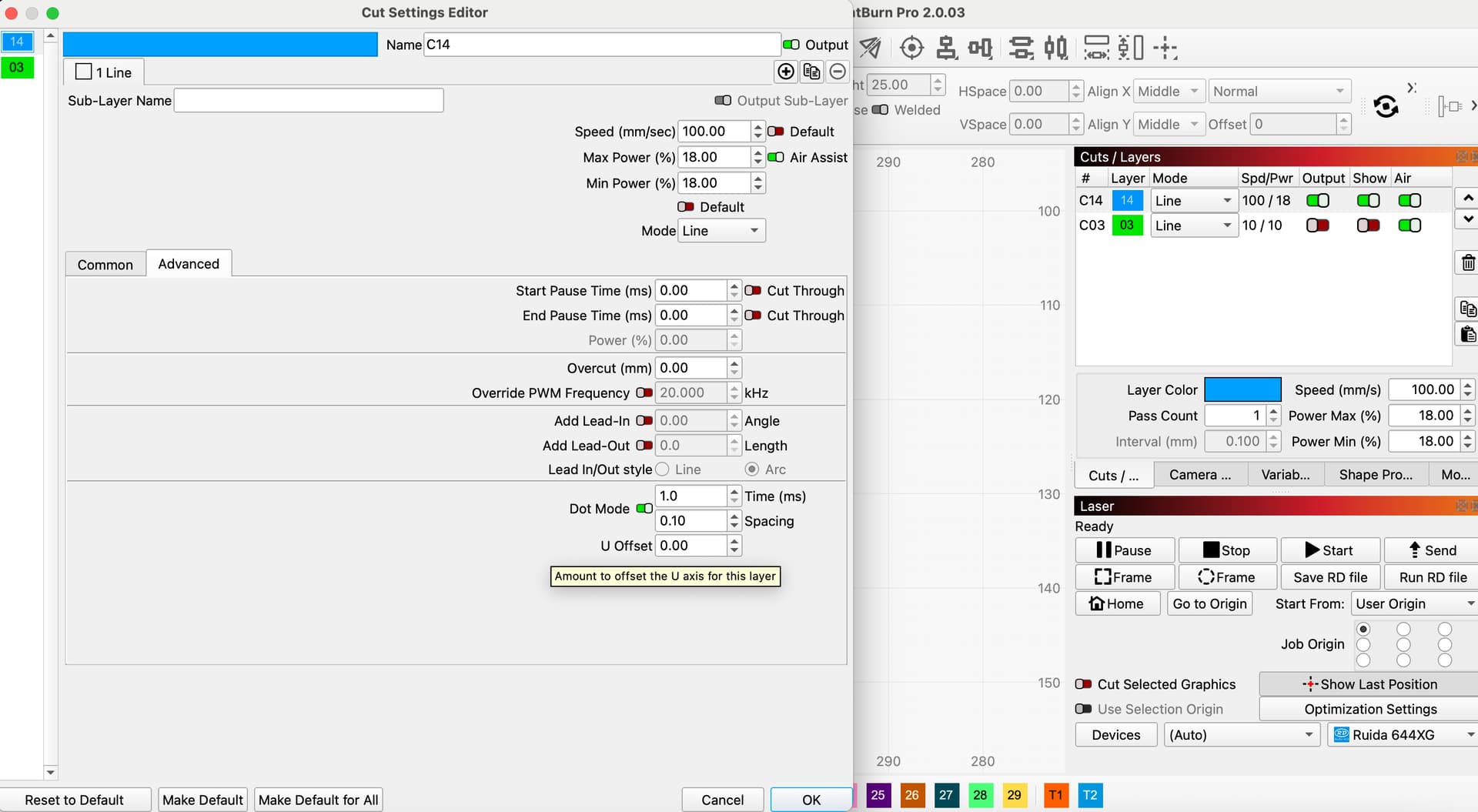
Try disabling Dot Mode. I don’t know if that will solve your problem, but it shouldn’t be on under normal circumstances.
That Dot mode actually what saved me. I got this advice from a facebook group. But I want to do a normal circle on Line mode without getting a burn spot and also without using Dot mode.
Does it produce the same results with different shapes, an oval or rectangle for instance?
Upload the file that is giving the issue. I’d like to try it on mine and see if I get the same results.
Edit: I recreated your file and tested it, also with an oval. I get similar results as you. Simple circle with several offsets.
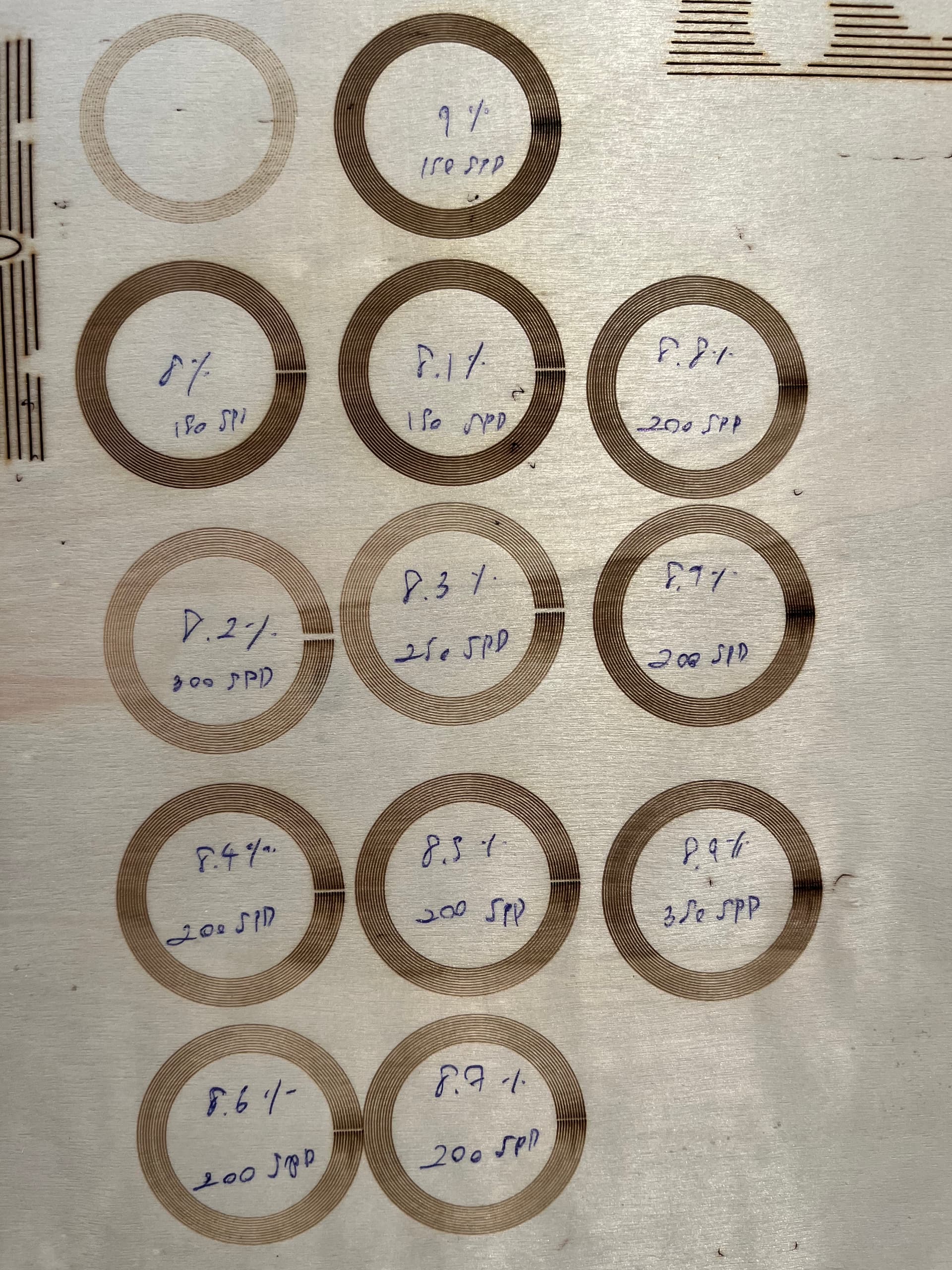
Here are my results after playing with Min power setting. All the circles were etched at 300 mm/sec, 30% max power amd min power as shown on photo. I’m using a 100watt C02 with 2.5" lens for this test. In this situation I found 7.9 or 8.0 min power to provide the best result. 7.8 or less leaves a gap and anything over 8.0 starts to overlap like your sample.
Test different minimum settings on your machine.
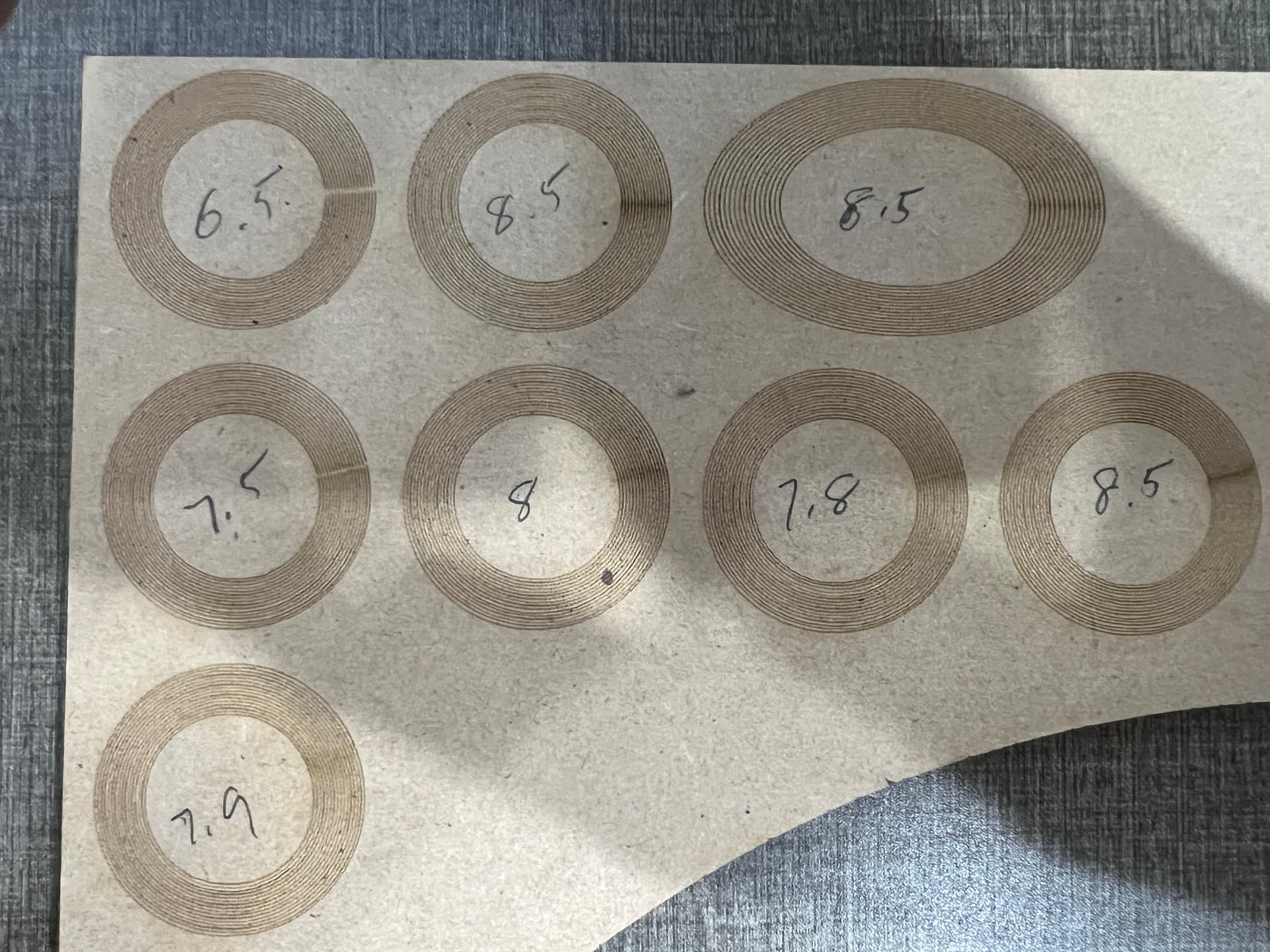
Mine are still dark. Best result is min 8.9-9% max is 18% speed is in the picture. I was trying with different speed. Yours are so much better than mine. First one is in the Dot mode that’s why there are no dark marks. It’s just too slow.
This may be a situation where you must choose any two:
- Fast
- Good
- Simple
The nominal layer speed will almost certainly have nothing to do with the actual laser head speed, because those circles look relatively small and won’t let the machine reach full speed.
A quick-n-dirty test: measure the overall job time required for each pattern. If changing the nominal layer speed doesn’t (inversely) change the job time, then the machine was running flat out.
After you find the actual maximum speed, you can then twiddle the power levels. For that particular wood at that speed, however, the laser probably won’t fire at a level low enough to produce the evenly charred result you want.
Perhaps slightly defocusing the beam can reduce the power density enough to give more dynamic range without blurring the circle widths too much.
Pre-treating the wood with a surface finish might have the same effect, by either darkening or lightening the average for more dynamic range.
Tradeoffs! Tradeoffs everywhere!
I think running this stuff at such low levels is a problem in itself.. This is the cause of the speckles we commonly see. Both analog devices trying to work within a flaky range of operation.
My last two tubes would lase at the 10% level but they did so in a TEM01 mode. This can’t be acceptable if you want the machine to work properly. Looks ok at m1, but get some distance and you can see the result.

One of the reasons metal tube machines have very good M2 values. When they are ON they are at 100% power. I try and keep mine out of this range.
My current SPT tube is similar. This is one of the problems with large glass tube machines.
Don’t know how or if this affects this problem. I’m assuming a 50W machine from the look of the machine…
It is 60W machine. I guess I’ll be going with the Dot mode since that gives me no black marks at all. If anyone has any other solutions please let know I’ll try them out.
1 Like
This topic was automatically closed 30 days after the last reply. New replies are no longer allowed.