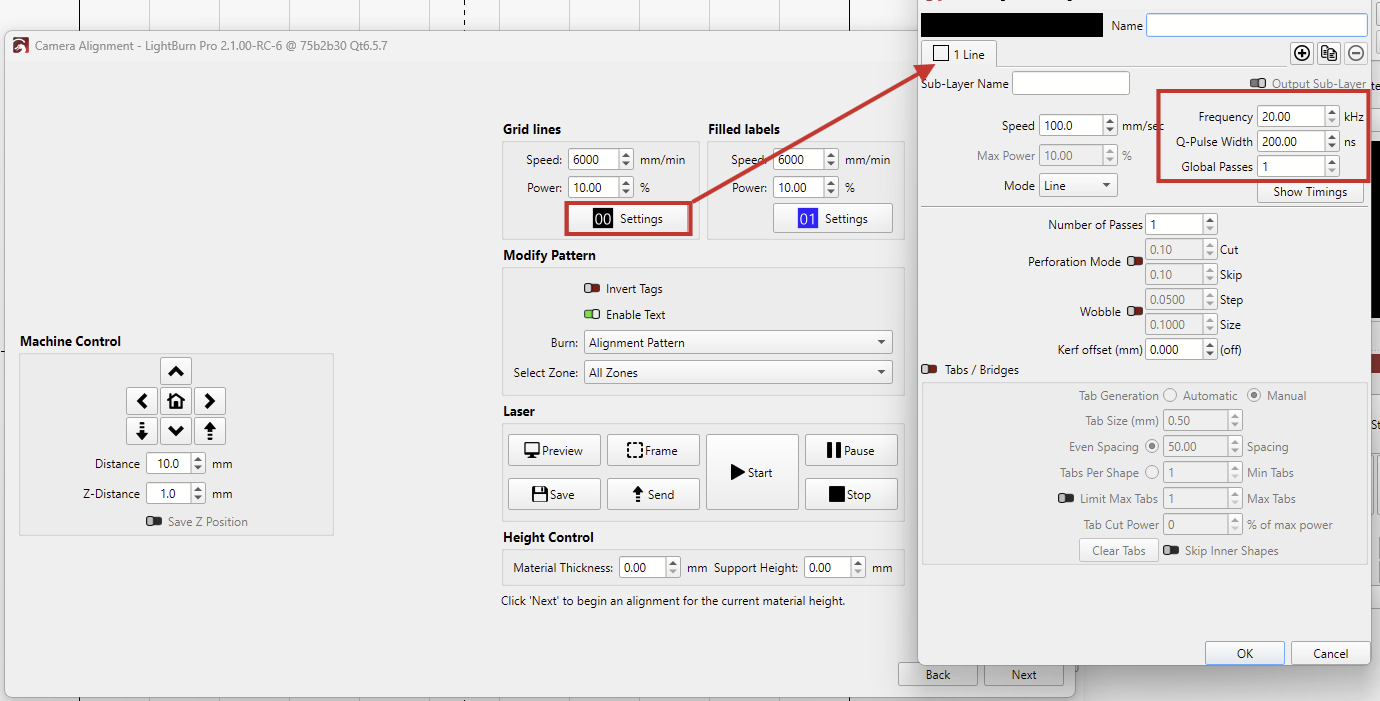
I am reaching out regarding an issue I’m encountering with the Camera Calibration Wizard on my 10W UV Galvo laser.
While trying to perform the “Alignment Mark” step, I noticed that the wizard does not provide options to adjust Frequency or Pulse Width settings. For a UV laser, these settings are critical to achieving a visible mark on the calibration material. Without these controls, the default settings used by the wizard do not produce a readable mark, making the calibration process impossible to complete.
Hardware: 10W UV Galvo Laser
Could you please guide me on how to override these settings for the calibration process? Also, is there a planned update to include these Galvo-specific parameters directly in the wizard?
merci pour votre aide
Note that it will install on your system as a separate “PreRelease” version of LightBurn, which has it’s own set of preferences. This means it will not affect your standard installation of LightBurn at all, but it will also not have any personal customizations applied as in your current installation.
The installer should automatically ask if you want to import a copy of your standard release version preferences - you can also use the User Bundles feature to move over your preferences at any time later, if you choose.