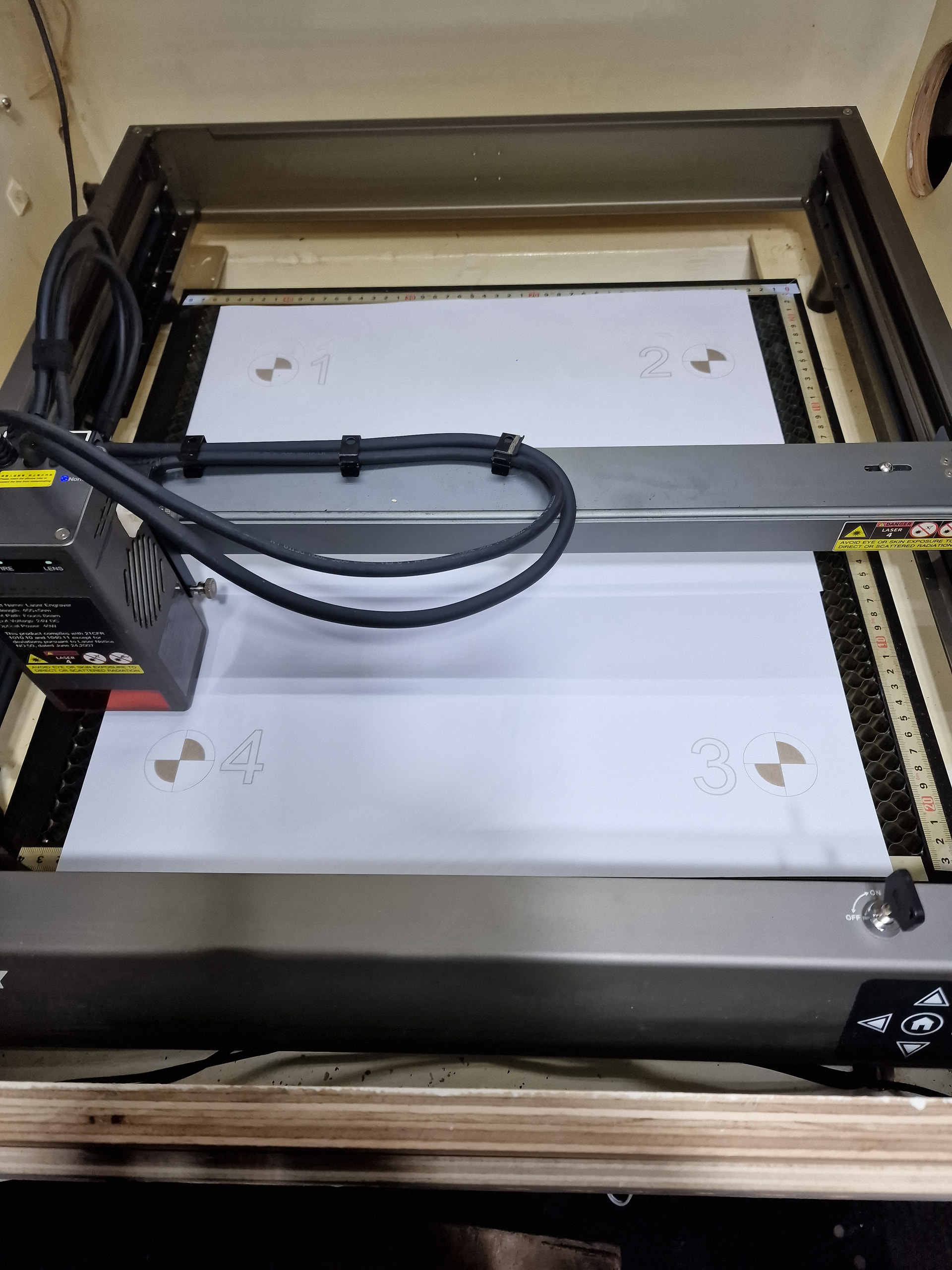
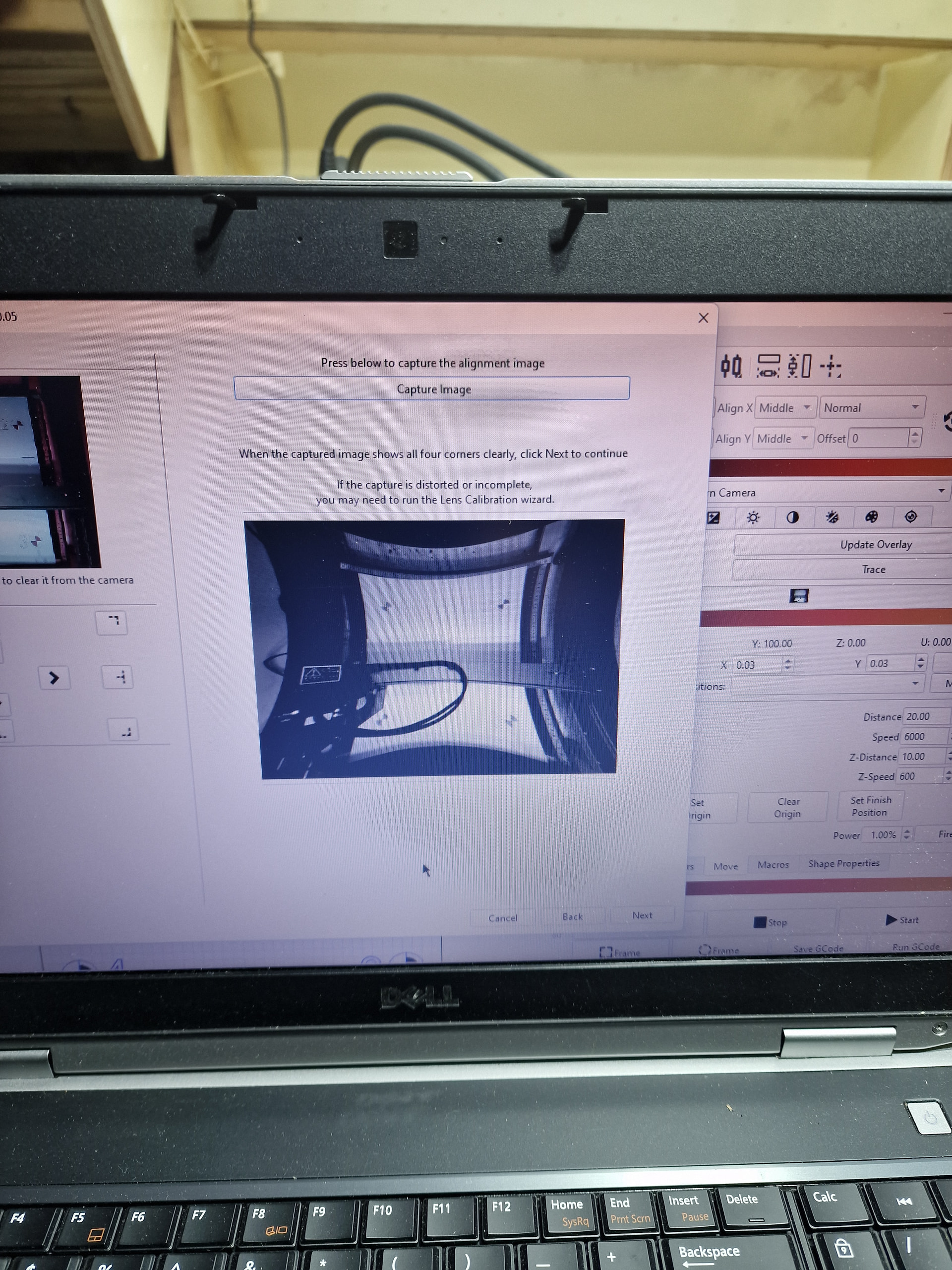
Hi. Sorry for another camera question. Ive bought a used Creality Falcon2 with a Lightburn camera all installed in a hard enclosure. Ive just got a second trial of lightburn as my 1st ran out while waiting for my new engraver to arrive. The issue is that when trying to calibrate it, the final capture is distorted. Ive done it from an 8 inch size now gone to the whole bed size of 400x415 mm and its got hellishly distorted now and Im not too sure where to go. Ive done it multiple times wirh various different parameters but its always the same. Oddly enough, with my old setup which was a cheap camera from Amazon it was perfect 1st time. Im stumped somewhat. Can anyone please help. I really like Lightburn and will purchase it but would ideally like it all working on this set up first.
First, a technical problem should not keep you from buying LB, you won’t find anything better
That said, camera handling in LB is not the easiest task. Development is going on to make camera handling in LightBurn better and easier.
However, your problem looks like there is an error in lens and camera calibration.
Possibly wrong choice of lens type or moving matrix during calibration.
Which LB version and camera are you using and how exactly have you mounted it.
Thanks for replying. The camera is mounted directly above and horizontal to the work plane, pretty much in the middle. It is a lightburn camera 20 inches above.
Calibration goes well, as does the alignment, Ive done it a few more times, however, the overlay picture is very distorted still. Incidentally, the preview picture is miniscule, around 5mmx5mm. I expect that is significant but not sure how.
I do agree with the lightburn purchase, I will do but somehow I will feel better about it if it is all set up and ruining nicely!
Your camera mount looks very nice and stable, there is nothing to complain about.
Does the purchased LB camera angle match your machine bed? Is it a fisheye lens or standard that you choose in the calibration process?
According to the list, it should be a 140 degree lens, if I am not mistaken.
Which system for lens calibration do you use and what are your results/values for it?
A very important detail is to adhere to the order of markings, 1,2,3 and 4. Then you must relate to the updated preview window and not the one in the small results window.
If nothing helps to get a proper result, you must start over again. It is not optimal but that is how it is at the moment.
I can also spend hours on my calibrations, but it is related to the fact that I want final results that are less than 0.5 mm in fine adjustment (on 600x400mm) - and I can achieve that.
One last thing I can think of, you can try downloading a LB version 1.7.8. , just install it over your current newer version.
See if that gives you the desired result. It doesn’t take long and you can also quickly switch back to the last version afterwards.
Hiya, than you for helping to try to sort this.. I’ve spent some more time recaIibrating and changing/ trying things, rebooting, reinstalling etc and maybe I have sorted it. I read somewhere about deleting the files in the preferences folder and I think that’s solved it. Well everything looks great except I done
T have any preview picture at all now but if I click the capture image, there is a nice image to work with. Also the accuracy is great. So progress. I’ll tentatively call this issue resolved, almost!
It doesn’t sound right but as long as it helps, it doesn’t matter.
I think it’s the camera part in LB that is currently a bit “out of balance” and I’m curious how the fixed version will work.