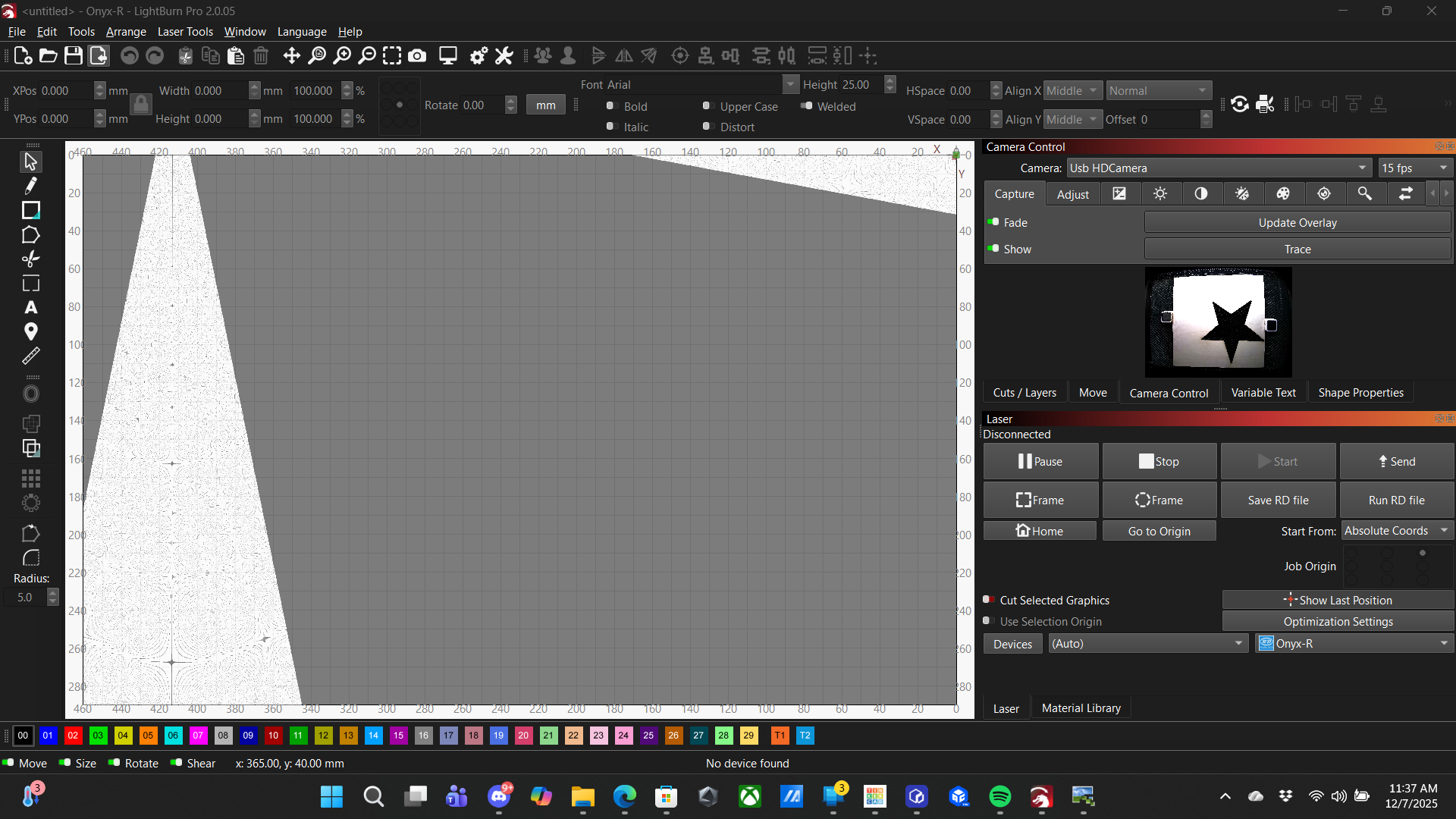
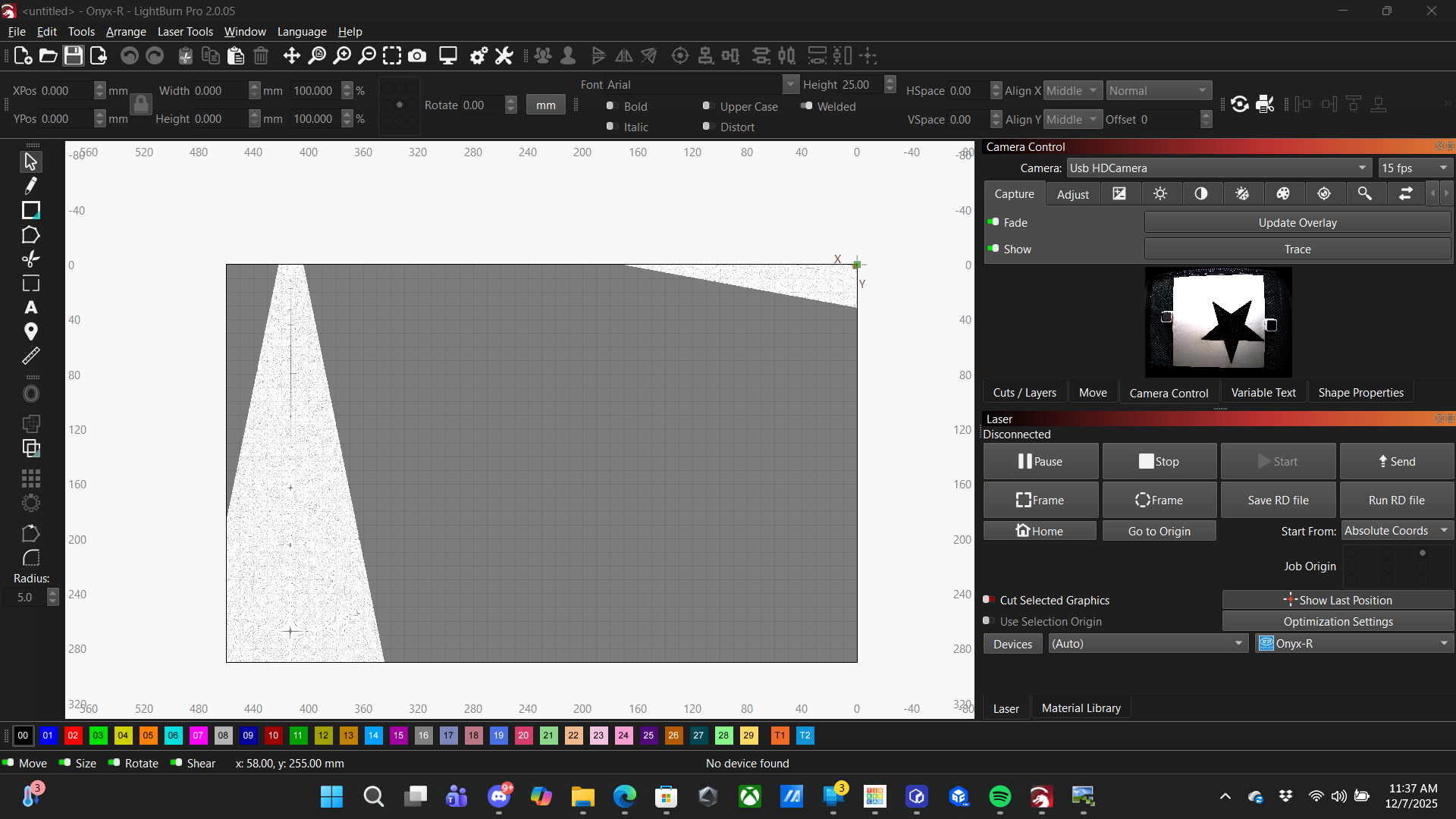
So, my camera overlay has been working fine for over a month since I started using the machine but I extended my trial last night and immediately after doing so the next job I tried to line up I hit Update Overlay and now I’m getting an image that has no apparent similarity to what the camera should be seeing. Nothing is blocking the camera and in the Overlay preview on the Camera Control window the image is correct coming through the camera so I have to assume Lightburn software is misinterpreting the image between taking the image and displaying the overlay. Please help with any advice.
Running Monport Onyx-R 55w CO2 laser with attached camera and Lightburn trial software(not sure if trial matters, will be purchasing the license soon
Just to be clear, the two things are not related, but an update to a newer LB version has the potential for this error.
Go to the LB download page and download the version that worked for you before - to rule out or confirm this source of error.
nb. There is no difference between trial and normal paid version of LB.
So, my camera overlay has been working fine for over a month since I started using the machine but I extended my trial last night and immediately after doing so the next job I tried to line up I hit Update Overlay and now I’m getting an image that has no apparent similarity to what the camera should be seeing. Nothing is blocking the camera and in the Overlay preview on the Camera Control window the image is correct coming through the camera so I have to assume Lightburn software is misinterpreting the image between taking the image and displaying the overlay. Please help with any advice.
Running Monport Onyx-R 55w CO2 laser with attached camera and Lightburn trial software(not sure if trial matters, will be purchasing the license soon).
Thank you for clearing that up for me. I ended up going into the backup log and loading preferences before the error occurred and it seems to have fixed the problem. If I encounter any more issues I’ll try going back to a previous version of the software.
It’s a good idea to save all settings from time to time, either with a “Bundle” or manually exporting the settings - including the camera settings, they can also be exported/backed up separately.