Hello, I have done camera lens calibration, then went through camera alignment, and yet still - when I update overlay, and try to print anything the images are shifted about 1cm. No idea how to fix it. I assumed that it would be enough to do camera alignemnt again - but i am still stuck. What amI doing wrong?
I am using Acmer P1 S Pro, Camera is Acmer A500 camera on Windows 11
You are not doing anything wrong, but often it takes (unfortunately) several passes to get a good result.
It is extremely important that you have 100% control over your laser being static, i.e. not changing its position and this of course also applies to your material, it must not be moved during the process. This also applies to Z (height).
During the actual lens calibration, the lighting conditions must be optimized, it must not be too bright, LB cannot handle it that well. Cover your honeycomb, if you have one, with a blank sheet of e.g. MDF. I have recently had good results with April Tags for lens calibration, I run at least double the number of positioning recognitions, but I use the cross targets, and not April targets, for the actual camera alignment, it works (here for me) best.
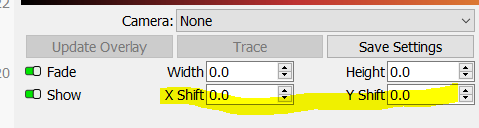
When I have calibrated the lens and the camera position, I do a test with small center targets distributed over the 4 corners and the middle of my entire machine bed. If the deviation is more than 1mm in correction, I start over again. My calibration level of precision with the camera system should be below 0.5mm, which I then compensate with the adjustment options in the program down to preferably below .2mm.
It may sound a bit hysterical, but I need this accuracy in my daily work.
I use my camera system in LB for post-processing/personalization of prefabricated products and primarily to utilize my sometimes quite expensive material in the best possible economic way.
Ps. please no comments that I should use a template for that…, I use templates (too), but only for series.
Additionally, make sure that you didn’t change the object height. The camera only works on the calibrated image plane, you may not use thicker or thinner materials with the calibration.