Thanks Melvin, but no, I’m definitely not an expert, - a bit of a nerd when it comes to cameras in LB, maybe…
Except for the assumed percentage, you are absolutely right here.
I think many have not seen the possibilities or simply do not need camera assistance for their work with their laser machines, otherwise more people will invest the necessary time to figure it out.
The actual lens calibration and workspace alignment with April Tags is much faster and more precise than before.
But the devil is in the details. I have seen camera mounts that were so lousy that it has been a shame to spend money on the camera itself. The calibration instructions themselves are also fairly straightforward, but still some users swap targets around or move the alignment template itself during the process … just a few mm, it doesn’t matter … - well, it changes everything to the point of being useless. Recently I read that someone spent 1.5 hours engraving the standard alignment targets … and could not calibrate their camera …
As I said, I don’t agree with that, but I think it depends on whether you need this tool.
Here LightBurn is the people on duty, if you and many(?) others have problems with handling and using this tool, then there is room for improvement.
The competition in the laser machine market is intensifying and it will be harder to survive in the future, especially in the fiber and UV sector. Without an easy and precise camera system, software and hardware manufacturers will face tough conditions. However, I believe that LB is well on the way.
Well, I’ve spent countless hours online with Thunder Laser, who are trying hard to help me, to no avail. It sounds like Lightburn are speaking with them about this. Rolling back to a previous version of Lightburn does nothing.
It’s as if upgrading to 2.1.04 somehow permanently made my camera unusable. I’ve done a complete re-install of my laser from scratch, still can’t calibrate it properly. I’m wondering, would getting a Windows computer help the issue? I’m on a Macbook Pro now, but need to get this thing up and running again.
No, it won’t help with another OS. I run LB on Windows, Linux but mostly on my MBP’s - without the problems you describe.
With the deviation you describe it “must” be a problem with your workspace alignment. (I assume you have finally managed to calibrate your lens, there were also problems with that, if I remember correctly)
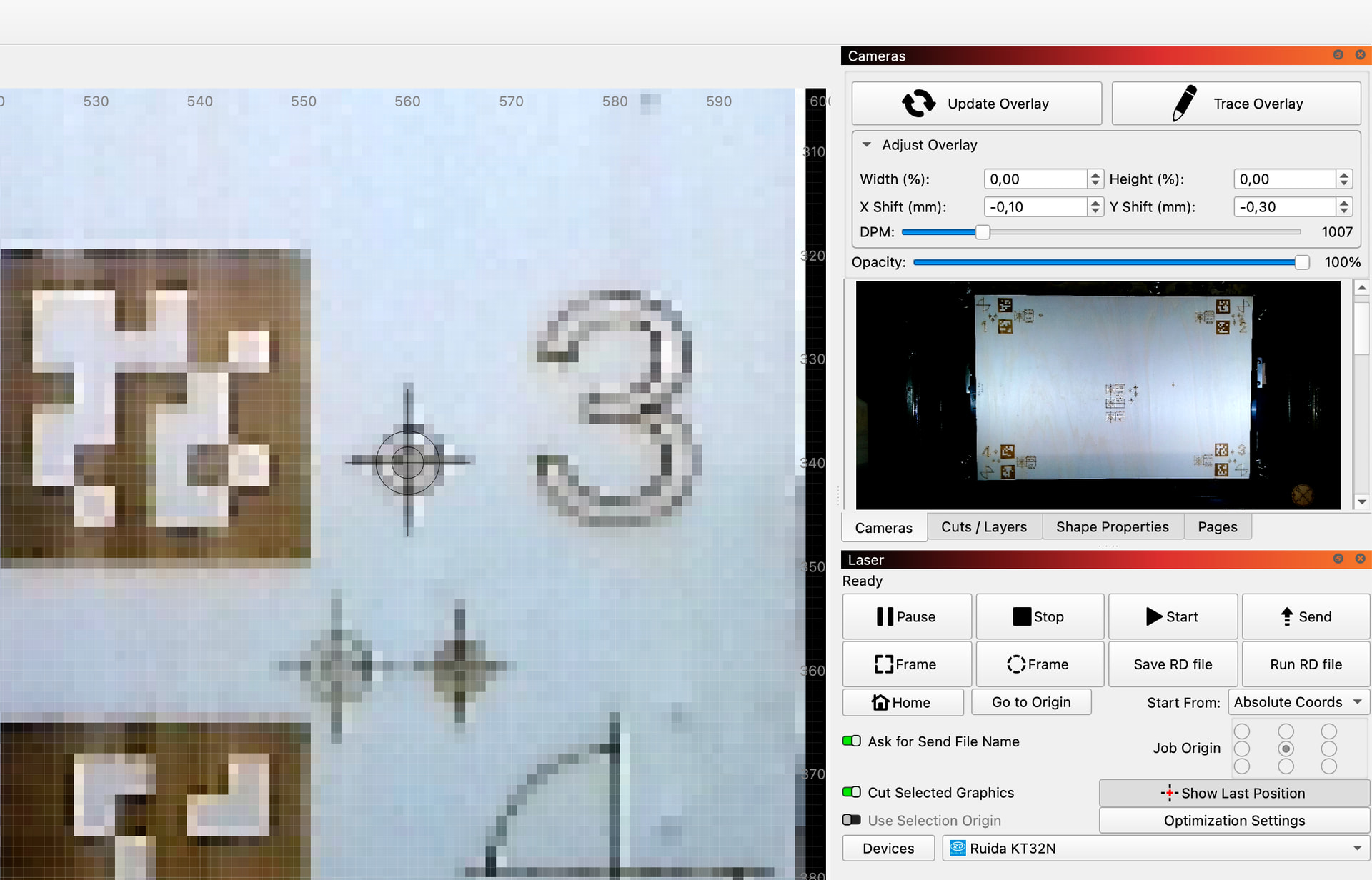
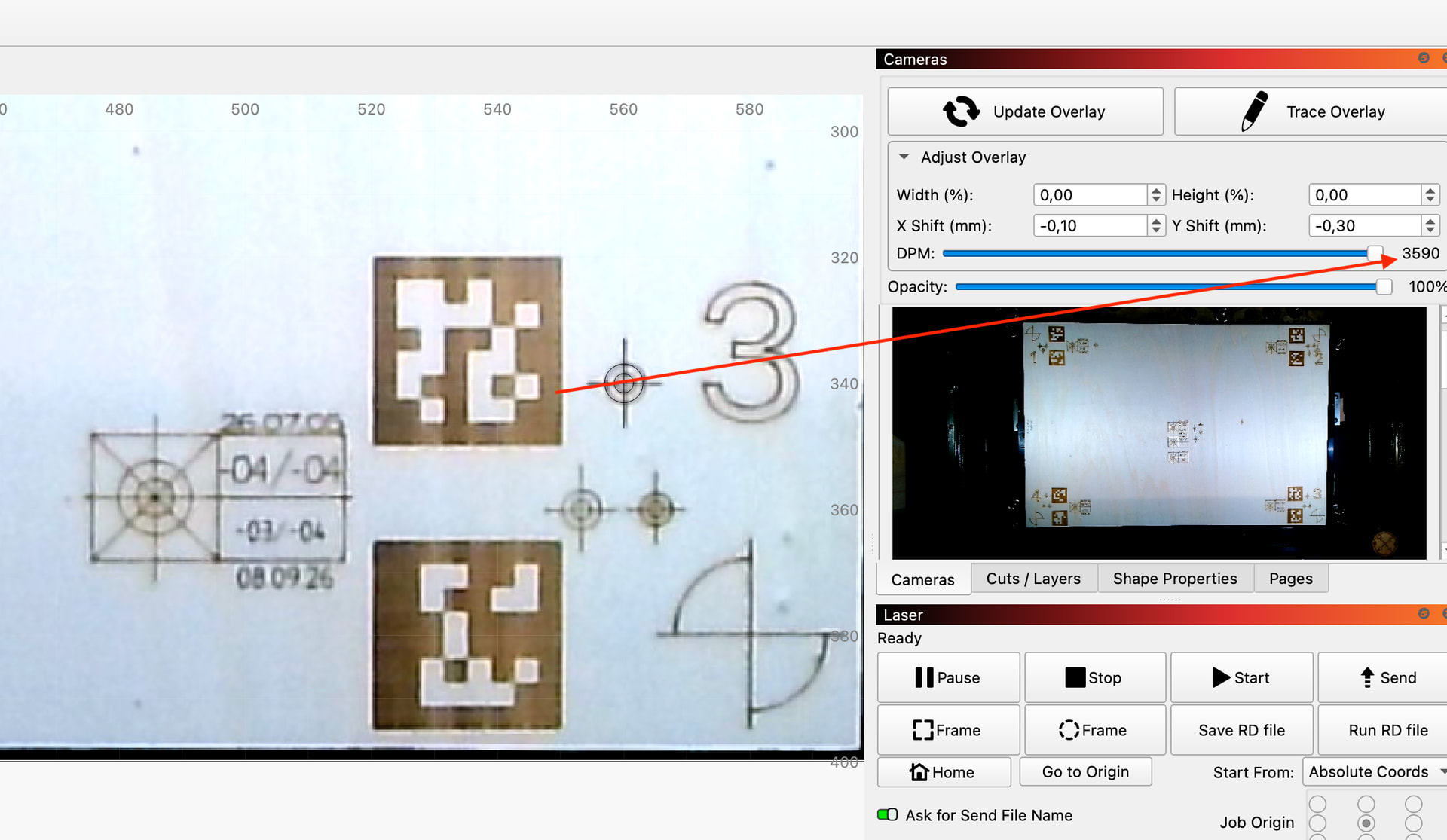
Regarding the pixelated images you mention in your other thread,…I mean I’ve asked before, but what is your DPM set to?
My DPM goes way down if I use the supplied calibration. It’s sitting at 1110 right now. If I roll back I get over 5000 DPM. I’m now at a point where the alignment is good, but DPM at 1000 so back to being pixelated.
DPM is of course camera dependent, but my standard LB camera is set to 3590 DPM, if I set it to 1000 I also get an almost useless image, that’s why I’m asking.
I get it; what’s happening in this case is if I calibrate the lens using the supplied factory calibration file, the DPM maxes out at 1100, but the alignment works great. If I try to do a new calibration, the max DPM goes above 5000, but the alignment is way off, even after either automatic or manual alignment.