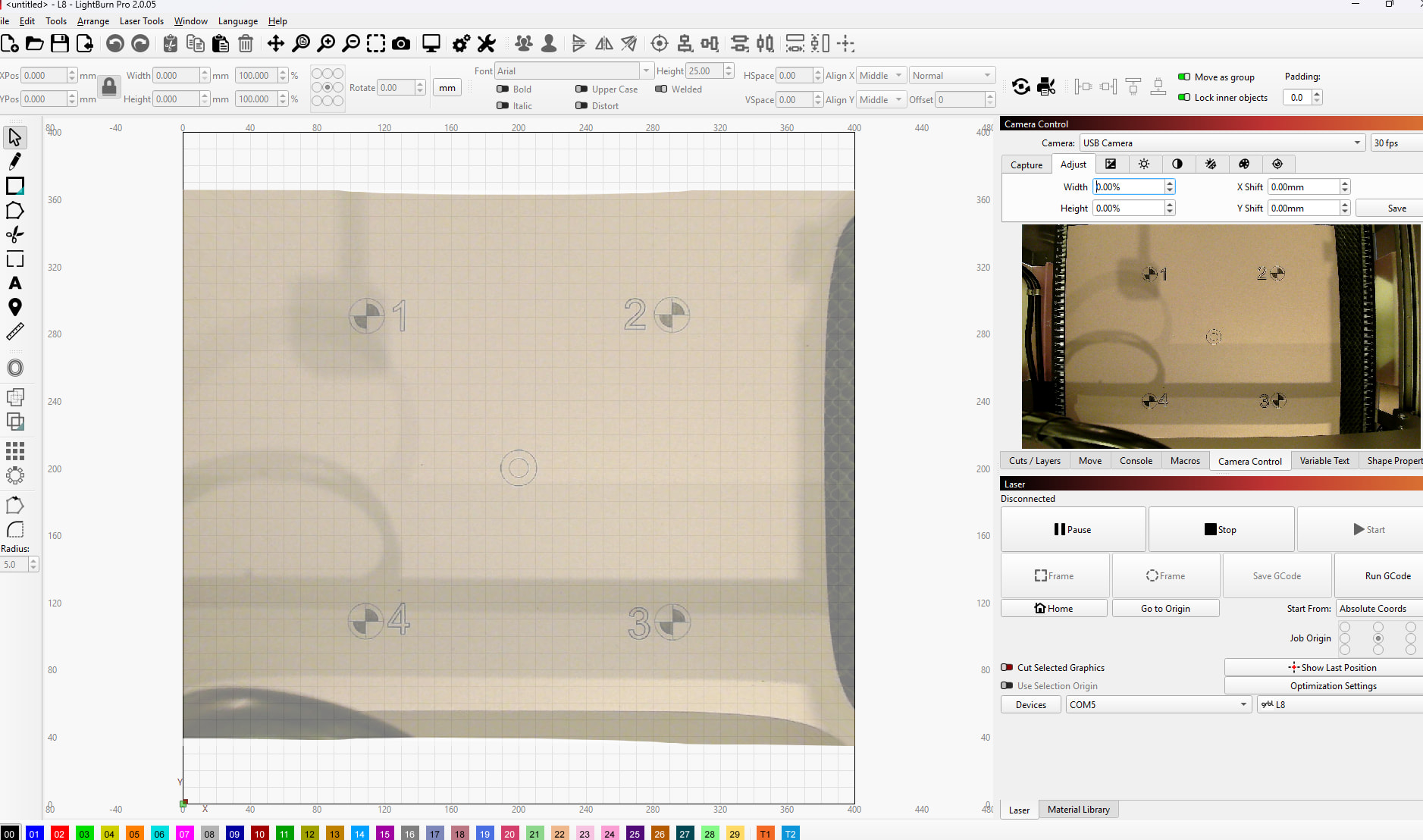
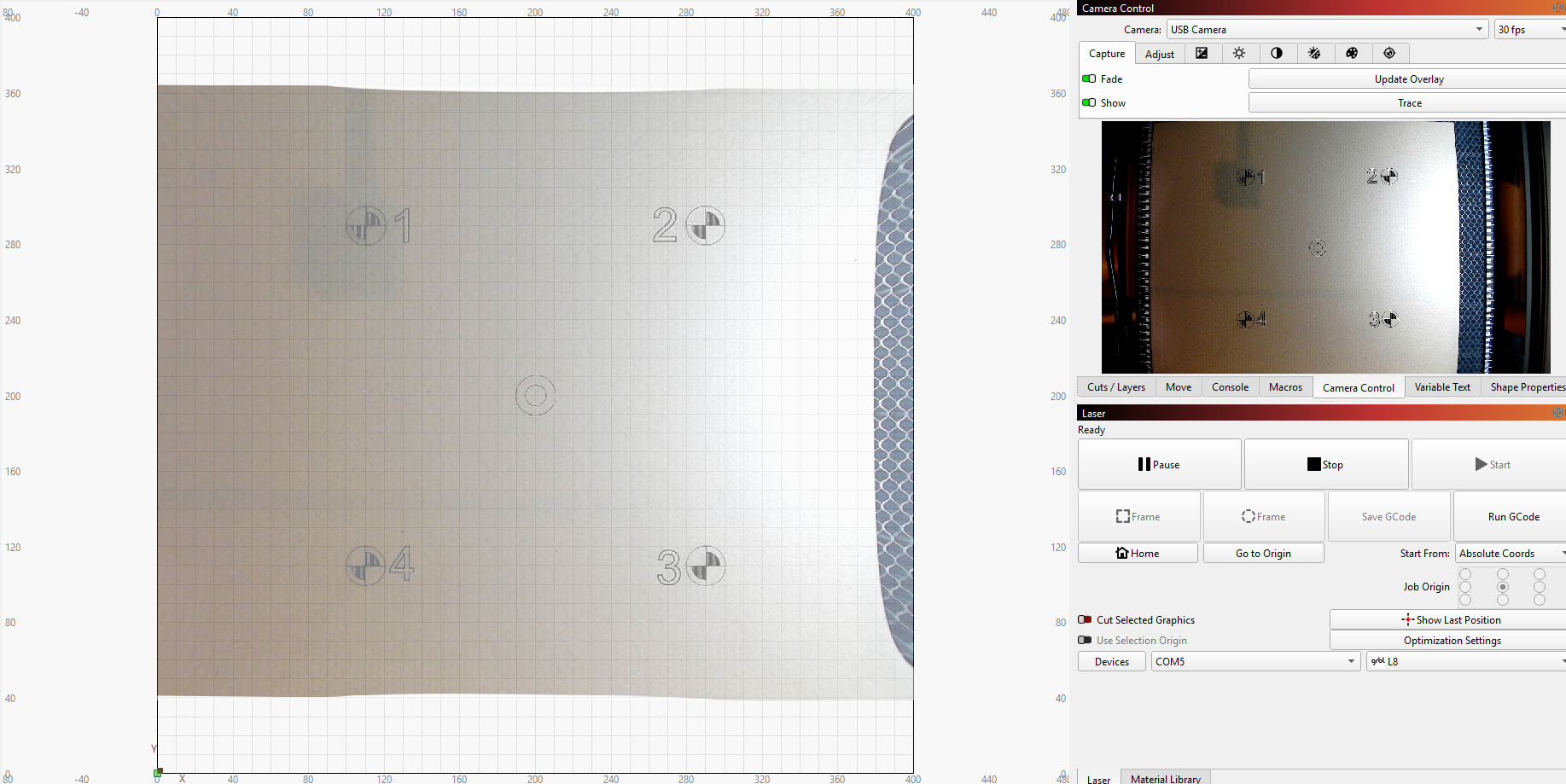
Hi, complete novice here. I check other post regarding this issue, but my problem seems a little different.
I have purchased a Genmitsu L8 W40 laser machine, it is USB connected to my desktop running on Windows11. Genmitsu L8 Laser Engraver Machine, 40W/20W Power, 40000mm/min High SpeedLightburn Camera Integrated | SainSmart – SainSmart.com.._gsNA..&gclid=CjwKCAjw4ufOBhBkEiwAfuC7-dv-3waEfzT1sS9VLrxg0zKG4FSFgzdWdPuGQLcLoxh3LB9CwOCGoBoCk64QAvD_BwE&gbraid=0AAAAADMWa4JZ0Z_ZXynk8RgtgVzgTifeP
I ran lens calibration and camera alignment several times.
As you can see on my screenshot. The image on camera control is clear, but the overlay image is distorted.
Therefor I don’t think the issue is the camera settings, yet more likely it is the way the image is displayed on the overlay?
What is going on here? And how can I fix it?
For what I intend to do, perfect alignment of my designs with irregular shaped objects is essential.
Thank you
Hi, yes I calibrated the lens with April tags and then connected the crosses. I have just done the whole thing again, but with fish eye lens settings. Same result.
You can try calibrating the camera with the selected AprilTags, they are not the ones from lens calibration, they are the ones you choose (additionally) when you print cross targets for camera alignment.
If that doesn’t work either, you have to start from scratch, sounds trivial and is trivial but there is no way around it.
I assume that you have not moved the targets after printing/engraving, and that your camera is “static”, i.e. has no possibility of movement either.
I usually start with lens calibration again and will choose the profile with the best values.
Sometimes it is more difficult than other times, but in general I think that with the “new” calibration tool, it has become better than before, although not perfect - yet.
I have tested many cameras and there is no common thread that tells me that one is better/easier to set than the other camera. But I can say that if the conditions are met, the result can be excellent.
ok, thank you. It looks good within the crosses, so I’m hoping if I line items up within that area I should be good. Only 1 way to find out. Fingers crossed.