Need help! Just moved had my ortur laser master 2 pro working fine before the move. Got it set back up and now on all of my programs my origin point no mater weather in user origin, absolute, or current position, is now in the middle of my workspace. It will not clear the origin or accept a new origin. I need this fixed as I am losing half of my workspace. I have moved it home then used the move menu to get just off of the home position then when I hit set origin it does not zero the x and y axis. Then when told to go to origin it goes right back to the center of the work space.
If it helps I have my origin corner as front left and when I home the laser it reads x=-2.775 and y= -2.869.
That sounds like you might have non-zero values in the G54 offset. Enter $# in the Console window to check this.
G54 0,0,0
G55 0,0,0
G56 0,0,0
G57 0,0,0
G58 0,0,0
G59 0,0,0
G59.1 0,0,0
G59.2 0,0,0
G59.3 0,0,0
G28 0,0,0
G30 0,0,0
G59.6 75.5, 77.95, 0
G92 75.5, 77.95, 0
Home 0,0,0:7
Tlo 0
Prb 0,0,0
Is there any thing that looks odd here?
Even though it showed 0 in the console it still homes out on the move screen to negative cords.
This is not necessarily an error or bad thing. But we all like to see 0,0 at the Home position, right? We may get into the difference between Home and Origin, but that comes later.
G54 shows no offset, now we need to know [1] where does the machine Home when you power it up, and [2] which button have you selected in the Origin box?

Let us know what your responses to [1] and [2] are. Once we get everything sorted out, and you still see non-zero Home coordinates, then we will work on that.
- It auto homes to the front left corner.
- I have tryed using both user origin and absolute.
I can not get the origin to change in user origin, and then when trying to run a laser file in absolute it starts runing from 0,0 which is also the same location that the laser goes to when sent to its origin point ( 3 inches off of home).
Side note i checked for pysical issues first, there is no missing teeth on the belts, the wheels are good, and the wheel drive shaft is tight, i could not find any dead spots in the servo motors and no visibly damaged wires or connections. I also tried using mutiple different laser files ( worked before ) and also uninstalled light burn, re-downloaded it and set up the laser selection again and that brings us to current.
When in Absolute Coords, the laser should move to the start point of the design. I always recommend Absolute because you can imagine the Lightburn grid hovering over the laser, looking down, and where the lines go the laser will too.
Tell me exactly what the attached file does. the start point when it fires should be about X50, Y50 from the Home position.
Position Test.lbrn2 (12.6 KB)
I also included some text that may help…
Home - A machine physical location determined by limit switches. It cannot be moved (by physically relocating the switches) to any location other than one of the 4 corners. The controller may set this location to 0,0 for the Origin, but not always.
Origin - A software or program location designated as the 0,0 location. The Origin can be anywhere within the machine frame. Moving the Origin requires a strong working knowledge of graphic coordinate systems. Lightburn requires operating in the First quadrant, where all locations are +X+Y values.
G54 - A work coordinate offset, normally all zeroes. If any of the 3 positions (X, Y, or Z on that order) are non-Zero, then the numbers are algebraically added to the Origin numbers. This essentially moves the “working” Origin to a new location.
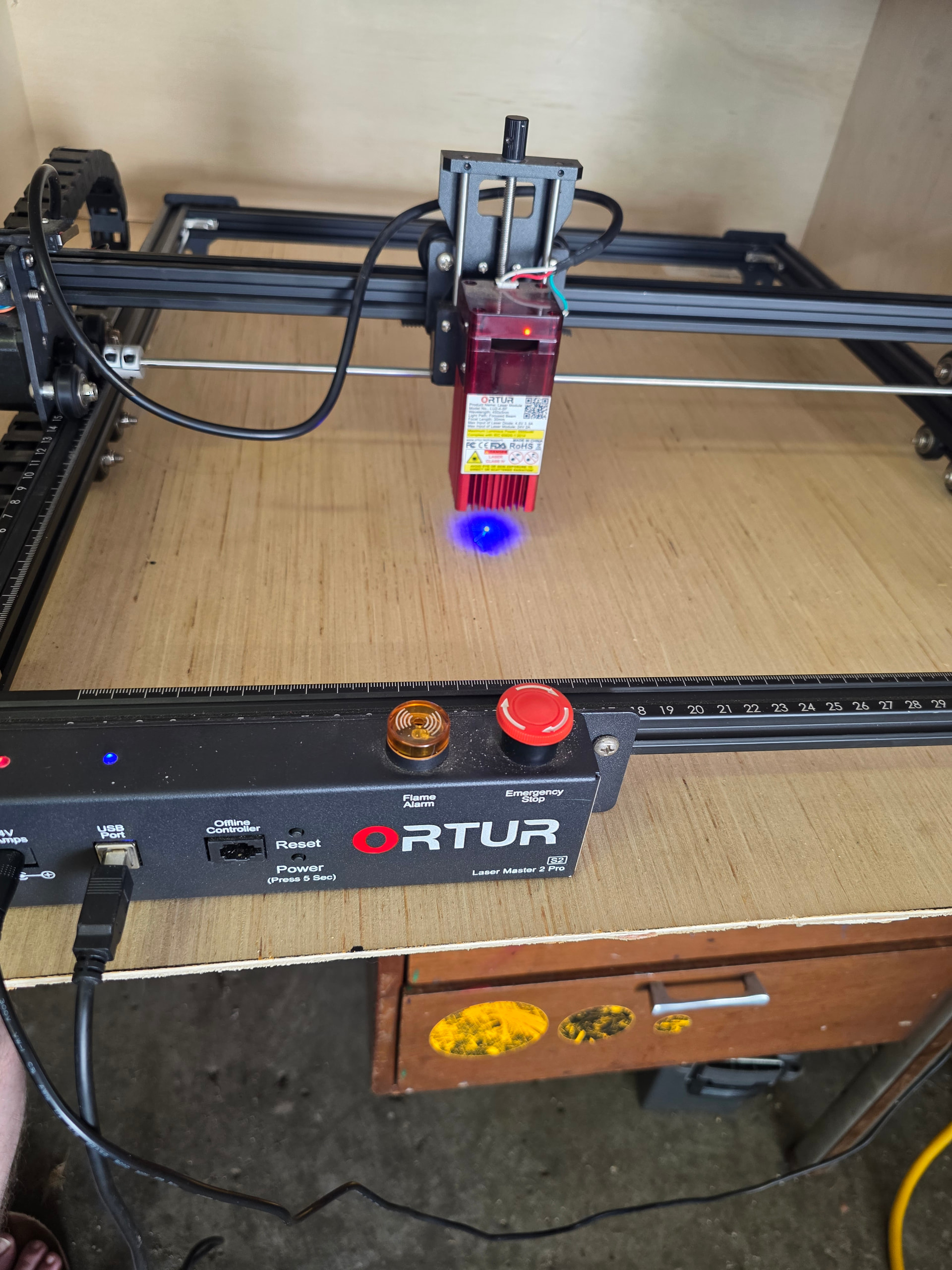
That looks like more than 2" from the Home position. Are you sure [1] Absolute Coords are selected and [2] you you have not clicked on the Set Origin button at any time?
This bothers me, and might explain why your module appears to be 4" off in both directions with the test program. Once I get your answers to the last questions, we can try something that might solve your issue.
1: I am sure absolute is selected
2: I have hit the set origin button in an attempt to move the start point back to the home corner, it does not seem to make any difference at this time.
Do these steps slowly one at a time…
Okay, In the Console window, enter $RST=# to erase all offsets. Then Home the machine and see if the positions went to 0,0 (or very close).
If you still get that “-2.xxx” thing, then enter this in the Console window:
G10 L2 P1 X0 Y0
Home and check. If this does not clear it up, then try:
G10 L2 P1 X2.775 Y2.869
Home again.
If the numbers get worse (double), then put a negative sign in front of the X and Y values. I can never remember which way it is supposed to go.
I will check for your reply in about 1/2 hour. 
The first thing you had me try did the trick home is reading zero and the program started in the right spot. I cannot thank you enough for your time in helping me fix this issue.
Sure you can. Help somebody else when you get the chance.