Thank you (thelmuth) for reaching out and listening. I am still bummed that I paid $100 for a program a may never be able to use. I will let you know if anyone from LightBurn or Wizmaker gets back with me. Thanks again.
Is there any way I could please speak to someone in the company who may know the program and the issues I am having? I am not even sure what the error message means.
Thank you.
You currently are.  And @thelmuth also suggested
This is why we offer a trial, full-featured version folks can try prior to purchasing. This allows folks to test compatibility and flow of LightBurn first, to see if it fits the need.
I would suggest reaching out to our support team via email to support@lightburnsoftware.com.
I’m not sure if any of this will help, as I’m still new to LB myself and am currently trialing it. I’m also in touch with support over a separate issue (unrelated to yours). The reason I’m sharing my experience is that I recently installed LB and encountered some difficulties getting it set up, so I thought my experience might be useful.
First, make sure your machine is fully updated, run a malware/virus scan, and ensure you’ve downloaded and installed the Zagdig driver pack (I’m using version 2.9). I personally use a USB cable with a signal preamp because my laser is about 15-20 feet away from my PC, and I plug it into a USB 2.0 port.
I’m not 100% sure, but I believe that 32-bit machines use grbl-lpc, while 64-bit machines use grbl-m3. Check the Device Manager to make sure your device is recognized under “Ports (COM & LPT),” which will show the allocated COM port. I recall having a COM port conflict, so I had to manually change ports via the drop-down menu (mine is now on COM 4).
Also, ensure the necessary coordinate fields are correctly populated in the LB interface. The “Find My Device” wizard didn’t work for me, so I had to perform a manual installation. Even then, I was still having device recognition issues after spending several hours troubleshooting, nearly ready to give up.
Eventually, I used Revo Uninstaller to remove LB and its drivers from my machine (revo removes all traces of software in this case LB), then rebooted and reinstalled everything from scratch. This time, everything went smoothly, and the “Find My Device” wizard worked without issue.
I’m not sure what caused the problems, but I’m glad I stuck with it because I now find LB to be quite powerful software, and their tech support seems to work pretty well. Apologies if this was all redundant, but I thought I’d share in case it helps. Good luck!
some additional info I found out this morning GRBL-m3 does not support instant pause. GRBL on its own does.
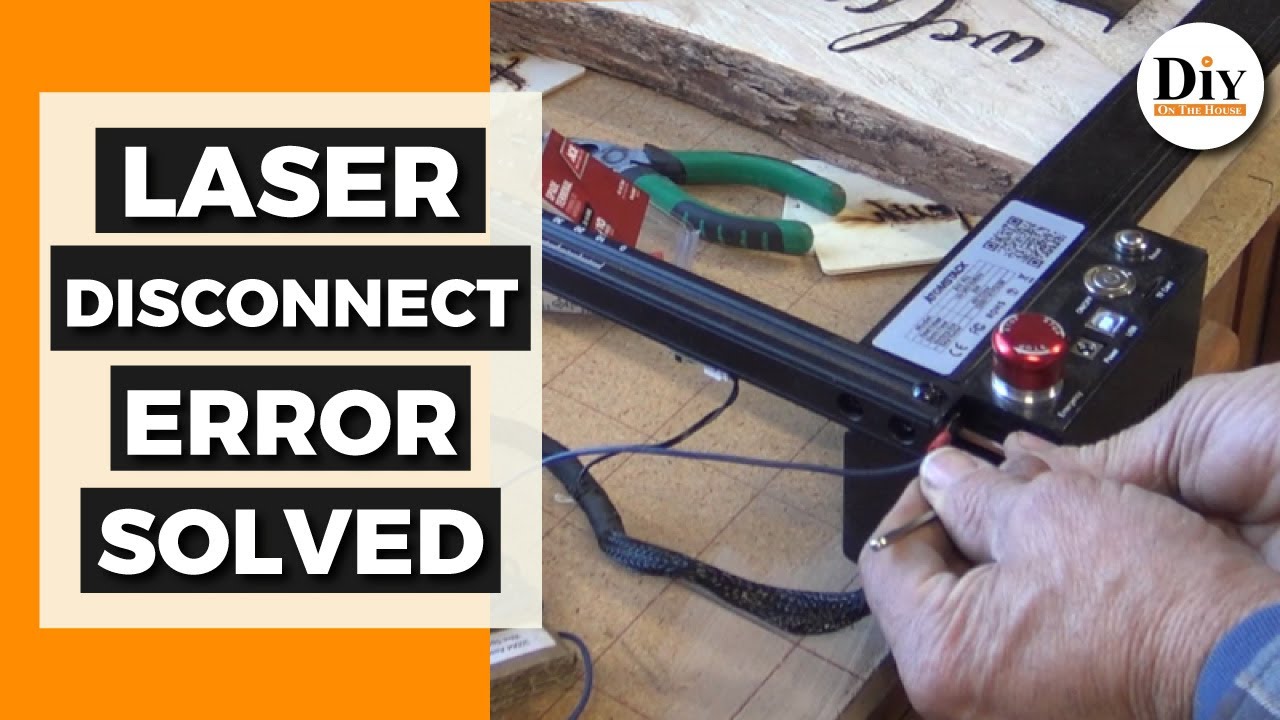
The issue was grounding. All other programs worked with no issues. I had to install an extra ground wire for Lightburn to control the machine. I know there seems to be no logic to that, but another forum suggested it because other people have the same issue on their machine when trying to use Lightburn. I just had to install an extra ground wire.
Go into more detail please. You installed a ground wire where?
If it was from your computer chassis to your laser chassis, that makes me think that your USB Cable is not properly shielded, or one of the ports is not properly grounded / connected to the machine or cable. I believe the shielding on the cable should be grounded to the chassis when connected to the port.
Here is an example of what I did. I still do not know why this was only needed for Lightburn to work. All other programs worked fine.
That makes sense as far as static buildup or other issues with the laser itself, causing a job to fail like they were dealing with.
It should have no effect on initial connection with your computer though. I don’t understand it either, but at least you’re working now.
1 Like
This topic was automatically closed 30 days after the last reply. New replies are no longer allowed.