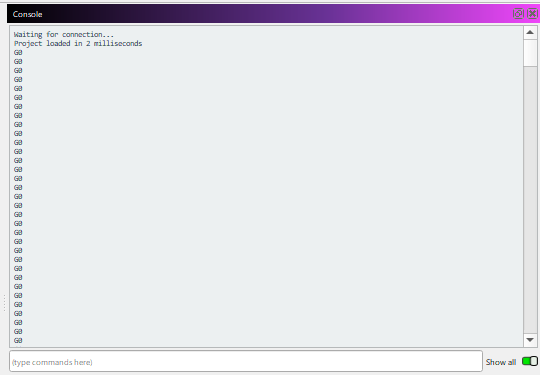
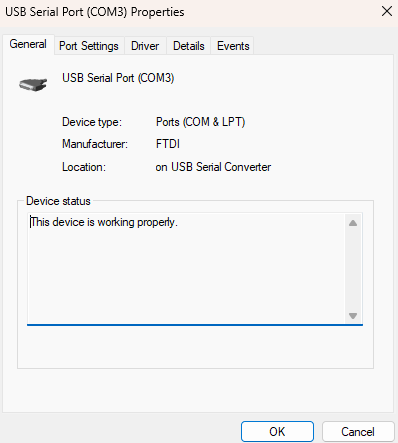
I have Millage installed on a Windows 11 Dell laptop. All of the drivers are updated. The port and USB connections work correctly. I can connect with Easel Pro and Universal G Code Sender, but not with MillMage. Any suggestions?
Welcome Chris, and thanks for reaching out. First thing, to ensure access to your COM ports, please make sure to close both UGC and Easel. They will grab the ports and lock them, making them unavailable to MillMage.
Couple of questions, if I may:
Did you use the built-in ‘Inventables’ profile, or did you make your own from scratch using the ‘Custom GCode’ profile as the baseline?
If you are willing, we would like to review and compare a bundle of your current configuration. The following link is to our documentation for Bundles, how they work, and how to export/import them.
Email this to support@MillMageSoftware, along with a link to this post and any additional information about your setup, and we will respond there.
It’s entirely possible there’s an issue with our built-in bundle for supporting your X-CARVE Pro. 
Hi Chris,
Thank you for sending us your settings Bundle.
We see that you are using the integrated Device Profile.
Please try enabling “DTR Signal” under “CNC Tools > Device Settings” here:

We found that some controllers need this, and if you can confirm it, we’ll add it to the preset.
If it still doesn’t connect, please make sure that the controller shows up in Windows Device Manager, and that the correct COM port is selected in MillMage. Send us a screenshot if you receive any errors in the Console Window with “Show All” enabled.