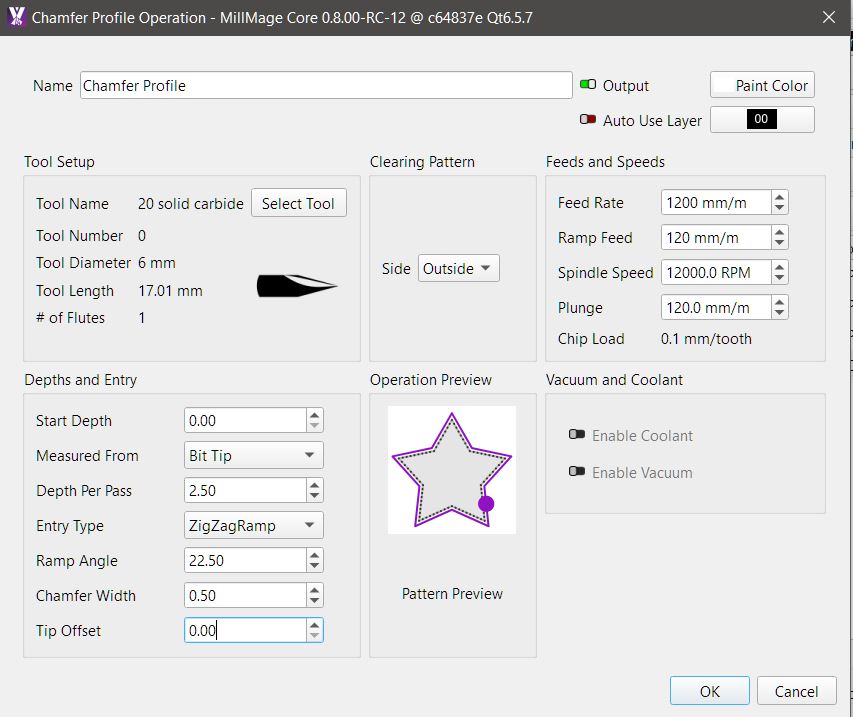
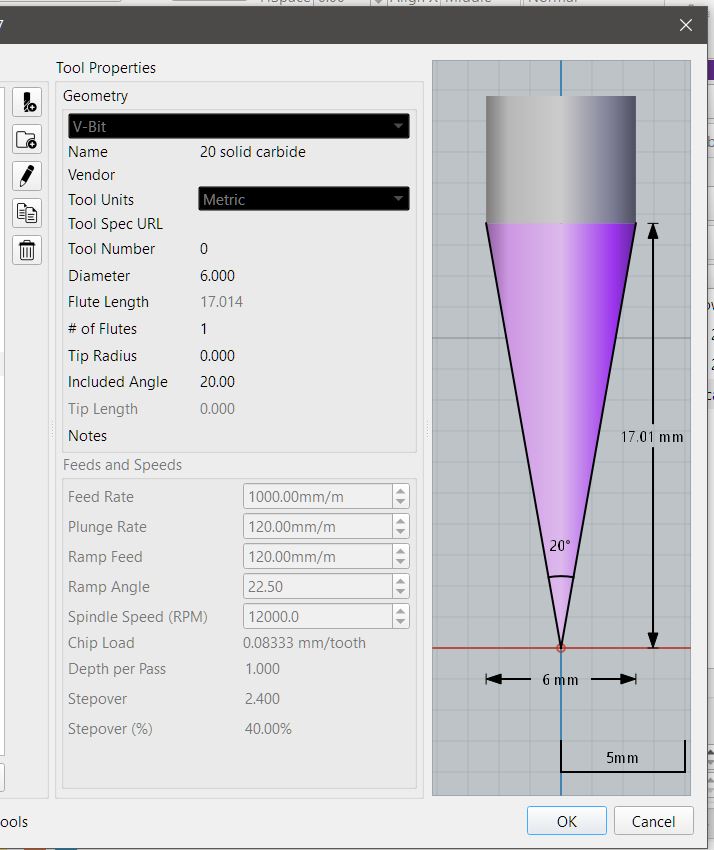
may be interoperating this wrong , but to me the above settings should of only done 1 pass as .5mm is basically nothing. it did 2 passes at about 2.5mm each time and took off way more than .5 along edge
In the first image, you show 2.5mm per pass. Just above the OK button in the 2nd image, I see 5mm on what looks like a button. I an not sure if that is the final depth, but if it is, there is the 2 passes.
yeah i see that im not sure what that number means ??
maybe the max distance it can chamfer due to height and width of tool
the way i read the docs MM works out depth on what width of chamfer you want , im just trying get my head around if im reading it right ,
going off the specs of tool length width angle and starting from tip, roughly. 3mm up tool is roughly 1 mm wide which would give a .5mm chamfer width
theoretically yes 2 passes but
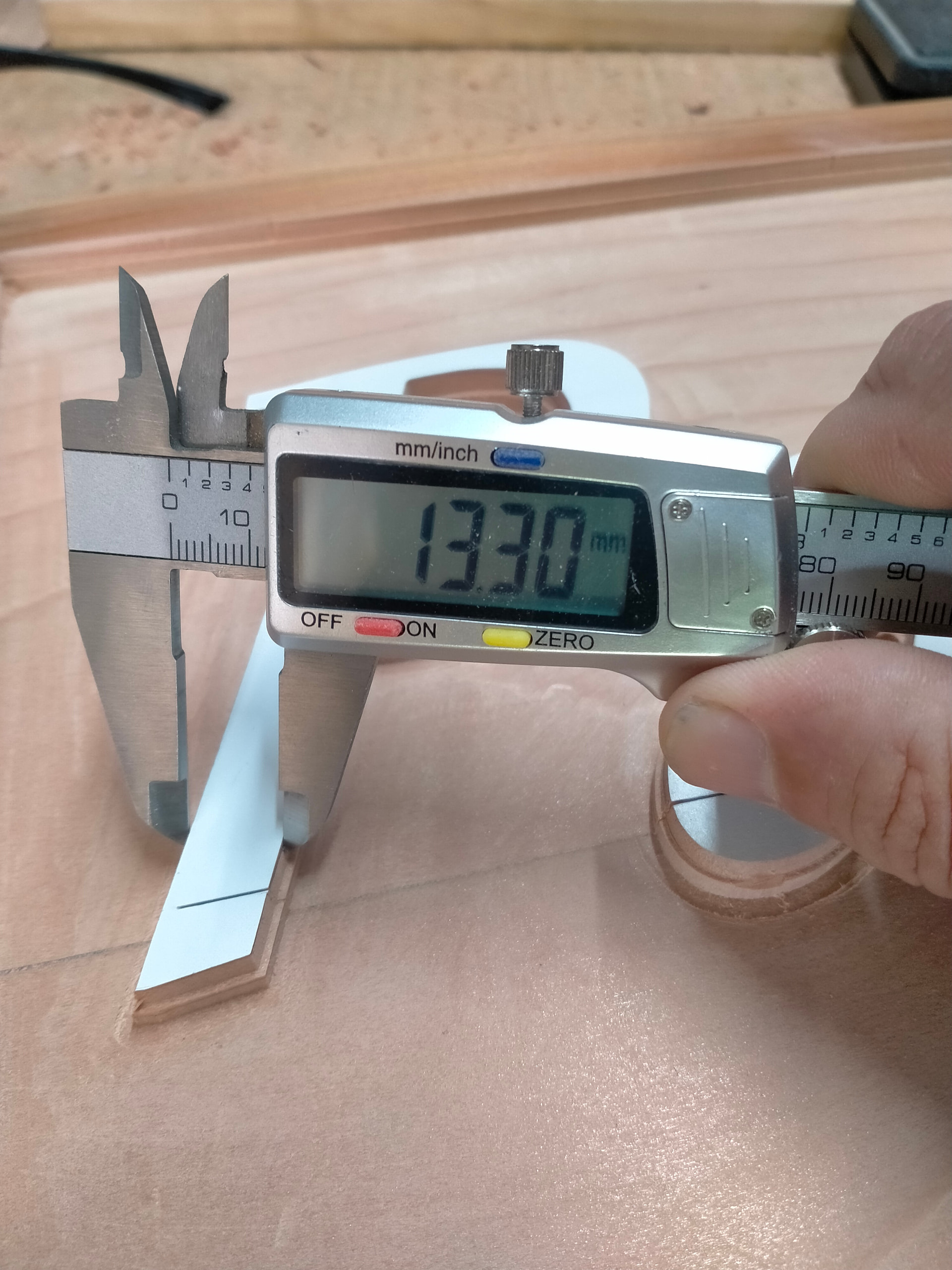
not 5mm deep which had taken 2.2 mm off divide by 2 gives 1.1mm each side
so if it had done one pass at 2.5mm it would of given roughly .5mm either side
it has done 2 passes at 2.5mm
could the chamfer operation be reading depth and not width ?
causing this
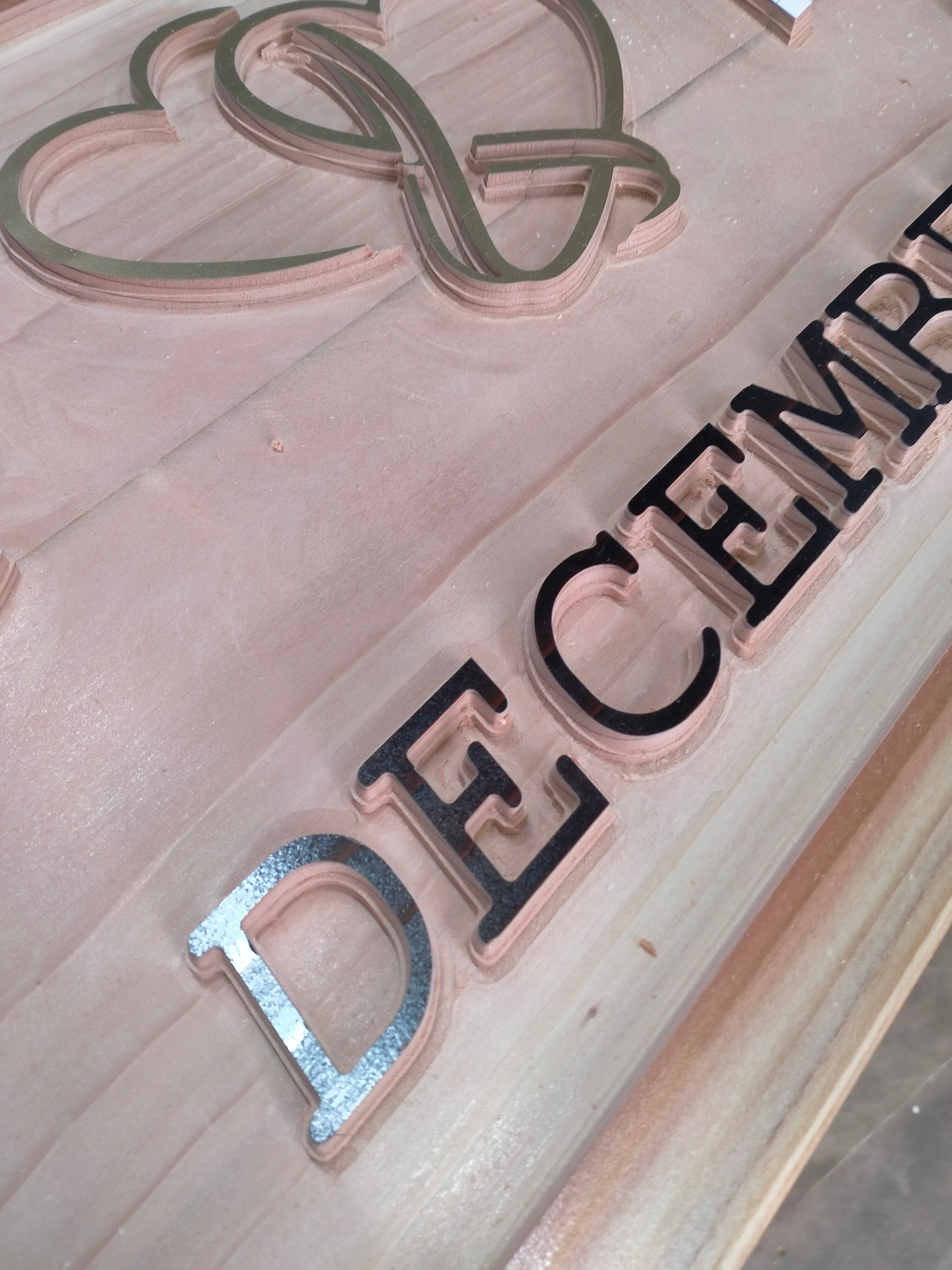
watching it do the final pass after 4 hrs of machining and seeing it wrong , nearly made me cry
it still looks ok but not what its meant to be, letters don’t pop like they were before chamfer pass
I need to sort out what’s going wrong before next big sign which is 12 + hours of machining
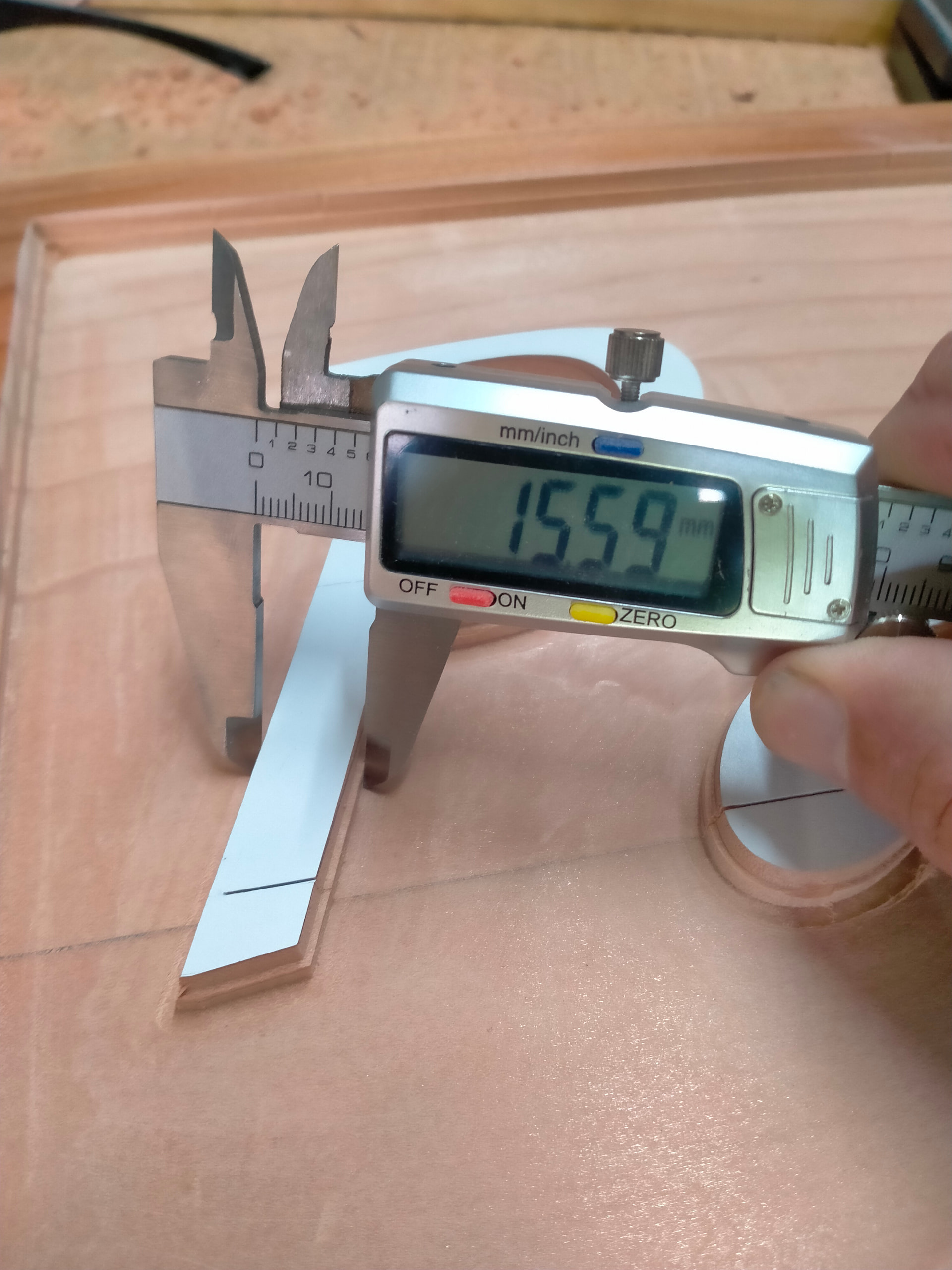
That begs me saying this… “Try out these various MillMage tool operations on scrap wood. Use basic simple designs so you can see what to expect.”
I am sad to hear your project went sideways at the very end. I know how this feels, more than once. 
Good question. I have not played with MillMage enough to give an educated response.
i had done a few test and thought i had it sorted, at times i cant see if there is a mistake in front of me , hence asking
What did the preview look like? (always, always run a preview, and check the Z values in a few places)
The diagram shows 17mm of depth for a 3mm radius bit, or 5.666mm deep per mm of side travel. The chamfer was for 0.5mm, so I’d expect 2.8333mm deep.
It’s possible there’s a bug in the math - I’ll need to dig around and try it with a 20 degree bit. I think the narrowest I’ve attempted is 45.
EDIT:
I’ve run a pocket + chamfer op here using the latest code, and it looks to be working exactly as it’s supposed to. The Z for my version of your op went to 2.84mm, like it was supposed to.
Your screen shot specifies outside for the chamfer op, but it looks like you’re running it on a pocket, in which case it would need to be inside, assuming you’re running the chamfer op on all the same geometry. Having said that, if you specify 0 as the “tip offset”, the operation will run “along the line” meaning no difference between inside & outside. If you did specify a tip offset, it would change which direction the bit was moved, and that would mess up your results.
1 Like
Yes always check preview normally multiple times and it looked ok
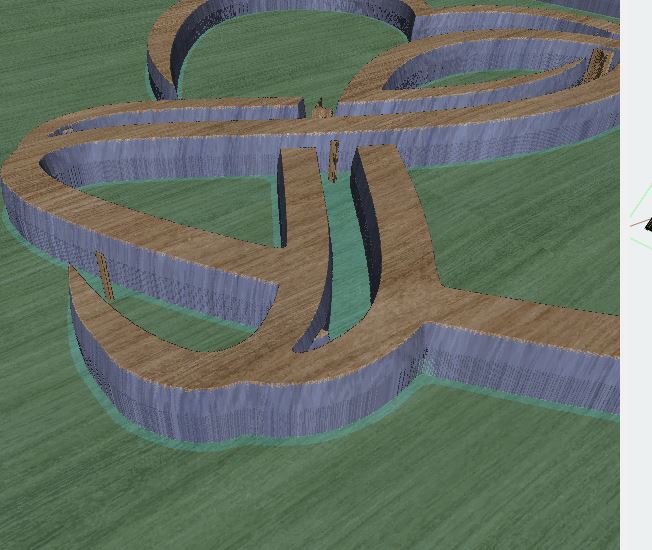
agree i worked out roughly 2.5 mm depth not 5mm like it did
tip offset was 0
if i change to inside or outside preview looks the same like you say shouldn’t effect it.
therorectily it should be doing as you have said but its not
in saying that im still having some issues with tool changes not reading the probe correctly, and it starting above material or diving directly from tool change position
looking at a job in control mode, should this appear
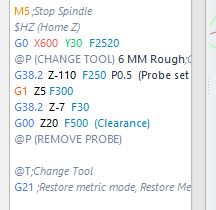
in the code showing where tool is changed , if so it doesn’t in mine
but running the job router goes back to change tool position and pop up appears saying to change tool
could this have something to do with my preferences/bundles ? would reloading a previous bundle be worth trying
im at a loss as to why all of a sudden im having so many issues i haven’t altered any settings / custom gcodes since i first started using MM
You’re missing the P parameter on the second G38.2 command so it’s off by half a mm.
so i am, cheers for that ,
hopefully that sorts out some of my random Z height issues
When I am wondering what a change does, I sometimes make dramatic value changes to exaggerate the result. That makes results to easily be seen or detected.