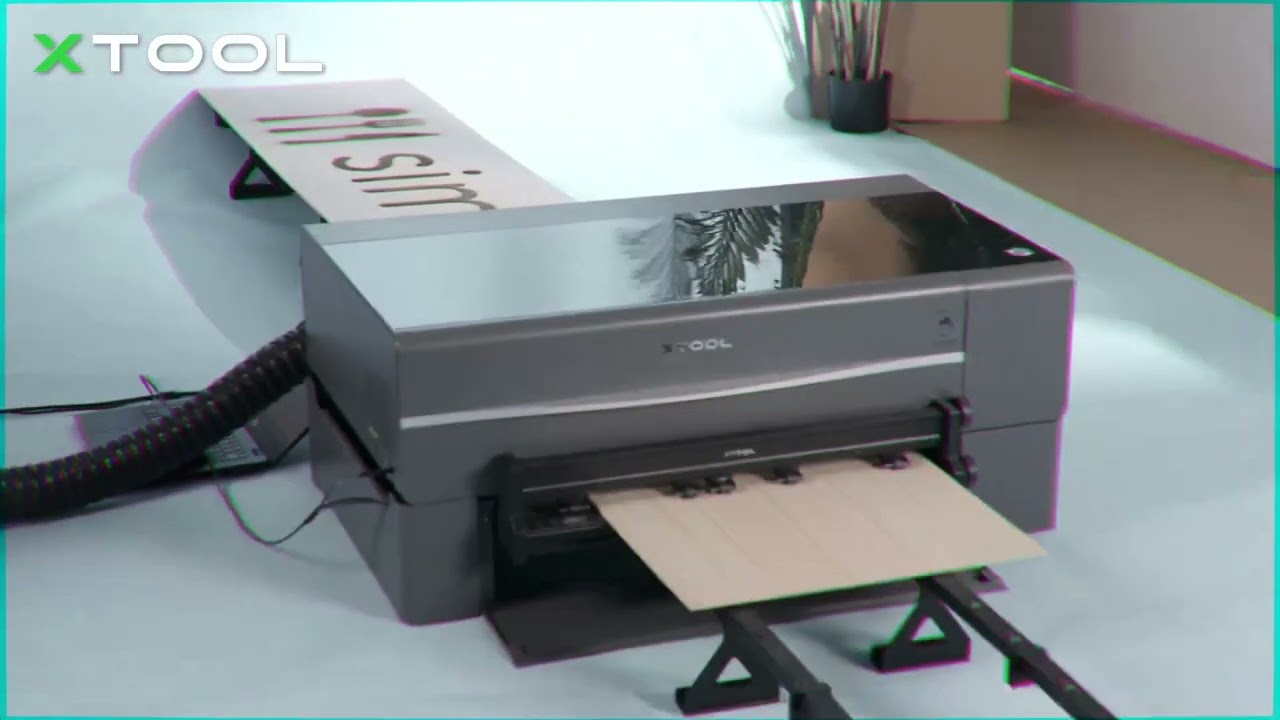
I have built myself a first draft of an InLay conveyor for my 50w Blue China Laser with 300x500mm and the Ruida RDC6442S-B-EC controller, which should allow to process “n” x 500 mm.
I am using Lightburn version 1.2.01. The function of the conveyor seems to be designed only for repeat jobs with Max 300x 500mm.
As i understood, the maximum travel is defined in the controller in the Vendor Settings. (300x500mm)
I assume that the configuration of a new laser in Lightburn will not be able to bypass the vendor settings in the controller.
So i will probably have to change the vendor settings regularly when using the inlay.
Question:
Is Lightburn in 1.2.01 able to “safely” edit the vendor settings or should I use the vendor software RDWorks to be on the safe side?
Is it harmful to the controller memory to overwrite the memory more often? (Like SSD and the write cycles?)
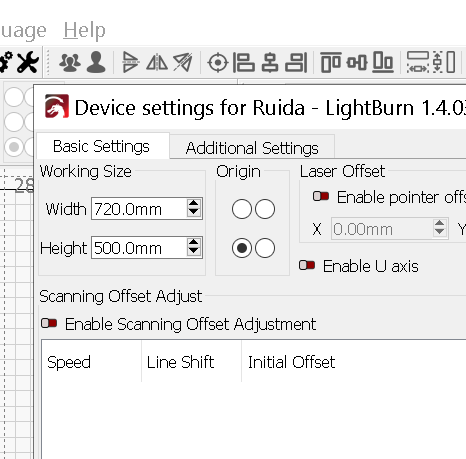
Hi, sorry didn’t mean to use the size in the picture, they’re just the settings for mine.
The memory question, If you mean, ok to overwrite a file on the laser rather than delete or rename, I do it all the time if I don’t need to reuse the file.
Now and then, i’ll format the memory, just to clean it out.
I have the OMTech 80w, so similar to yours.
I’ve adjusted vendor settings myself but wouldn’t recommend it unless you do some reading up on it, easy to change and easy to screw up.
Hi again, if you go into DOCS at the top of here and search ‘machine settings’ it explains a bit about it there.
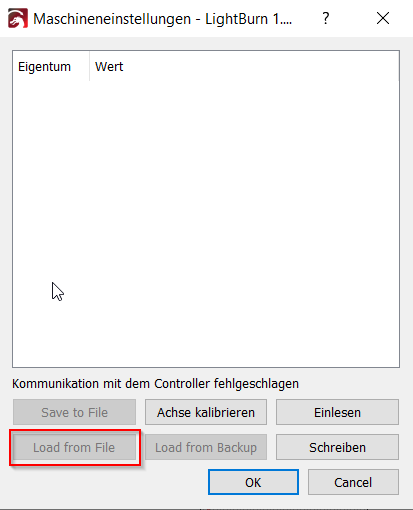
If you are going to change anything, click ‘save to file’ first, open a new folder, and it saves everything before any changes.
With the “memory question” i mean the “vendor settings” you recommend not to change, when i dont know what i do
I would save a backup file of my “normal” lasersettings and create a second one for the conveyor.
Only the following change i would do for calibration.
Is Lightburn in 1.2.01 stable enough to do this changes with LB or better in RDWorks as Manufacture Software?
Is it harmful to the controller memory to overwrite (flash) the memory-brick more often? (Like SSD and the write cycles?) (i´m not sure, but i believe the “flash-memory” and the “Cut-Files Memory” are different)
It’s not ‘calibrate axis’.
Not at my laser so i can’t check but I believe, if you scroll down to ‘vendor settings’ that’s where you’ll find ‘x’ axis ‘travel’ and ‘y’ axis ‘travel’.
When you change those, click ‘write’, it then sends it to the controller.
Before you change anything, click ‘save to file’, it will want you to make a new file, it will save the original files so you can put them back to default when you want.
When you change those, click ‘write’, it then sends it to the controller.
You can have multiple settings files… I’m terrible with them…
I’m terrible with that… I have them on the machine and the one before that are on my google drive… It’s much easier to save them than to recreate them…
This is just a few of mine…
jack@Kilo:~/mnt/dev-test/cnc/laser/machine-settings$ ls -lt
total 452
-rw-rw-r-- 1 jack jack 12954 Apr 27 10:54 230427-no-rotary-jic.lbset
-rw-rw-r-- 1 jack jack  5560 Sep 26  2022 upgrade-cenoz.lbset
-rw-rw-r-- 1 jack jack  5562 Sep  8  2022 grbl-upgrade-cenzos-lazsal-low-acceleration.lbset
-rw-rw-r-- 1 jack jack 12953 Jul 20  2022 220422-no-rotory-acceleration-engrave-d-prot.lbset
-rw-rw-r-- 1 jack jack 12956 Apr 22  2022 220422-no-rotory-acceleration-engrave.lbset
-rw-rw-r-- 1 jack jack 12956 Apr  5  2022 220403-no-rotory-uped-y-accel-2.lbset
-rw-rw-r-- 1 jack jack 12958 Mar 19  2022 220319-no-rotory-uped-speed-accel-2.lbset
-rw-rw-r-- 1 jack jack 12958 Mar 19  2022 220319-no-rotory-uped-speed-accel-1.lbset
-rw-rw-r-- 1 jack jack 12958 Mar 19  2022 220319-no-rotory-uped-speed-accel-0.lbset
-rw-rw-r-- 1 jack jack 12958 Mar 19  2022 220319-no-rotory-uped-speed-accel.lbset
-rw-rw-r-- 1 jack jack 12965 Feb  1  2022 20220101-no-rotary.lbset
-rw-rw-r-- 1 jack jack  5536 Dec 19  2021 211219-vevor-grbl.lbset
-rw-rw-r-- 1 jack jack  5563 Dec 16  2021 211216-grbl-original.lbset
-rw-rw-r-- 1 jack jack 12954 Dec  8  2021 211108-rotory.lbset
-rw-rw-r-- 1 jack jack 12973 Nov  1  2021 211101-no-rotory.lbset
-rw-rw-r-- 1 jack jack 12958 Oct 26  2021 211008-rotory-acrylic-tube.lbset
-rw-rw-r-- 1 jack jack 12971 Sep  9  2021 080921-china-blue-russ-mod-stable.lbset
-rw-rw-r-- 1 jack jack 12971 Sep  3  2021 210903-china-blue-head-change.lbset
-rw-rw-r-- 1 jack jack 12970 Aug 21  2021 blue-laser-machine-settings-update-08-21-21.lbset
-rw-rw-r-- 1 jack jack 12968 Aug 10  2021 china-blue-modified-ruida-controller.lbset
-rw-rw-r-- 1 jack jack 12968 Jun 25  2021 blue-laser-machine-settings-update-06-25-21.lbset
-rw-rw-r-- 1 jack jack 12967 Jun 20  2021 blue-laser-machine-settings.lbset
jack@Kilo:~/mnt/dev-test/cnc/laser/machine-settings$
Just lean to name them something you can identify with…
You should be able to change all the vendor information you can see in Lightburn.