I purchased an image on Etsy without paying attention to the size of the image and of course it is way to big for my laser bed. Is there any way to slice, cut, breakup this image into manageable sizes so I can cut it. It stands approximately 718.546 mm high. My laser bed is 400mm. If I could “cut” it into 3 pieces I can put it back together without any problems. Does anyone have an idea or do I just put this away because I will never have a laser bed big enough to cut this tall dude!
Hi Debbie, have you used the new trim shapes tool yet? You can easily break up the file by drawing some boxes and snipping the lines in your file to break it up.
I tried it again and it will take some work but I might be able to do it! THANK YOU!
It’s going to take some work. Without seeing your file I can guess as to the exact steps you need to take. It looks like you hyperlinked your previous answer, but it doesn’t seem to lead anywhere.
You could scale it down to a size that does work for your bed size. Select everything and use the size tools.
Otherwise, you can use the print and cut feature and pass through.
2 Likes
@thelmuth already gave my two sugestions!

You can also use the Cut Shapes tool.
Works with vector and images.
With this tool you’ll get parts that when joined are exactly your original image.
Sorry was on mobile.
Here is an example:
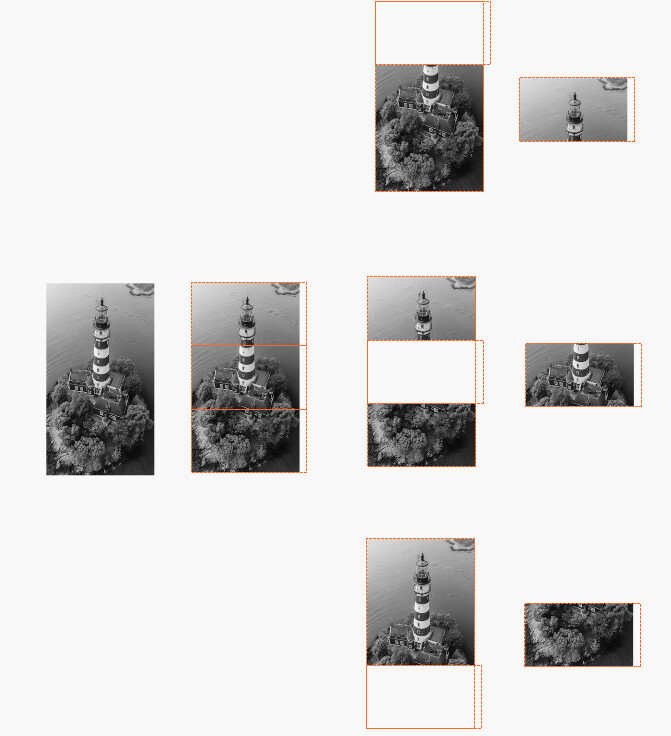
Just draw the shapes.
Place the shapes against each other.
Select the shapes and the image and duplicate 3 times.
Separate all the 4 sets and put one aside as a design backup.
1st part - First set - Select image and first shape then Cut Shapes Tool - drag cut aside.
2nd part - Second set - Select image and second shape then Cut Shapes Tool - drag cut aside.
3rd part - Third set - Select image and third shape then Cut Shapes Tool - drag cut aside.
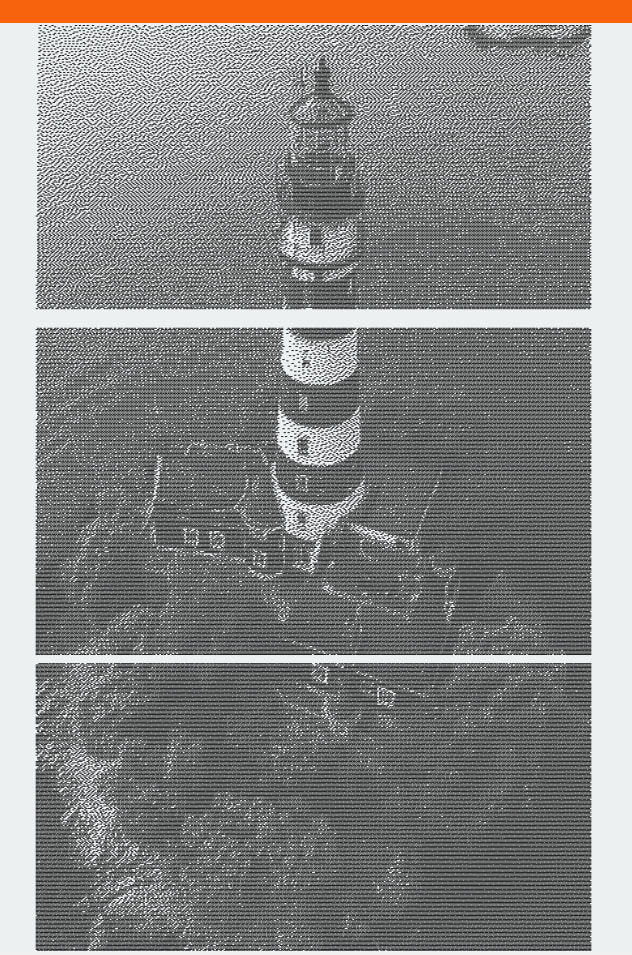
And a preview of the parts:
1 Like
This topic was automatically closed 30 days after the last reply. New replies are no longer allowed.