Issue: sometimes when I send a job to the laser, it’ll shift the design during burn. It previews correctly every time.
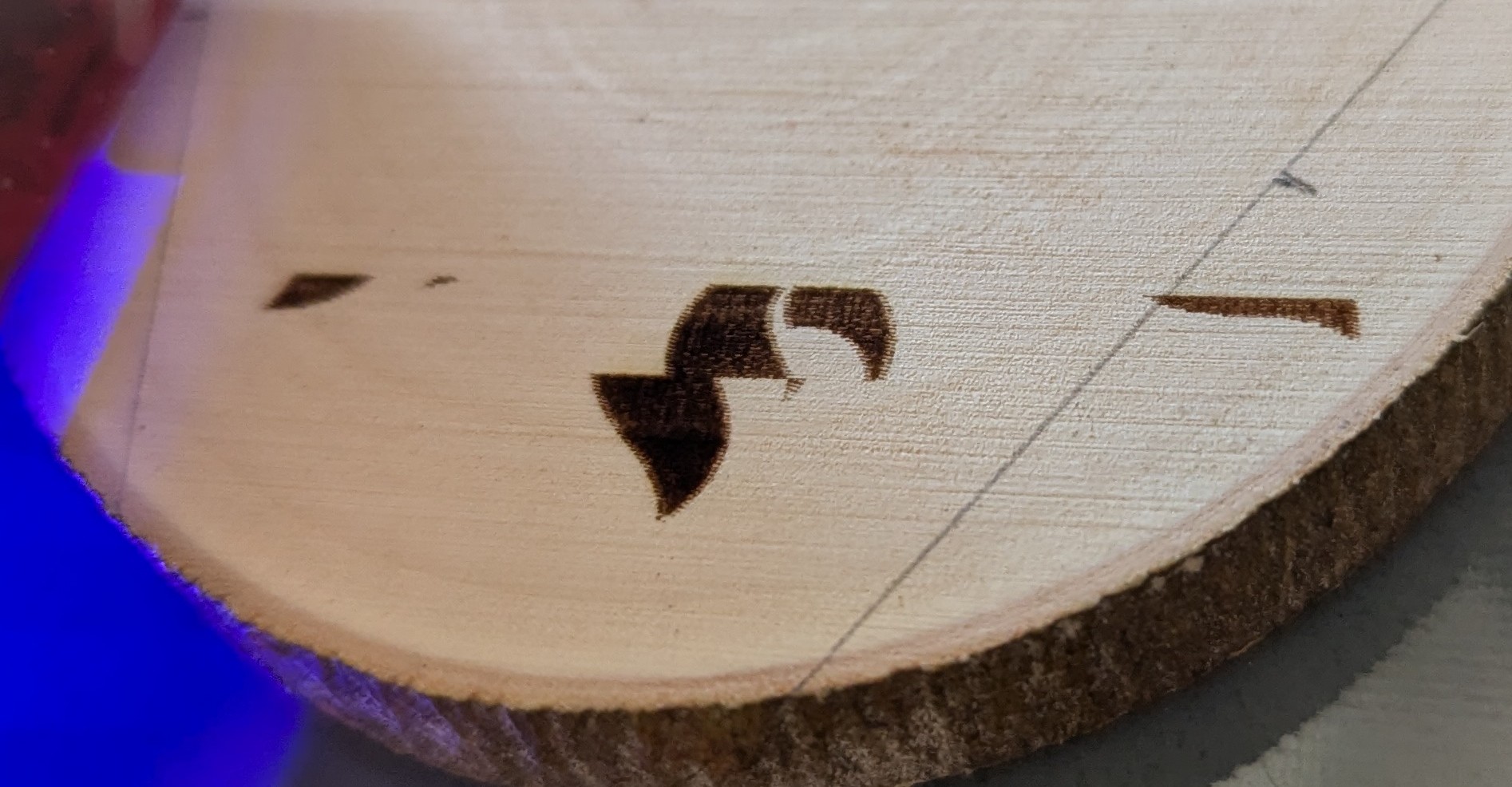
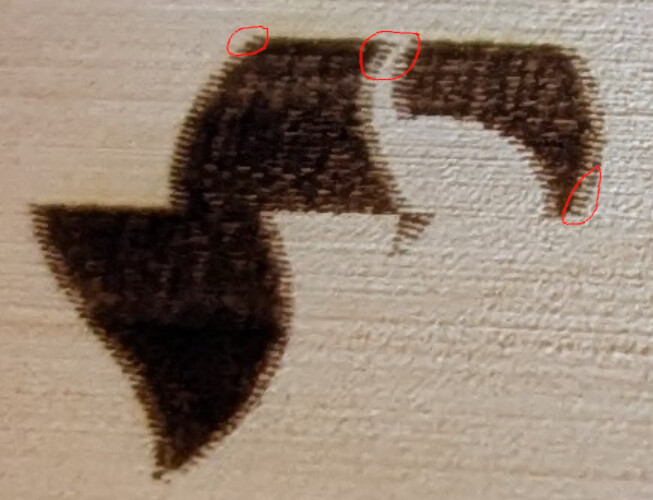
In the attached image, you can see how the flame logo started burning in the correct location and then it shifted 5mm to one side and continued like nothing was wrong. Obviously, this is not the behavior I’m looking for.
If it matters, the design was a logo arrayed in a circle using the tools in lightburn, with some text in the middle. I stopped the burn once I noticed the shift… a short bit after it shifted.
Here’s the deal: I want to invest in a better laser but I keep running into these little gremlins. I suspect my current laser/controller (Creality Ender 3S w/ laser option) but how do I prove that’s the case? I’d be deeply disappointed if I spent a wad on a new thing that had the same behavior.
I can/will provide more details as requested. I’m just not sure how to dissect this particular issue.
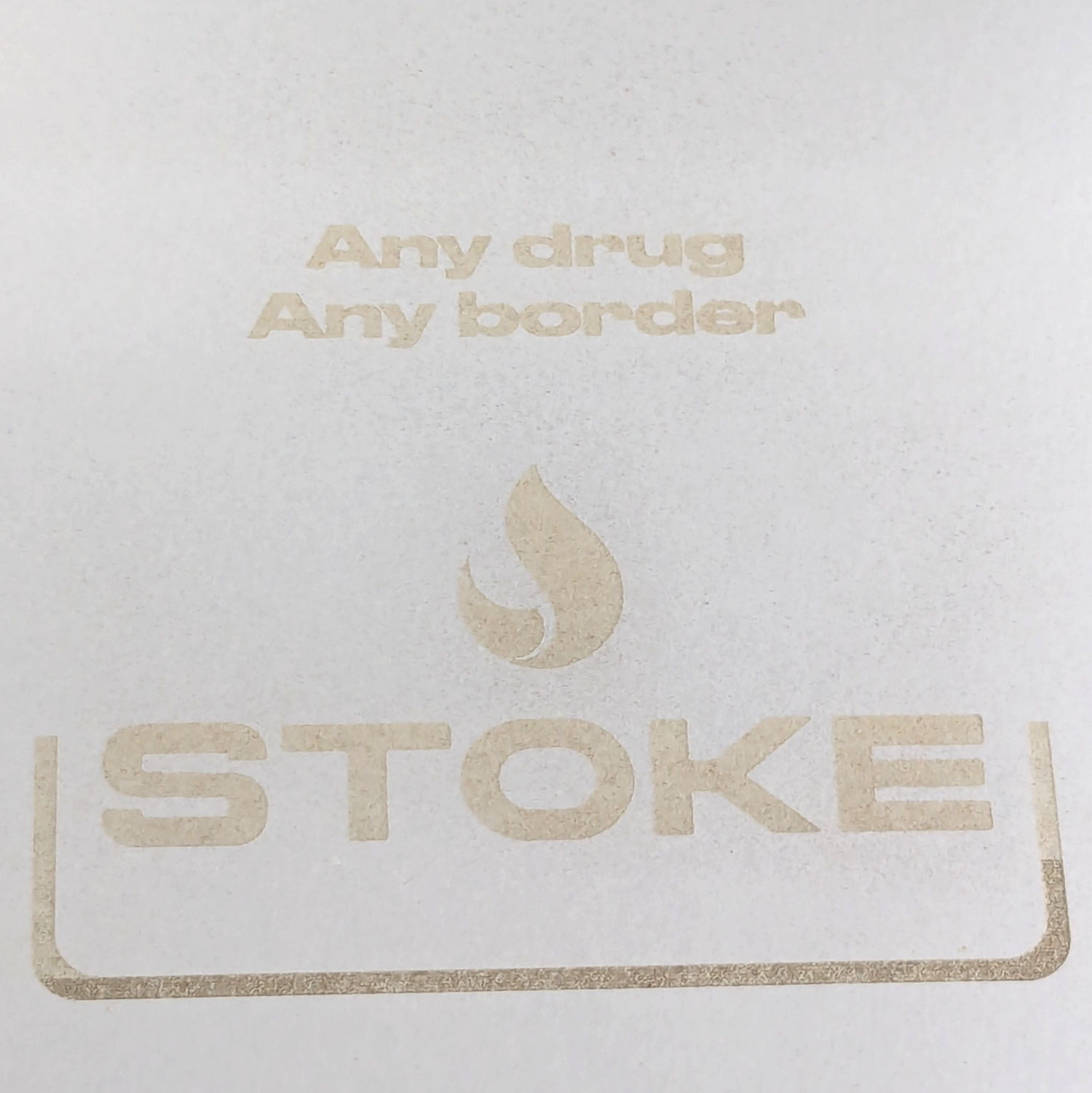
It’s difficult to determine the problem when we only see the remnants of the image we’ve never seen. Please post what it’s supposed to look like. A screenshot is usually fine.
That is typically caused by USB communication problems: a few commands get lost and the remainder come through OK, but at the wrong position due to the missing commands.
A USB cable with ferrite cores seems to cure most of the problems, probably because spending enough to get a cable with cores fetches one with better overall QC. Getting a cable from a reputable brand seems to work better than one from a randomly named Amazon seller also offering beach toys and beauty products.
If the machine is at the end of an absurdly long USB cable, that’s a real problem, because the USB circuitry on the laser end tends to be unqualified for longer cables. An active extender with power injected at the laser end seems to resolve those problems.
Any or all of the USB connectors on the cable / PC / laser may be fatigued from far too many plug / unplug cycles, so if a better cable doesn’t help, the next steps can be expensive.
Cable is a 6’ long Anker brand cable. Reputable company in my estimation.
So, not absurdly (or even remotely) long and should be of sufficient quality. Regardless, I’ve got more to try so I’ll rotate through a couple and test them.
How much more absurd does this get if I say that I did test one of my failures a few times and it failed at and in the same way? The failure was repeatable, which… seriously? sigh
Many thanks for the thoughtful replies. I’ll do my suggested reading and try some different cables.
Creality Ender 3S w/ laser arm, 5w.
I’ll run your suggested test!
LOIC is indeed the Low Orbit Ion Cannon…
The Ender is a proving ground before maybe and F1 Ultra, or something of that ilk.
Don’t overlook the possibility of getting a dud or having an early failure, because I’ve had a few of those, too.
Having a dependable test case is incredibly valuable, because you can verify the fix when you find it.
That is a key piece of information!
If the machine fails with the laser head at the same position on the platform, then there may be a problem in the cables flexing as the head moves. Look for anything that might snag or kink the cables as the head passes that spot.
If the machine fails at the same place in the design, regardless of where the design is on the platform, then there may be a design problem.
Different laptop, new LB install, new USB cable.
It’s either in the driver, controller, or file/bug?
File is nothing special and consists of 3 layers: 1 template (shown, not burned), 2 layers of fill.
Behavior: about 2nd or third line in, design appears to shift, measurably, to the right.
File attached. Font used may/not be available on your system.
Please don’t take it literally. coaster-sq_rounded_wtf.lbrn2 (50.8 KB)
Time for me to pony up for a real license then. Other laptop’s install has expired.
That said, it appears to be same design spot.
Enabled only C00 to burn, framed as expected, said go.
first line of the bottom of the Stoke text was correct. Half way-ish through second line it did a weird stutter at the bottom of the O and continued. Everthing this was shifted to the right at this point.
I moved the Stoke text and logo up 10mm, framed as expected and hit go. It shifted at the bottom of the O.
The linked video hopefully shows the behavior… right at the 2 sec mark you can see the head jog back a touch and start then continuing.
Scale it uniformly to fit the platform and run it as fast as it will go in Line mode with optimizations turned off and power set to mark a sheet of cardboard. Any differences from the design will be informative; a photo will let us look over your shoulder.
I can say with certainty I’m using Buffered. When set to Synchronous, the laser won’t burn curves. You touch a lot of posts so not surprised you don’t recall, but it was you that explained to me the why on that change mattering. Knowledge nugget much appreciated.
I’ll run the test early this week and see what that might tell us.