Hi, would replacing the tube again resolve this?? have tried all suggestions and inly switching off bi directional has made any difference but it sr=till gets a bit blurry at higher speeds If a new tube wiould resolve this then I will change it.
If I understand the situation, the machine now has the new tube and the second new power supply, but you have not yet done the Scanning Offset Adjustment measurements and updated the table to match that hardware.
Is that correct?
Hi, no , I spent about 4 hours doing the scanning offset but it never helped, I tried putting them in as negative numbers, positive numbers and it made no visible difference
The table was blank and I have put it back that way for now. frustrating!!!
I am asking these questions so I understand exactly what the situation is on your end.
A measuring magnifier dramatically simplifies making the measurements and gives good accuracy for the values.
Are you using one?
Here’s a test layout for measuring the scanning offset:
Simple Scanning Offset Test.lbrn2 (7.0 KB)
It’s done with LB V 2.0 RC5, so if you’re using a different version you may get a warning; it should work fine.
Running it on paper will produce the column of five blocks on the left:
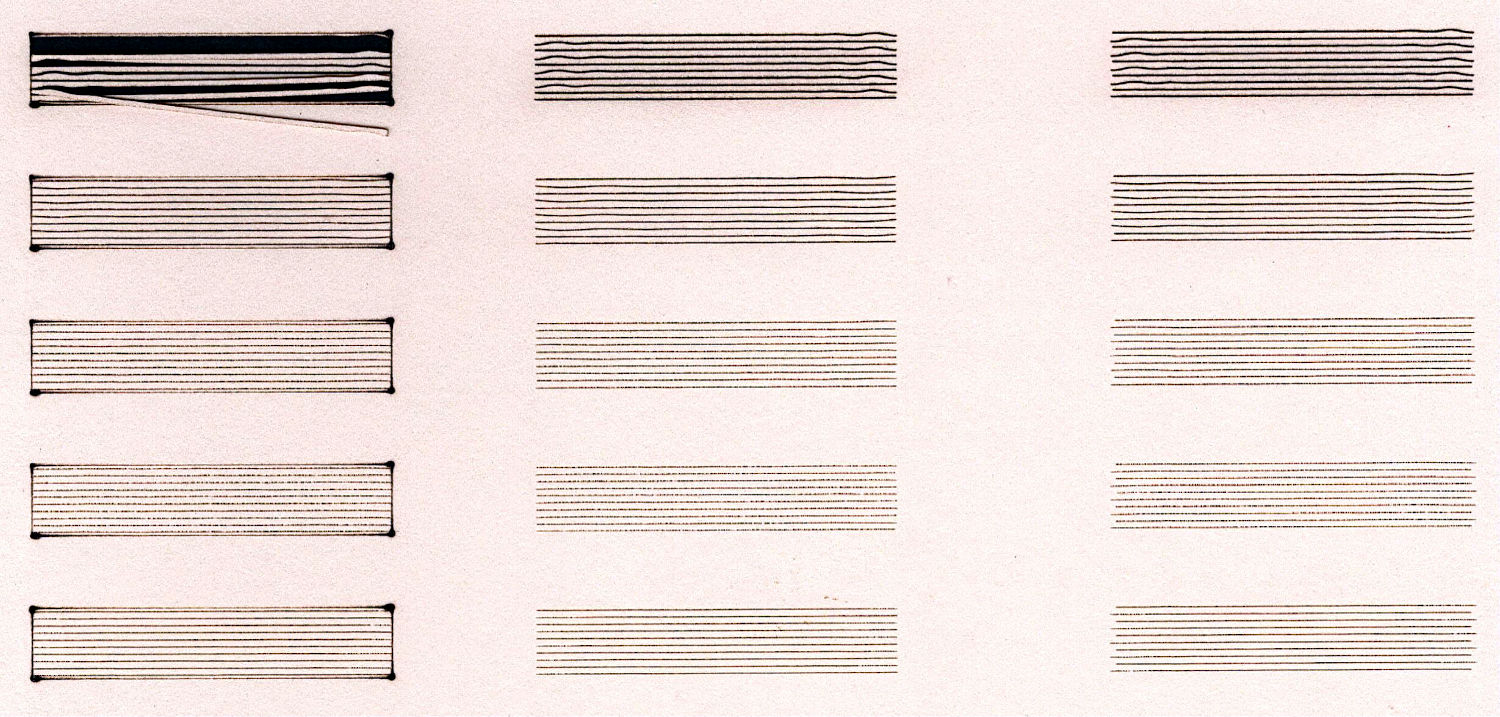
The power levels will not be correct for your machine, but the range of speeds should be OK. Obviously, 15% of 60 W at 100 mm/s is too spicy for the paper I used.
Turn off layer C02 (the red one) and it’ll produce the middle column minus the outline.
I turned the the Scanning Offset Adjustment off to get the right column. If you measure the offsets between adjacent lines, they’ll be pretty close to what’s in the table for my machine:
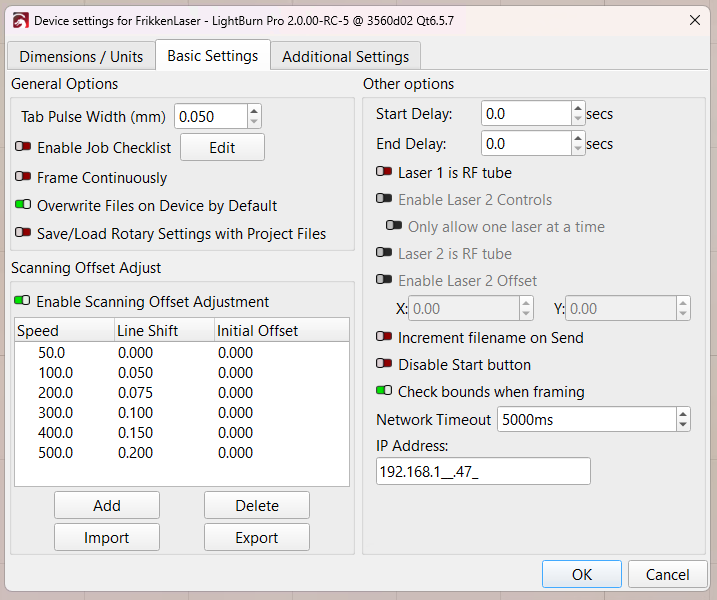
Turn the Scanning Offset Adjustment on your controller off, run the test as-is (with the outline rectangles on C02), take a good detailed picture of the result, and let’s see the starting point.

Please answer the questions I asked above:
Please do what I asked:
- run the test as-is (with the outline rectangles on
C02)
Please stop changing the hardware / settings / patterns while we’re trying to figure out what’s going on.
I’m willing to help, but I cannot know what a picture means without also knowing how it was produced.