Replacing a bad Comgrow 10w laser module that has a total of 4 pins. 2 separate 2 pin connectors
One black and red, the other yellow and blue. The new laser module is a Aenbuslm 10w and has a 3 pin connector. Any help on how to wire it without messing anything up. Thanks in advance.
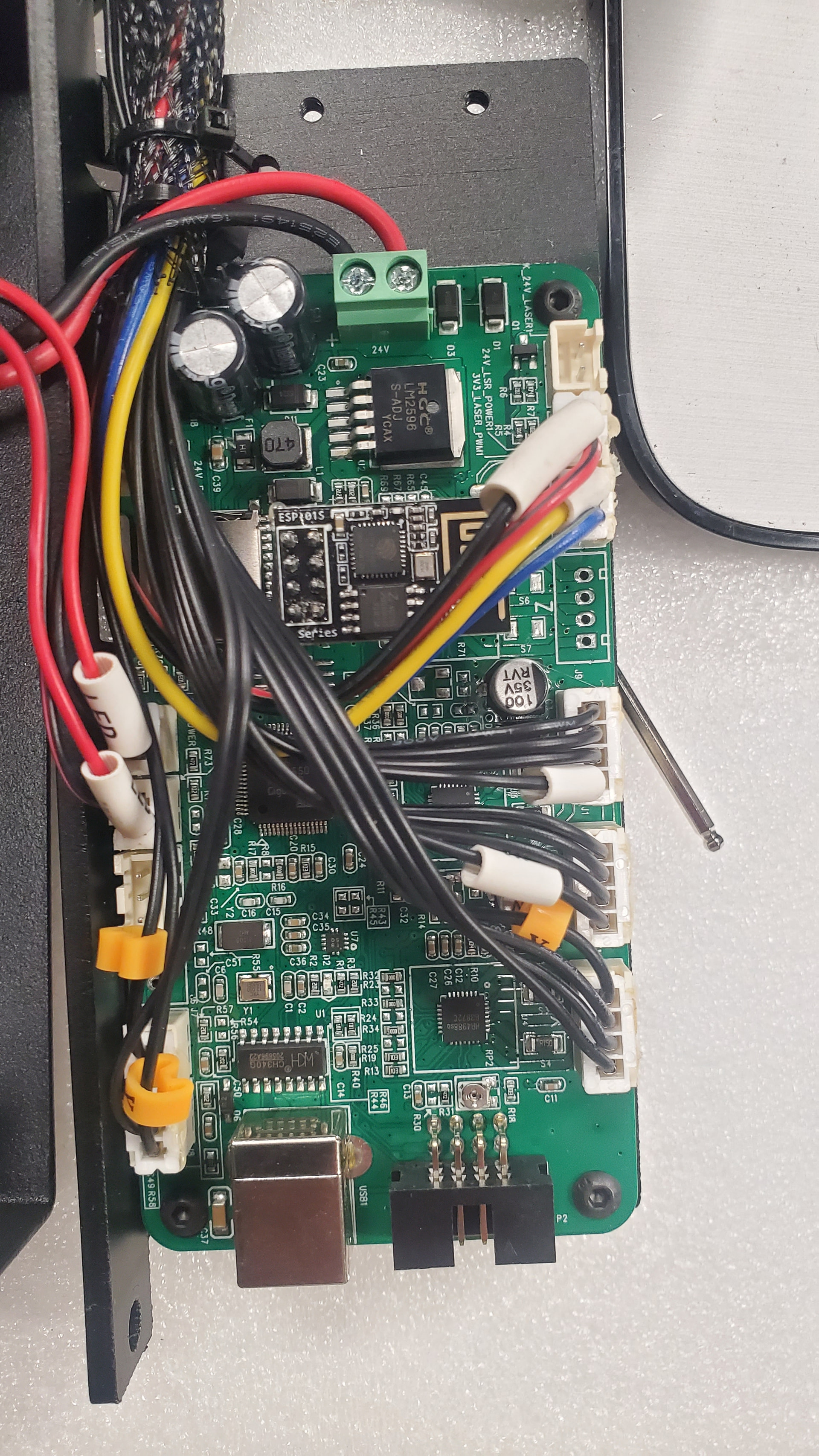
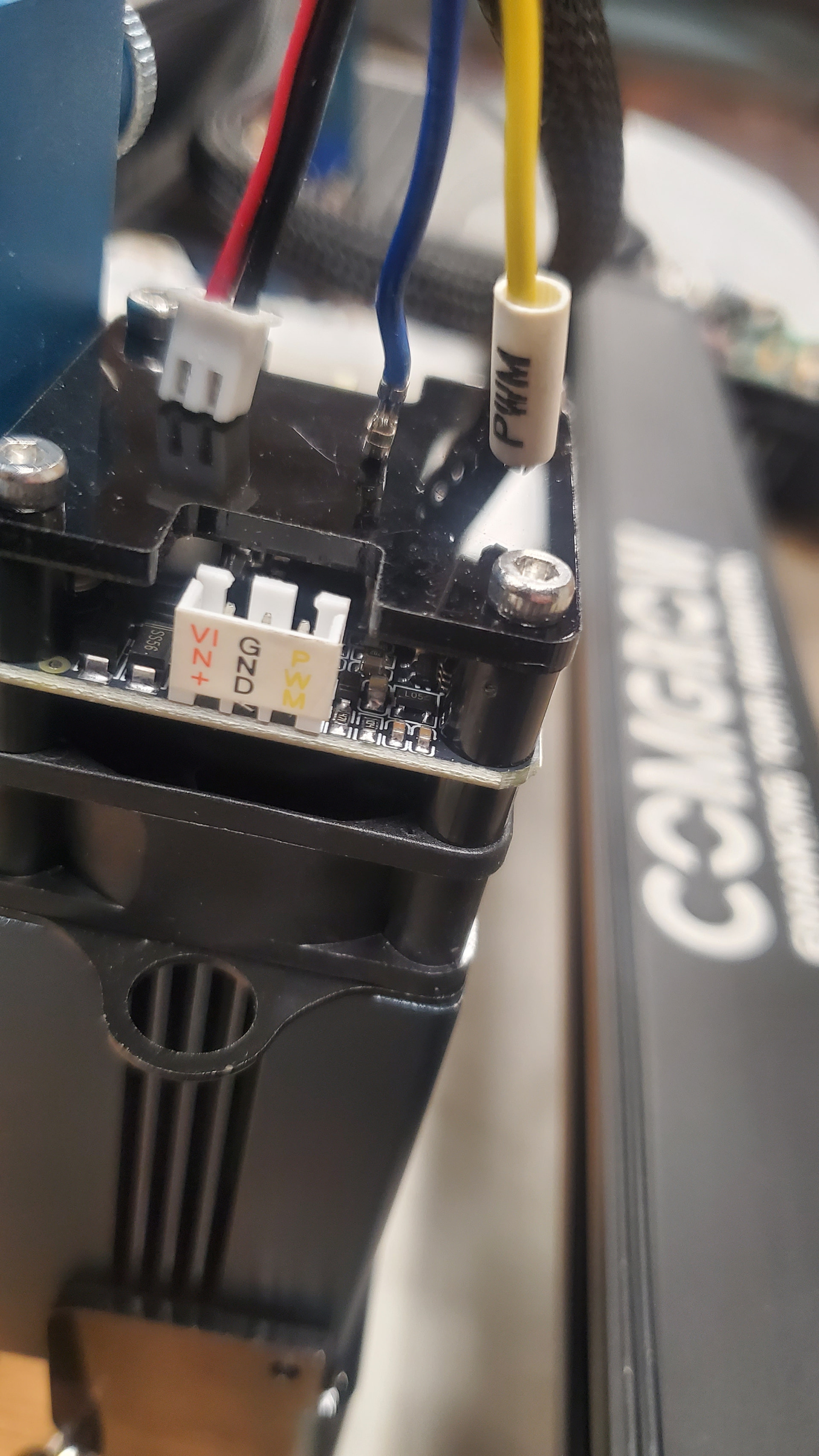

PWM to PWM, VCO to VIN+, GND to GND, GND can be ganged together or just use either one.
Disclaimer: I’m not an electronics technician, but. I did change a light bulb once. Use m advice at your own discretion.
1 Like
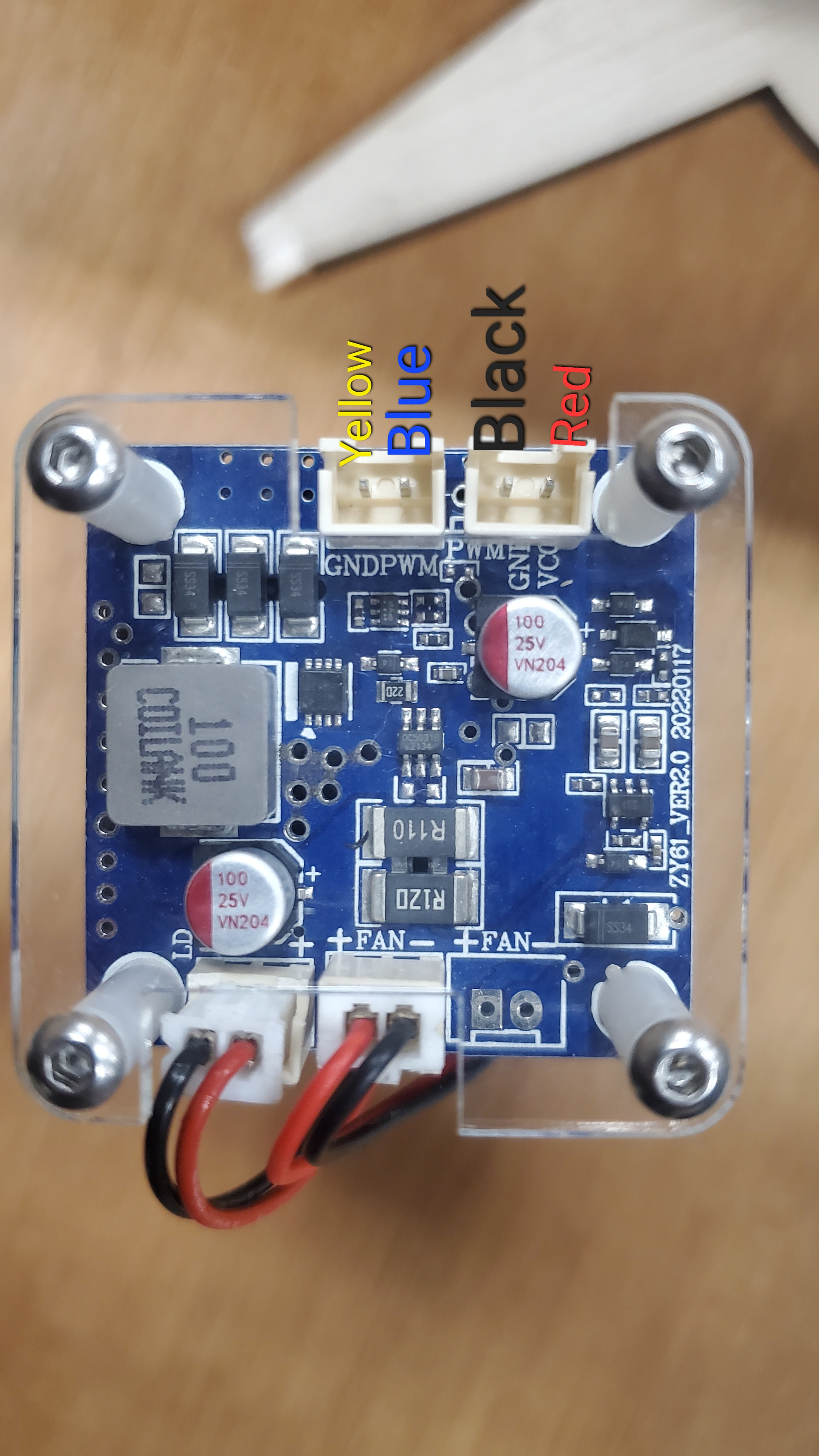
@thelmuth is correct. The yellow and Black wires are GND wires and can be tied together. Be sure you connect the wires to the correct pin on the new board.
Red = Vcc
Yel/Blk =GND
Blu = PWM
The new board should have the pins clearly (?) marked.
Thanks for the help guys. Got it running. Now I’m having an issue with lightburn. On a material test cut, it cuts the same power for every square. Looks maybe about 30% power. I change min / max settings under the edit material settings and it doesn’t change the squares. Changing the settings for the edit text settings changes the writing & I can set it to 300mm/m at 100% power and it’ll cut thru all the text in one pass, but still not the squares. Thanks in advance.
Material and settings? I have a 10w laser and the Material Test does give a range of output results. If I input the correct ranges for speed and power.