Can common lines be removed automatically, I.e you have a series of rectangles and they are nested together their will be lines on top of each other, can Lightburn remove one of the overlapping lines, ideally the shortest one so you don’t cut over the same line twice.
As part of the design, Delete Duplicates gets rid of identical shapes.
As part of creating G-Code for the laser, Cut Optimization can Remove Overlapping Lines.
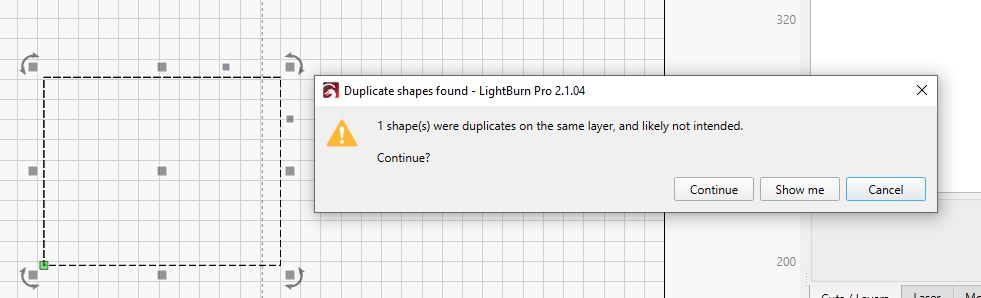
Yes. If you see this, click Show me and then just hit the keyboard Delete key.
Now we have a problem. If one line is shorter, then they are not exact duplicates and Lightburn will not flag them. The trick to get around this is to use the Trim Tool to delete segments until they are all gone, then CTRL-Z to get the last one back. But this leads to another potential problem…
You may have created an ambiguous path situation where it is impossible for Lightburn to determine which direction to go.
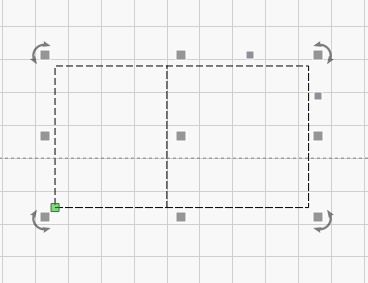
What will help here is to keep this in mind when designing. The two squares are separated to illustrate what will work. Normally using the Trim Tool as described will work just fine, but I wanted to pre-warn you on what could happen.
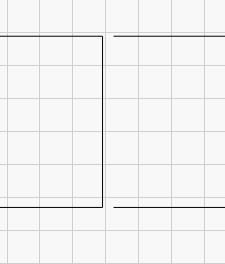
Node Editing and the Trim Tool are two very powerful tools. The more you use them, the more fun it is. 
“Remove overlapping lines” does this job fine. But there must be no kerf added to any of the shabs.