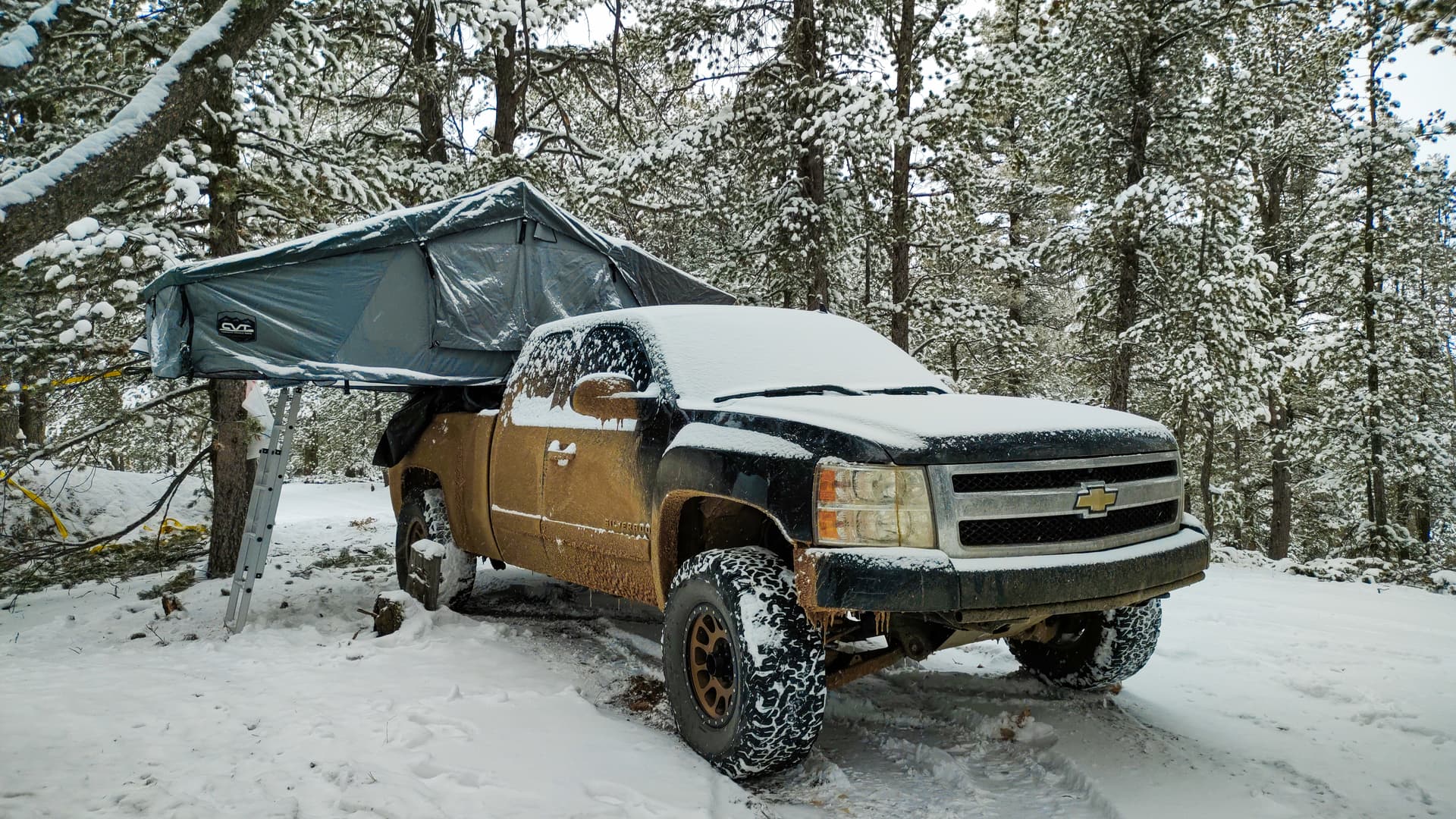
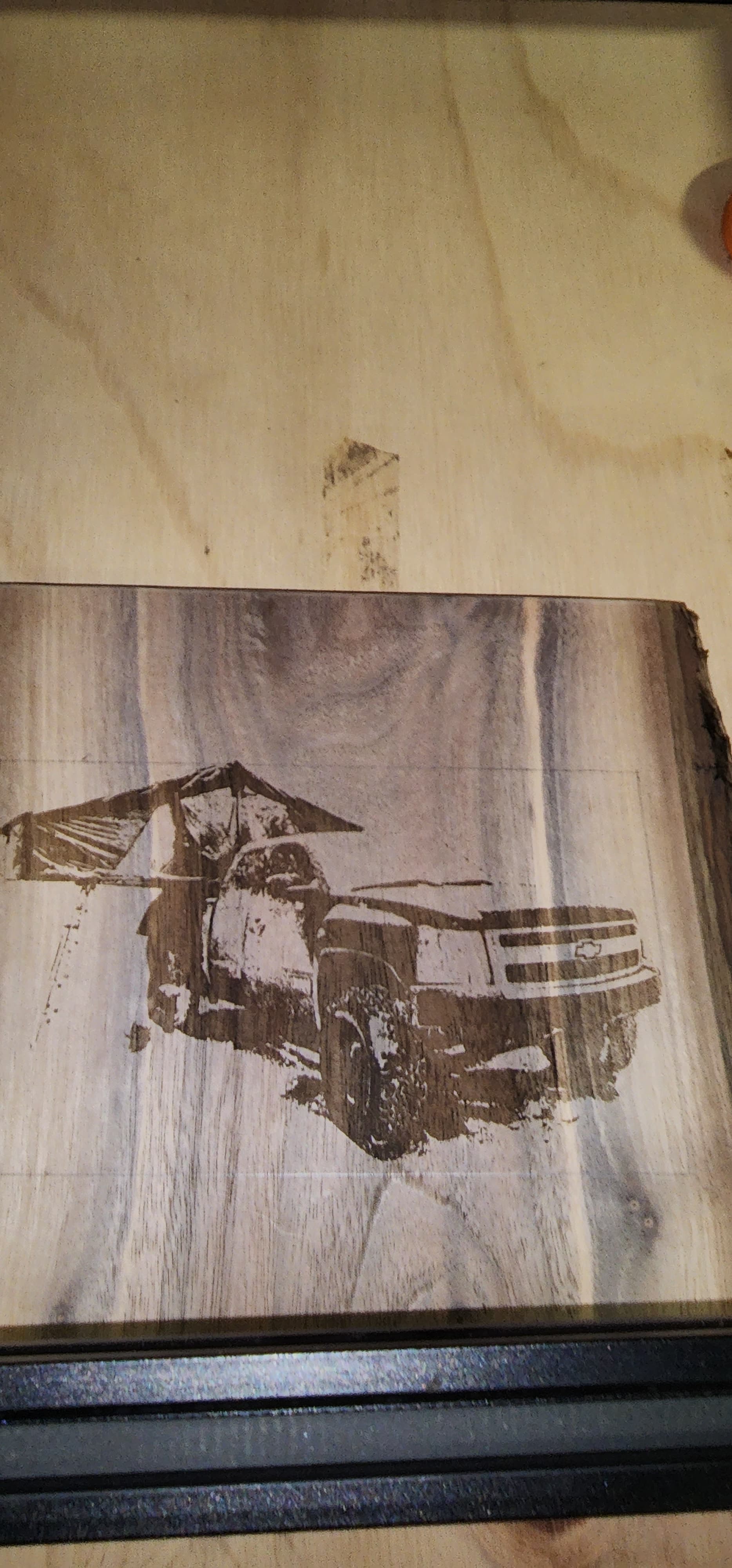
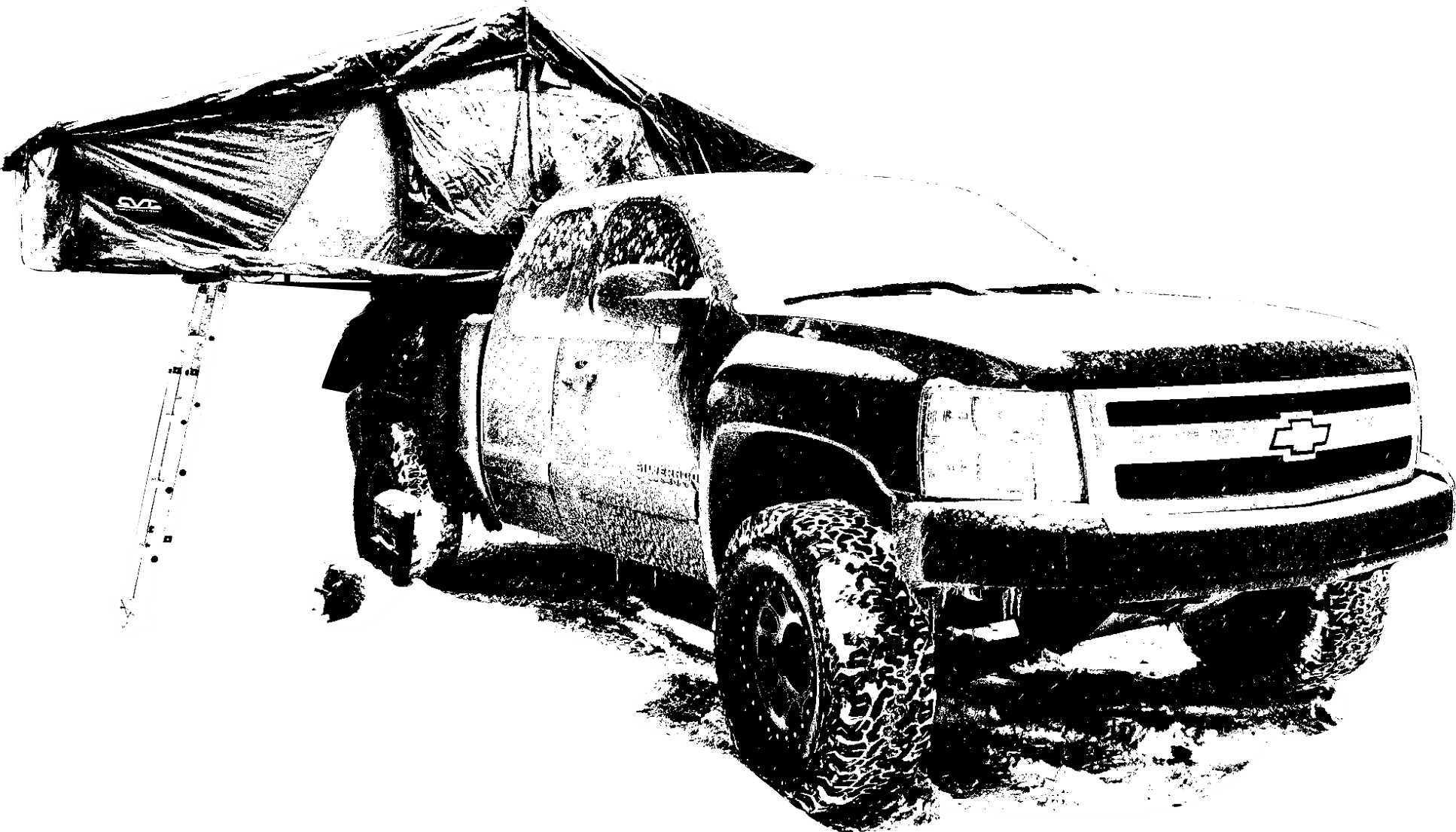
I used 4 layers: the first 2 were Fill at 4000 speed, 62.5% power with 45° and -45° angles respectively. The 3rd layer was Line with 800 speed and 15% power. The 4th was Fill at 5000 speed and 50% power running horizontally. I’m told my whites didn’t engrave and my darks lack any midtone because my image had too high contrast.
I do agree that the engraving is not very dark and easily blends into the dark walnut, but if I up the power or lower the speed the engraving burns really deep but doesn’t end up much darker. If anyone has advice on how to process the image to get a better result or any tweaks to my settings I’d love to hear. Thank you!
The first thing I’d tell a beginner is don’t start with an image. It is probably the most difficult thing to get ‘right’ you could have picked…
Did you try loading the image into Lightburn and using Lightburns tools to modify the image? It is more than capable…
Why? You’ve complicated your task substantially IMHO…
I think most of us make a single scanning pass for an image on wood.
Use some of the Lightburn tools … such as the ‘laser tools → materials test’ to find out the possible range from light to dark that material you have can give you.
With the image, I’d load it into Lightburn and modify it there. I’ve found it does more than I usually need. If you need to modify an image extensively such as for a dodge/burn operation to ‘flatten it out’ I use Gimp as it’s for images.
There are also online image processors such as imag-r.com. In this case you’d use the 'pass through option in the layer.
Find the type of dither you wish to use and with the preview and materials test you can get the best out of your laser…
62.5% pwm doesn’t really help if I have a 5W laser to your 40W laser…
Thanks for the reply, I appreciate it! I have a bad habit of jumping into something with a substantially harder project than I probably should be doing.
I haven’t used the image tools in LightBurn besides the auto trace feature. I mainly use CorelDraw and Corel Photo-Paint to edit, but again, I’m new to that as well. I’ll play around with the image tools and see what it can give me. Do you have any specific adjustments you do to images to get them ready for engraving?
As for the 4 layers, I saw a YouTube video of someone doing it and it seemed to give a nice result so I’ve been trying it out. They did it that way instead of multiple single layers. Again thanks for the advice, there’s so much to figure out with laser engraving it gets overwhelming
If you’re doing image editing for something like a photo, that takes software that specializes in that, like corel…
Lightburn is targeted at using these with lasers so the tools there are different. Brightness type controls are similar, but Lightburn has developed these tools for lasers.
All Software packages have to ‘cross over’ to other platforms to some extent when so they can get the ‘stuff’ transferred between them.
I don’t know what kind of laser you have, but keep in mind that your laser is on or off. If you dial up 50% power, you are generating a signal that is on for 50% of the time. When it lases it does so at 100% power for 50% of the time… that is how they work so there is technically no power control just speed.
It’s ok to think like this but keep it in the back of your mind that when it does lase it does so at 100% power.
What is the spot size and dimensions of your laser?
That will tell you the best resolution you can expect from the machine.
Then you add what the material can do to the equation. Many here are very good at this, so don’t be afraid of bringing up problems you have.
Just search the site and make sure it’s not already answered.