Stewy
(Stewy)
December 2, 2025, 9:22pm
1
Ho 2 problemi.
Non riesco a configurare la fotocamera su xtool F1 ultra
E non riesco a passare agli infrarossi.
Potete aiutarmi.
Grazie
I have two problems.
I can’t configure the camera on xtool F1 ultra.
And I can’t switch to infrared.
Can you help me?
Thank you.
Aaron.F
(Aaron)
December 3, 2025, 2:24pm
3
Hello Stewy,
The camera of the xTool F1 is not supported in LightBurn.
They are running a proprietary, undocumented variant of the GRBL firmware, which also makes it impossible to use their conveyor belt for example.
I followed xTool’s official instructions on how to use the F1 ultra with LightBurn , and their provided .LBDEV device profile does not include any option to change the laser source.
Aaron.F
(Aaron)
December 3, 2025, 2:33pm
4
Upon further inspection, they actually have instructions for changing the laser source further down on the page I linked previously.
The instructions are quite wild, and there might be an easier way to implement this with our Custom GCode device profile .
I don’t have an F1 to test it.
Stewy
(Stewy)
December 3, 2025, 8:00pm
6
Come funziona?
Potresti farmi degli esempi.
Grazie
Aaron.F
(Aaron)
December 4, 2025, 3:59pm
7
The docs page offers some explanations about the Custom GCode options.
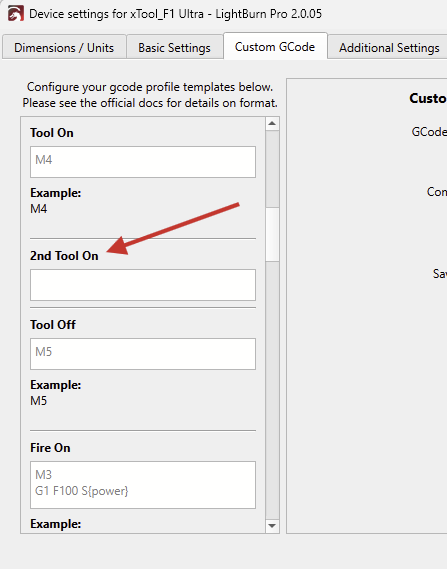
You would need to enter the command to change to the other laser source in this field in the Device Settings:
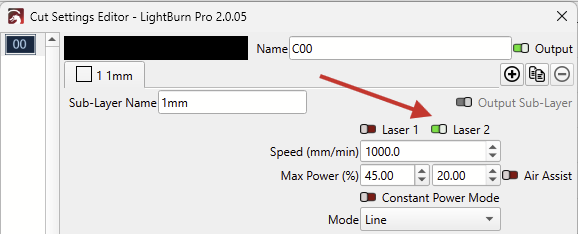
If there is any code in the “2nd Tool On” field, it will unlock the “Laser 2” option in the Cut Settings:
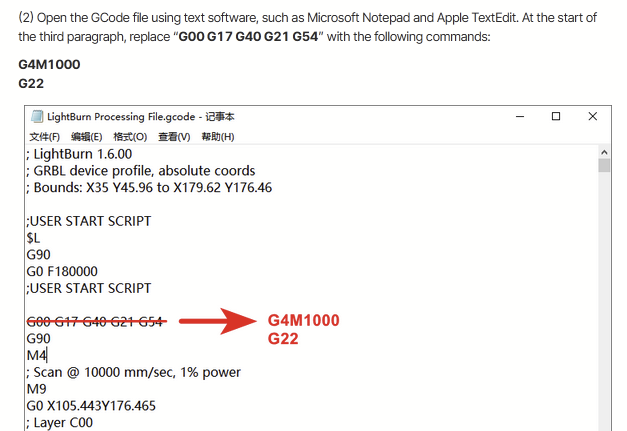
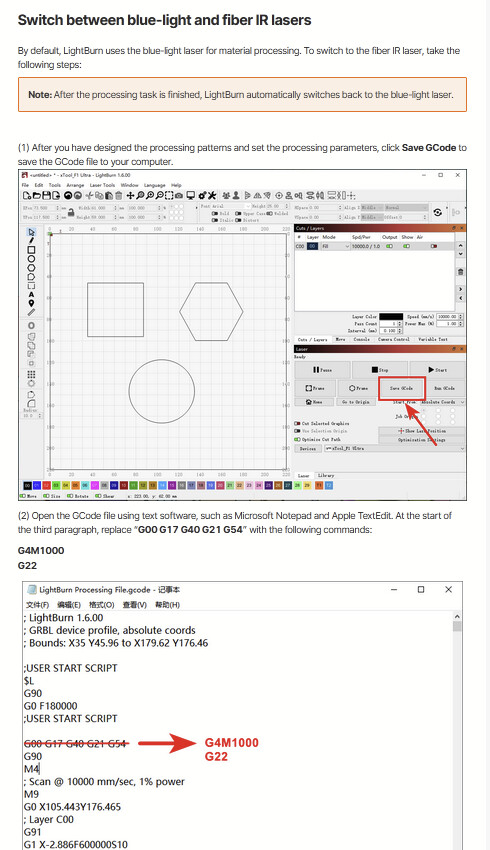
xTool’s instructions tell us to edit the file GCode file like this:
This first line G00 G17 G40 G21 G54 is needed in LightBurn, and removing this from the GCode might lead to odd problems.
We require xTool’s cooperation on how exactly the firmware behaves, and what their G4M100 G22 is doing.
Aaron.F
(Aaron)
December 4, 2025, 4:28pm
8
Okay..
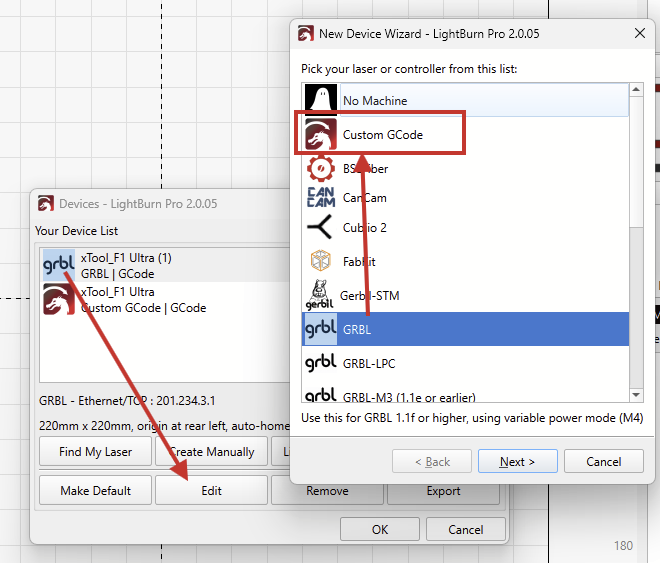
..I imported xTool’s .lbdev device profile and changed the device type from “GRBL” to Custom GCode:
Then, in the Device Settings, entered their Start Gcode, End GCode, and 2nd Tool On
Then, generated these two GCode files using this new device profile. Once with laser 1 activated, and once with laser 2.
The only difference is the additional G4M1000 G22 for the Laser 2.
The G00 G17 G40 G21 G54 is still included. I didn’t find a way to remove this without opening a text editor. As mentioned, LightBurn relies on some of these commands.
F1_Ultra_laser_1.nc (434 Bytes)
F1_Ultra_laser_2.nc (446 Bytes)
Summary
;LightBurn Pro 2.0.05
;Custom GCode device profile, absolute coords
;Bounds: X105 Y105 to X115 Y115
;USER START SCRIPT
$L
G90
G0 F180000
;USER START SCRIPT
G00 G17 G40 G21;Restore metric mode
G54
G90;Restore absolute mode
G4M1000
G22
M4
;Cut @ 1000 mm/min, 45% power
M9
G0 X115Y105
;Layer C00
G4M1000
G22
M4
G1 X105S450F1000
G1 Y115
G1 X115
G1 Y105
M9
M5
G90;Restore absolute mode
;USER END SCRIPT
M116A127B127
G90
M6
$P
;USER END SCRIPT
M2
If you’re feeling adventurous:
Run these two files on your F1 Ultra, and let us know what happens.
Both files should engrave a rectangle in the middle of the workarea.
Aaron.F
(Aaron)
December 9, 2025, 9:23am
10
marveillosa!
Does it work with both lasers, if you switch them here?
Stewy
(Stewy)
December 10, 2025, 9:21am
11
Exactly, I’ve only done a few tests so far. In the next few days I’ll try some more complex projects.
1 Like
Aaron.F
(Aaron)
December 10, 2025, 12:52pm
12
Here’s the mentioned device profile that I used to generate the GCodes:
xTool_F1_Ultra_Custom_GCode_Aa.lbzip (9.8 KB)
Drag and drop this file into LightBurn to add it as a new device.
It should be possible to use both lasers in the same job!
Please let us know, how it goes!
We have an F1 non-ultra in the fleet and will test it there.
Stewy
(Stewy)
December 10, 2025, 6:31pm
13
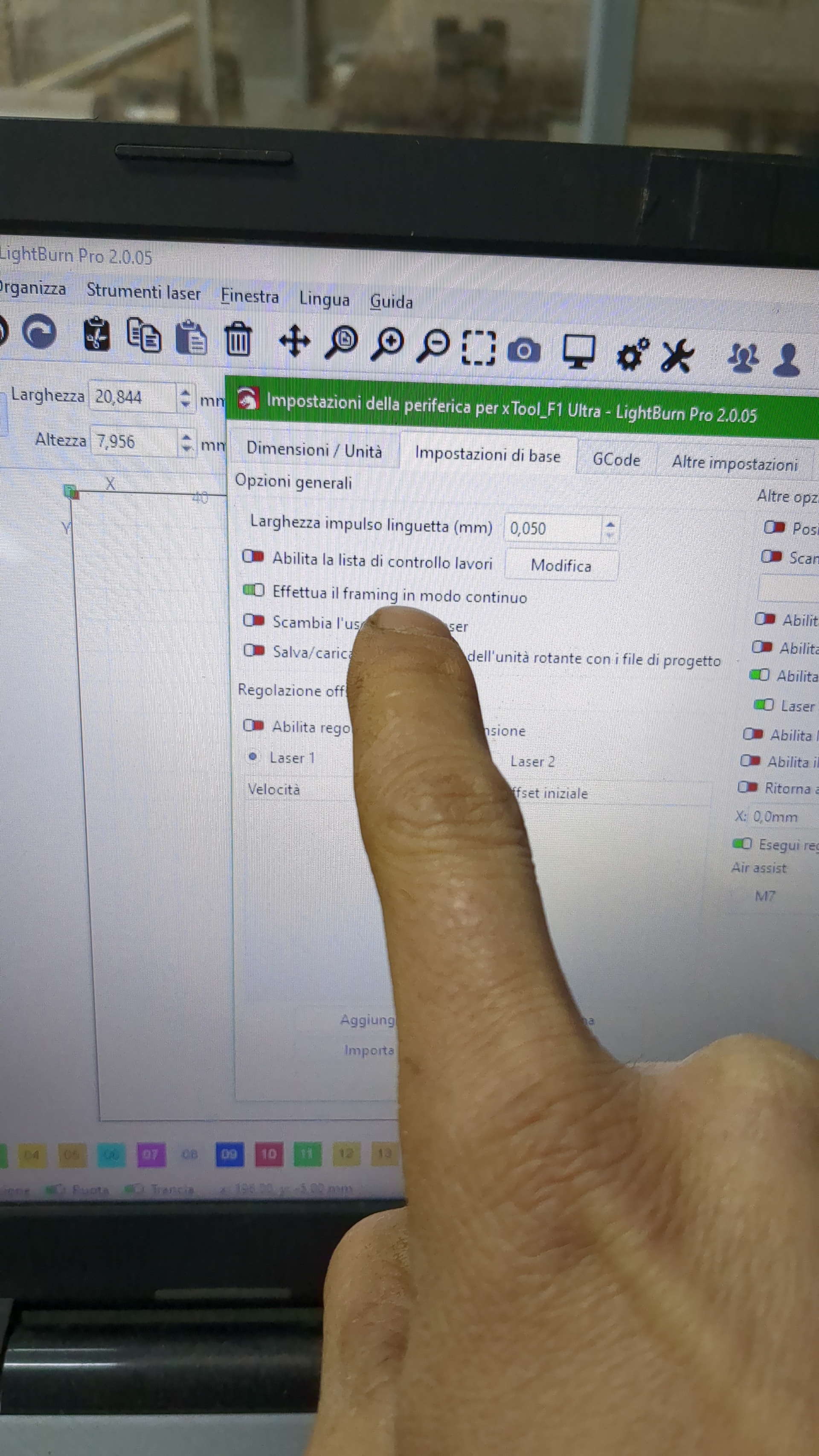
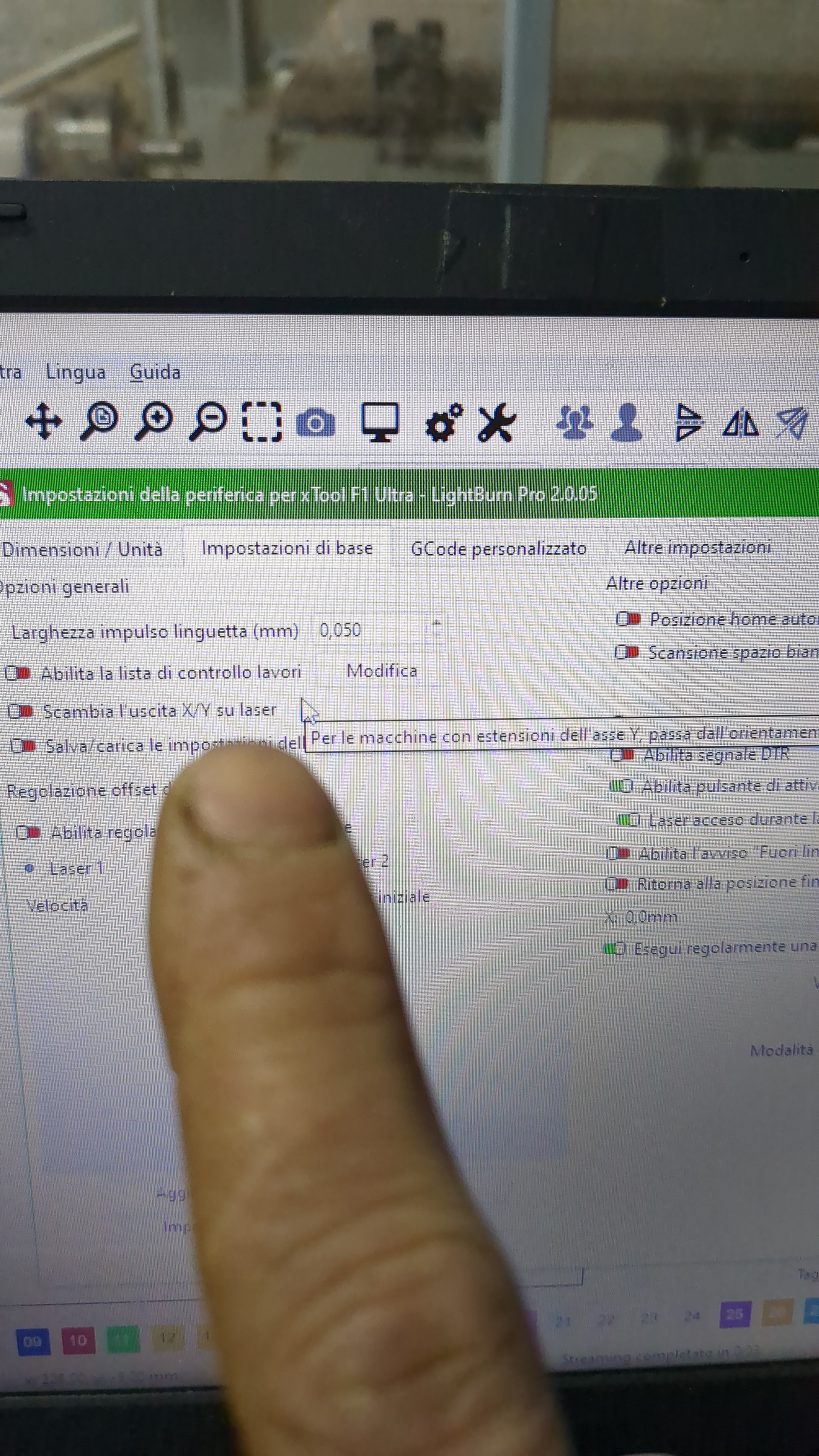
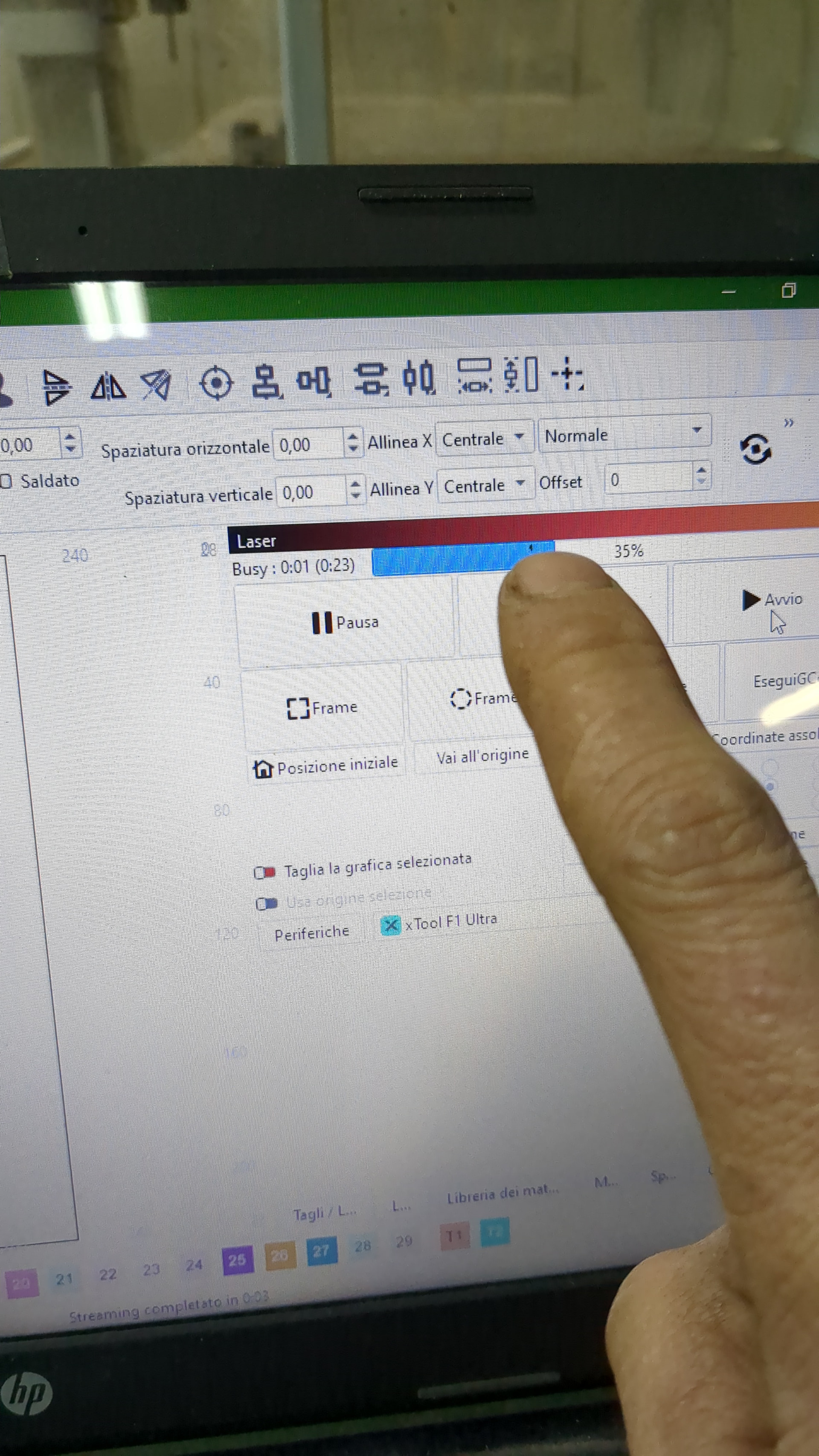
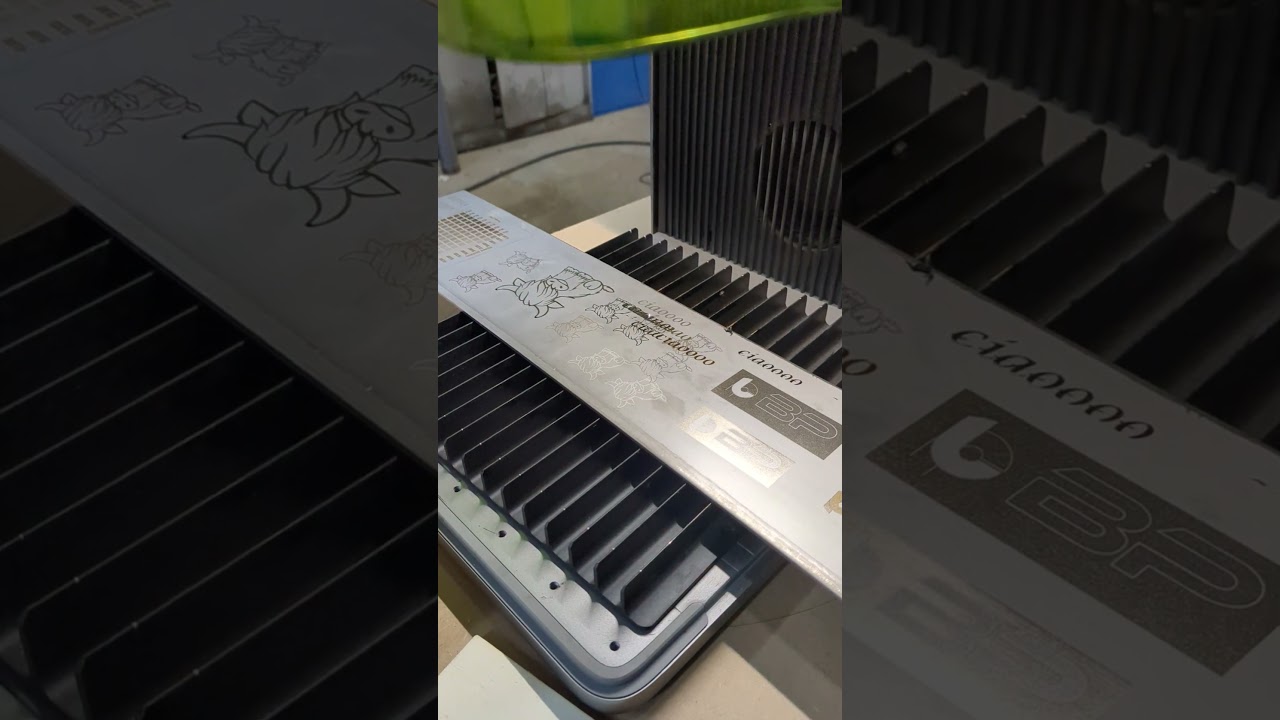
It works. However, I have a couple of things to point out: 1. If you enable laser 1, it processes with the fiber and then automatically switches back to blue light. If you activate laser 2, it works continuously with the fiber. If you deactivate both flags, it works with diode. 2. There is no longer the option to set the frame to continuous. 3. During processing, the busy signal of the work time control disappears after a few seconds.
Stewy
(Stewy)
December 10, 2025, 6:36pm
14
If you tell me how to do it, I can attach a video I made where it shows these problems. For now, I’m attaching photos.
Aaron.F
(Aaron)
December 11, 2025, 7:39am
15
You can upload the video to YouTube or Vimeo and paste the link here.
Aaron.F
(Aaron)
December 11, 2025, 3:32pm
18
Stewy:
However, I have a couple of things to point out: 1. If you enable laser 1, it processes with the fiber and then automatically switches back to blue light. If you activate laser 2, it works continuously with the fiber. If you deactivate both flags, it works with diode.
Stewy, I’m lost here. I don’t own this machine, and without xTool’s collaboration, I have no idea what they are doing with these custom commands.
1 Like
Aaron.F
(Aaron)
December 11, 2025, 3:35pm
19
This is a shortcoming of the Custom GCode device type. I’ve logged it internally to add Frame Continous to the Custom GCode device type.
Thank you for bringing this to our attention!
I’ll try to get some dev’s eyes on the topic of the laser source switching.
1 Like
system
(system)
Closed
January 14, 2026, 11:53am
24
This topic was automatically closed 30 days after the last reply. New replies are no longer allowed.