Have a Creality Falcon A1 Pro connected to a Lenovo Yoga Ultra9 laptop running Windows 11 via USB. While the Creality Workspace will connect, Lightburn will not. I’ve tried multiple USB ports with same result. I imported the “falcon_a1_pro_(lightburn_2.0.00+).lbzip” file and it shows up as a device, but will not connect. The Falcon has a USB-C which goes to the laptop’s USB-A port. Other devices connected to the laptops USB ports are recognized and work fine. Any advice would be appreciated.
Has it ever connected? Did you install the CH340 driver when the Lightburn installer offered it?
It has never connected using Lightburn, but it did using the Creality Workspace. Yes, I downloaded the CH340 driver and installed it and rebooted. I also checked the Windows/System32/Drivers for the CH34xxx.sys files and they are there. The Lightburn installer never offered it.
Much to my embarrassment, I have resolved the connection issue… I reconnected to the Creality Workspace again to confirm the connection and discovered I had been connecting via Wifi and not via the connected USB. The USB on the Falcon 1a Pro was plugged into the wrong USB port. I moved it and “voilà”, Lightburn connected…
Sorry for the churn on this… Thanks for the input anyway.
Thank you for coming back and offering closure.
I was about to call out the CH340 driver advice when I noticed the 2.4 GHz connection used for firmware updates.
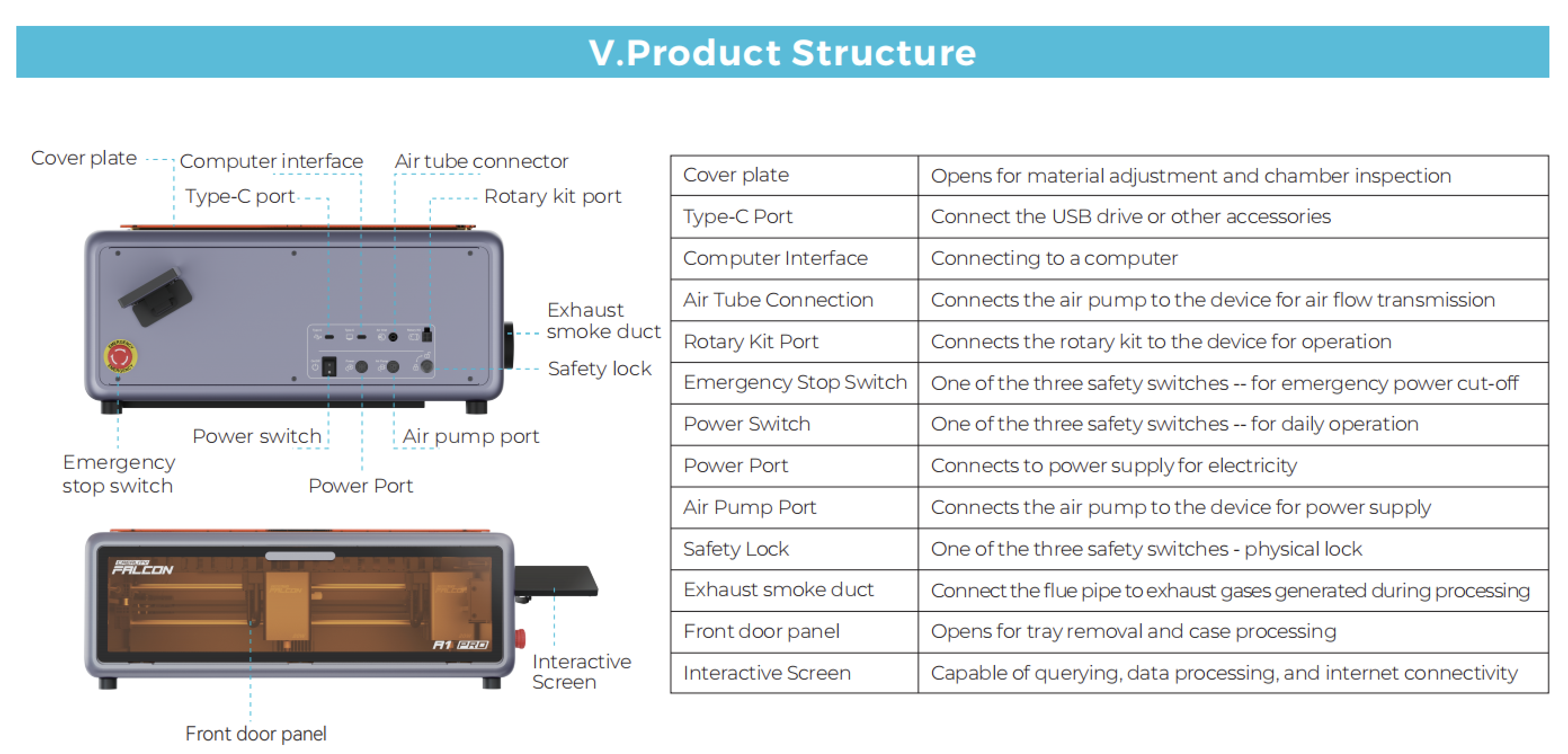
Zooming into the image they provide as a manual makes the machine label illegible.
Glad you found the problem.