Having trouble connecting to Loklik laser. Says it cant find it. Any help
You probably have to set it up manually. Find my laser doesn’t always work. Did the manufacturer provide a configuration file (.lbdev file) or any information on how to set it up?
I found the file and got it communicating. Thanks
This is where I need to be now.
Edit: I finally calibrated the camera lens. But now I cannot get the alignment done. Apparently Lightburn is not connecting to my laser. The camera did. I tried every port. Some said failed already taken. The other couple just sit on waiting for connection.???The laser tab says ready but on the console tab it shows failed or it seems like it won’t connect to my laser.??? Again, any help would be great.
I’m having issues connecting LOKLiK (10 w diode) too. I have a Mac. Systems report shows usb but Lb o sole only shows waiting to connect or already in use? Messages. For some reason Lb is picking up my Cricut machine via Bluetooth. Could that be interfering?
Sounds like you’re choosing the wrong port. This video might help you sort it out.

Thanks for the link. I had watched that one previously while investigating what to try next. It was very helpful for learning how to check that the usb is being read.
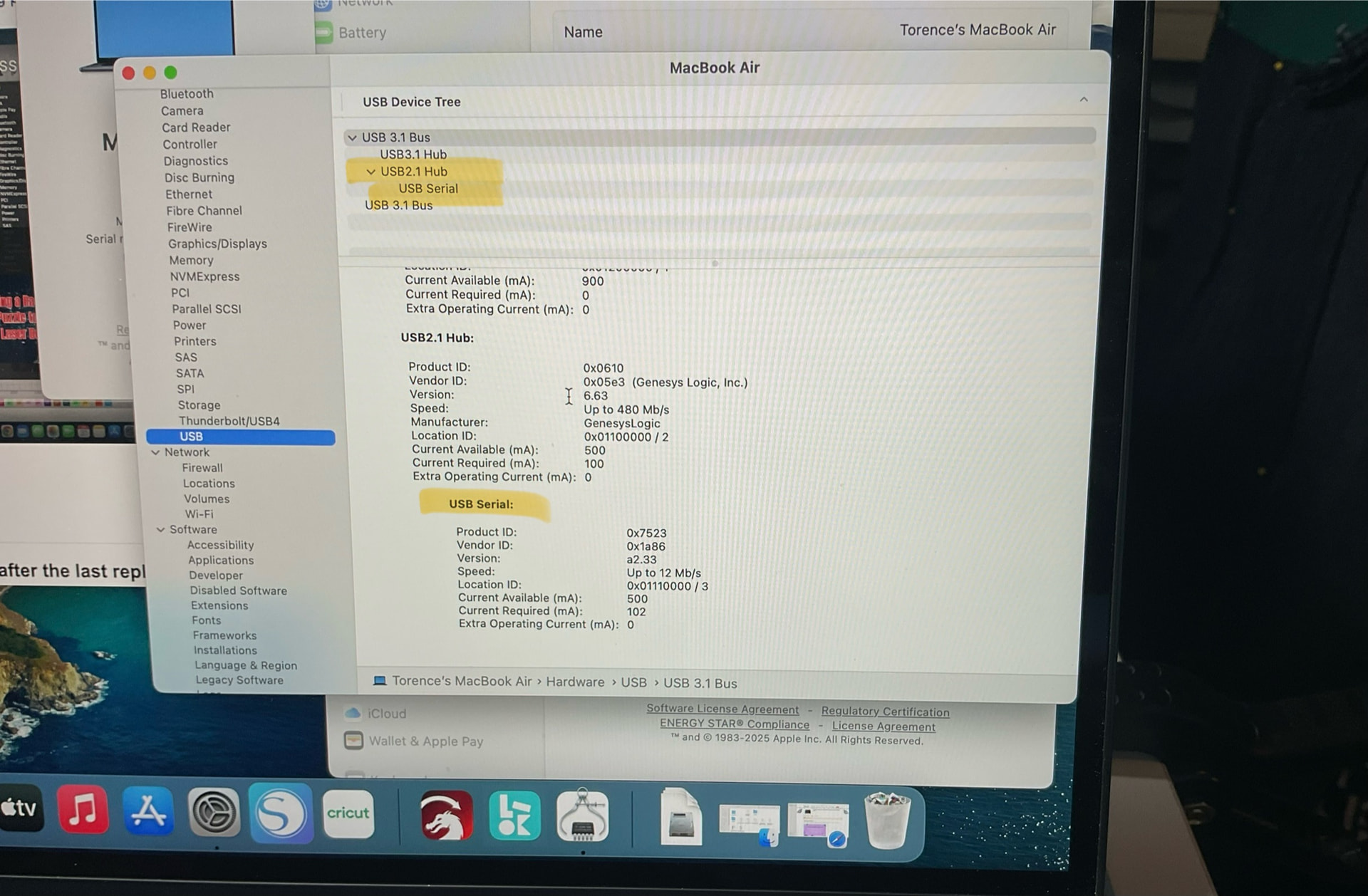
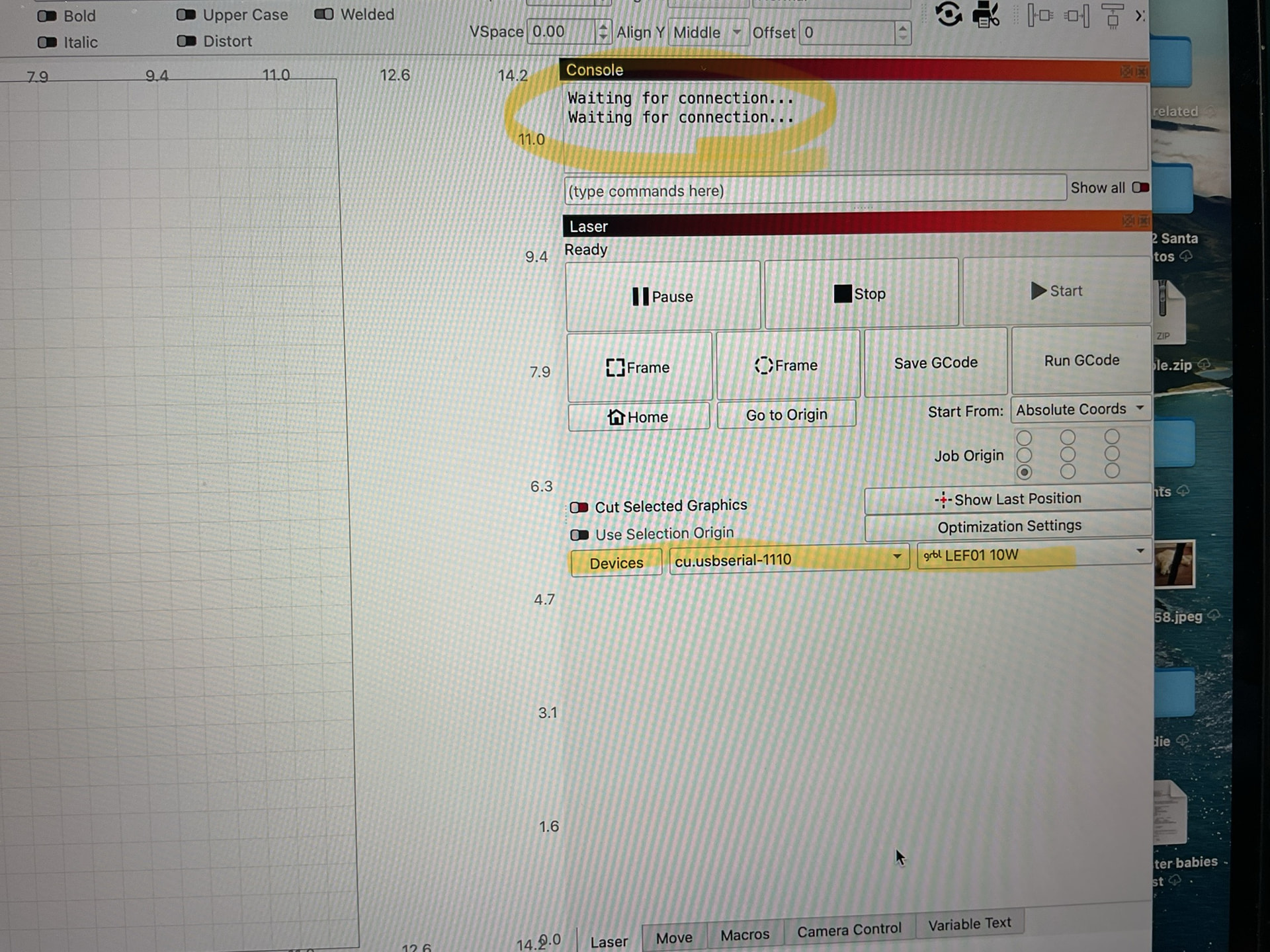
Though, I’m seeing a usb serial, not a com.
The materials LokLik provide include v1 of Lb. Would I potentially need to ask them for a different .lbdev for v2?
No, a different lbdev file wound probably not make a difference here. I believe it only contains settings for within Lightburn, but not connection settings.
What does the Sys info screen show for your hub with the laser disconnected?
I’m not sure why it shows but isn’t connecting.
Any tips for how you got your LokLik to connect?