Any recommendations on software to convert images to line drawings. the ‘Trace’ feature works pretty good, but what else is out there that works well, and preferably free
Thanks
Pat
Any recommendations on software to convert images to line drawings. the ‘Trace’ feature works pretty good, but what else is out there that works well, and preferably free
Thanks
Pat
Lots of free image converters, search image to svg.
Try this one. It does a pretty good job of converting jpg to svg. It’s online and it’s free
Out of curiosity, what is making you want to look for alternatives to the trace features in LightBurn?
I recently used this site (Artozal – AI Image Converter for Artists | Free Trial for UV, DTF & DTG Printing) to produce a line drawing from a JPG picture. I was very impressed with the results. Having tried all the usual online apps (as well as Trace) I just wasn’t happy with the results, so I went looking for something else. That’s when I ran across Artozal.
This is the photo that the customer provided.
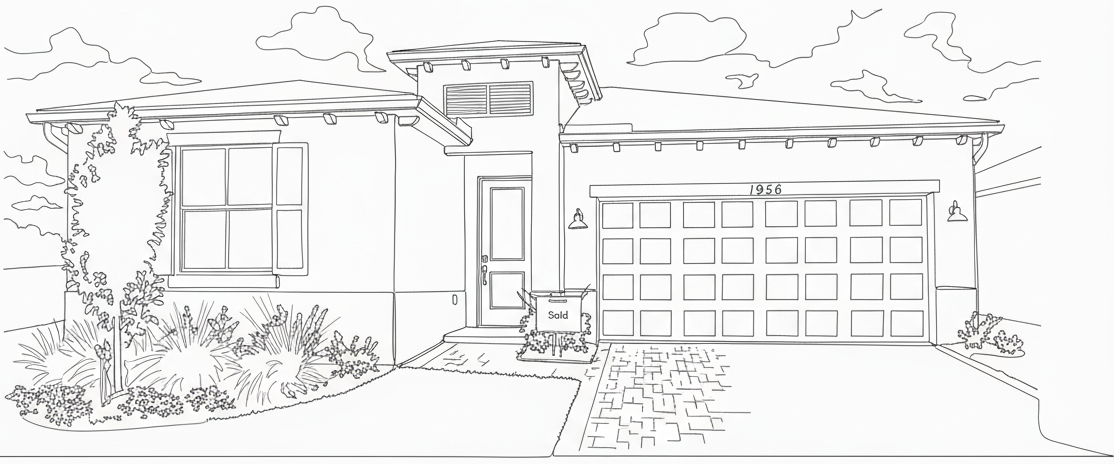
The line drawing that Artozal produced (there were a number of different styles to choose from).
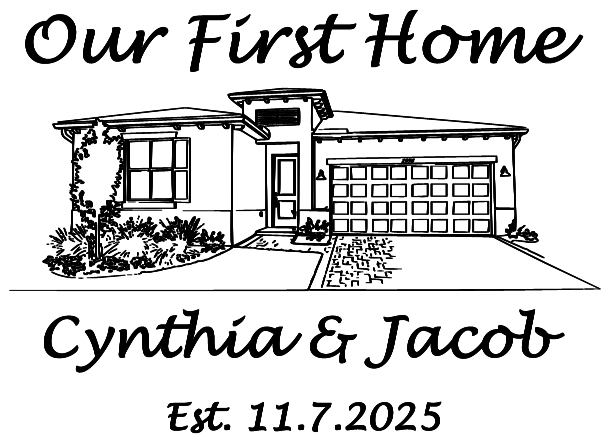
And, with a little editing in Lightburn,
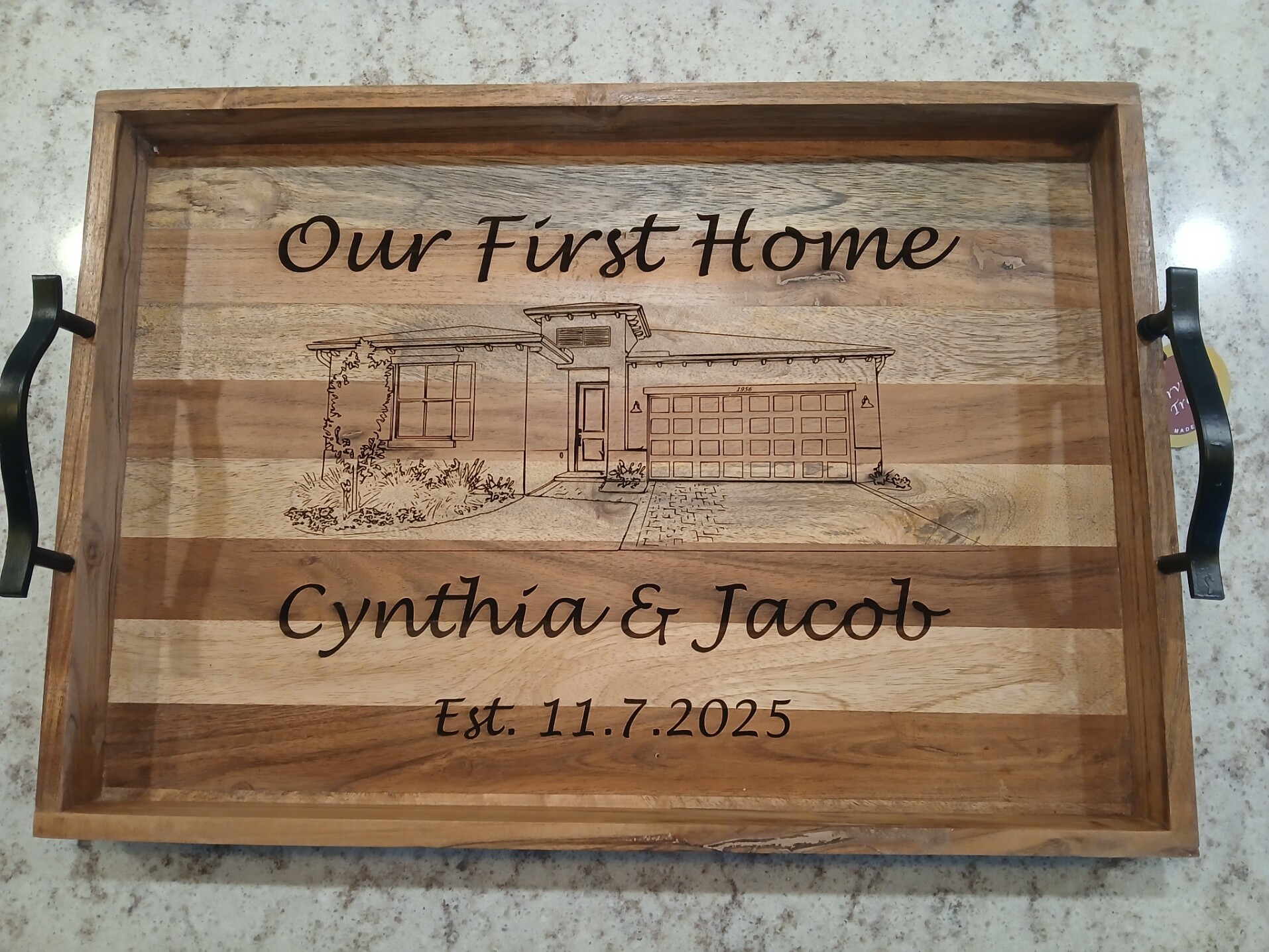
The final image that I engraved on the serving tray.
All in all, this online program gave me a pretty amazing result, and the client is very happy. They do ask for a small donation to download your image file ($5 gets you 10 downloads). For me, it was well worth it. Just my two cents worth.
Hi Paul
Thats an interesting website in terms of time saving.
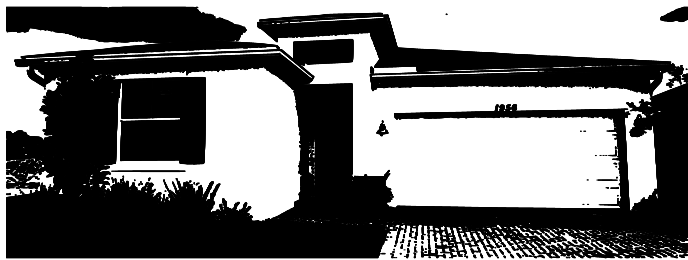
Did you try putting the line drawing it provided through Lightburn trace, Im wondering if it would make further manipulation of areas such as window-frames, window glass, guttering etc easier to place on a seperate layer…Quickly.
This is what Lightburn trace produced.
I tried adjusting the sliders to get a more usable image, but never got it to where I was happy with it. After trying a couple of different styles in Artozal I found one that was just the ticket. The client wanted the “Sold” sign removed, so I used the Node Editor in Lightburn to take it out, and add some shrubbery (Ni….shhh…shhh).
That woked out pretty well. I haven’t minded doing a lot of editing work up to now because its great for practice, but a nice quick way of prepping a file seems like a big advantage time wise.
As someone else mentioned about Artozal, I’ve been using it too and really like it. I especially like being able to upscale artwork and remove backgrounds to export Png
s it’s been really helpful for lots of projects. Definitely give it a try and see if it works for you!
It had been down for some time (2 to 3 months) and I had another job similar to the last one, color photograph of the front of a house that I needed to turn into a line drawing. Since Artozal was not available until a few days before the job was due, I used Pencil sketch your photo online - Free tool. It was ok, but not as good as Artozal’s line style. When I checked on Mon it was back up, but the line and vector styles were no longer there, and the pencil sketch style had too much gray scale to be useful. I did get in touch with Wassim about it, and oddly enough, he just emailed me saying that they’ve added the “Line Art Style” back in. But it was too late for the job I was working on. Even though the customer was very happy, I was not. It’s the first time I was very dissatisfied with my work. Doing one of a kind, bespoke, pieces are always a challenge. I’m usually pleased with how they turn out, kinda’ like “that’s pretty nice if I do say so myself” sort of thing. This time I was really bummed out (and I wasn’t going to charge her for it) but as soon as she saw it, she was ecstatic. So, I just kept my mouth shut. Well, I’m off to try Artozal again with the same photo and see what kind of results I get.
Responding to your post, I can confirm that Artozal is back on line and improved. I also found it to be the best I have used at converting images to line art for engraving . Another app which is almost as good is Convert Photo to Sketch Online for Free (10 Sketch Types). Give it a try if Artozal is not giving the esults your after, although I prefer Artozal
Paul
You did the right thing by not disturbing her appreciation, which hopefully will outlive your sense of under delivering.
Thanks for the comment.
I hope my last post wasn’t construed as bashing Artozal in any way, it really is amazing software. The Line Portrait style (that’s what the file name was called) shown above was perfect for what I was trying to do (this was back in Oct of last year). Wassim gave me ten credits to try the new version out. Each of the three styles I tried gave me somewhat different results, but not the simplified line drawing it produced back in Oct. For instance, the AI inserted a gable end roof over the garage where none exists, and a very graph like driveway. There were things to like in each of the three, but it would take hours of editing to combine the best of each. I’m writing an email to Wassim so I can share my results. Thank you for the link, I’m going to check it out this morning. I can include some pictures if anyone is interested in what Artozal generated.
I think we are harder on ourselves because we see it warts and all, and almost everyone else just sees the project as a whole,and are amazed. My wife was the one who was really complaining about the results, “you can’t charge her for that” sort of thing. She prefers big chunky lines and a very dark engraves, I on the other hand, I like the lasers ability to do fine, delicate work. I’m sure there’s a happy medium in there somewhere. In the end, the customer was very happy, and that’s all that matters.
Paul,
Have you tried the newer style for architectural drawing. it does a very good job of producing fine lines but also puts dimensions into the result. I have been using both the line art and blueprint styles for engraving clear acrylic that I give to the relatives for night lights. After conversion in Artozal I trace the png image in lightburn to get a vector drawing and then its easy to remove the dimensions and any unwanted artifacts.
Keep spreading the word about Artozal as i think it has the potential to become a must have application for all types of image conversion that lightburn can cut or engrave. Hope you have continuing good results
John
I’ve been in ongoing conversations (via email) with Wissam and he’s made some tweaks to the “Line Art” style, with an eye towards making it more laser friendly. He also suggested I run the conversion cycle multiple times, as it will give you slightly different results. What was “Pencil Sketch” is now “Line Art” and it works very well. Yes, I did try “Blueprint” as well as “Wood Engraving” and the each had their pluses and minuses. I did try the photo converter you suggested and it works quite well. This is only the second time I’ve needed a program like this, in the last year, at least I have more options available for the next time.
Paul