Is there a tool that would convert the vectric post processor gcode to the millmage custom gcode?
For example how I would convert the attached post processor file to millmage custom gcode file?
Lowrider4 postprocessor mm.txt (5.4 KB)
Is there a tool that would convert the vectric post processor gcode to the millmage custom gcode?
For example how I would convert the attached post processor file to millmage custom gcode file?
Lowrider4 postprocessor mm.txt (5.4 KB)
Which exact firmware are you running on the Lowrider 4?
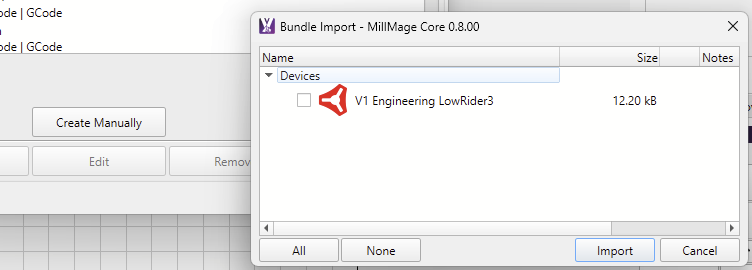
We already have Device Presets for the LowRider 3.
Not sure how much that one differs from your version 4.
I’m not familiar with the attached vCarve *.pp postprocessor. Can you send us a GCode file you generated with this, so that we can investigate further and help you configure the device in MillMage?
I had a look at that Vetric post. The default LowRider3 profile should still work for you as a base to get started, please Edit and rename it, change the size, and connection method as needed.
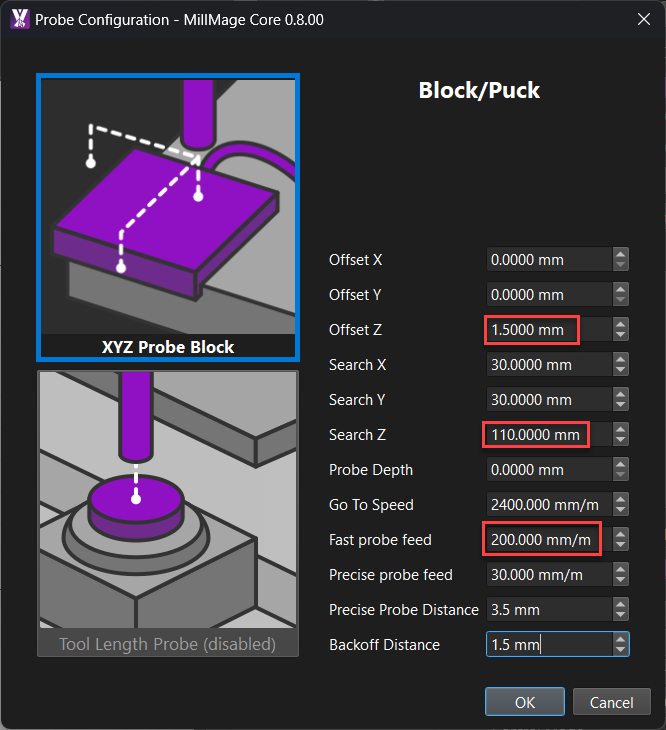
Change the probe thickness from 0.5mm to 1.5mm and the probe speed and search distance to match what is in the post
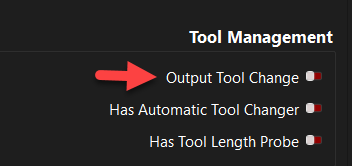
The Vectric post includes some other prompts to handle a tool change. I disabled the Tool Change for my LowRider,
But it would be easy enough to enable and add code for a tool changing routine that is similar to what is programmed in the Vetric post, happy to help with that if needed.
Attached is an example of a gcode generated with vcarve containing the post processor.
i installed the preconfigure V1 in MM I have lowrider 4 and i than just imported the V1 tool change code into tool change under custom , changing M0 to @P as it doesn’t like M0.
under tool management
output and has tool length probe click to on
it may not be the correct way to do it, but it works for me
the topic may help also
Thank you very much for the amazing help I received here.
Have a few more questions:
How do I set tell the device to move to the position as start position of the job on the table and not true 0,0 position.
This is how I set it on VCARVE. The XH AND ZH below moves to job start position and not true 0,0 position of the
“G0 [XH] [YH] F900 (moves to location to be set as X0 Y0)”
“G92 X0 Y0 (Set current coordinates as X0 Y0)”