I’m using Lighburn Pro 2.1.02 recently updated, but the issue has been persistent before the latest update. When selecting boxes of text and pasting over to LB, it adds 4 spaces to all lines except the bottom one. I keep having to go back to each line and remove the spaces so the text is centered in my space. Has anyone else noticed? anything I can to do mitigate?
It would be helpful to add your files for context. Copy and paste your source and destination file so we can see what’s going on.
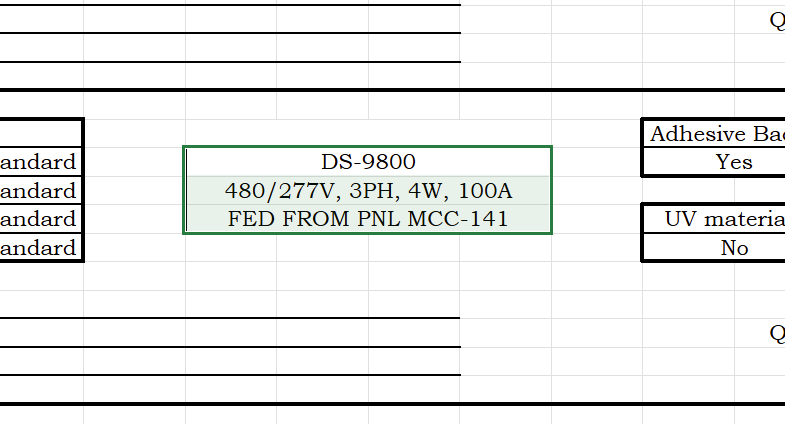
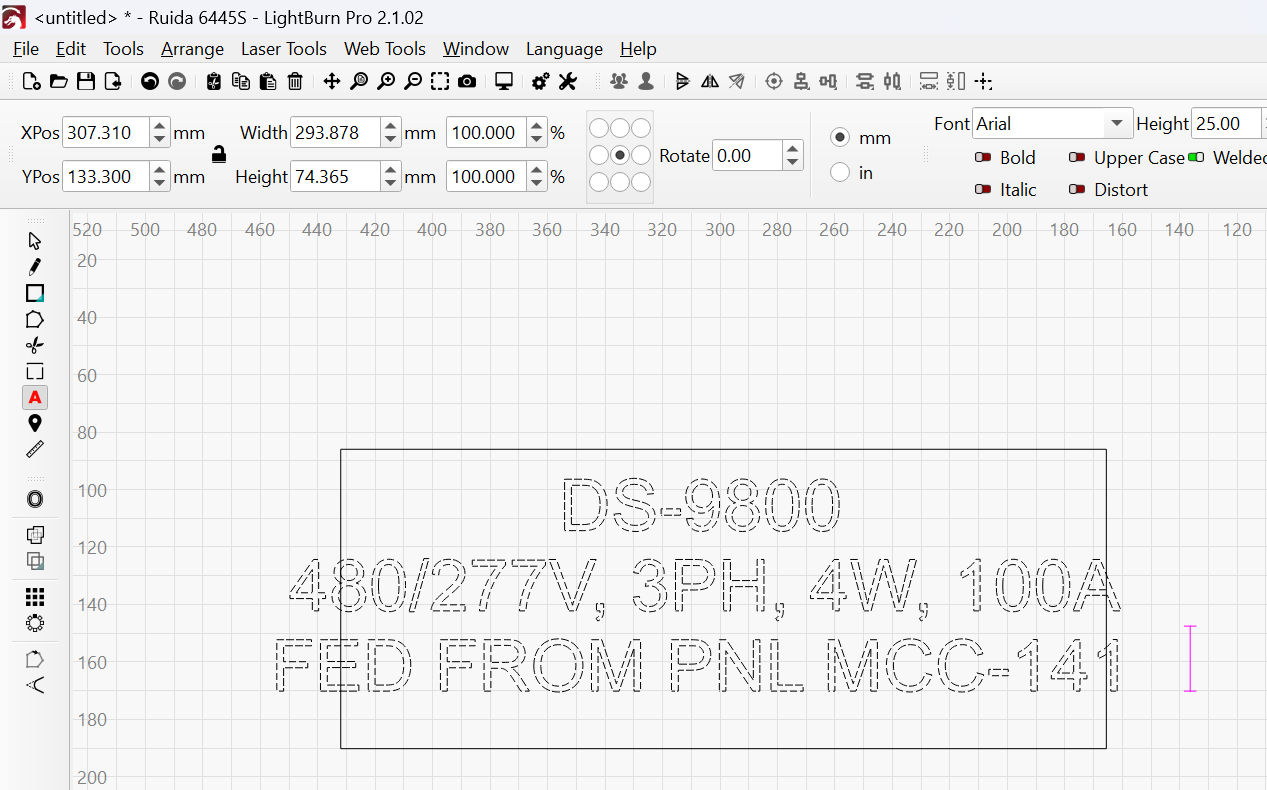
If you can please paste your excel or docx file into your reply so we can investigate.
Interesting. When I copy and paste from Excel to LB I get a bitmap image.
But if I copy from Excel > paste into Notepad > copy from Notepad > then paste into LB, the text is centered properly with no extra spaces at the end of the line. (This surpised me because I expected the text to be left justified)
This happens with both 2.0.5 and 2.1.02
My guess is maybe you have some extra data at the end of the line?
I have been struggling with this for awhile and have checked. There are no additional characters at the end of the lines. I always have the text centered in boxes. It hasn’t occurred to me to try Left or Right justified text.
Pretty sure Centered is padded with spaces.
This works because it strips out ALL formatting codes entered by XL.
That’s what I thought would happen, but it didn’t, after I pasted and copied from Notepad it kept Excel’s formatting. That is what surprised me, this might have to do with the fact that I recently updated Notepad to the lastest version.
Can you post or PM me the Excel file for me to look at?
Did it show extra spaces in Notepad?
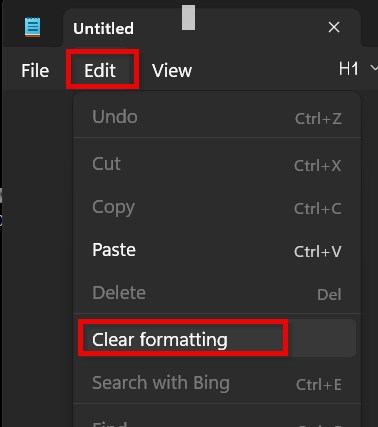
Really??? That kind of negates the whole concept of Notepad.
Thanks for the heads up on that one.
I can’t upload excel files. File format not authorized by this platform. I’ll try DMing you guys
Append .txt to the end of the filename
Remove your email address, unless you collect spam for a hobby.
Testing the company firewall. Might do it some good
That didn’t work. same error msg
So I can’t upload .xlsx file . I tried recording a screenshot showing the issue, couldn’t do that either.
BUT, the issue persists regardless of being left or right justified. and confirmed for the 5x time that there are no spaces in the beginning or end of the text on the excel sheets.
Name it Jordan.xlsx.TXT then upload. (fixed ** thing)
SHFT+WinKey+S opens the Windows Snippit Tool.
Notice how I added .TXT to the end of the file
Hi Lauren.xlsx.TXT (7.9 KB)

