I’m not sure what you mean by using creality config when I installed the laser. I had to manually connect it to LightBurn under GRBL when I connected it because creality isn’t listed as an option. Here are the screenshots of the settings.
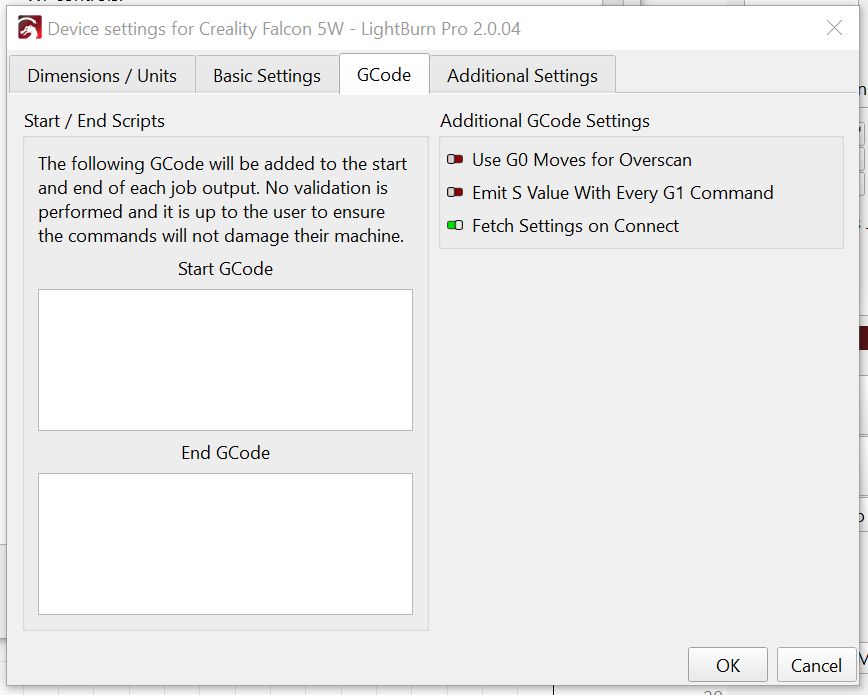
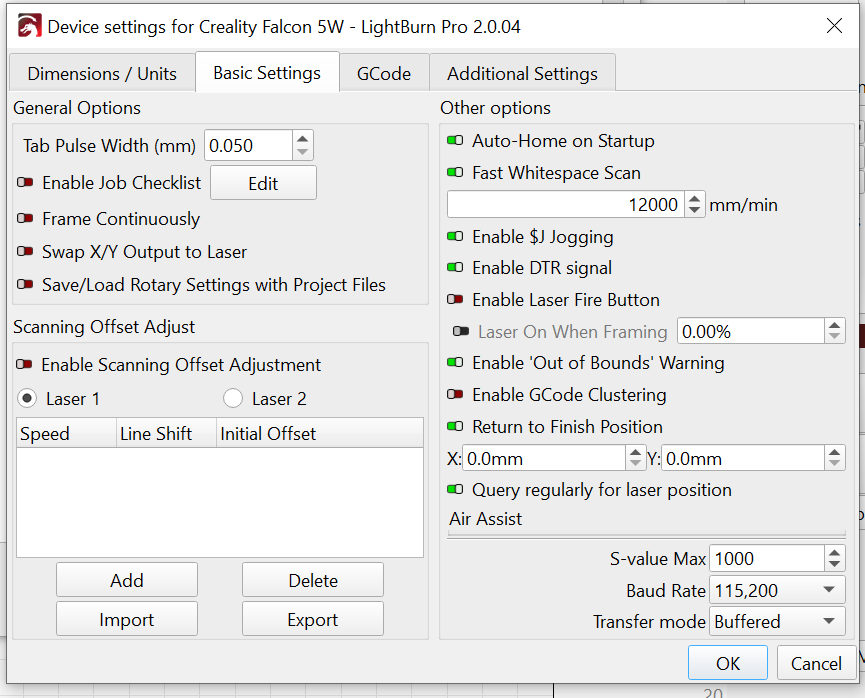
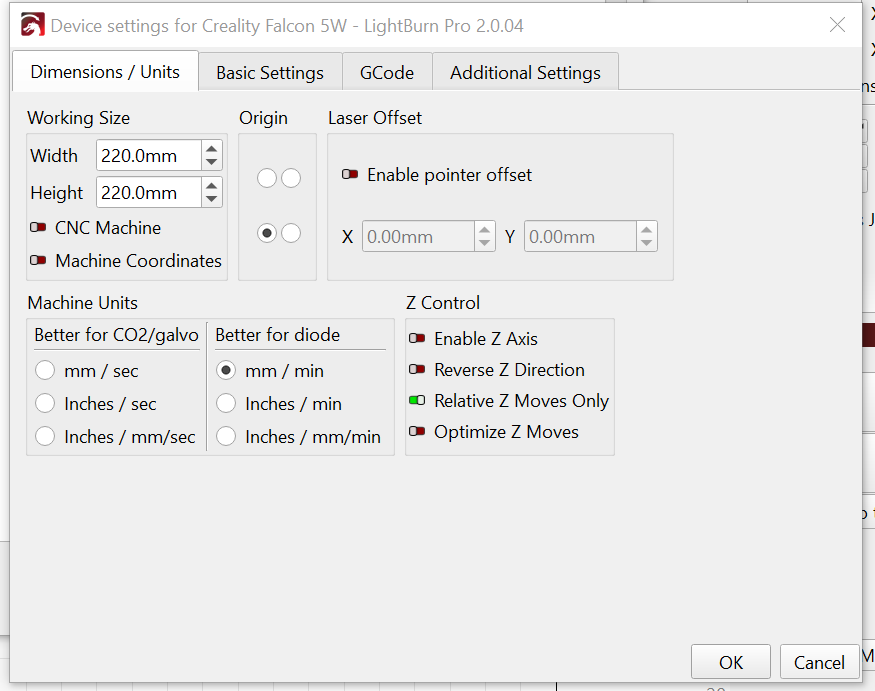
Here’s what I get when I’m connected & type $$.
$0=10
$1=250
$2=0
$3=4
$4=0
$5=0
$6=0
$10=1
$11=0.010
$12=0.002
$13=0
$20=0
$21=0
$22=1
$23=3
$24=1500.000
$25=4500.000
$26=20
$27=3.000
$30=1000.000
$31=0.000
$32=1
$100=80.000
$101=80.000
$110=10000.000
$111=10000.000
$120=500.000
$121=500.000
$130=400.000
$131=415.000
ok
Many manufacturers provide a file (.lbdev) that contains all the setup info for Lightburn. If you don’t have that you may have missed something when you set it up, then again maybe not.
I just realized last night that this is a 3d printer that has a laser module attached to it. Since it has never worked properly for you, I must ask, did you need to do any assembly or connections when you got it? Is it possible that something is not connected properly?
I didn’t see anything that jumped out at me in your settings or console output. This is looking like it’s beyond my ability to help. Someone else will need to jump in.
Same here, $32=1 so the parameter for a laser instead of a spindle is correct. HOWEVER, that does not guarantee the controller board is actually laser capable.
Run the attached Lightburn program, Absolute Coords, and report back the results with a picture.
Burn Fill Test.lbrn2 (5.1 KB)