So, I got it working just writing a guide now, its a pain but if your desperate for the camera it does work!
2 Likes
Any update?
As time went by, we did get closer to the release of version 2.1 including HTTP camera support, but we still can’t provide an ETA.
Pinging @jdotn15 about the workaround he found to get the camera working. I’d be interested to see how hacky it is 
1 Like
I’m here I’m here, so I downloaded and installed OBS studio, set up a browser element linked to the camera IP, then turned on Virtual webcam this requires OBS to be manually refreshed to update image, so I wrote a html page to auto refresh every 5 seconds, then plugged that into OBS
Okay, very hacky!
If it works, it’s not stupid. Brilliant, in fact!
Don’t be too confident that this will still work from version 2.1 onwards. (also, it shouldn’t be needed anymore)
The camera system has been/is being comprehensively revised, and unpredictable layers significantly interfere with lens calibration and camera alignment.
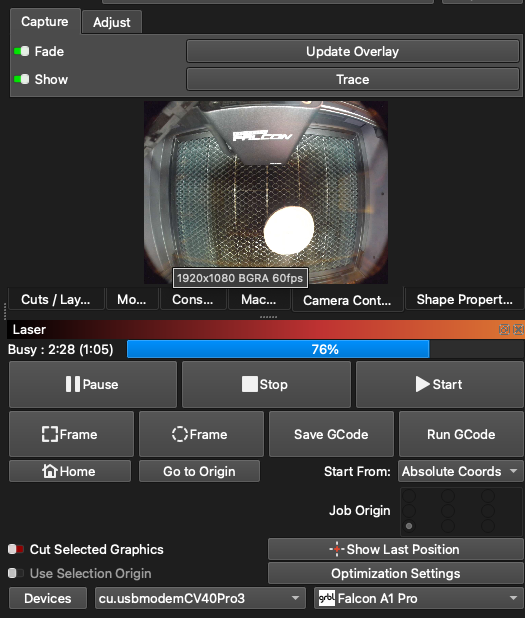
Was very disappointed to find that Lightburn and the A1 Pro not only will not work over Wifi, but that even in USB mode the camera does not function. Just got M=my A1 Pro yesterday. Used lightburn via USB. By accident found a way to manually do the auto focus on the machines screen, and now can not duplicate it. I really like the machine, but due to lack of lightburn support, I might return it.
Tell it to Creality.
We were not informed in advance about what exactly the A1 Pro is and how it works internally.
In my opinion, providing the camera image over WiFi, instead of USB is a good thing! We just have to be a bit patient for IP Camera support to arrive in LightBurn.
If you imported Creality’s .LBDEV file from their docs page you can use the macro $HZ1 to trigger the focus sequence from within LightBurn.

(In version 2.0, the macros live in a dedicated Macros window, instead of the console window)
For your convenience, I have imported Creality’s device profile and changed it to use the Custom GCode device type
Then, as mentioned earlier in this thread, added their macros for homing ($HX, $HY)
and Auto Focus ($HZ1) in the respective field in the Device Settings:
You can now use the “Home” and the “Focus Z” button in the Move window to send the controller the correct values, and won’t need to use the macros window anymore.
You can import this device profile:
Falcon_A1_Pro_Custom_GCode.lbzip (2.4 KB)
*I don’t own an A1 Pro to verify this.
Thank you for this. Focus DOES WORK as a macro. Updateing to LB 2.0 as we speak, so I’ll add it where you suggested in the move window.
I just wish Creality stated the drawbacks to using LB.
Now just need the Camera, and Wifi.
I also see your on the Pro version of LB. Those settings are not on the Core version.
There is no difference between those versions. You need to change the device type to “custom gcode device”, otherwise you won’t have them. But you also have them in the core version.
1 Like
Ok I switched laser type and I now have those settings. Interesting that the Creality FDS does allow for a WiFi connection and it works. It does have camera controls, but lacks many of the controls in LB.
As far as I know, they are using a proprietary protocol, not Telnet, so there is nothing for us to connect to.
Either way, I’d like to point out: Never leave your laser running unattended!
Just thought I post a small update.
I had emailed creality about the issues. There reply was to use USB connection with lightburn. Then they wanted to see a video of the camera not working with lightburn. After my third email, they sent me links to their Wiki site and a site to DL Design Space.
To the Lighburn Developers, my hat is off to you if you can find a Creality developer who understands the issue and will communicate with you.
While Design Space does work, it is the slowest to load, clunky software out there.
Thank you for the update, Bob.
Did Creality say which protocol they are using for the laser communication?
As mentioned, we know how to use the camera over WiFi, and this will come.
The other communication however, is using some other, possibly proprietary protocol. It should be simple for a skilled dev to reverse-engineer and implement, but likely not worth the time and effort. If they change anything about their protocol, it would be our responsibility to fix it again.
The Telnet protocol LightBurn uses is tested and proven.
I see an additional option:
The A1 Pro can run GCode directly from the touchscreen of the device, so you don’t have to keep your computer close, and you won’t depend on a stable WiFi connection.
Unfortunetnly Creality did not provide me with any useful information. Im not to tech savy on the cameras. The one thing I have not tried is connection my laptop to the A1 pro’s hot spot, and then see if lightburn will connect. Not even sure if it provides a hotspot mode. Right now Im using DesignSpace with the A1 Pro in station mode. Please let me know if the Devs want something tested. I’m retired, plenty of time to play.
1 Like
Does anyone know the telnet user name and password?
Just got this email from Creality;
Thank you for your email.
According to R&D feedback, a new firmware update will be released soon. Please pay attention to the upgrade prompts when using the device and upgrade to the latest version.
Lets hope it fixes things.
EDIT:
Creality released new firmware for the A1 Pro
CV40-Pro-MASTER-Release_V1_1_3_202510271826.bin
2025-11-19
I have updated my A1 Pro. I still can not connect via WIFI, although port 8080 does tickel it some.
Even in USB connection, camera still not seen. Also, “Find My Laser” does not seem to find a USB connection as well.
@BobW55 How were you able to get the update to work? It note that it is a bin instead of a tar.gz. I tried using the .bin file but it did not recognize it from the USB. I tried unpacking and repacking as a tar.gz, but that did not work either. I am guessing that because the file is not a tar.gz on the download site, the OTA update is not seeing it as well.
I downloaded:
CV40-Pro-MASTER-Release_V1_1_3_202510271826.bin
https://www.crealitycloud.com/downloads/other/laser-engraving
First one on the list
1 Like
@BobW55 I tried loading that onto a zip drive and put in the computer port and booted the laser but it did not pick it up. Will try again.
1 Like