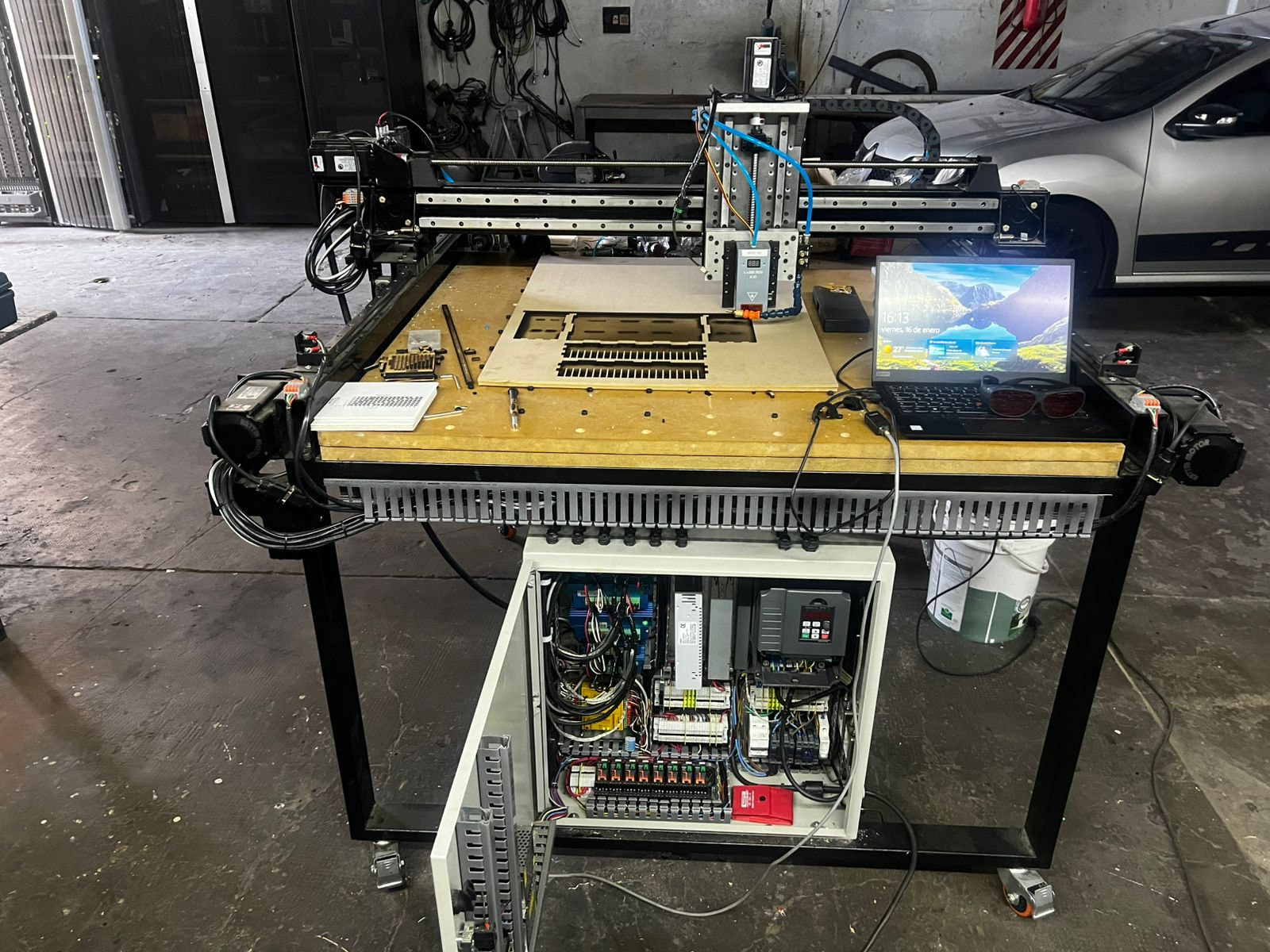
I have a CNC (running a AXBB-E Controller) that i have fited with Laser Tree K30 head for some engraving and cutting jobs. i do import my DXF files to lightburn and export them to gcode for later importing the file into my CNC software.
on my device settings i have set the following parameters:
Bassic Settings:
S-value max: 255
Custom GCODE:
-Home: G28.1
-Tool ON: M4
-Tool OFF: M5
-Fire ON: M10 Q{power}
-Fire OFF: M10 Q0
-AIR ON: M8
-Air Off :M9
I have notice when i am engraving and start a “white zone” the gcode does go into value “M10 Q0” which is my fire off value but it does not do the same when cutting (keeps the laser while moving to the next cutting zone instead of doing a fire off command, moving and then starting the “Cut Move” Command sequence again.
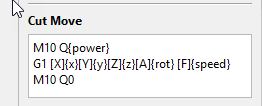
should the “Cut Move” configuration include a “M10 Q0” at the of the multi line customization?shouldnt the “fire off” be issued as default when finishing a cutting line and moving to a next cut starting point?
Hi, are you using the custom version of Lightburn? Did I understand correctly?
I’ve been using it for a while now too… It’s not easy to understand how to use it right away!!
I use it with a custom controller based on GrblHal!
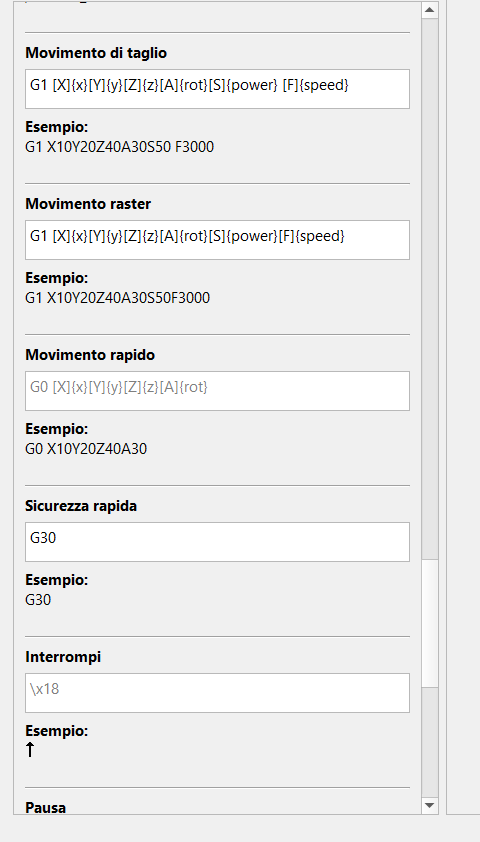
So I use other commands…but I think your problem is related to the fact that Lightburn uses the G0 command to move from one cutting/engraving point to another! In Grbl with parameter $32 = 1 (laser mode), if the movements are made in G0 mode, the laser is deactivated by firmware!! and not by the Gcode command!
This could be a probable cause of your problem! You should save the Gcode in Lightburn and open it with a text editor to see the actual commands being generated and sent to your machine…
I’ve had numerous problems with this version too!!!
And I’m still having problems!!! I’ve even reported bugs!!! But I haven’t received any feedback from the Lightburn team!
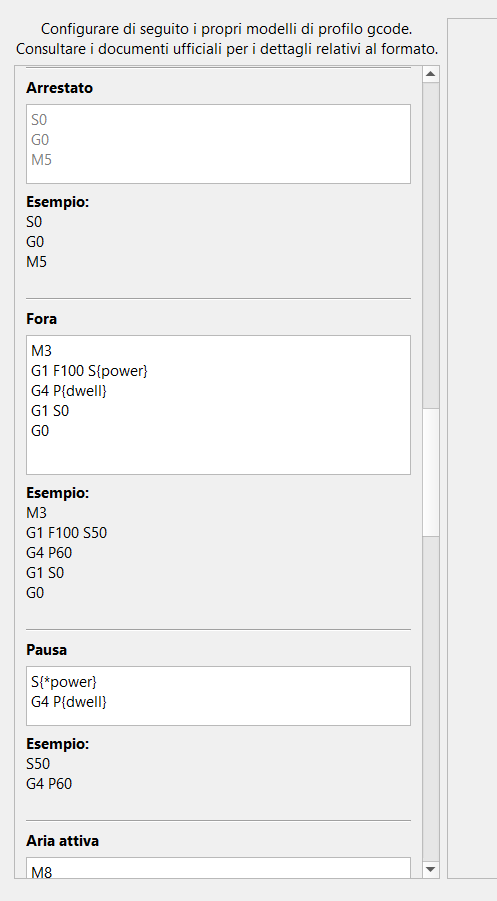
I’ll send you my current settings.
Changing the commands with yours might be useful for testing.
If you see any M commands (for example, M280P1S0) that you don’t recognize, don’t use them! They’re GrblHal commands.
Hi I am using the standard LightBurn Pro version (my cnc cant be directly managed by lightburn as it has its own controller software so i needed the “custom Gcode” feature on the pro licence).
My cnc was hand build by me as a multipurpose tool (i can exchange the tool head to accomplish different tasks, laser cutting, plasma cutting, or milling) based on the PrintNC Project but i have done many modifications to the original design to make it stronger for metal cutting and fitting larger closed loop motors with position control.
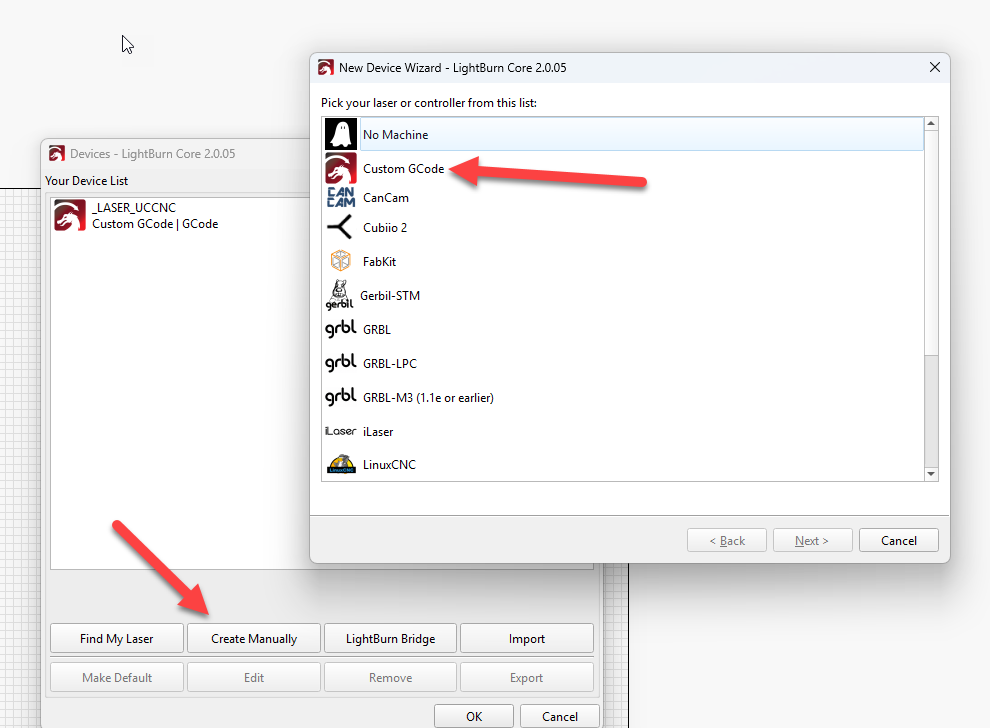
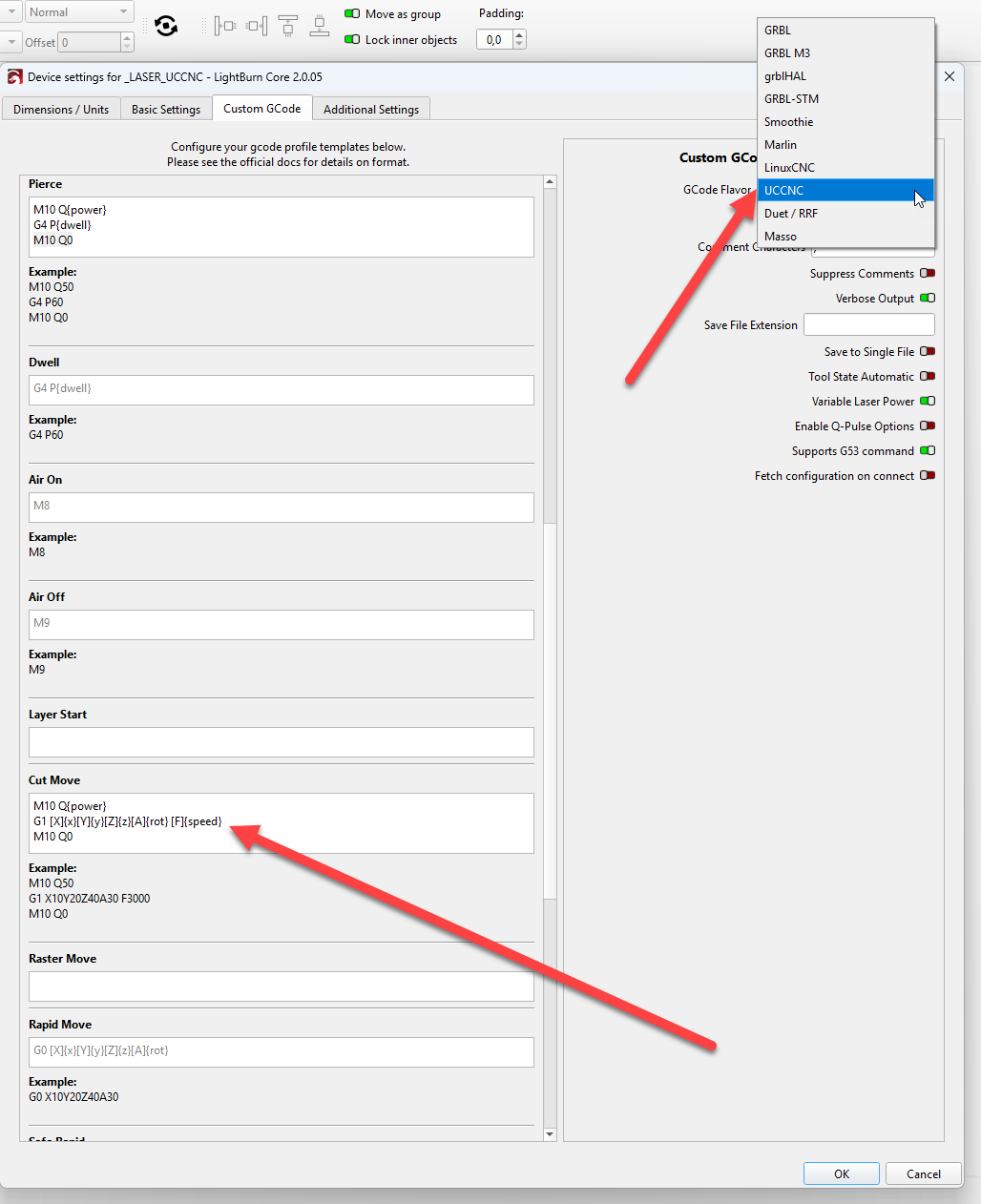
I manually created a device chosing the option “Custom Gcode” as there is no direct Support to UCCNC (most similar was LinuxCNC but does have different set of commands)
Today i got it finally working (laser now is off while moving to next cutting starting point) by specifically telling the code to send a “turn off” on every cutting movement (i think this should be in fact the standard behavior as there is a “fire off” command, but the software is not actively using it when exporting the gcode)
if you are having the same problem and using custom gcode, maybe you can try also adding a line an extra line in the “cut move” settings (bare in mind this is very specific to my controller documentation that states the allowed / supported gcode commands). i will post all my config in case someone is also trying the UCCNC gcode flavour.
looking you gcode customization gave me a few ideas that I implemented and got it finally working. as mentioned my controller has its very particular implementation of gcode as yours. there was no way of getting the laser off when moving between cuts, but after analyzing the gocde exported I noticed that it always “resends” the cutting power parameter on two connected cutting movements even if unchanged.
now i send a “power off” at the end of every cuting line (as mentioned on the post i was expecting this being the default behaviour as there is a fire off command set)
Hi,
I’m glad you somehow solved your problem.
But as I mentioned before, you might be expecting a laser shutdown command, based on your experience with CNC machines. But with Gcode and Grbl-based lasers, simply performing G0 movements deactivates the laser! In fact, all engraving and cutting movements are performed using G1 commands.
I’m controlling a CO2 laser, and at first I had a lot of difficulty with this custom version! Because I was expecting a certain type of behavior, but in reality, it “thinks” differently than you’d expect!
I’m using this version because it’s currently the only way (with Lightburn) to add custom gcode commands to various processes!
Since I use GrblHal (CNC/laser control firmware), which has many plugins and custom M commands, this way I can control a servomotor that dynamically adjusts the air flow based on the type of process, engraving or cutting. And I can activate commands for other plugins that help me improve image engraving and movement speed, etc.
I’ve found several anomalies…
But there are definitely two BUGS!!!
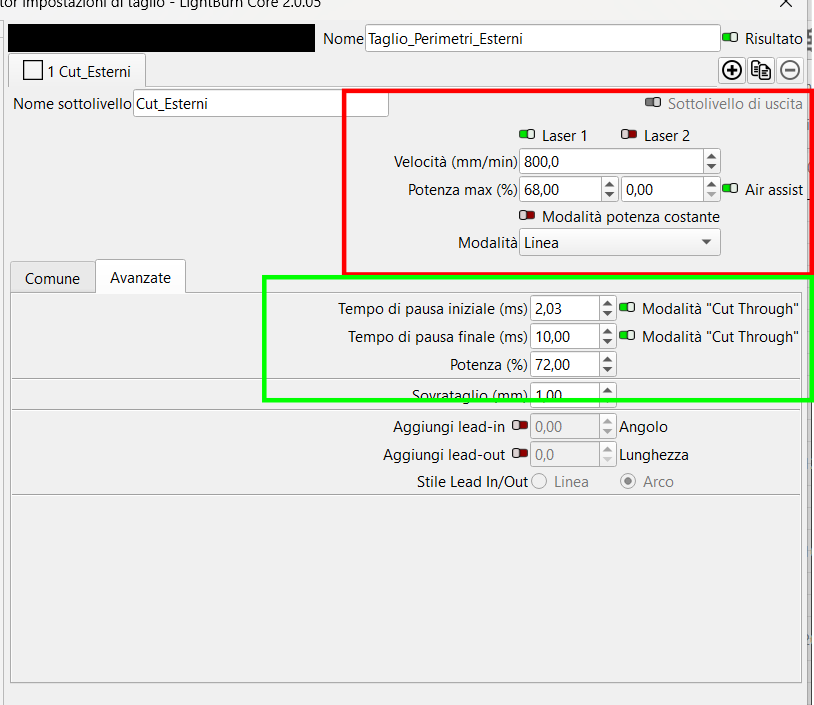
The first, in the red box, is that even if you use the second laser (tool), the code always uses the power set for the first one!!
The second, in the green box, is that this function doesn’t work in this custom version because it doesn’t issue the necessary commands!!
If you have time, can you test these two things? And see if they work for you?
I’ve already reported the bugs to Lightburn…(a few versions back), but in the new versions the bugs persist and haven’t been fixed, and I haven’t even received a response from them!!
Please use only the first Power % box with Laser 2
The switch from Laser 1 to Laser 2 is mutually exclusive, so the second power box is somewhat redundant and currently not doing anything (noted for cleanup).
The Custom GCode device does not include many of the base GRBL device functions, such as;
Frame Continuously
G-Code Clustering
Use G0 for Overscan
Advanced tab Pause controls
Some device communication settings
It’s still a work in progress with some known loose threads in the UI on the list to be addressed.
Hi,
Thanks for your contribution.
I’ve already discovered all the limitations of the custom version!
However, the function highlighted in green works really poorly! It’s a bug!
Because if you select it, it activates the S% power, but not the pause! If you deselect it, it activates the pause but not the power! And it only does this on the “input”, not the output!
I’m sure the Lightburn team will fix this problem and all the others with this version! Because currently, it’s the only version that allows you to activate extra functions on those with a custom laser!
I count on your support and your development team to resolve these issues and implement all the helpful improvements I’ve already suggested on several occasions!
Thanks again for your support and clarifications!