When I try and cut and or burn this file. My machine will burn the text fine, but when i use the offset function to get an online burned or cut around the font my machine goes through the file and when it gets to the outline the laser moves back and forth, but the leaser doesn’t file during this time. There for not burning or cutting the outline. I am new to light burn please let me know if I’m doing something wrong? I have attached the file to one I’m am trying to do.

Don’t see your file.
Upload your .lbrn2 file.
Ill try it again
k.lbrn2 (99.9 KB)
Can we get a screenshot with your cuts/layers window open with the project loaded?
Yeah I’ll have to do that tomorrow.
You mean like this? I guesstimated the Cut settings.
k-v2.lbrn2 (112.8 KB)
@MikeyH interpreted it one way, I interpreted it another. See if any of the files left work.
Check if the text font has changed because I don’t have that font installed. Also adjust the Cut and Fill settings for your laser.
k-v3.lbrn2 (99.3 KB)
1 Like
Yeah, I thought of the @Kuth version too, but he had it all on one layer and said “but when i use the offset function to get an online burned or cut”, so I assumed he needed another slightly larger outline. 
Either way, the “trick” is to put the outline on a different layer and adjust the settings to cut instead of burn.
Hint: The only difference between Burn and Cut is how much power you put into the material (power, speed, and # passes).
The font slash name does work unless i change it to fill. Is there a reason for that. The cut outline does though.
You file works until i change the font from fill to line, then the laser doesn’t fire during that part of the process.
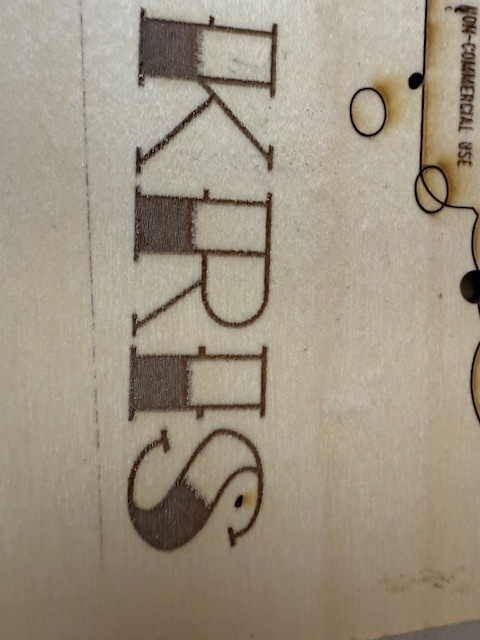
I tried do another one today with a bigger outline hoping that it would help and this is what i got.
Thank you -Kris-
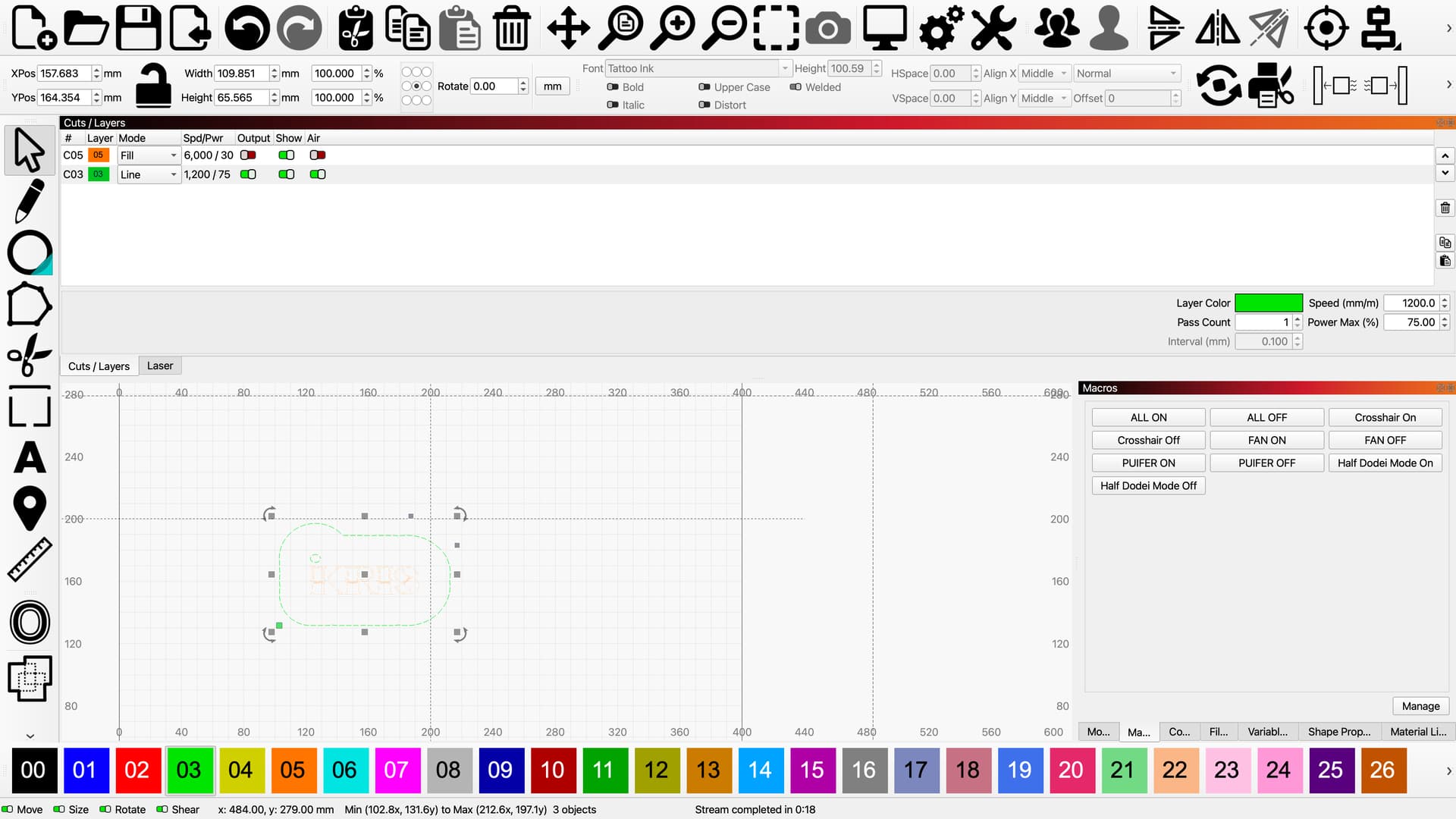
One layer has output turned off and cut layer seems to be quite fast if you are using a diode laser.
Looks to be a 10W laser.
Mine cuts around 325m/min at 100%
The layer turn off is the one that is working. as for the speed the laser is not firing at all during that cut. Im using a 40w laser from snapmaker.
You sure what is ON and what is OFF is correct in your view? Green is on, and the hover text hint tells you what it does/means when it is on.
yes the fill works which is the orange layer in the picture above.Which is my name is the on-line that’s not working . See in pic below
If you start another Thread about the same issue, we will lose continuity on the issue.
Your LB file there had Line selected for the C04 (shaded) and C15 (text) layers. C04 had 7 passes, which would typically be a Cut and not a Fill. The C15 layer had only 1 pass, which would normally be a fill.
The laser is not firing at all during that process so it has nothing to do with speed or power.
I had a couple of interpretations of Kris’s description. You had already given an idea and I added another.
We are generous! 
I’ve edited the file again. Is this what you want?
k-v3_1.lbrn2 (164.8 KB)
What worries me is that the laser won’t fire during the cutting process. Can you post a screenshot of the cut layer properties?
1 Like
I tried your file in lightburn and then outline didn’t burn. Then I tried my file again in lightburn and the outline doesn’t work either. So I tried both files in the software that my machine maker has and both of the worked just fine. So its something in lightburn that is causing this issue. Also when i click the fire button in light burn nothing happens.