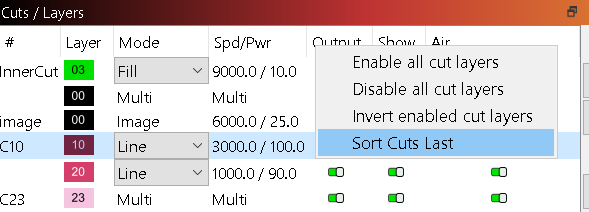
I am routinely annoyed by the cut order constantly changing automatically. I often set up a job in the right order, then make a few tweaks then hit run and find that my cut layer (which should be and was last) is now first and it starts cutting before engraving.
I’m not sure of all the things that cause the cut order to automatically change but one of them is definitely changing the cut/color of a certain shape.
First, I always use black as the final cut out cut and use the other colors usually for fill or line engrave. So, I always want black to be the last/bottom layer.
Let’s say I have a job with 2 layers, blue (fill) and black (cut out). I click the blue shape, change it to green, now all of a sudden Lightburn automatically moves it down below the black layer. Even if I hit ctrl z and undo, it goes back to being blue but remains the last layer unbeknownst to me unless I was looking at the cut order. Now if I hit run, it will immedately start cutting out.
I just want it so the cut order of the layers never changes unless I explicitly click a layer and use the up/down arrows to move the order. Is this possible to set somewhere? I feel like this should be the default behavior anyway.
If you want order layer to determine cut order then make sure these 2 things are true:
In Optimization Settings in Laser window, make sure that Order by Layer is the first option selected in Cut order
Enable “Optimize cut path” in Laser window
There are going to be cases where the order of layers themselves can change based on certain scenarios where all shapes on a layer or eliminated and then later introduced. But In any case, the layer order as seen will be respected.
I have also seen certain edit operations alter the layer order. Not sure why it happens or what specific operations cause it, but since I’m aware that it DOES happen, I just try to remember to check the layer window and run a preview to make sure Im outputting what I expect.
Thanks, but I already have both of those settings set that way. Still when I select a shape and change the color, it changes the cut order automatically.
I’ve noticed another part of the pattern of when it changes the layer order. If I change a shape to a different color that’s already present in the current file, it won’t change the cut order. However, if I change the shape to a color that isn’t currently in the file (even if it was before and was set to a certain layer position) it will always be set to be the last layer. This is very annoying. I often temporarily change the color of shapes in order to make it easier to hide them out of the way to select other shapes near them. This behavior makes it so my cut order gets messed up every time I do this. Could we just have LB store the relative cut order of all the colors in the current document? That way even if that color goes away (no more shapes on that layer) then comes back (some shape gets set to it again), it will retain its relative position in the cut order?
Are you saying the actual order of the layers change? Or are you saying that despite the layers staying the same order, that the cut order changes on a per layer basis?
If you are changing the layer that the shape is on I would expect that shape to now cut on a different layer and thus “out of order” from when it was on a different layer.
But in any case, the ordering by layer is deterministic so I can’t imagine a scenario where that’s not getting respected under normal circumstances.
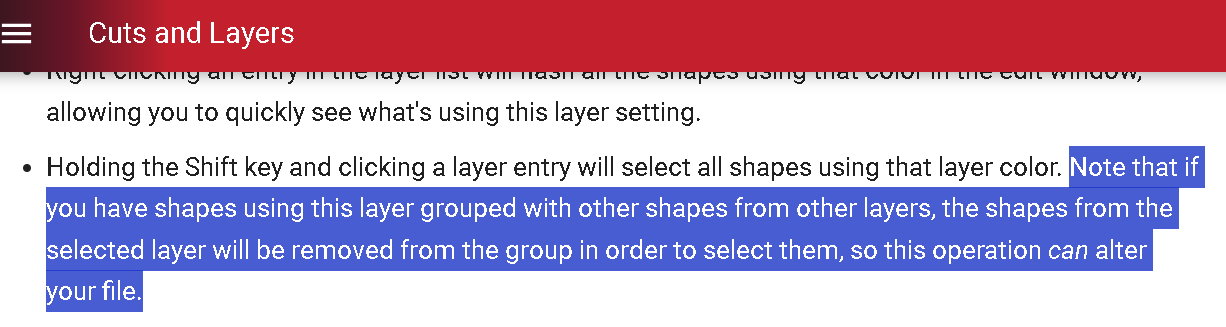
Perhaps try disabling “Show” on the layer if you don’t want to potentially grab those shapes instead of reassigning them. Or you can select all shapes on a layer by clicking the layer while holding shift.
I’ve seen others express similar sentiments. I’d suggest going to the Feature Request page and looking for something similar and upvoting to get more attention to it.
Not just new. Even some editing operations to existing layers will force a re-order. I’m usually too deeply invested in the actual edits to note the layer order changes as they happen but it has caught me out before.
There are boolean operations that will result in the output of the operation going to a potentially unintuitive layer. But I know of no case where shapes spontaneously and without explanation shift to a different layer.
Don’t quote me on this as I haven’t confirmed, but I believe one of the operations that I noted forcing a re-order was duplicating a shape, then changing the layer assignment of the duplicate to another already populated and manually ordered layer.
I don’t have a “routine” for my layer uses like some do. I generally pick them strictly for the color/contrast among the other used layers. I generally start design with layer 0 or 1 but may add layer 6 next, then go back to layer 3. For a basic cut job, it doesn’t really matter much to me, but when building a cluttered stacked layer design, the visibility and opacity forced by the layer order come into play in a major way.
Where would you have a new layer go? It has to go somewhere, either beginning or end. Some arbitrary position other than those 2 could really mess things up. End of the list seems like a good place to me, but your idea may be different.
I have been messed up many times by not verifying layer order before starting a job, it’s just one of those things that you need to check and after this thread I may add that to my job checklist.
Hello, I am unsure if this is the feed to bring this up on. However, Here goes. I recently bought a Boss Laser CO2 - 100w Laser Engraver and Lightburn. I am new to both. I had previously been using a xTool diode 20w with xTool software.
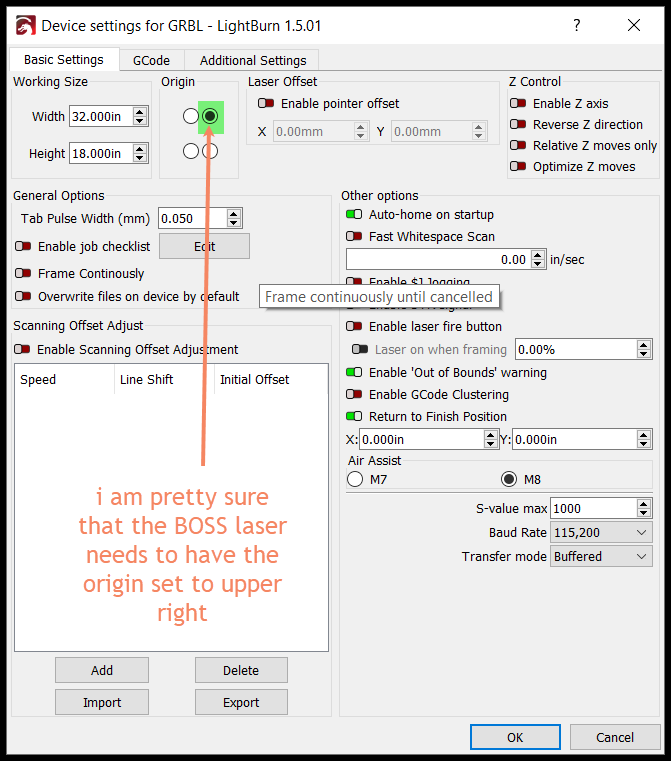
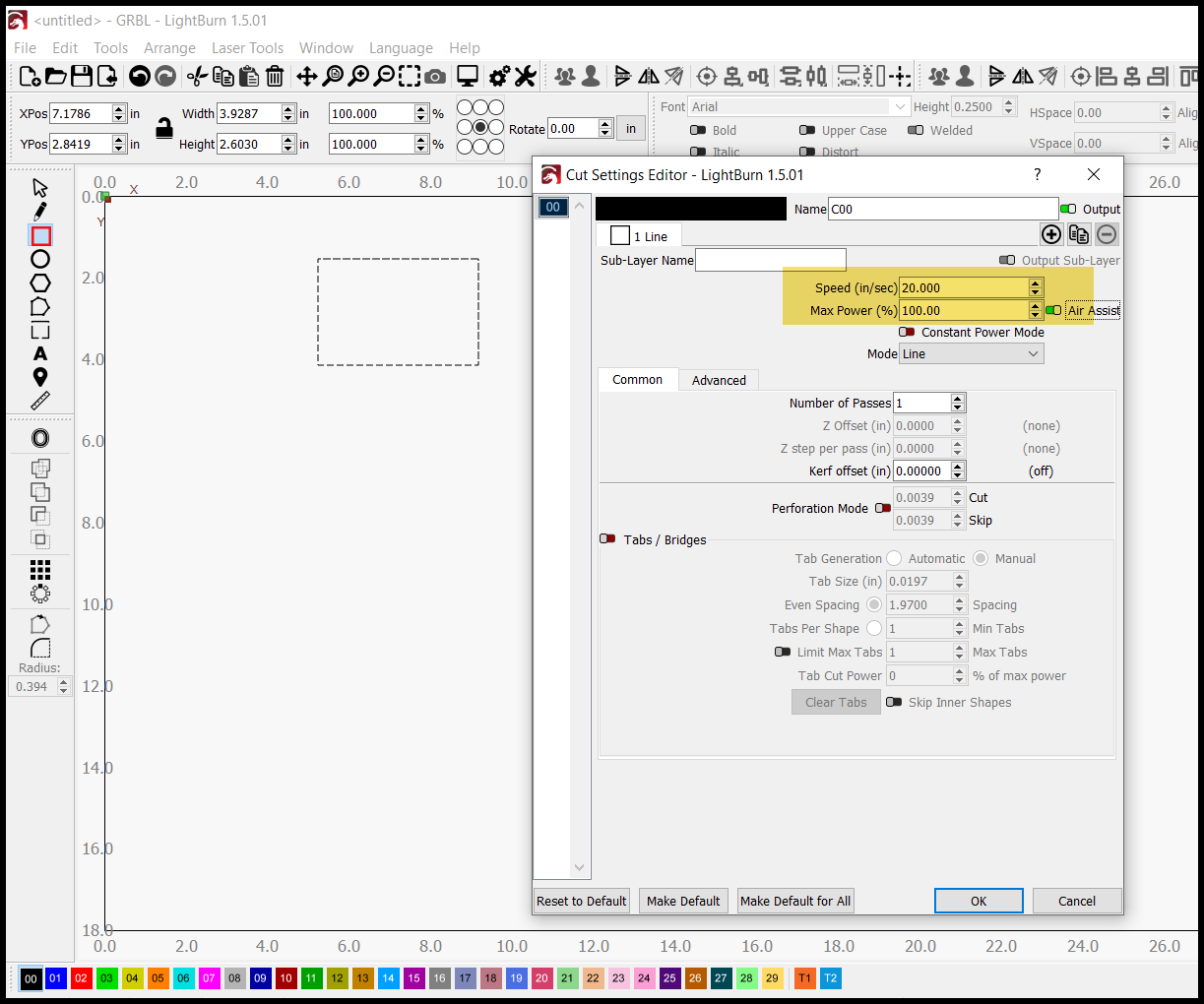
Now to my problem, I added my Boss Laser to the Lightburn program and I when I take an image on Lightburn (DXF File) and attempt to cut it out, first it mirrors my image on my laser and when I set my speed at 20 and my power at 100, it runs a lot faster on my laser and ends up scoring instead of cutting out the image. Has anyone else had this issue and can anyone give me any advice on how to fix both issues?