CXXXV
November 12, 2025, 4:57pm
1
As the title says, it stops mid stream. It happened after upgrading both PC’s.
Here is the set up:
Two different lasers.
Two different PC’s (Windows 10 and Windows 11). Both updated Lightburn.
In all cases, regardless of the file it stops mid stream. Tried some simple cuts like a square. Even just moving laser it stops randomly.
Reported the following errors:
Alarm 3
error:8
All was fine yesterday. Today after updating, troubles arose. I’ve been working on this for about four hours so far.
Any ideas are welcome. Thx.
CXXXV
November 12, 2025, 5:11pm
2
One more thing. The GUI gets stuck. Can’t downsize or upsize. The only way to close it is using Exit. This happens on both W10 and W11.
Can you show a screen shot of the Device Settings window for your laser, for the “Basic Settings” tab?
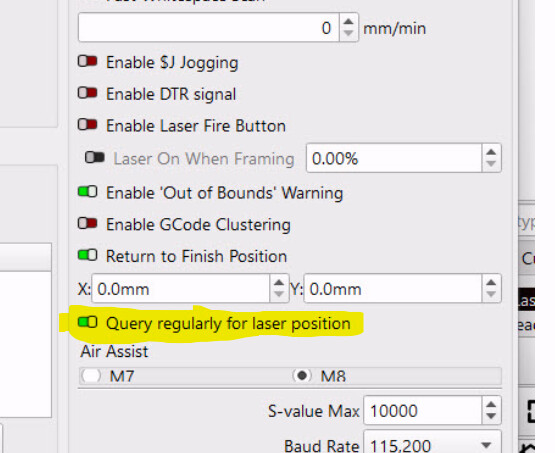
One of the few things that changed for this release was this:
Try turning that off and see if it helps.
What brand of laser / controller is this?
CXXXV
November 14, 2025, 9:52pm
6
Laser Tree K1 PRO. 30w laser.
CXXXV
November 15, 2025, 3:28pm
7
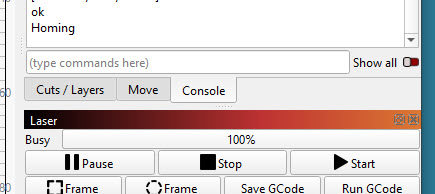
No change even after deselecting option. I used LaserGRBL with same file and it ran fine. The pic below shows what happens. It gets stuck on 100%.
Clearly there is something wrong with LB 2.0.04
Please try this:
Open LightBurn
Go to Help > Enable Debug Logging
Run a job you know hangs
Wait for it to hang
Quit LightBurn
In your Documents folder you’ll find a file called LightBurnLog.txt - Send that file along with a link to this forum post to support@lightburnsoftware.com and I’ll have a look through the log to see if I can figure out why LightBurn is hanging up.
system
December 26, 2025, 7:23pm
9
This topic was automatically closed 30 days after the last reply. New replies are no longer allowed.