I using a Longer Ray5 20W Laser and I am attempting to cut net shape cane handles on 3/8" thick walnut. I realize that multiple cuts will be needed to cut through the material, but the laser module does not seem to cut the same path in consecutive cuts. What am I missing in my set up to ensure that the same path will be cut in consecutive cuts?
If the machine doesn’t follow the same path when given the same instructions, it’s almost certainly a mechanical problem.
This test pattern is useful to track down the issue:
Scale it uniformly to fit the platform and run it as fast as it will go in Line mode with optimizations turned off and power set to mark a sheet of cardboard. Any differences from the design will be informative; a photo will let us look over your shoulder.
Always use something cheap like cardboard until you’re certain you’re getting the results you want. 
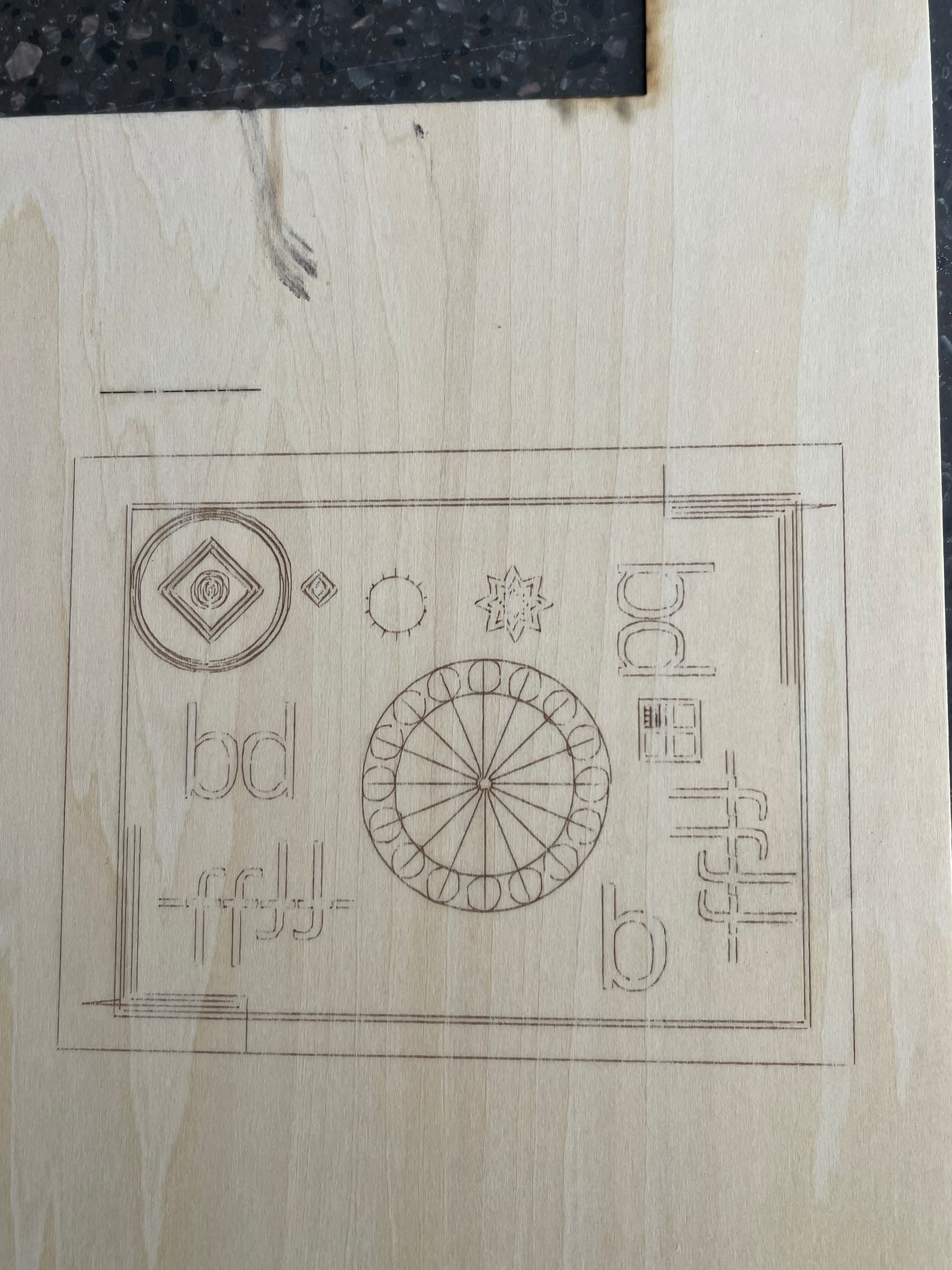
The design is severely distorted:

It has a lot of backlash in the X axis:

Check for loose screws in the X axis drive train, starting in the motor pulley and going all the way to the laser head mount. The X axis belt may be far too loose or anchored incorrectly. Make sure the laser head is securely fastened to the belt carrier.
Assuming it’s this machine:
Then 10 m/min is probably much too fast for the frame to handle.
After you find and fix the mechanical backlash, then run the test pattern with the speed reduced to 2000 mm/min and the power to 20%. If the results look good with less vibration, you can experiment with higher speeds.
1 Like
This topic was automatically closed 30 days after the last reply. New replies are no longer allowed.