Hi @Tinyjames first up, safety. Vinyl or polyvinyl chloride contains chloride, which, when vapourised, forms a corrosive gas that can harm you and your electronics. It corrodes metal in a way that’s hard to protect against and to detect, and will tarnish your rails and other running gear. So bear that in mind. There are people who cut vinyl LPs for kitchy art projects, doing so in full knowledge that it’ll eat the machine. If you’re happy to ruin your laser and have very good extraction, the choice is yours, but you have been warned.
You can apply the vinyl to the acrylic, depending on the power of your homemade laser. If it’s a full-throated CO2 with good extraction, then this should be fine (other than the gas). If it’s a little diode beam, then this is much less so.
PVC is one of the few materials that should not be processed with a laser unless you are aware and accept that the hydrochloric acid that PVC releases when heated will corrode your machine and lungs.
Which seems like good reasons for rejecting that batch and getting a replacement. If the supplier balks, then you need a new supplier.
Cutting vinyl atop the acrylic will probably damage the acrylic, because the laser beam doesn’t stop at a specific depth.
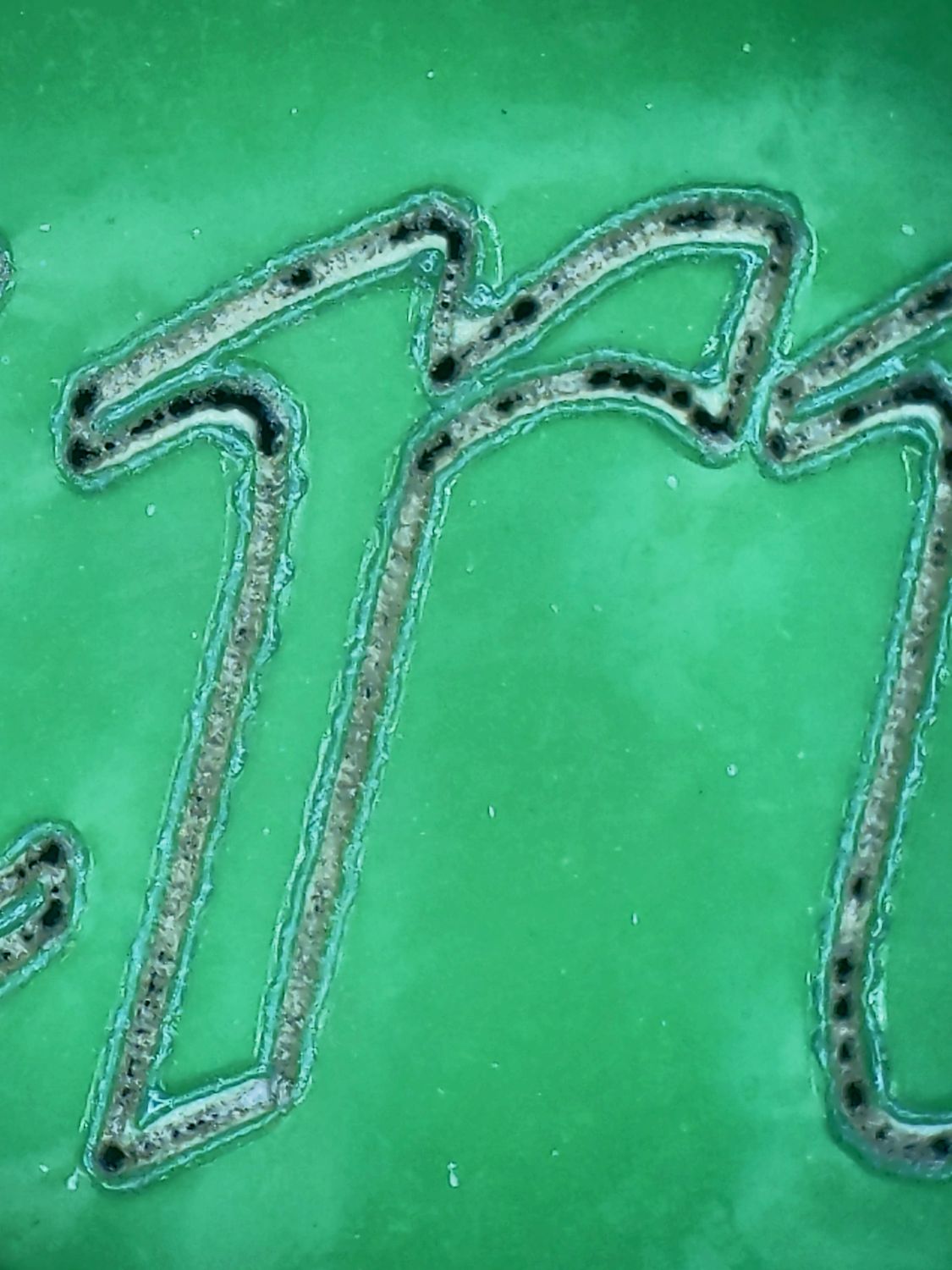
If your laser has a Ruida controller (because GRBL controllers don’t support it), Dot Mode pulses the beam at specific intervals along the design to reduce the power. I managed to kiss-cut vinyl while leaving the paper backing intact:
You’ll consume plenty of scrap acrylic while finding the right combination of interval, power, and timing, but Dot Mode might get you where you want to go.
If you have a diode laser available, you could place a piece of clear acrylic or glass on top of the vinyl to press it. The beam does not affect the clear material and will just cut the vinyl.
I’ve used this method to cut paper where small pieces would have been blown away while cutting.