I’m running into an issue I didn’t have before and would appreciate some advice.
Machine: OMTech 40+ (CO₂)
Material: Cast acrylic, 2 mm
Software: Illustrator → copy/paste vectors into LightBurn (workflow I’ve used for a long time without issues)
Problem:
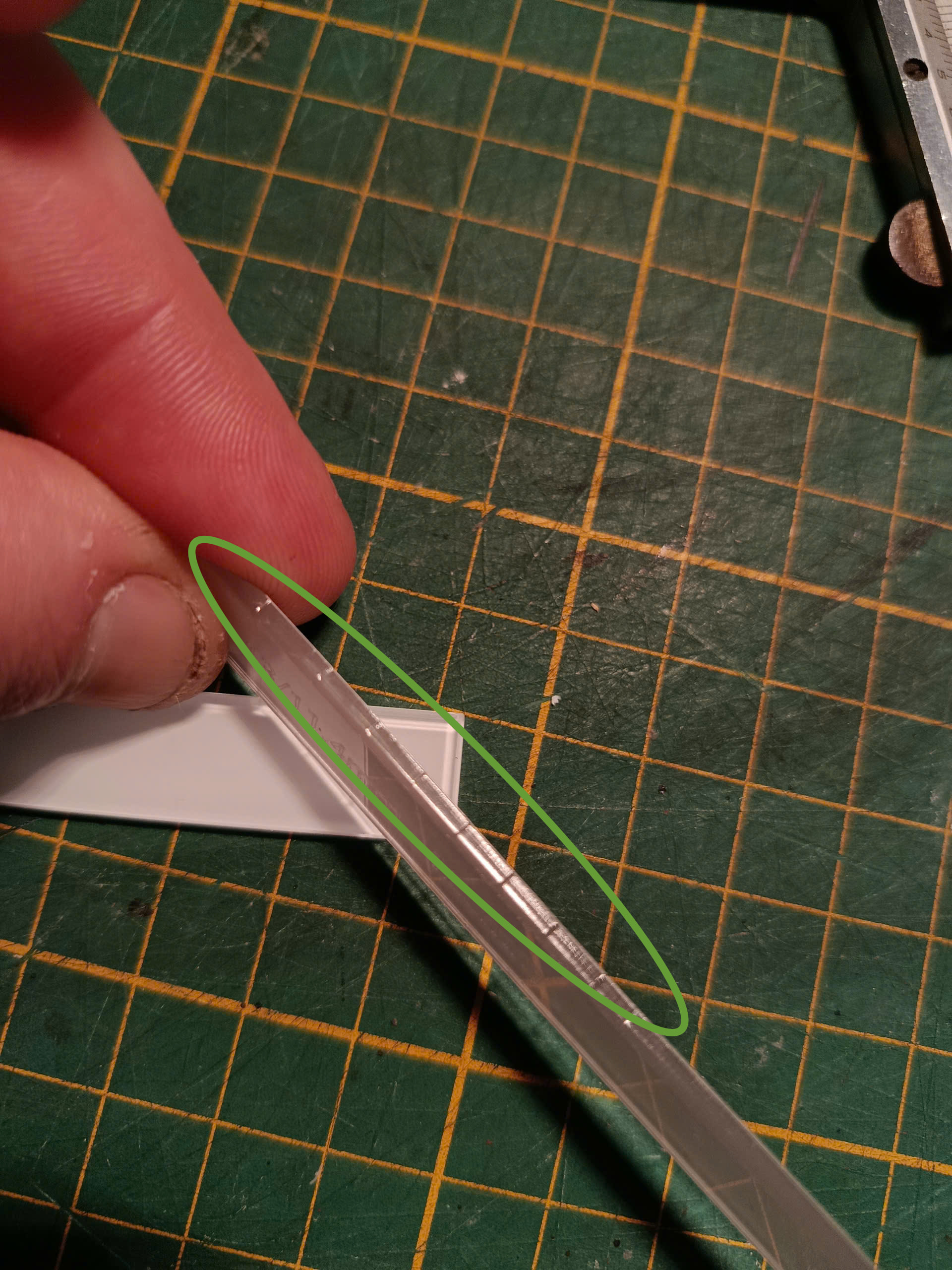
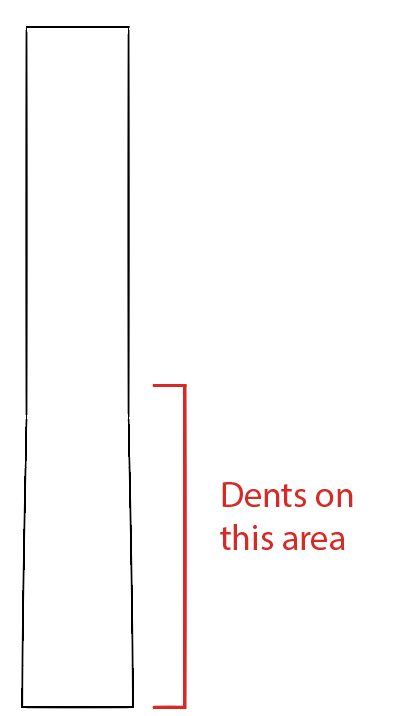
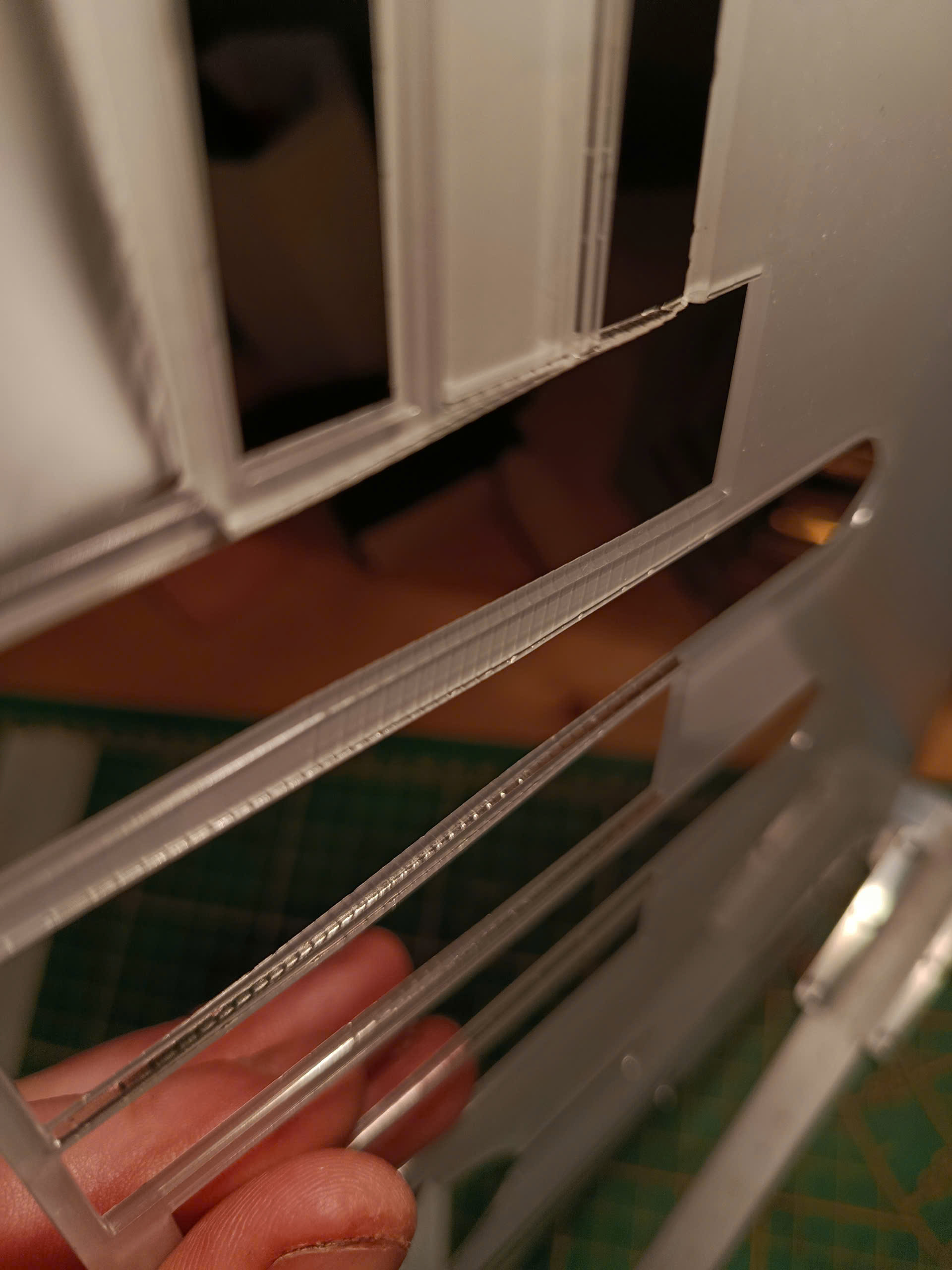
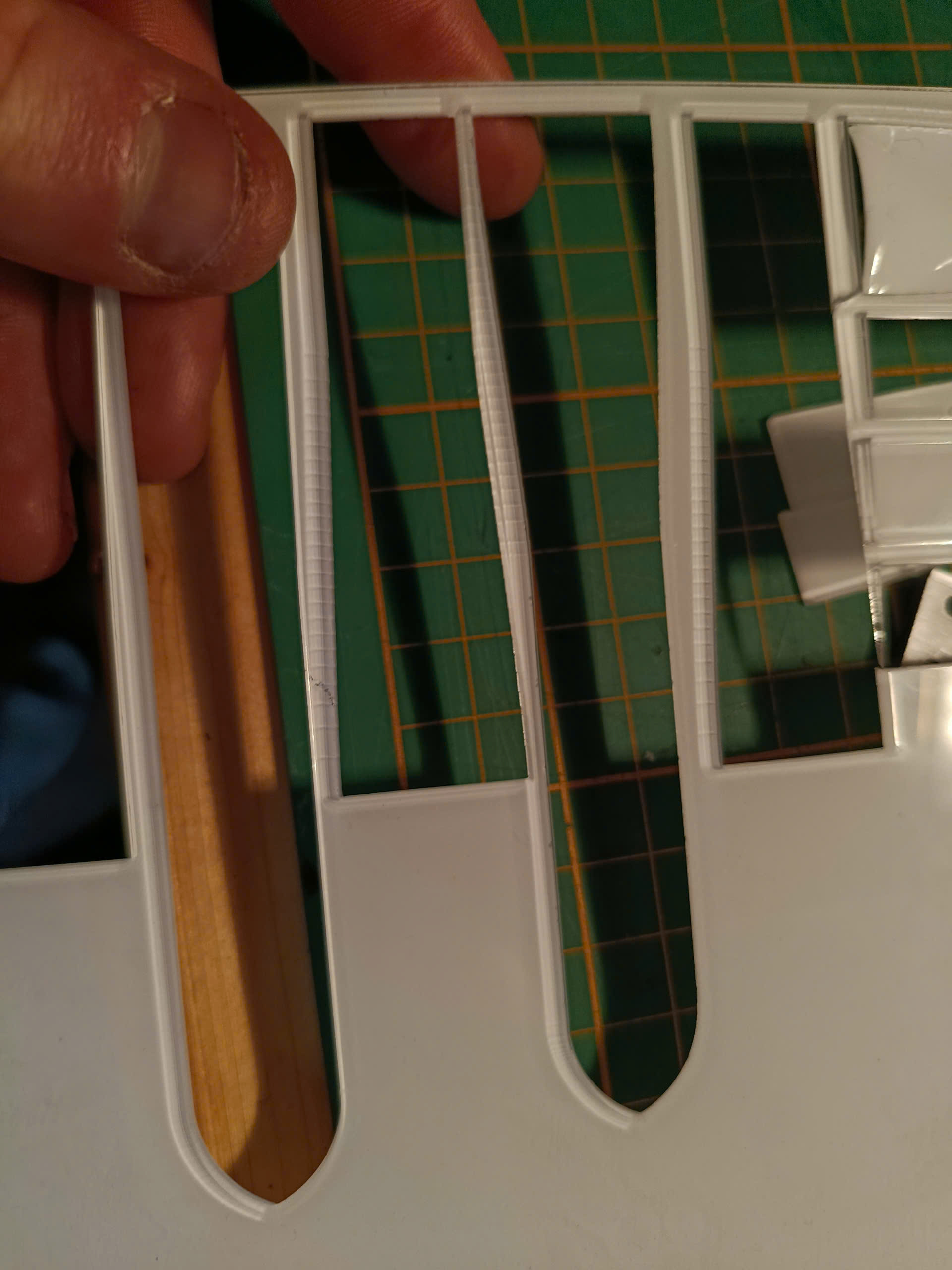
When cutting concave curves (not convex ones), I’m getting small dents / micro-notches along the cut edge.
This does not happen on straight lines or convex curves — only concave sections.
I’ve attached close-up photos showing the issue (circled in green).
Notes:
• Same files and workflow as before
• Same material thickness
• Straight cuts are perfectly smooth
• The marks appear regularly spaced along the concave curve
I’m looking for guidance on what to check or adjust first (settings, motion, or workflow) before going deeper into troubleshooting.
Thanks in advance for any insight, happy to provide more details or test suggestions.
Do similar flaws appear on the convex (“waste”) side of those concave cuts, in (nearly) the same positions as the obvious flaws you show?
I’d look for a (probably tiny and well-hidden) chunk of crud on a motor drive pulley or idler pulley. The most obvious suspect is whatever axis is more-or-less parallel to those cuts, but the other axis is turning slowly, too, so inspect everything.
It can also be due to a slightly loose screw holding the drive pulley to the motor shaft, causing a slight shift in position as the pulley rotates. It’s not backlash yet, but it may be starting.
As a rule of thumb, when something changes and you haven’t changed anything, it’s not a “settings” problem. Don’t change any settings until you have absolutely ruled out all the usual mechanical problems.
Do similar flaws appear on the convex (“waste”) side of those concave cuts, in (nearly) the same positions as the obvious flaws you show?
Yes
I’d look for a (probably tiny and well-hidden) chunk of crud on a motor drive pulley or idler pulley. The most obvious suspect is whatever axis is more-or-less parallel to those cuts, but the other axis is turning slowly, too, so inspect everything.
It can also be due to a slightly loose screw holding the drive pulley to the motor shaft, causing a slight shift in position as the pulley rotates. It’s not backlash yet, but it may be starting.
I cannot tell from their description whether the machine has linear bearings or wheels / rollers carrying the axes.
If it has wheels / rollers, then check for a lump of crud on one of them. The interval looks too small for a reasonably sized wheel, but ya never know.