Hi everyone, I have a keychain project and I can only get the names to appear as clearly as possible with this method. The dimensions are 60mm height and 50mm width. I’m cutting out the names, but filling them in is worse. I get the best results with cutting, but I can’t make them any more distinct. Could you please help me improve this? Thank you.
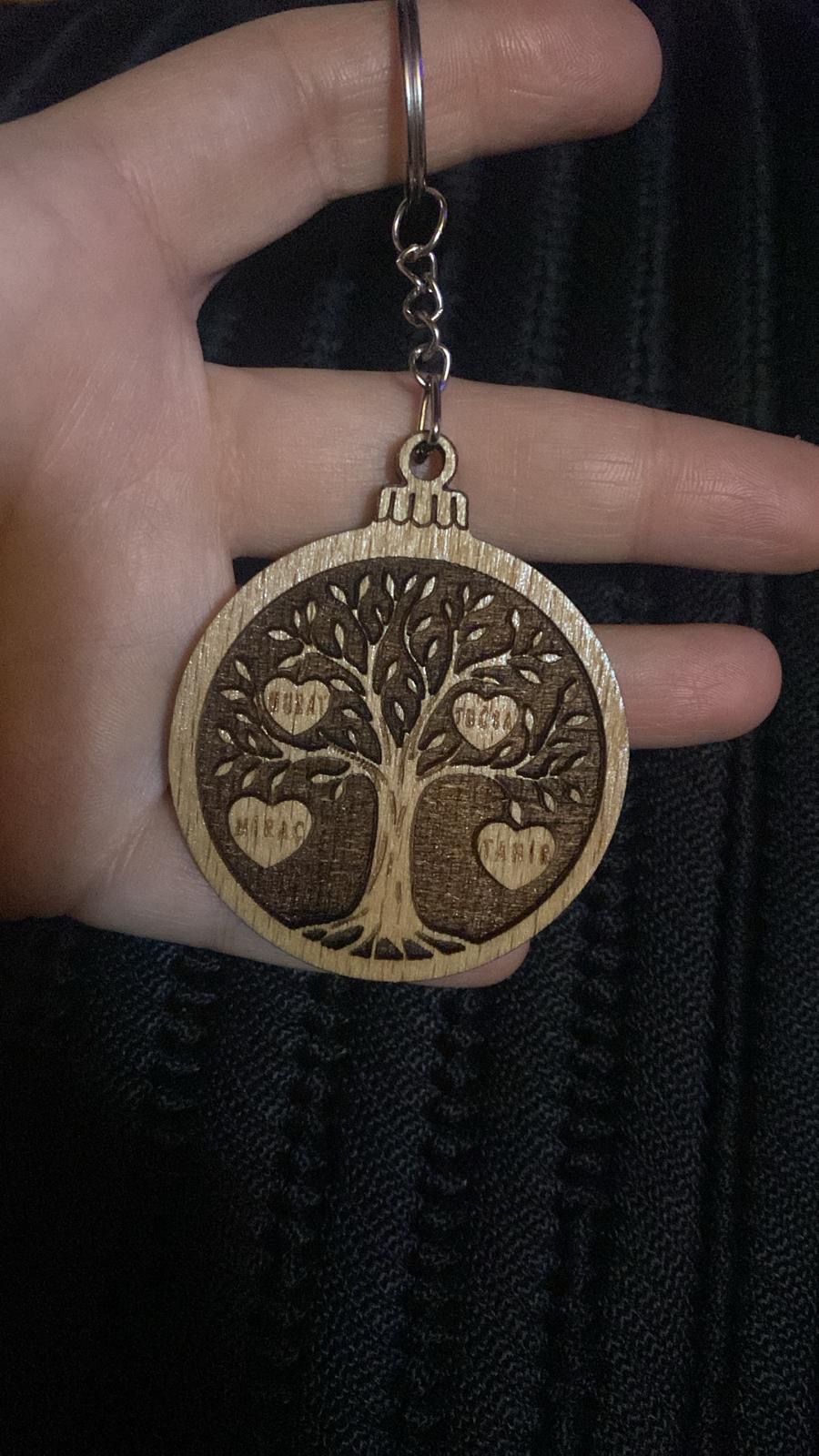
It looks like you have a mechanical problem in your machine. Turning off bidirectional scanning might help get a better fill, but you need to address the mechanical problems.
This site has a lot of good information for adjusting your laser.
1 Like
Use a single line font for the names, and score them instead of engraving them.
3 Likes
Actually, there’s no problem. I’m using a Creality Falcon 40W Pro and I’ve had about 15 different names engraved using various settings in both cutting and filling modes, but I got the best results with this one. I’m using a diode laser.
Put the names on a different layer. Adjust power, speed and nu.ber of passes
You may have better results with OFFSET FILL on the names.
#1 thing newbies need to do is SLOW DOWN. Just because the ad says the laser can go 10-20,000 mm/m does not mean that going that fast will be good for the results.
2 Likes
The type of wood is not well suited for engraving, it does not turn very dark. You could test with borax or baking soda, some people had success with it. Those names are very small and a 40W diode does not have a very good spot size. You could either try with a 5W or 10W diode, or try the single line font trick.
2 Likes
Thank you. But I didn’t understand the parts about borax and baking soda 
When mixed with water and sprayed on the wood… that mixture will cause a deeper burn for the same power.
If you need different results on a small part (the names in your example) - set it to a different layer and tune the variables until you get your results. The single line fonts, SHX, are also an option.
A quick test would be to Change the names to a layer set to simple LINE rather than FILL, boost power and slow speed, and add # of passes as needed.
If you want to stay with a FILL layer for the names, add a sub layer set to LINE. I find that really helps accentuate the name with a clean clear outline around it
1 Like
Thank you, I’ll try that. I also have a 10W laser, I’ll try that too. I’m already using it in line cutting mode, so filling doesn’t work anyway.