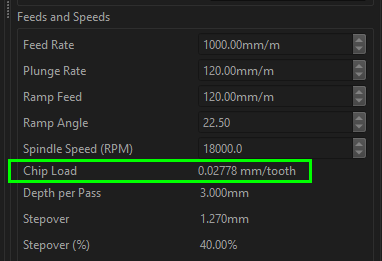
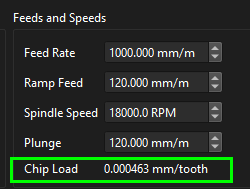
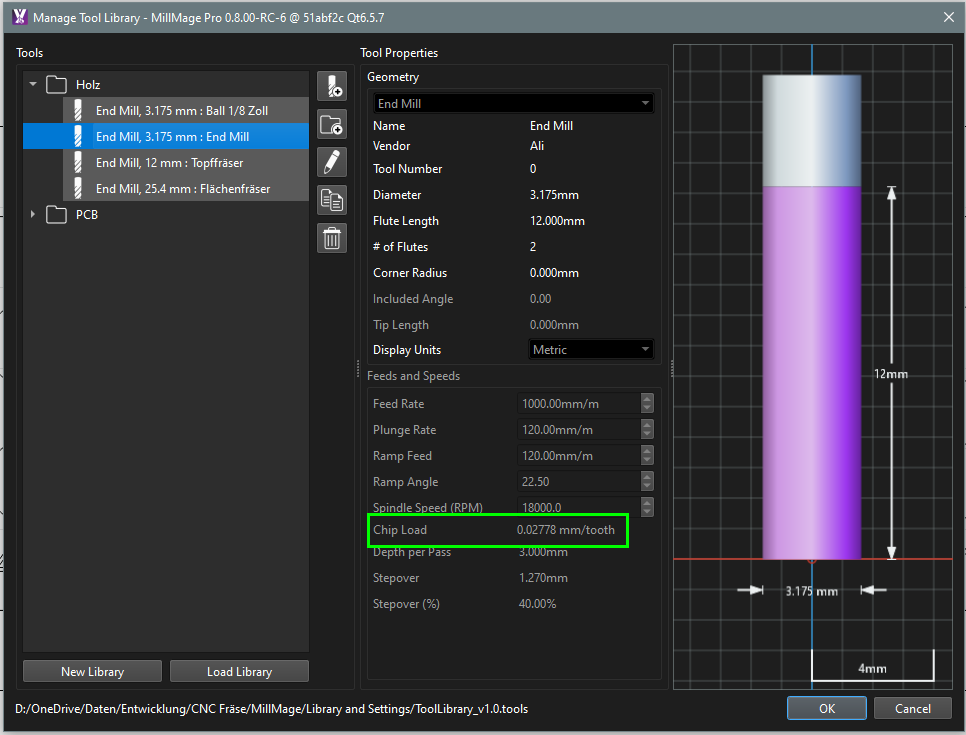
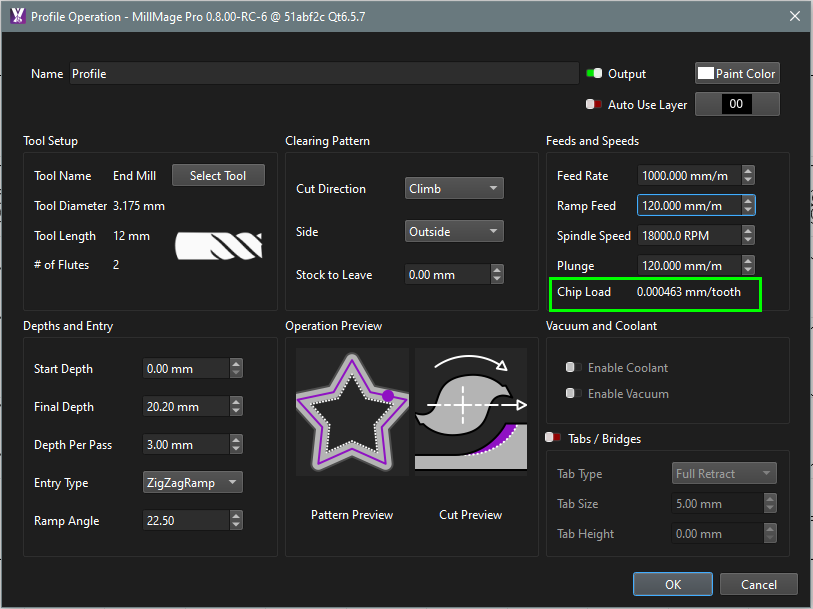
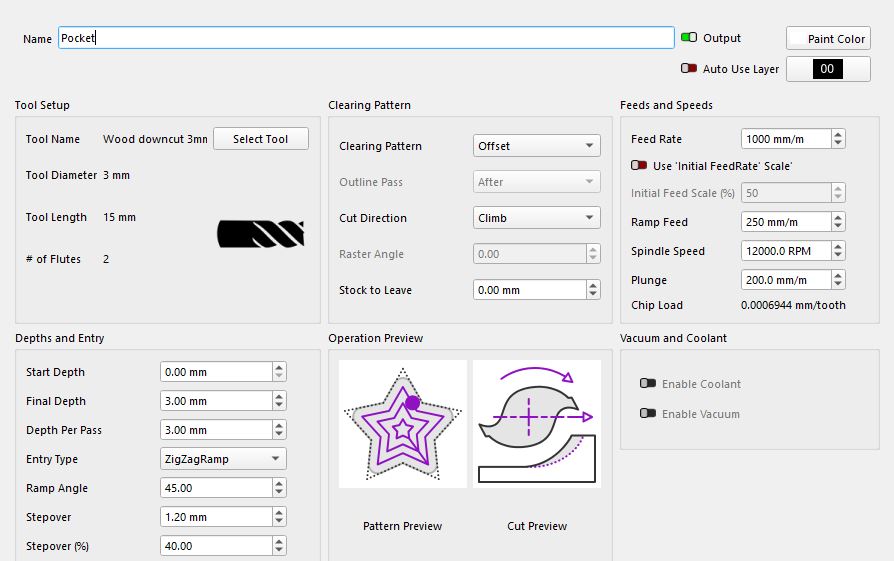
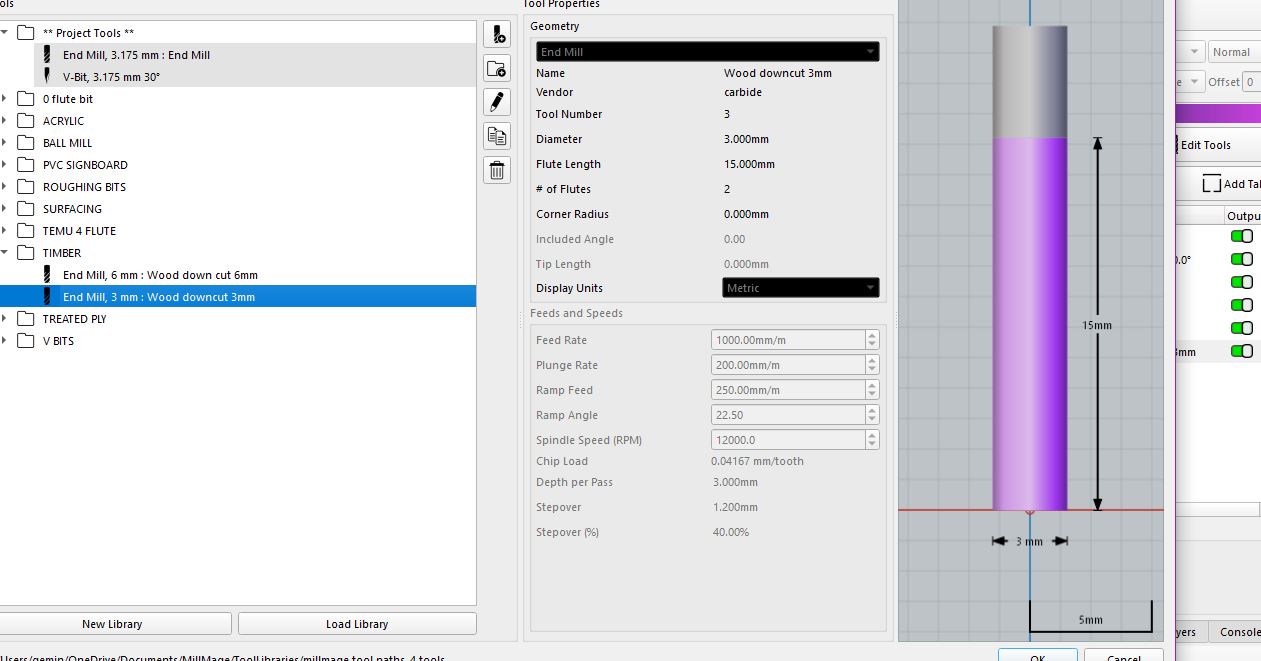
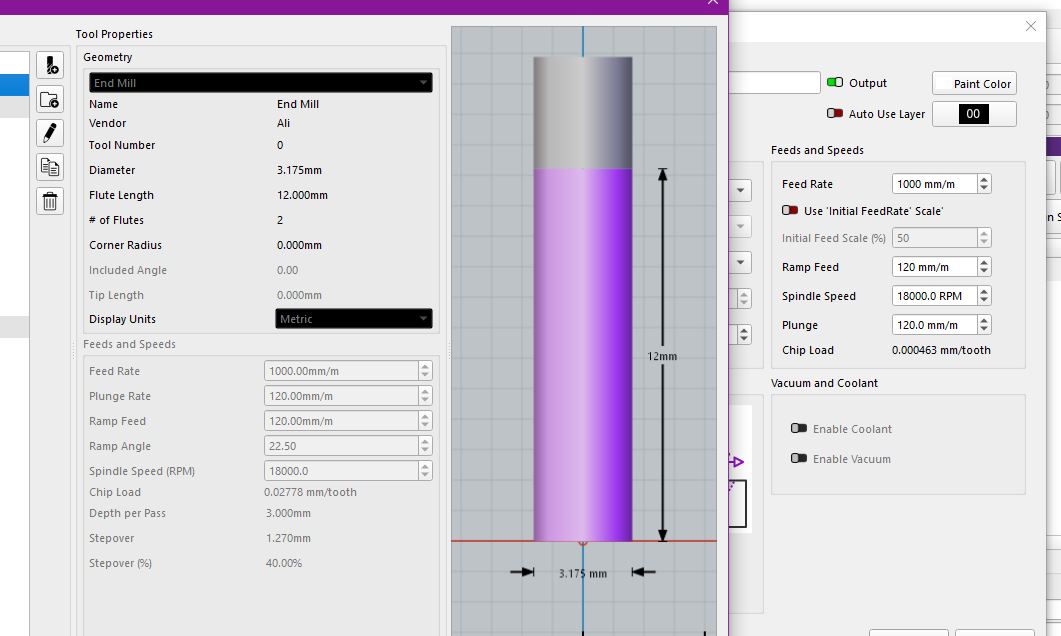
I am new to this and probably don’t understand why there are different results for chip load. Using the same tool and the same settings, there are different chip load values.
I don’t think it has anything to do with converting units (inches/mm).
I searched the forum but couldn’t find anything on this topic.
Thanks for any info and best regards.
As I mentioned above, the first screenshot is from the tool itself in the tool library.
The second is from a contour operation with the same tool and settings.
The 0.02mm per tooth seems realistic to me.
When I convert from inches to mm, I get 0.0117602 mm for 0.000463 inches. So that doesn’t seem to be the problem.
I cannot speak for the developers because only they know what factors are included.
My best guess is that the value in the Tool window is calculated from the entries there. The value in the Contour window is computed from those values, but modified with variables like offsets.
Of course, it could be an error in the coding. @JohnJohn might investigate this question.
I created a new operation and added it to the library, then selected new geometry and right click > Apply from the ops library, and both of the chiploads are the same.
Could you attach a bundle and your project file (or email support@millmagesoftware.com if you dont want to public share it) so we can try to replicate the error?
As I said, I am new to this topic and suspect that the error is on my part. I just don’t understand the difference between the two results. Bundle.mmzip (5,6 KB) ER11 Halter.mage (63,3 KB)
Hi Colin
i just had play with his file, created some new operations and got same numbers as him.
so i opened one of my files created a new operation same getting dif chip load between tool library and operation.
created another job with just a square different tool and same diff chip loads
just reinstalled rc6 and compared tool libuary chip and chip in operation and they are diff, cant say i ever checked them before so not sure if they were same before
all good , Just took a look at MM that is on computer in house running RC6 and getting variations between tool libuary and operation chip load also
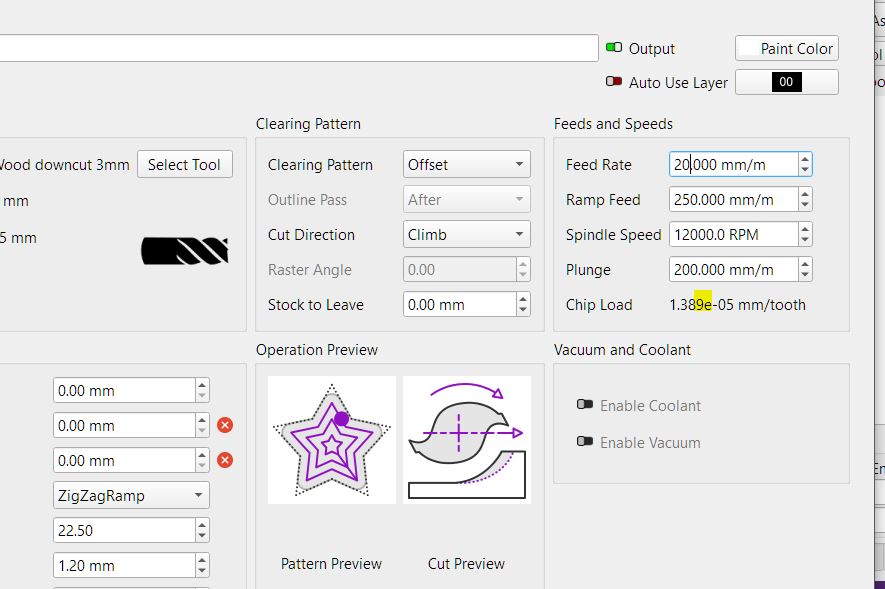
just punching numbers seeing what does to chip load and this popped up picking the e not meant be there
it move decimal in feed and dif boxes chip goes to a full number
tried it on 3 bits same issue if feed rate is range of 10-143 mm/m the e appears
spindle speed e appears roughly between 1900.0 rpm -35999 rpm
hope this helps
can send you my tool library if you want