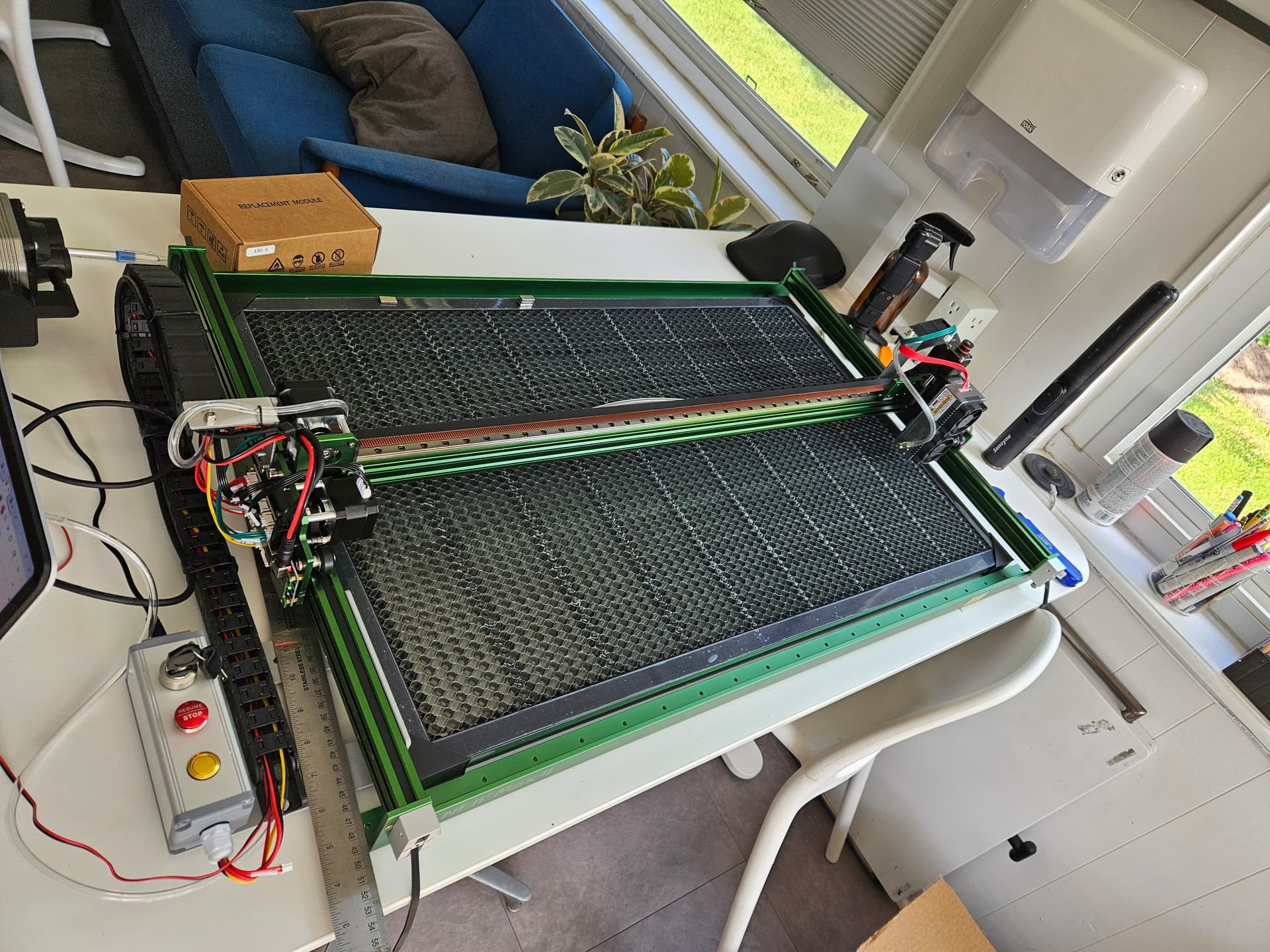
Hello, I was able to add my Neje Max 4 device to lightburn using the GRBL driver, and setting Front Left as home. However I’m not able to get it to properly find home.
When I hit the home button, the laser goes to the right side and middle of the Y-axis.
When I attempt to hit “Frame” in the Laser window the laser attempts to out of bounds and grinds the gear/belt system. Can someone please advise on how to get.
I’ve tried starting from absolute coordinates after manually using the move arrows to get the laser to the front left (as specified for home during device setup). The dummy object was located in the middle of the bed, and this has caused some severe out of bounds grinding.
I’ve also tried starting from Current Location in the middle of the bed with dummy rectangles right next to the laser head, sometimes it doesn’t grind out of bounds, but seems to go to an unexpected location. Something seems off about the way the device is calibrated.
If you turn the machine off and manually (slowly) move the laser head to the middle of the workspace. And then turn the machine on - will it home to the right rear corner now?
It looked like the Y axis started moving back and then got triggered and finished homing, then the X axis went to the right and then stopped - did the X-axis make the grinding noise? (no sound in the video).
With the power off manually move the axis, to check if especially the Y axis movement from front to back is smooth without any binding or issues. If the movement is being restricted somehow that might be enough to trigger the home sensor which I believe detects current spikes.
As for the X axis, I suggest you contact Neje to find out if should be homing to that side, I suspect not if you are getting a lot of noise?
You could try setting the device origin to the rear left (to fix Y jogging direction) and then change X axis home direction with $23=1 (enter $23=1 into the console window)
Thanks for the help, guys - Neje was unable to help. I’m throwing in the towel and got a Xtool S1+ air purifier because I needed something that just worked out of the box for my business.
On the Neje Max4, the home position is back left.
If you still have it, I can send you a copy of my device configuration file. I have two CO2 and the Neje and I enjoy playing with it.
So far, I haven’t had any issues with it that haven’t been my fault.
I am currently using LightBurn 1.7.08 because I found too many (admittedly minor) issues with the current Version 2.02.