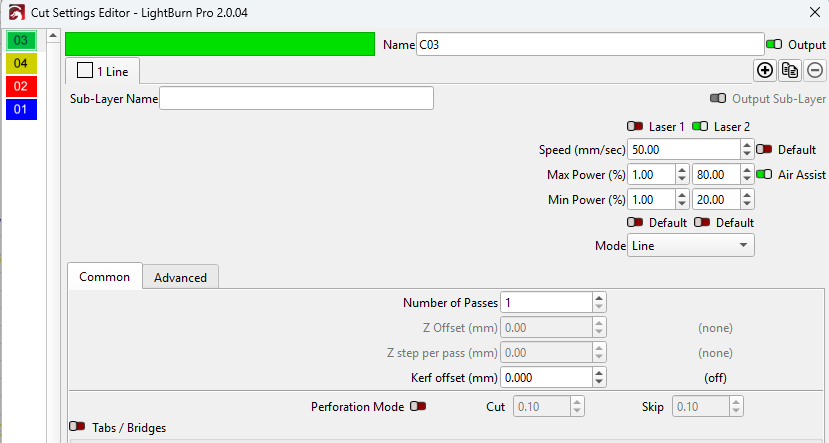
Disaster using Dual Laser…
Sorry - I do not know what the Lightburn Programmers were thinking with Dual Lasers.
When I was cutting my teeth on another Chinese laser cutter they had 2 seperate tubes, but one carrage. One tube was a 130w, and the other 60w. We wuold use one for heavy duty cutting and the other for fine work.
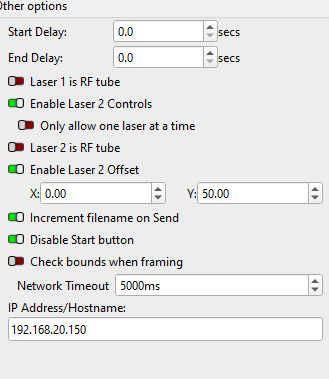
But it does not matter if I set the Only One Laser at a time ON or OFF.
Sorry for being tense but I have a job with 2 lasers.. to make 100 pieces out of one board, and I do not want to run the job twice for 1 Laser and then Laser 2..
Ask your programmers what their ide of this was.. I will be using bother lasers for different parts of the jobs and this us VERY important to me.
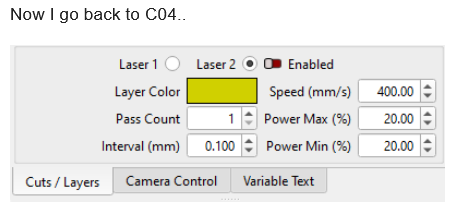
Currently I want the Programmers to give me a step by step of what eash function does. There is too many discrapancies. i.e. If I double click on a Color and set the info.. it does not chance back at this screen.
Hi Soniclab
I am more than happy to help and work on this. Even testing on my system, sending you my Jobs files etc.
Being an ex Developer myself I know what it’s like..
So consider me an additional resource to help make Lightburn even better Sincerely
Dave
The initial way that most dual-tube systems worked is they had two laser heads which could be operated at the same time, in parallel.
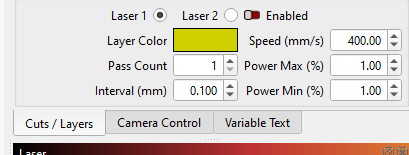
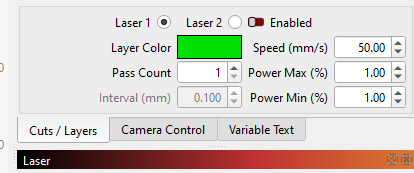
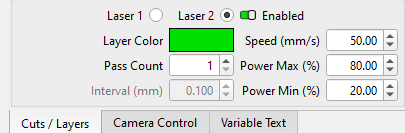
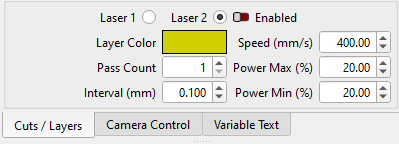
The radio buttons (Laser 1 / Laser 2) are not selecting which laser is enabled, they’re selecting which laser you’re editing the settings for. You can enable both tubes at the same time, allowing you to cut two of the same object side-by-side with a dual head laser.
Significantly later, manufacturers started adding complex mechanisms to allow one beam path and one laser head in a machine, and asked for us to add the ability to force only one tube in use at a time.
Enabling the “only one at a time” guarantees that the “Enable” toggle will only be turned on for one laser at a time, but you still use the radio buttons to choose between the lasers.
I thought I had made the radio button “auto-switch” to whichever laser was the active tube. I’ll have to go double check that.
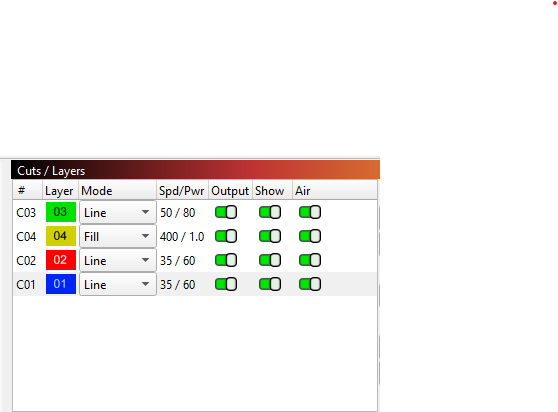
I suspect when you say “ignore this” you mean the power values in the power/speed column? I believe those do only show laser 1 values, but that could be changed so if you have “only one tube at once” enabled to show the 2nd power value if chosen.
Ok.. And Many thanks.
I understand a little better now.
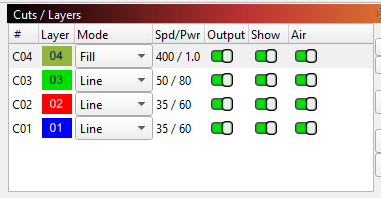
Currently I am only using the main ‘Color’ edit page.. and ignoring the smaller one under the Cuts/Layers.
If I need to disable something I use use the Output toggle for each Layer. Plus ensuring Enable is always turned on.
It would be fantastic to add on the Cuts/Layer list which Laser is activated for each Layer.
Hope I am getting the terminology correct.
I have modified the code to auto-select the appropriate laser1/laser2 radio button if only one output is enabled. If you want to switch to the other tube you still have to click the other radio button and toggle the ‘Enable’ switch to turn it on.
Many many thanks Oz.
I did not realise trhat Lightburn was only 2 programmers.
Congratulations to you both for such a brilliant effort.
Sincerely
Dave (Ex Developer)
I have been supporting Lightburn for about 5 years. Congratualtion on your growth. I may not have brougth the licenses under my name (Businesses that I have work for) but you are the best Generic Laser control software out there, and poss the best when comparted against the proprietry ones too.