Good evening everyone,
my name is Dario and I’m from Italy, I’m using this post both as a greeting and an help request, for which I hope somebody can help me.
My Dad and I built a DIY Diode Laser, putting together a Makerbase MKS DLC32 v2.1 and a diode laser by LaserTree (the 80-AA-PRO type).
Once I discovered this software I immediately bought it, being it relatively easy for a noob like me.
Since I started using it I have been having some problems with the X/Y motors and their drivers (the mb came with 3 TMC2209 already on it), which of course reflects on the print.
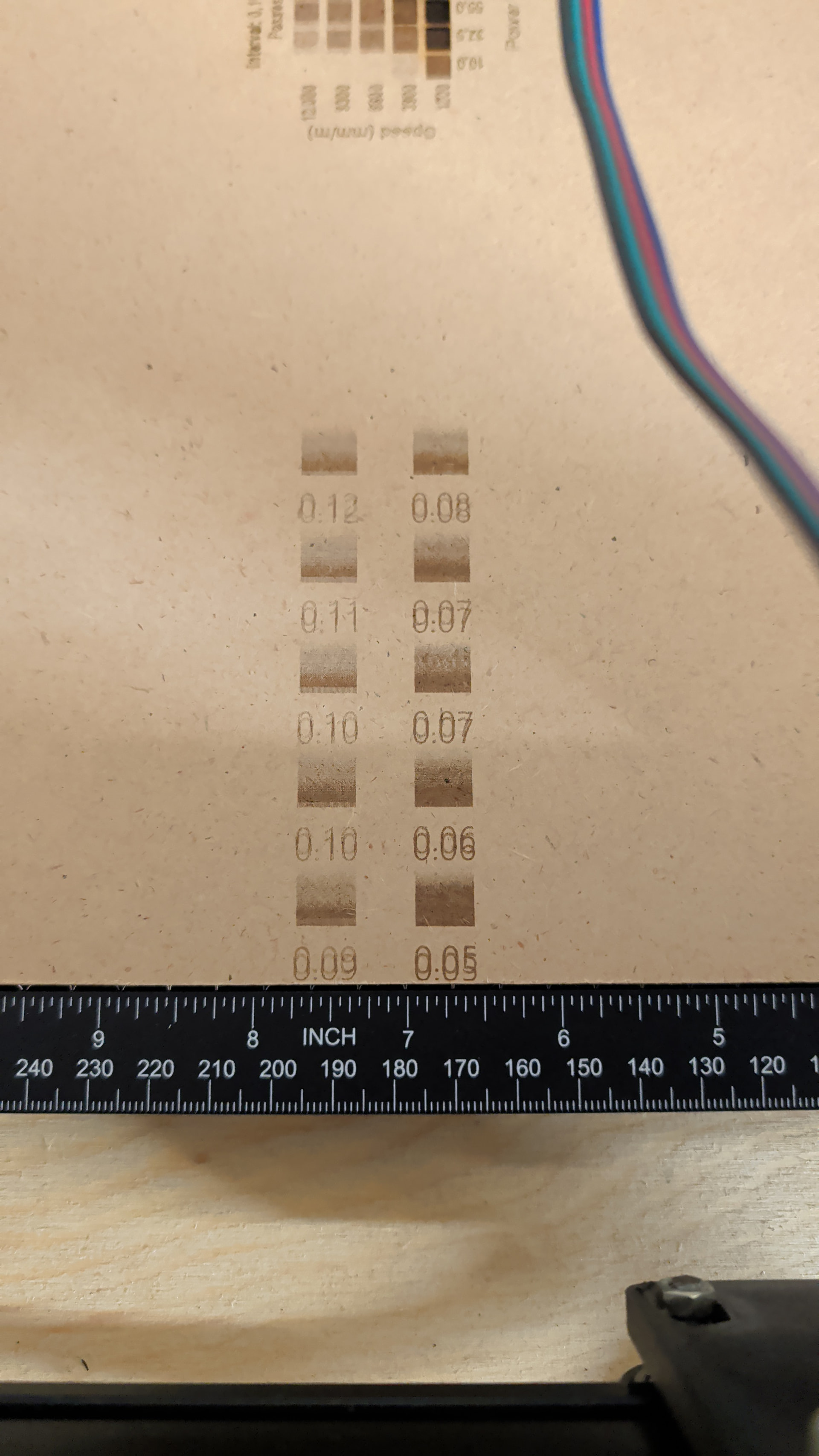
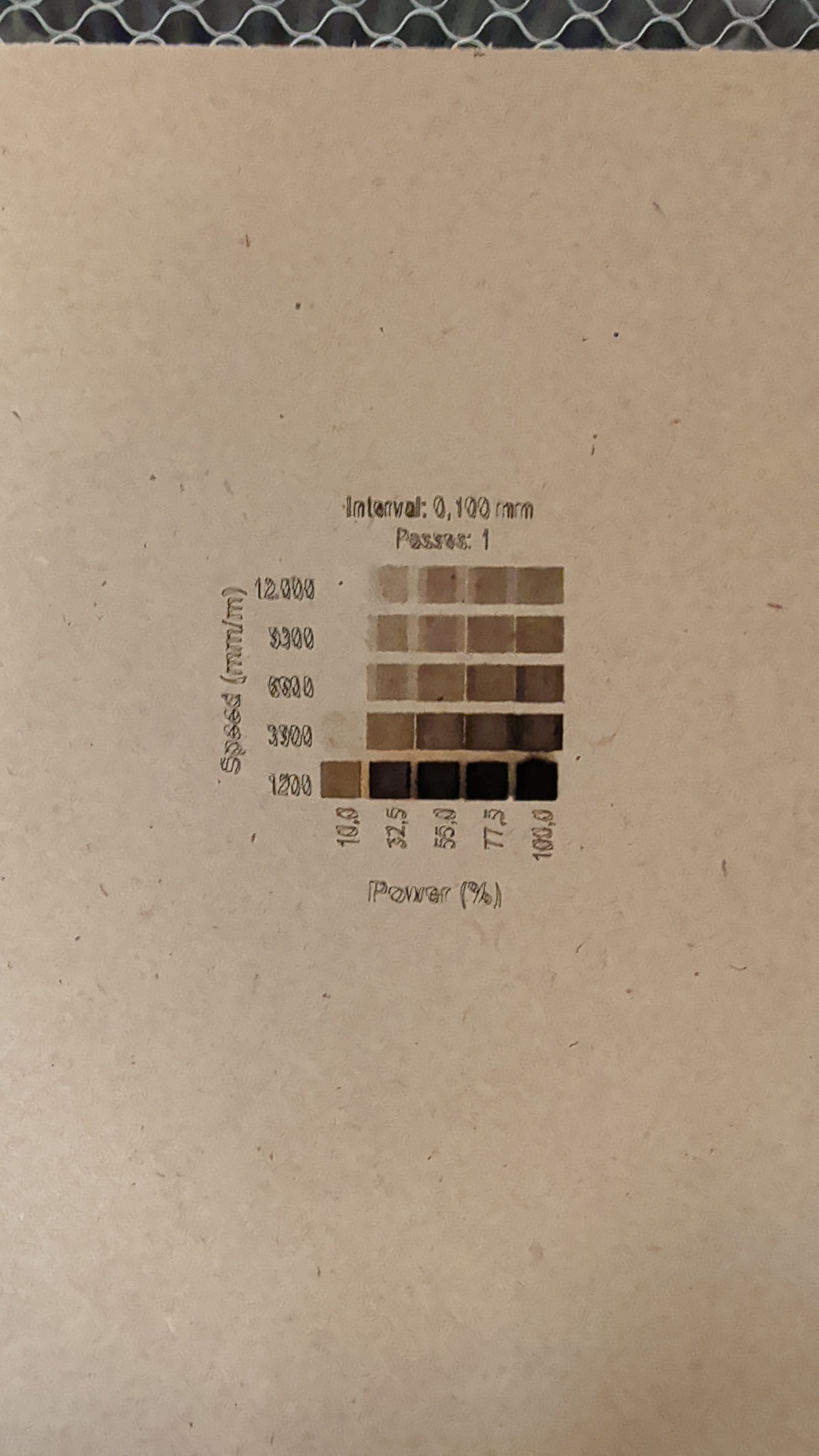
As can be seen in the images attached, at relatively low speed (given the speed settings I have seen on the internet for these kind of lasers and machines) the motors seem to lose many steps.
Question is: should I give up and print slower or there is something I can do to minimize these errors?
We are missing a lot of information, like is it a screw or belt drive.
Skipping steps (“cogging”) can be due to 2 basic causes: [1] The belts are too tight, or [2] the stepper motor driver cannot supply enough current to the stepper motors. Less likely, but possible in your DIY, is that the acceleration value is too high and the motors do not have enough power move the trolley (Xaxis) and/or gantry (Yaxis) mass that fast.
Welcome to the Forum and I hope I was able to get you started towards a solution.
Right, sorry about that.
The machine is belt-driven, I experience the most cogging in the x axis, where the laser often has troubles maintaining a perpendicular line. Haven’t really checked the tightness of the belts, my dad took care of the hardware part on this machine, but if there is something specific you suggest I can start from, I’d be glad. If I remember correctly, the acceleration value on both the x and y axis is 500.000 mm/sec2. Should I lower it to 400.000? Or more?
The stepper motor I’m using for the x axis is a NEMA17 Stepper Online 17he15, for the Y axis two NEMA 17 Redrex tech 42hd4043.
Thanks for the help.
Sorry but these terms are very specific to me, I believe you mean the tiny screw that can be found on the rotating part of the stepper motor, right? If you mean that, I already did. It was one of the first things that came to my mind. But as Mike mentioned it may be a false perception, so I’m going to check again, as to avoid any doubt. Thanks again.
Okay, just checked since I’m in my lab. I don’t know if it’s standard for every stepper motor, but in mine I have two sets of grub screws, one which goes to the curved part, and the other to the flat part. They are both tightened correctly
X axis acceleration: 400.000mm/sec2 (factory setting was set at 500.000mm/sec2 both for the X and Y axis)
Y axis acceleration: 400.000mm/sec2
X axis maximum rate: 5000.000mm/min
Y axis maximum rate: 6000.000mm/min
The Laser is currently out of use because the plug coming from the psu melted, another little problem I had yesterday… I believe the problem there was that the cable was too small to provide enough current, so I switched cable for a bigger one and soldered it to the mb directly, bypassing the plug. I’m also printing an enclosure for a little switch which will be mounted on the side of the mb.
Tomorrow everything will be ready, but I can already tell you that I obtain fairly good results with about 1200mm/min speed and 37,5% power when engraving.
Thanks again!