Newbie here… isn’t it possible to draw/create in the “white space” then pull a section of that to the “grid” and cut or etch only what is in the grid area on lightburn?
I believe I have seen this done before but i don’t remember what youtube video it was on.
When I tried this the preview showed everything being burnt including what was not on the “grid”
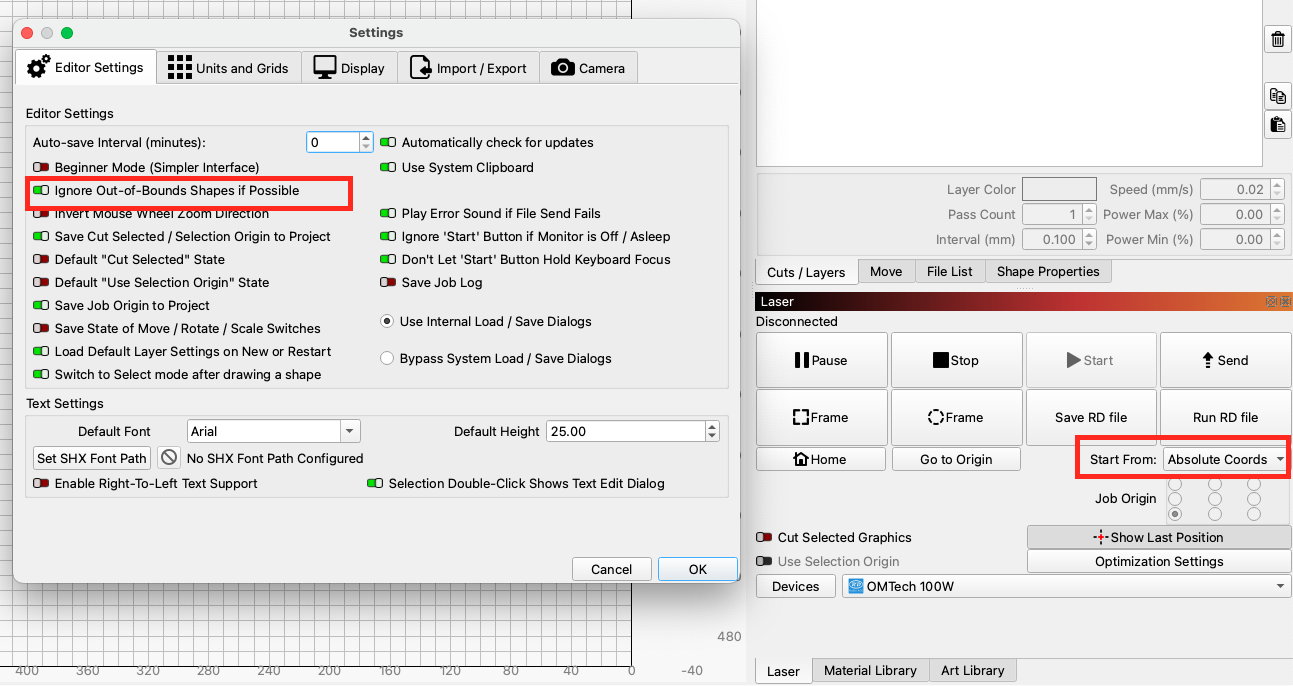
Yes, you can design outside the grid and pull it in when you want to burn. There are a couple ways to achieve this. If you work in Absolute Coordinates and have the Ignore out of bounds shapes swithc selected, it should only “see” what is within the work area grid.
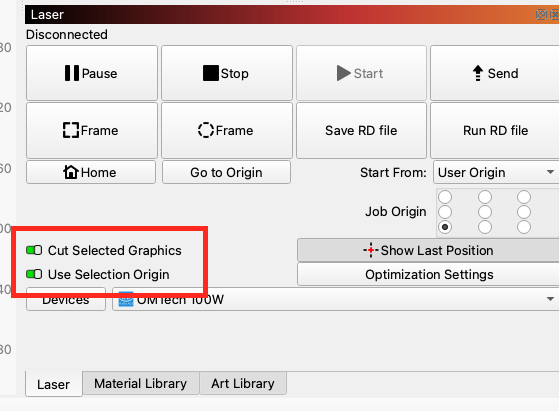
If you use any of the other start from modes you will want to use the Cut Selected Graphics switch AND the Use Selection Origin switch.
2 Likes
This topic was automatically closed 30 days after the last reply. New replies are no longer allowed.