BUG:
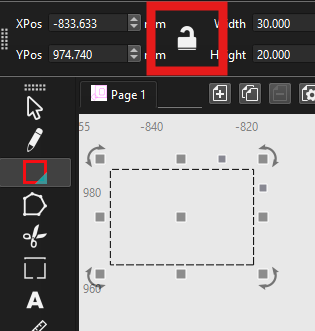
I draw a simple square of 30x30mm. I select the shape and try to edit the width to another value (e.g. 300mm). The value jumps to 20 mm. It does not accept “,” or “.” as separators. The exact same action in Lightburn on the same machine works perfectly fine. Scaling by mouse or importing from a svg file works fine.
I am very interested in this new software product. I am using Lightburn for many years now and a similar tool for my CNC router is very welcome. With some intervals I tried Millmage but are still disappointed . Oké, it’s a pre-release but every time I stumble on some very basic issues. For instance my attempt yesterday already failed on drawing a simple square and then edit it’s dimensions by typing in the numbers. I use Windows 11 Pro with european settings. The product does not respect the localized machine settings effectively making MM useless on first attempt. I hope the developpers pay some more attention to this very basic issues. For comparison; Lightburn performs very well on the same machine. No issues whatsoever.
For now, I will pause MM for some months and return to my tried and proven software for my CNC.
Keep up the good work!
You might want to post this in the Beta forum with some screenshots to separate it out from this thread so that it has visibility. I’m assuming that you are talking about putting in a dimension as 10,5 mm (vs 10.5 mm that would be used in countries where the decimal point is ‘.’ vs ‘,’)?
Please do not double post, as it requires more work than necessary.
Please share a video clip showing what you are experiencing, post it to YouTube or similar, and remember to make it public. Then share a link here for review. 
don’t know why these are sent to me ? I have nothing to do with this topic???
pat
I have managed to reproduce this issue but only when editing the dimensions using the shape properties panel, when I edit dimensions using the tool bar width and height it works ok for me. I will get this fixed and submitted for review today. To clarify the problem a little, the distance entry boxes are not very simple, they support extremely flexible entry of distances such as “(1.0mm+1/4in)/2” and then displays it into the current design units. As well, the system number format is ignored as many users requested more flexibility such as accepting “1,000.0” or euro style of “1.000,0” without changing the system preferences. Attempting to parse with this kind of flexibility is pretty tricky…
How are they being sent to you? Are you getting email notifications?
Yes Mikey ???
Not sure how that can happen if you do not post something. Maybe you started a Reply, changed Tracking, then cancelled the post. Obviously just guessing here…
all good no biggy , was just curious that’s all
cheers ,Pat