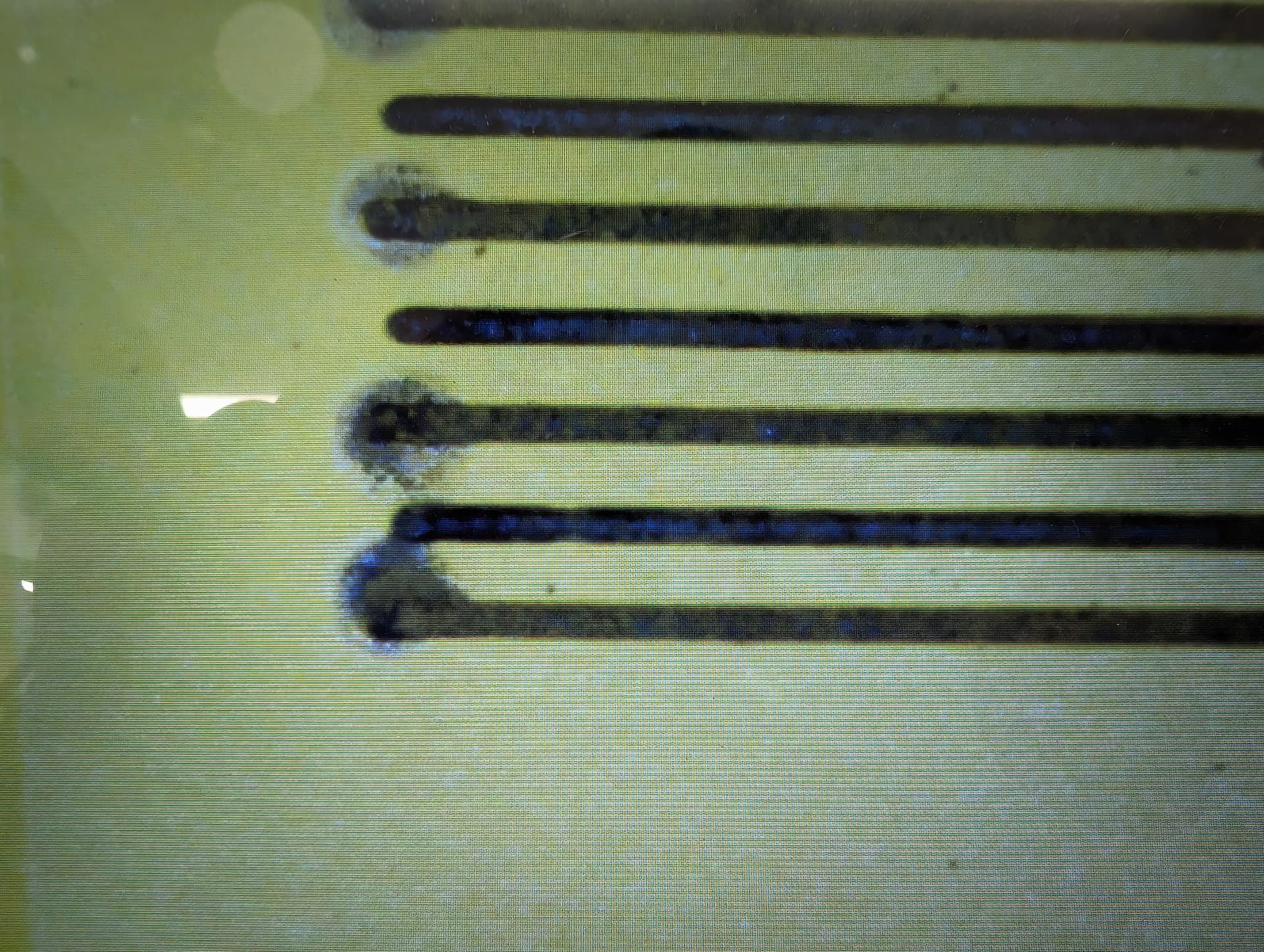
See pic for the issue I need help with the “pop”
Omtech Co2 80W
Speed 150
PWR. 20%
Gap. .02.
What your looking at is an engrave with large gap spacing on purpose in an attempt to identify what is going wrong. The bottom line starts it’s path from left to right, the next one up goes from right to left. So, the blow out is occurring on first power up of the pass. How do I fix this?
I really appreciate you taking the time to try and help. It means a lot.
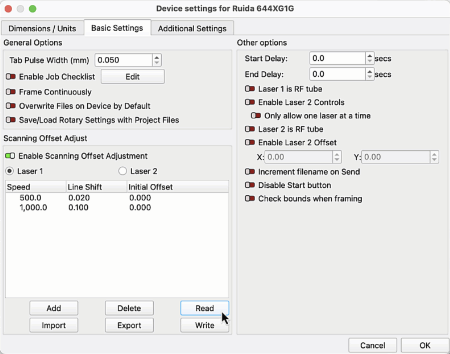
I have done the line scan off set thing quite a few times.
The best I can tell is on initial firing of the laser, it comes in hot, really hot. That very first pulse. I am trying to find a fix for this instead of paying 50 dollars to OMTech to have a consult. Every time I have reached out to them, there is a language barrier with them to us and the process to get information is slow, they are in China but claim to be a US based company. My gut tells me this is going to be a hardware issue, but I am trying to see if any one has had this problem before and had a fix.
That won’t be available for a machine with a Ruida controller, because it’s handled by the firmware.
As @Aaron.F recommends, measuring and setting the Scanning Offset Adjustment will align the ends of those scans.
Unfortunately, there’s no way to control how the tube responds to the power supply’s firing voltage, particularly at low percentages of the tube’s maximum power = current.
Reducing the power (and the scanning speed) to the absolute minimum required for the result you want in the rest of the engraving will help, but probably not by very much.
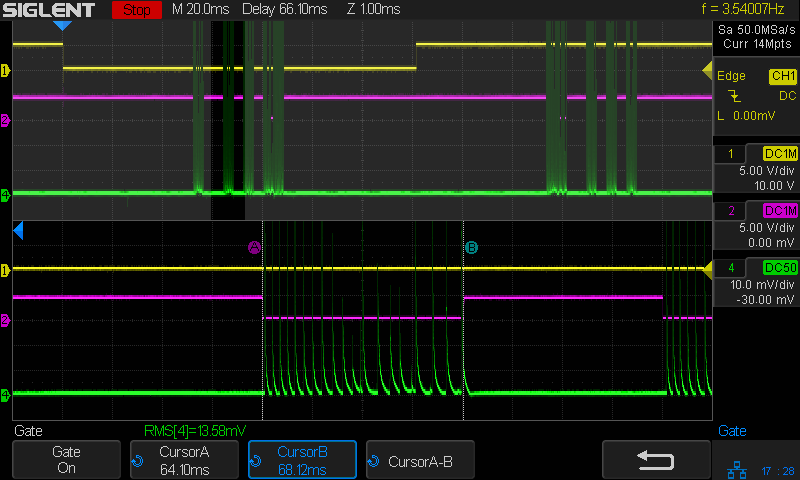
This oscilloscope shot shows what’s going on in there. The green trace is the tube current at 20% of maximum power while scanning a 1 mm wide test pattern at 250 mm/s:
Contrary to what I expected, the current is not a nice, smooth line. Instead, it’s a series of very high-current spikes kinda-sorta averaging out to about 20%; the vertical scale is 10 mA/div and the average current should be about 5 ma = half a division.
It seems your tube produces an extra-spicy spike when it fires, then levels out to something more reasonable. If the power / speed tweaks don’t help, then you’re pretty much stuck with what it does.
You can absolutely replace the controller, but it’s probably not going to improve things much, because it’s a combination of how your LPS (Laser Power Supply) and your tube react. It’s a pretty technical topic that I won’t pretend to know the specifics of, before doing some research.
As @ednisley noted, you can probably reduce your low power setting and perhaps you could increase the air purge flow to reduce the heat/scarring on that initial hit of power.
It’s the high-voltage power supply, rather than the Ruida controller, that’s in charge of the tube current.
There’s no point in replacing the power supply, because none have any specifications for that behavior. You could pick another one at random and see what happens, but that doesn’t seem like useful advice, even to me.
AFAICT, anecdotal evidence around here suggests:
The very expensive USA-based machines have better-behaved power supplies and tubes
All imported machines have essentially identical components and, modulo the broad QC spread, all behave about the same way