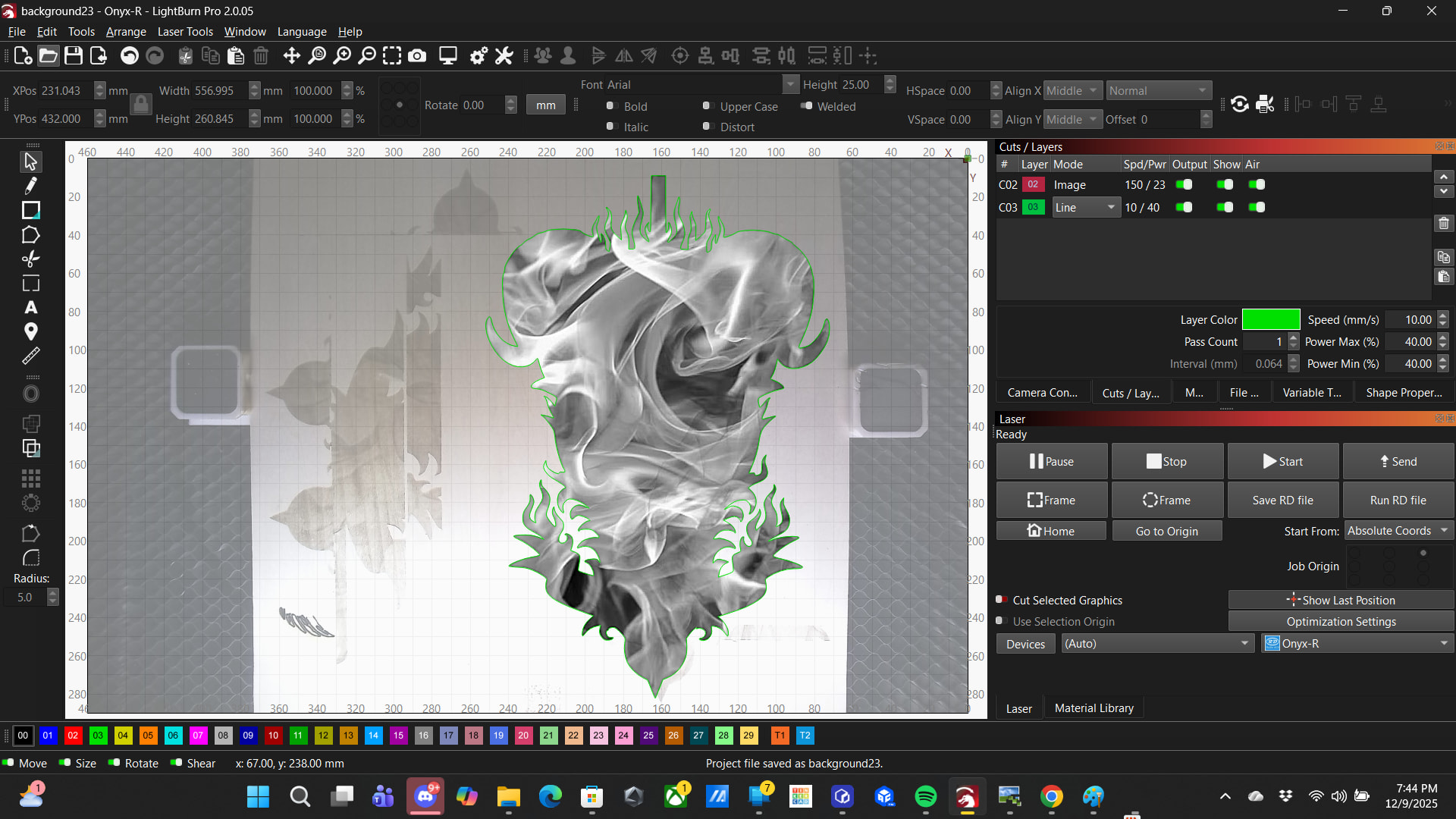
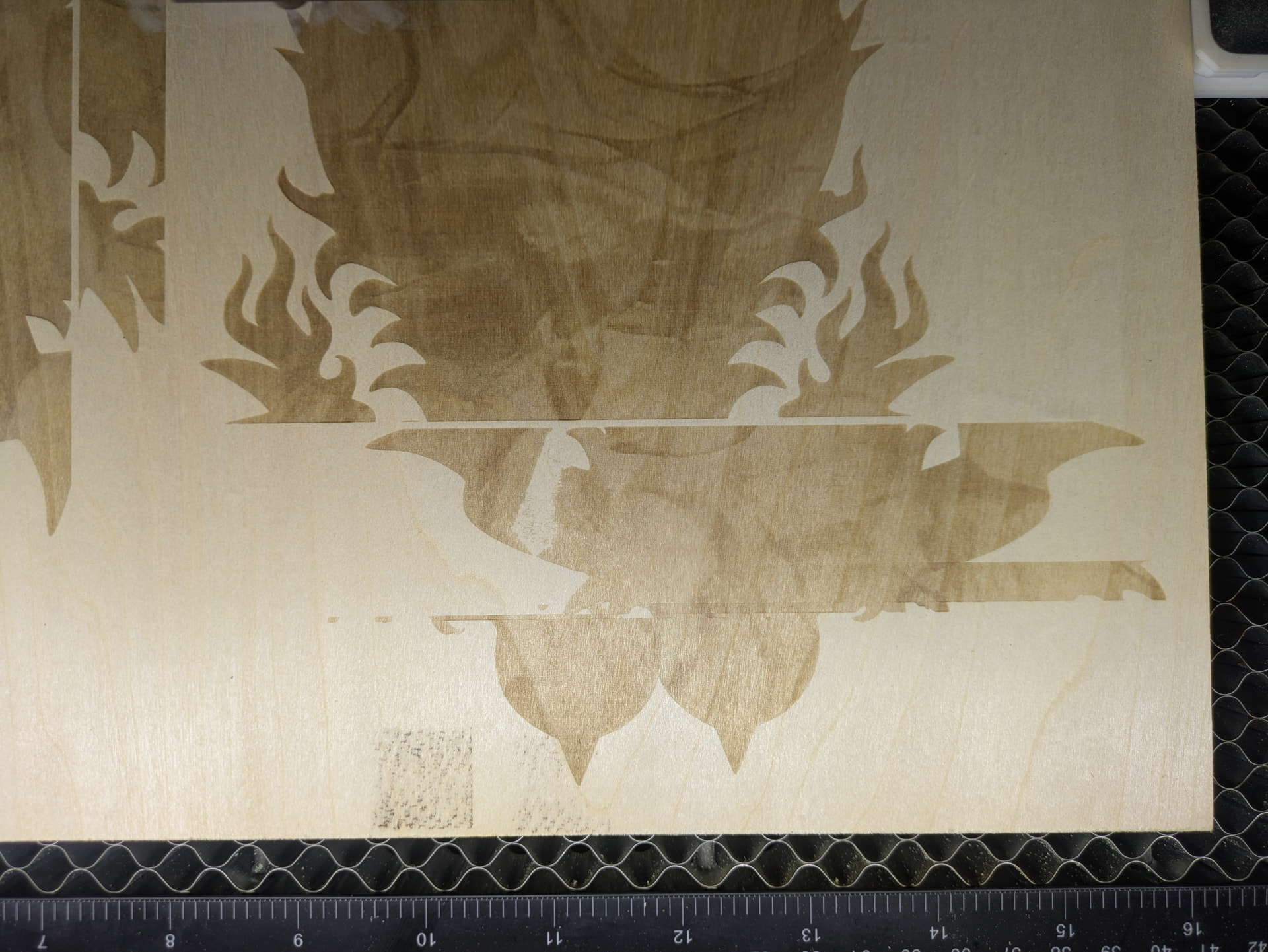
So I’ll start an engraving and the first couple inches goes where I planned then it jogs over several inches to the right, engraves a couple more inches, then jogs back over in line with the bottom. Not sure if a lightburn issue or not but haven’t been having the problem until now.
Running Lightburn 2.0.05 on a Monport Onyx-R 55w CO2 laser.
background23.lbrn2 (504.3 KB)
Here’s the file. I worked on it for some time before having it how my friend was happy with it and it will include cuts to the inside before it’s done yet. Any other info I can provide?
Just a couple wild guesses. Grayscale is pretty computationally intense. Are you using send or start? Send is better on complex files. When you use start, the laser starts working as soon as it has enough data loaded and streams the rest, whereas when you send the file, the entire file is on the controller before starting. This sometimes causes errors like what you’re seeing.
Is your controller memory full? When the controller doesn’t have enough free space this sometimes causes weird behavior as well.
So I didn’t realize the difference between send and start so I will try SENDING rather than STARTING and see if it helps. Also, I have no idea how to even check that? It’s a Ruida controller but it’s integrated into the laser upside down facing and screwed down that way. Is there a way to access that info through lightburn and possibly clear it if it’s full? How long does it usually take to fill up? I’ve been using it less than two months, admittedly I’ve done a whole lot with it in that time, but I am used to 3D printer controllers storing a lot of files before filling up and this could have way less memory or something as far as I know.
Thank you! A) sending it seems to have solved the issue of jogging so far, not all the way through yet but it was doing it only a couple inches in before and it’s not almost 8 inches in. And B) I’ll check the files, I appreciate all the help!