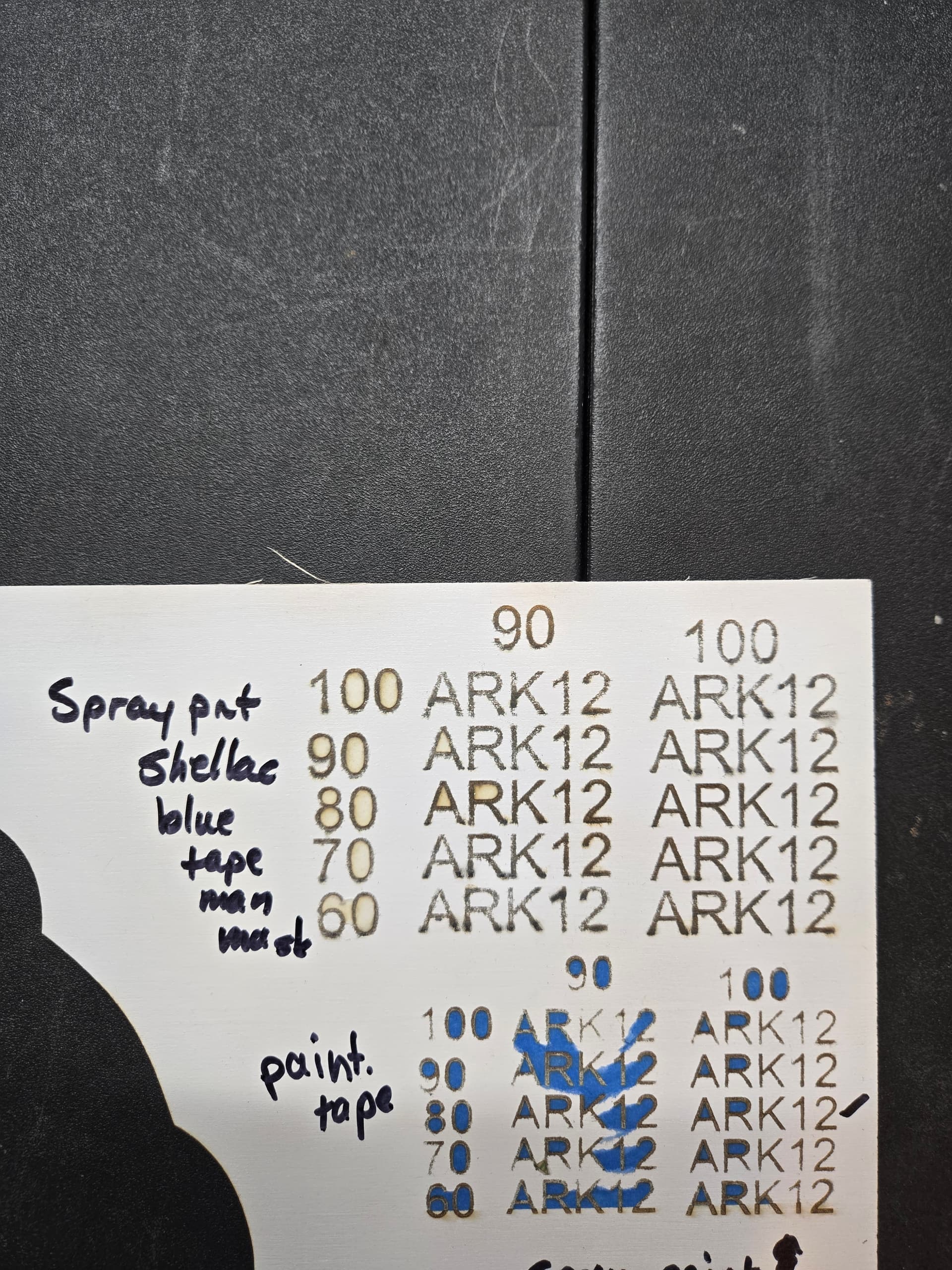
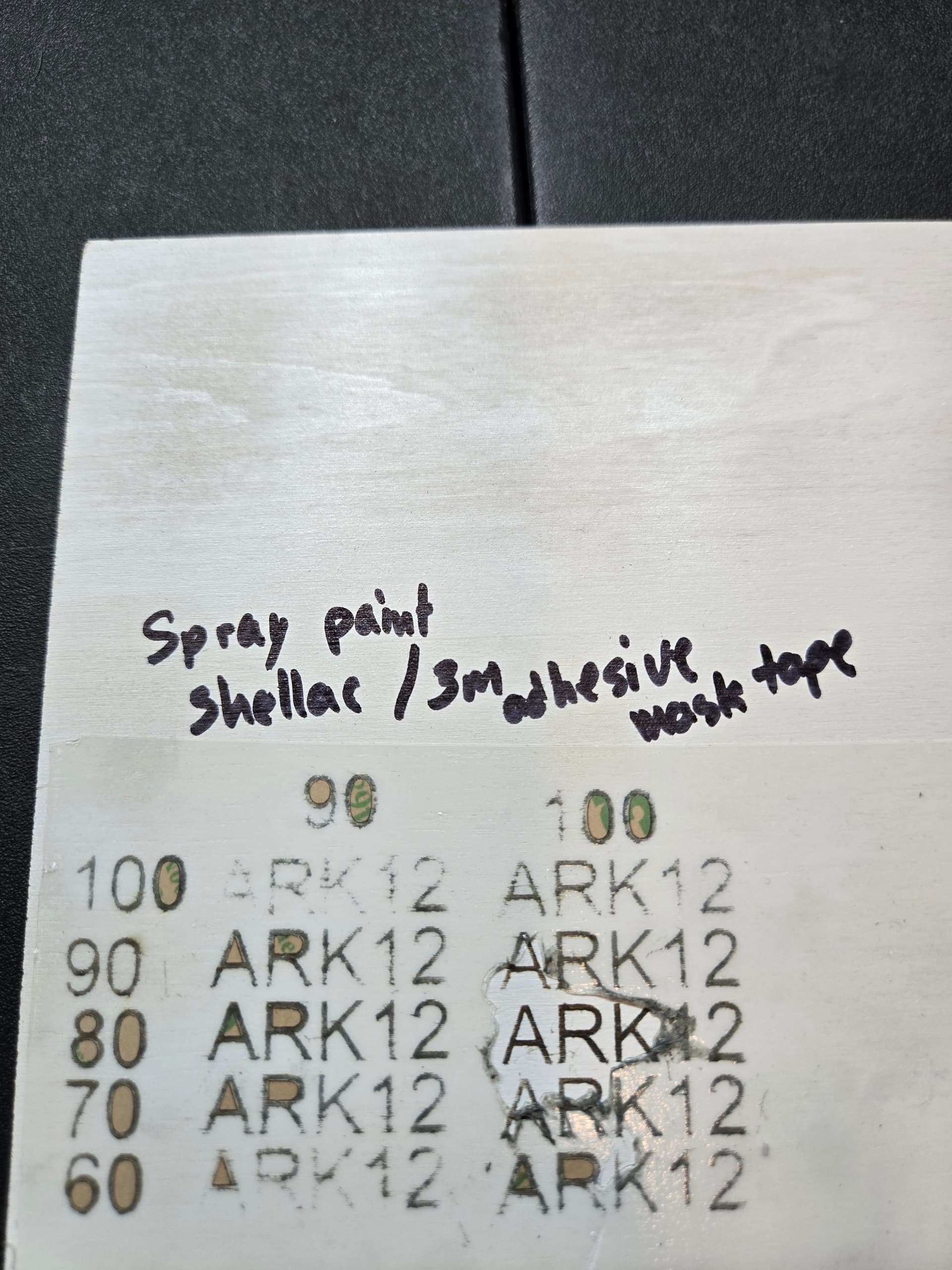
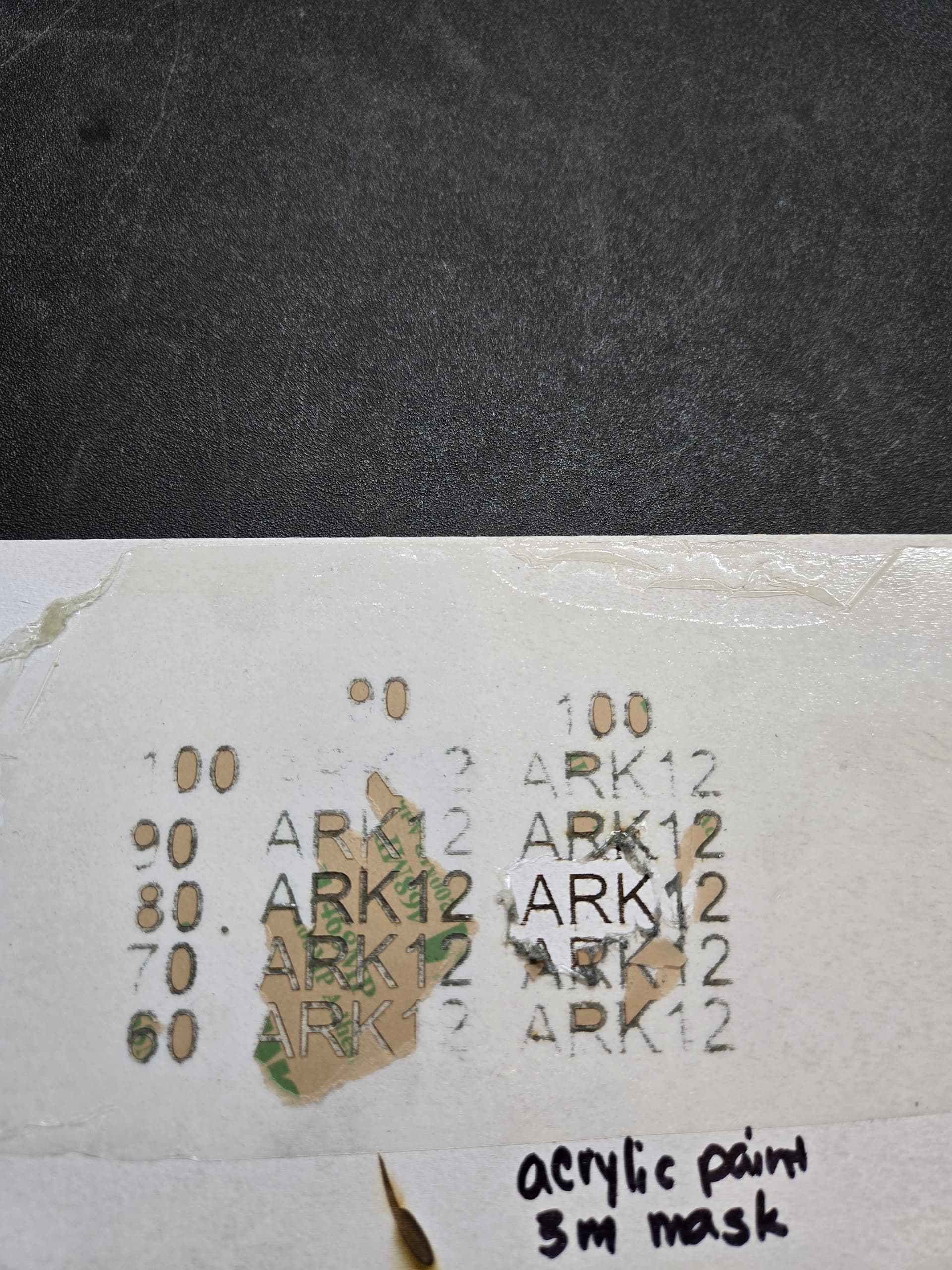
What is the best way to engrave on white painted basswood? I have a 10 w S1 and have done multiple material tests with various paints/ masking - spray paint, spray paint with shellac, white acrylic; each with different maskings - painters tape, tape man blue, 3m transfer tape; Each one leaves a little bleed under the masking, or too much soot to wipe off without removing the coloring. My engravings aren’t clean. I have found that 80/100% setting seems to work best on the material settings, but still not ideal. What am I missing??
Your settings are not optimal. You did not tell us WHAT those settings are. Each machine and material will need a little different settings, even humidity and temperature can affect the out come.
When I see soot, I know that I am putting too much power into the media at too slow of travel speed. In extreem cases, you will have a smoldering fire. Increase your speed, drop your power and increase the number of passes until you get the result you want.
That’s the best I can do with the limited information in your post. Pictures, please post PICTURES of your work and your expectations and your machine and layer settings.
1 Like
Here are the material tests that I performed. I wrote on each one what was used. Unfortunately, I got the wrong 3m tape, because the white will be the top layer of my project. I will probably have to scrape the adhesive off, if I use it 
It appears to me that the best option for setting would be 80 speed/ 100% power, according to my tests, but maybe I’m reading it wrong.

1 Like
Again - you are getting the material TOO HOT. Turn down power, or turn up speed and increase the number of passes. Tape should not melt into the wood or leave behind residue.
Also make sure that you have sufficient cross ventilation to carry away what little soot and smoke are left. That pollution will settle on your laser lense and requires periodic cleaning.
Thank you for your response. I will try another material test. I have installed an inline fan to help with smoke removal. I also clean the honeycomb, laser bed and lens about twice a week, since I’m using it all day, every day. Is there something else you would recommend to help with cross ventilation.
1 Like
Do you have the laser in a tent? My enclosure has exhaust vent in the right rear corner. I leave a little opening at the front left to create a draft path across the workspace. I am on a diode gantry setup. I use a jump house fan and a 4" hose to vent to exterior. I have a shop vac adaptor that I can put in place if I need higher suction (at the cost of higher noise levels)
I do not use a honey comb, so I am not sure how to get better cross vent with that surface.
My XTool S1 has its own enclosure with an exhaust vent in the left rear. I exchanged the provided exhaust vent with a 4" one and an inline fan that goes to my window. I can clearly see the smoke going out the exhaust. I use a honeycomb with the provided slats that raise it off the bed for more air flow. I am pretty sure the enclosure itself allows for some cross-ventilation, but not totally sure.
1 Like
I have conducted further material tests, as demonstrated by the pics. Most of which are still showing no satisfactory results in my opinion. The original test on plain wood, shows very satisfactory results, as well as when I use a different color paint, however it’s the white that seems to be the common issue. I spray painted white on one and then rolled white acrylic paint on others. I wonder if it’s the application of the paint that is the issue. I will use a brush to apply the paint for more consistency and see if that works. If that doesn’t work, I am completely out of ideas and getting frustrated because I have a craft fair next week and may have to redesign a few products.
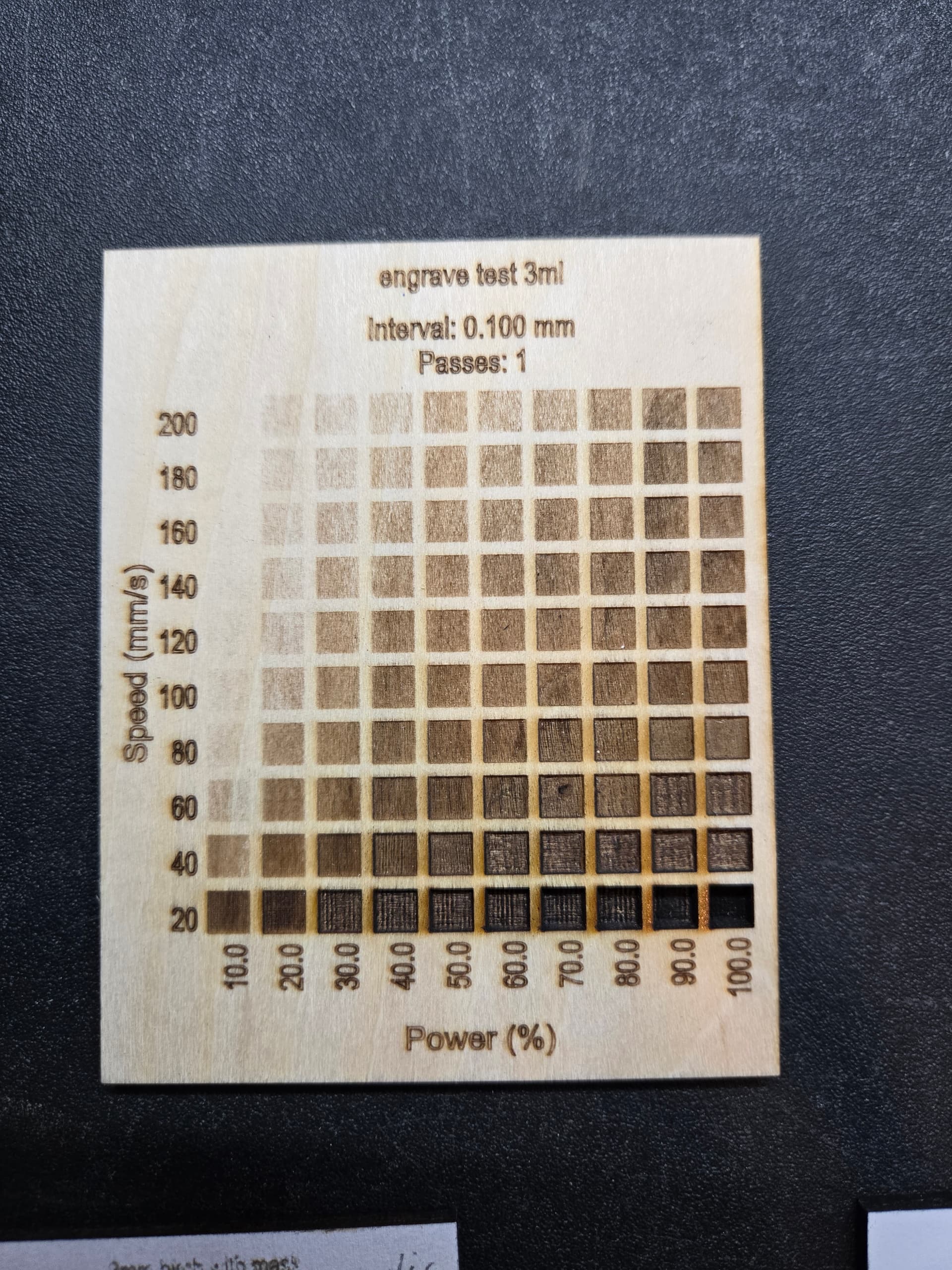
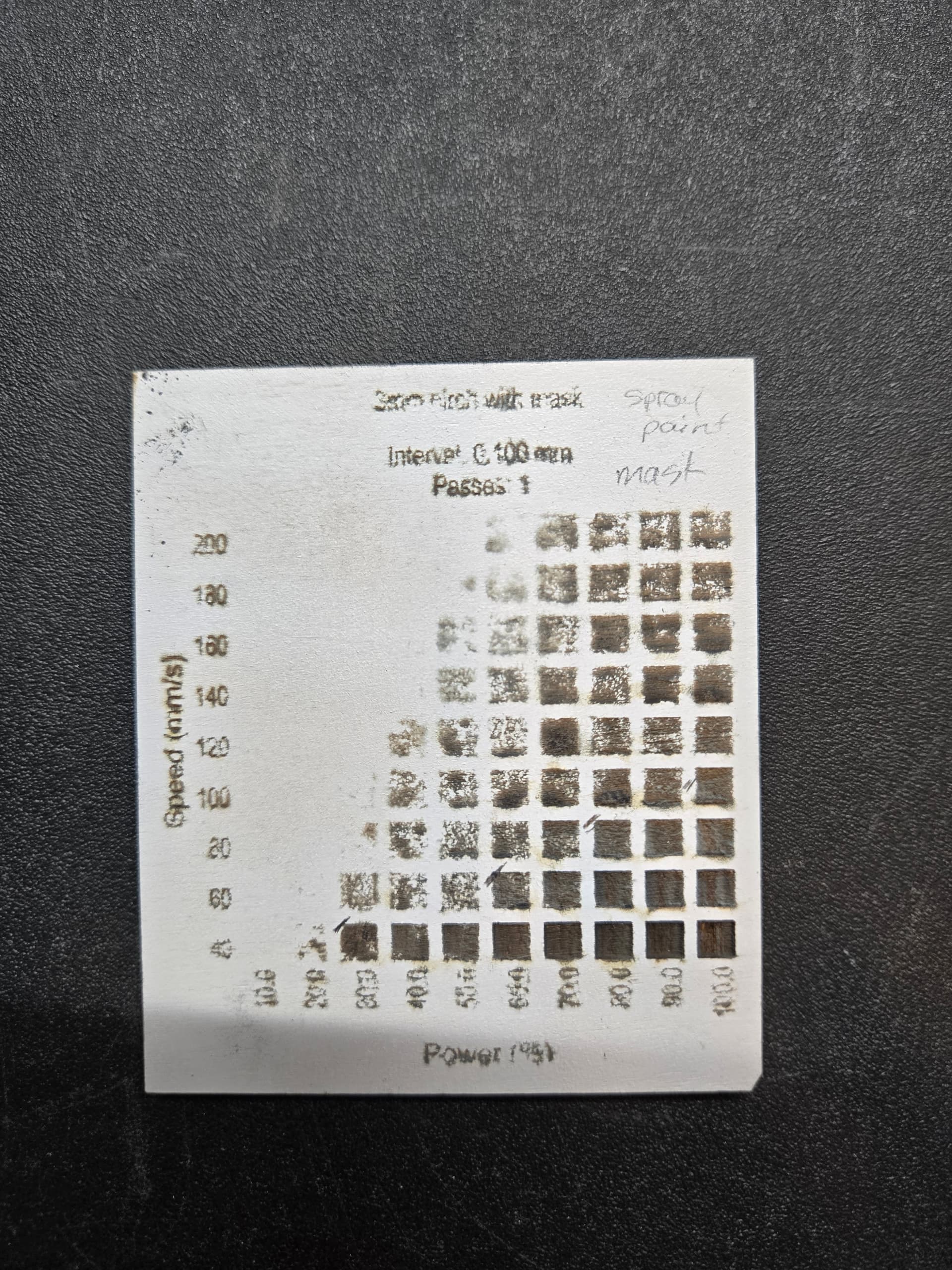
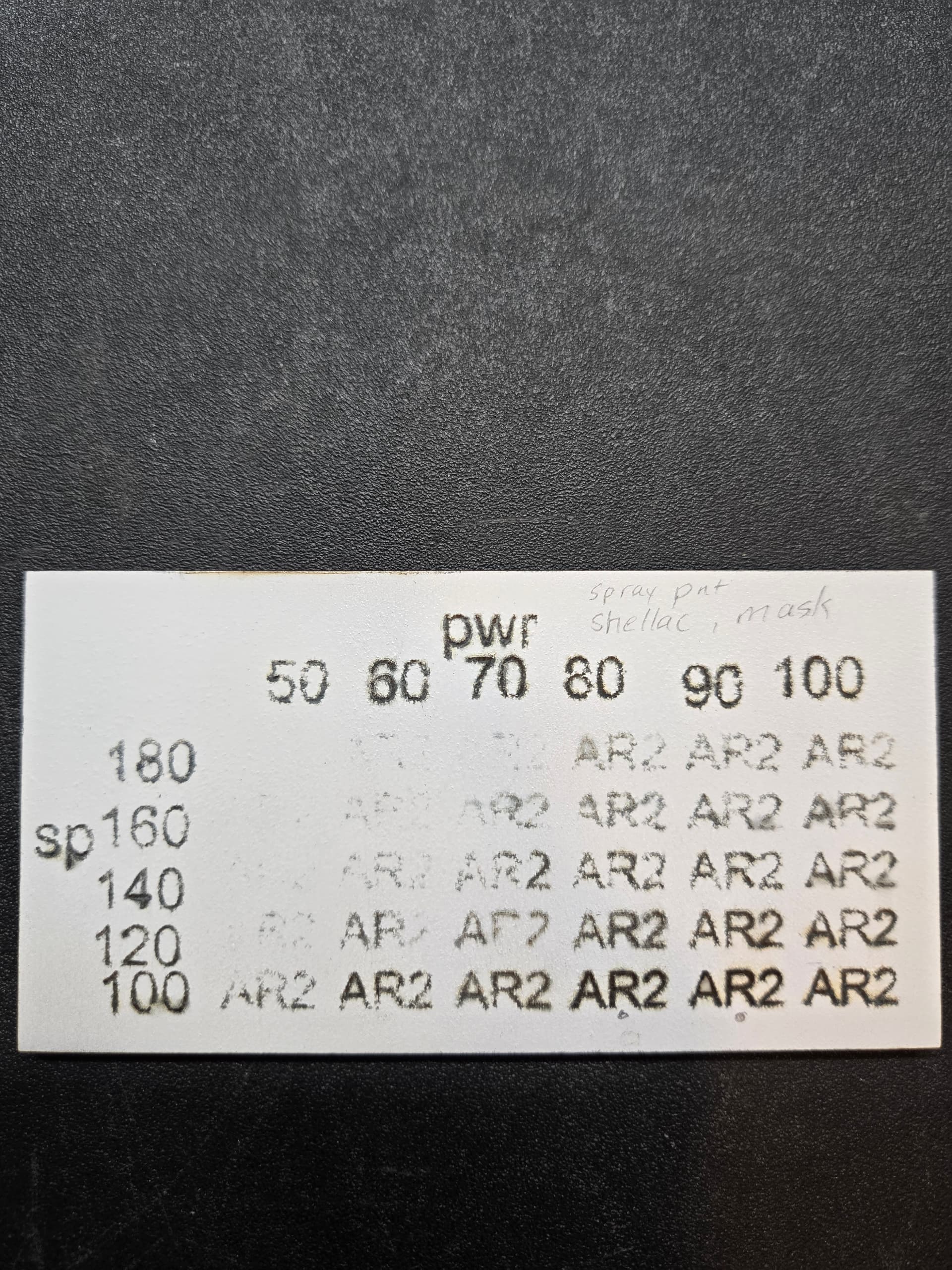
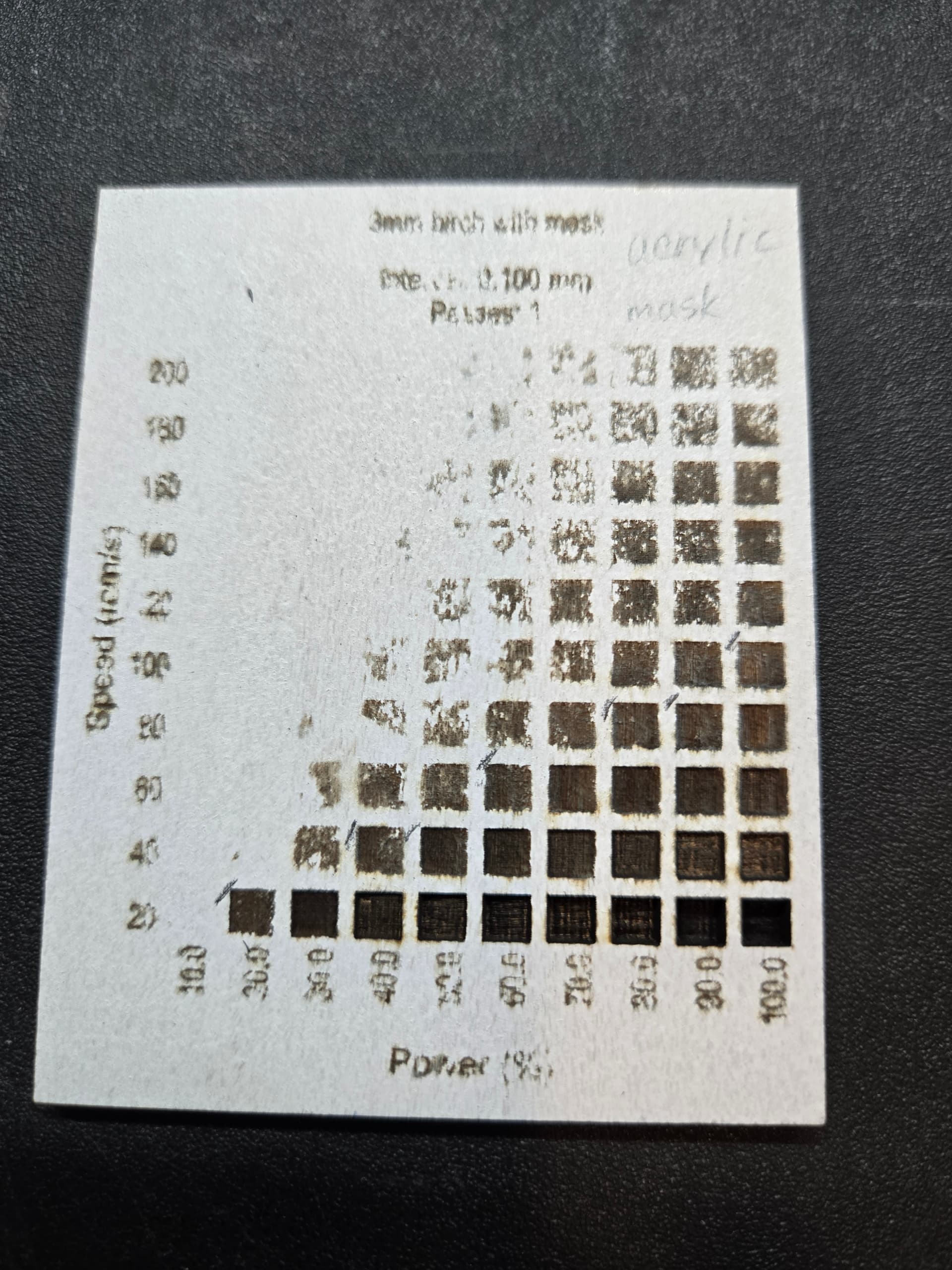
The additional layer of paint means that there needs to be additional energy applied to the wood. More to burn through = more energy needed.
Too much energy applied = soot and burn
Easy answer … Settings that make the laser go over the same spot more than one time. Burn a little many times vs. burn a lot at once.
You still have not responded to the ADD MORE PASSES advice, that I have stated every time I post. Do you not understand the idea? When a single heavy pass with a razor blade (laser beam) does not cut deep enough…do it again and again until it does.
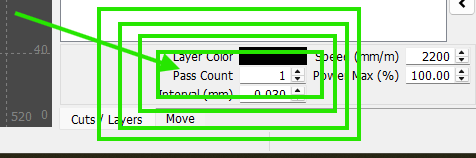
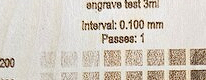
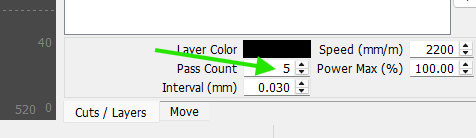
Yes, I understand about the passes. I am currently doing a material test with 2 passes. I was hoping to avoid multiple passes, since this greatly increases the time it takes for a project. When I get those results, I’ll try to do another one with varying passes. I appreciate your patience.
Thank you for explaining in depth about the passes. I guess it would take about the same amount of time to speed up and reduce power to get the same results with less soot. That part I didn’t quite understand. This is my material testing with 2 passes. Based on this, what do you recommend? You can see from the close up pic that it still bleeds slightly, and isn’t a crisp engrave. Is there an easier way in Lightburn to do a custom material test, other than just assigning them to different layers, which is what I was doing. I am willing to do more tests, but this is taking a while.
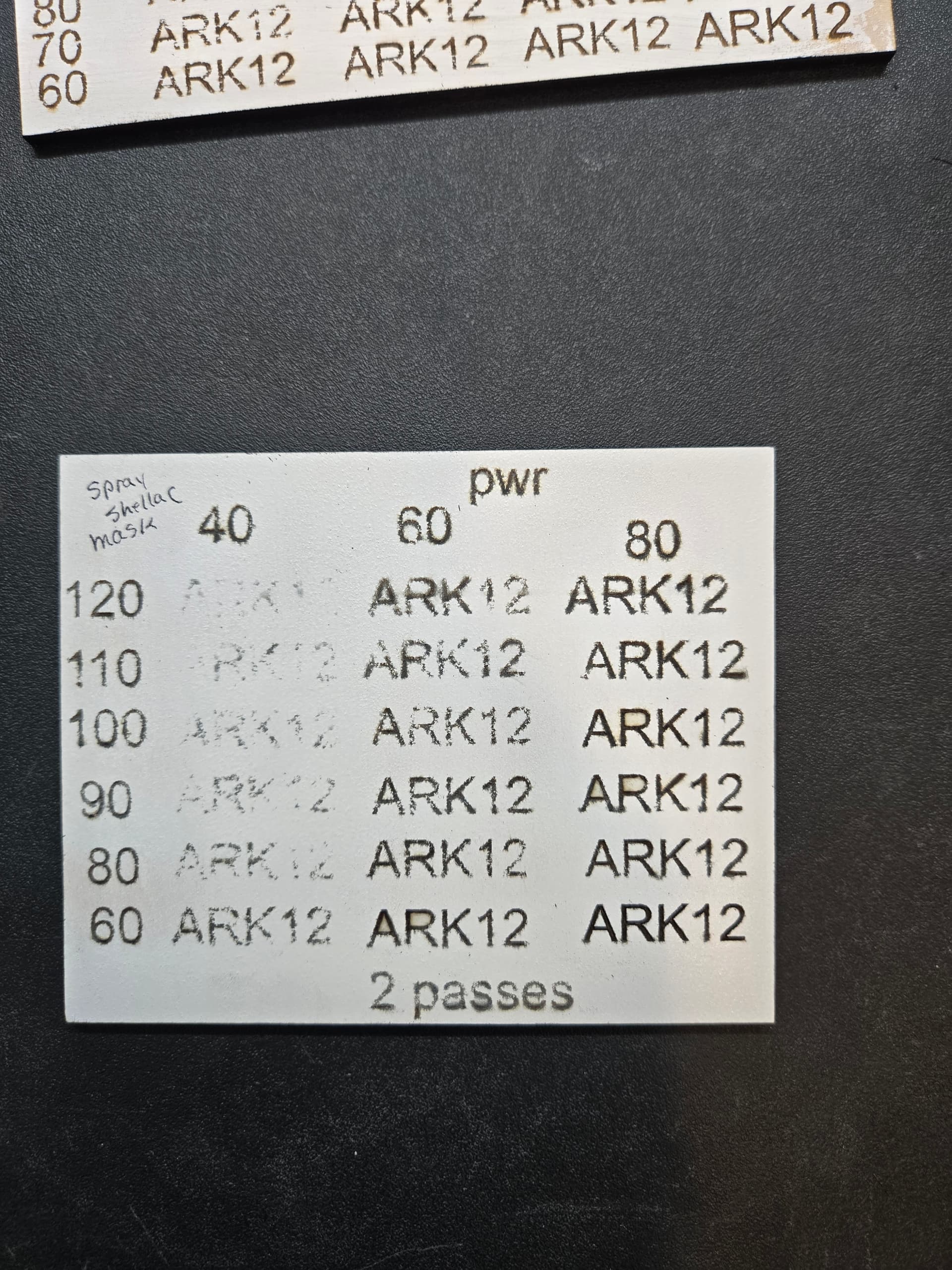
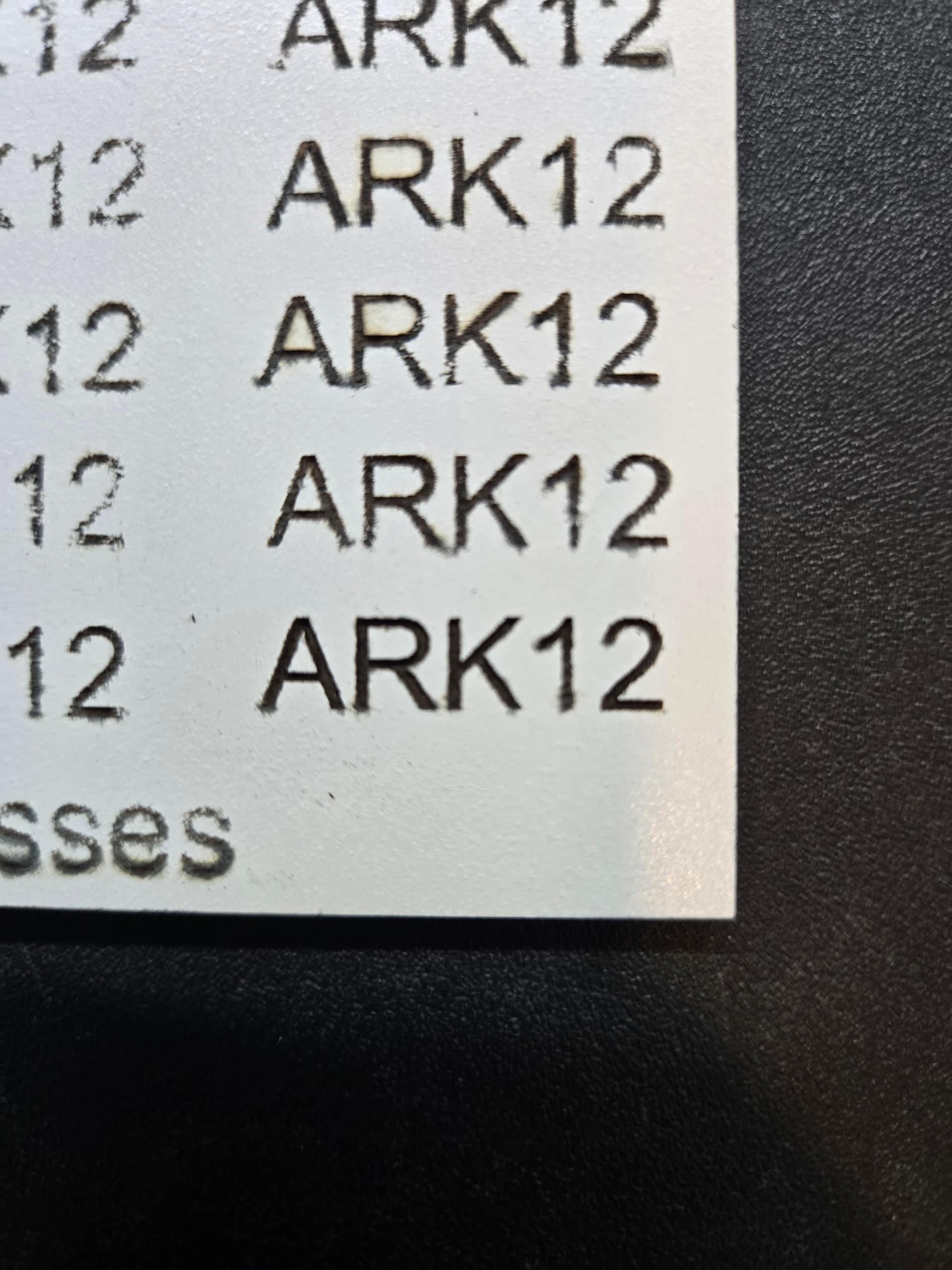
The bottom right shows char in the corners of the ARK12. Drop power 10%, speed same, add one pass and compare. Are you using FILL or OFFSET FILL?
FWIW when testing new material, I don’t run a whole LB test. I pick a setting number that I think is close, and I test on a small square. I make adjustments and test again. I don’t bother with the whole Smorgasburg test. I am comfortable with my laser. On my earing designs, some wood takes 8 passes at 100%/1000mm-min and other pieces take 14 passes at 100%/1000.
I use millimters per minute. You are set to millimeters per second. - Don’t get caught up in the numbers, just get your results 
1 Like
I’ll try again in a little bit. Laser is cut right now. I’m using FILL. Honestly I don’t know the difference.
What kind of paint and wood are you using? If it can handle it, you can use black tempura paint which will absorb the laser much better, then use water to remove the left over tempura paint. Just a thought; I haven’t actually done this, so it is just a suggestion.
I’m using 3mm birch plywood, spray painted with white and shellac and then masked. Here’s my latest test runs. The 2, 3, and 4 are the number of passes. It’s getting frustrating. Still not quite what I want - closer, but still scorching. I like the darkness of power 50, but not scorching
I’ll try the black tempura paint, but only because I used shellac first, otherwise, I don’t think I could get it off. I used that when I was etching bottles. At this point, I’ll try anything! Thanks for the ideas!
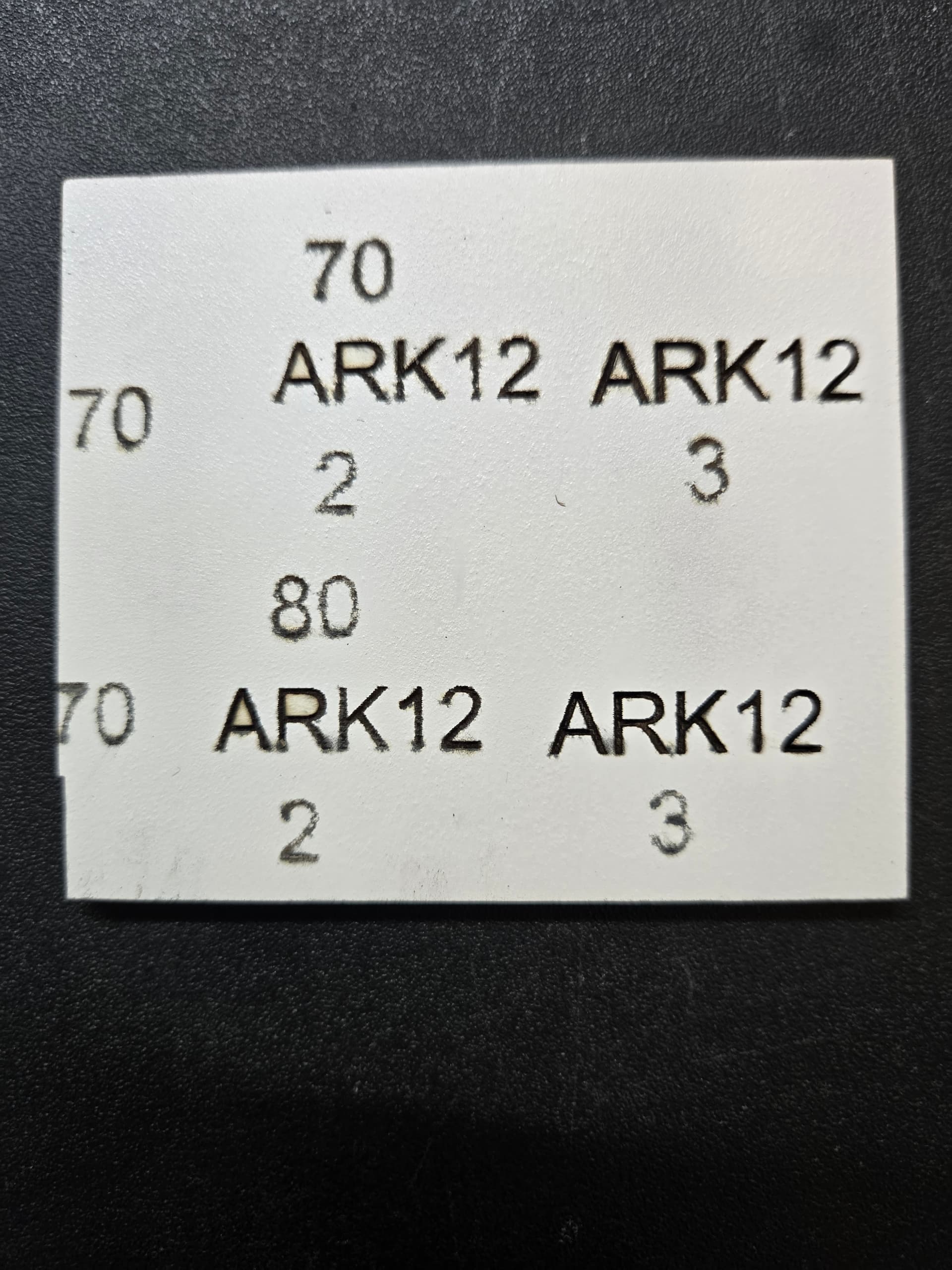
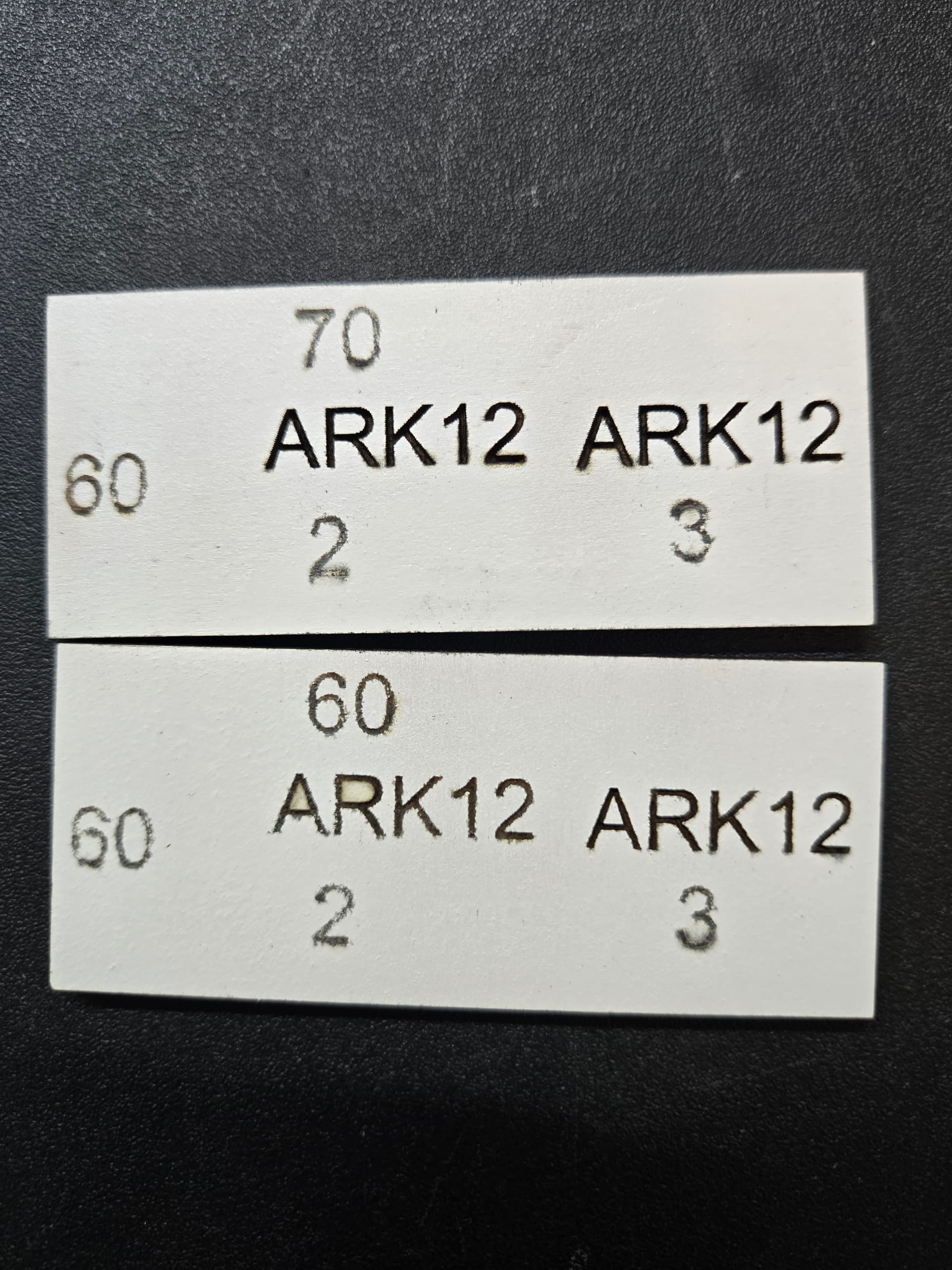
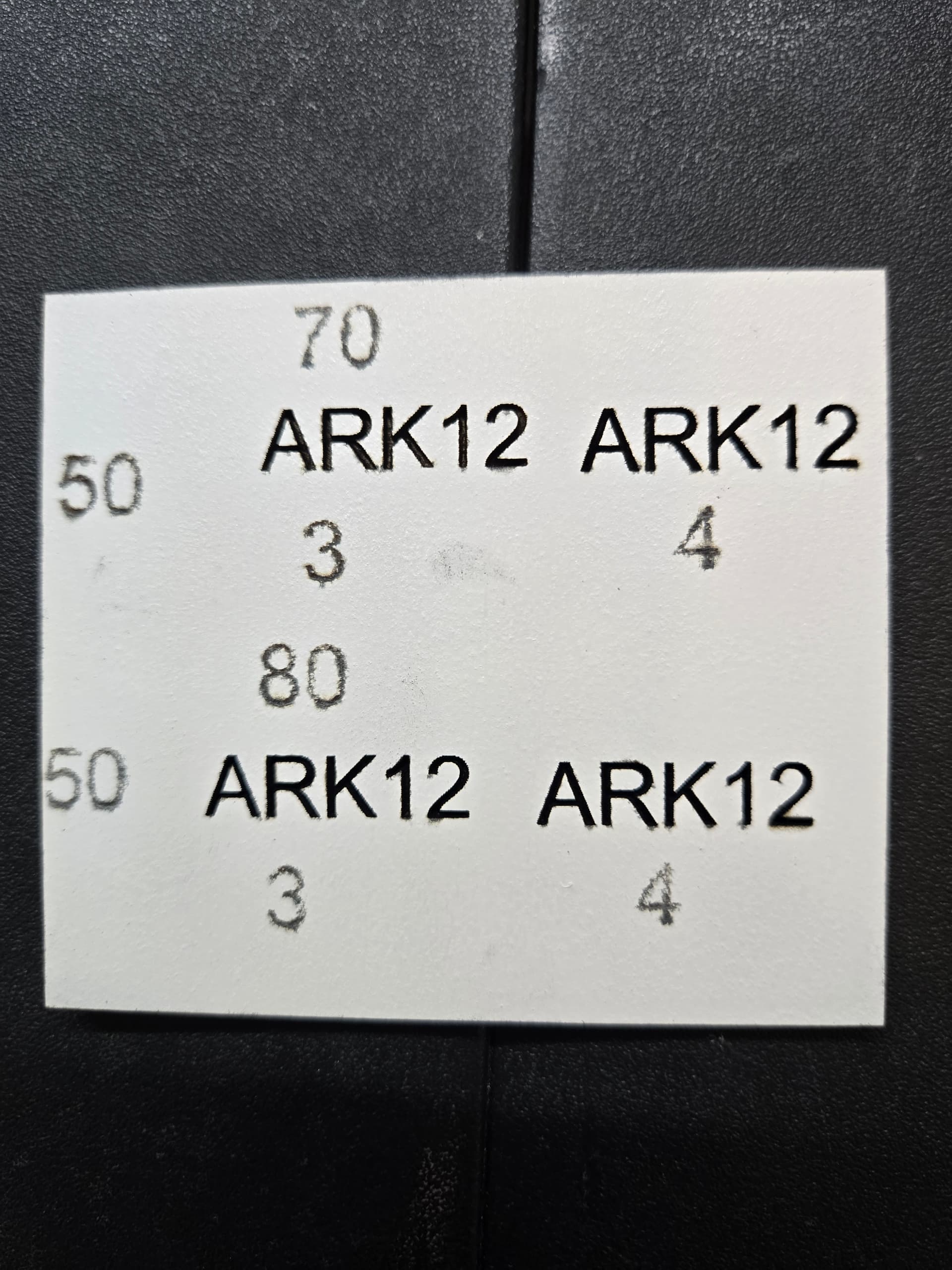
Pull your focus back a few mm. That can help get a dark mark with less scorch.
I would also absolutely try a different paint. Shellac is a very tough surface.
This is not always true. I can cut faster using 5 passes than I can with one pass. I get a darker burn using the same thinking, usually 2 passes. The difference is that you increase speed and power together to compensate for the end result, and time.
Most diodes operators use mm/m to state the speed. This eliminates the need for conversion by those trying to help. I also like it because you avoid decimals in the settings.
1500mm/m = 25mm/s
1400mm/m = 23.333mm/s
1300mm/m = 21.667mm/s
1200mm/m = 20mm/s
and
25mm/s = 1500mm/m
24mm/s = 1440mm/m
23mm/s = 1380mm/m
22mm/s = 1320mm/m
As you can see, converting both ways can get confusing for both parties. I also think with a wider number spread, it is easier to tweak the output up or down a little.
1 Like
Thank you both for your help. You have been very patient with me as I try to figure this out. I really appreciate your explanations. I keep telling myself to lower power, increase speed and number of passes to reduce soot and get cleaner results, which was my problem.
I had watched a video that suggested spraying with spray paint and then shellac before you cut would help with cleanup, which is why I used it. Cleanup shouldn’t be an issue if I control the soot problem.
I also hadn’t thought about converting to mm/m. That’s something I will tackle after next week! Right now my head is swimming.
I think I have found a solution that works. Again, THANK YOU for your help and patience. It’s been a long day of testing!
2 Likes
**I have a Falcon 2 22w and have engraved and cut some boxes painted with white acrylic paint that I rolled on with foam roller, had very good results using basically the settings I would normally use for the wood I was cutting and engraving. I waited until I was done to apply a clear coat. I worked in a paint department for many years and I think having the shellac on the wood before engraving might be causing some of your problem? **
1 Like
This topic was automatically closed 30 days after the last reply. New replies are no longer allowed.