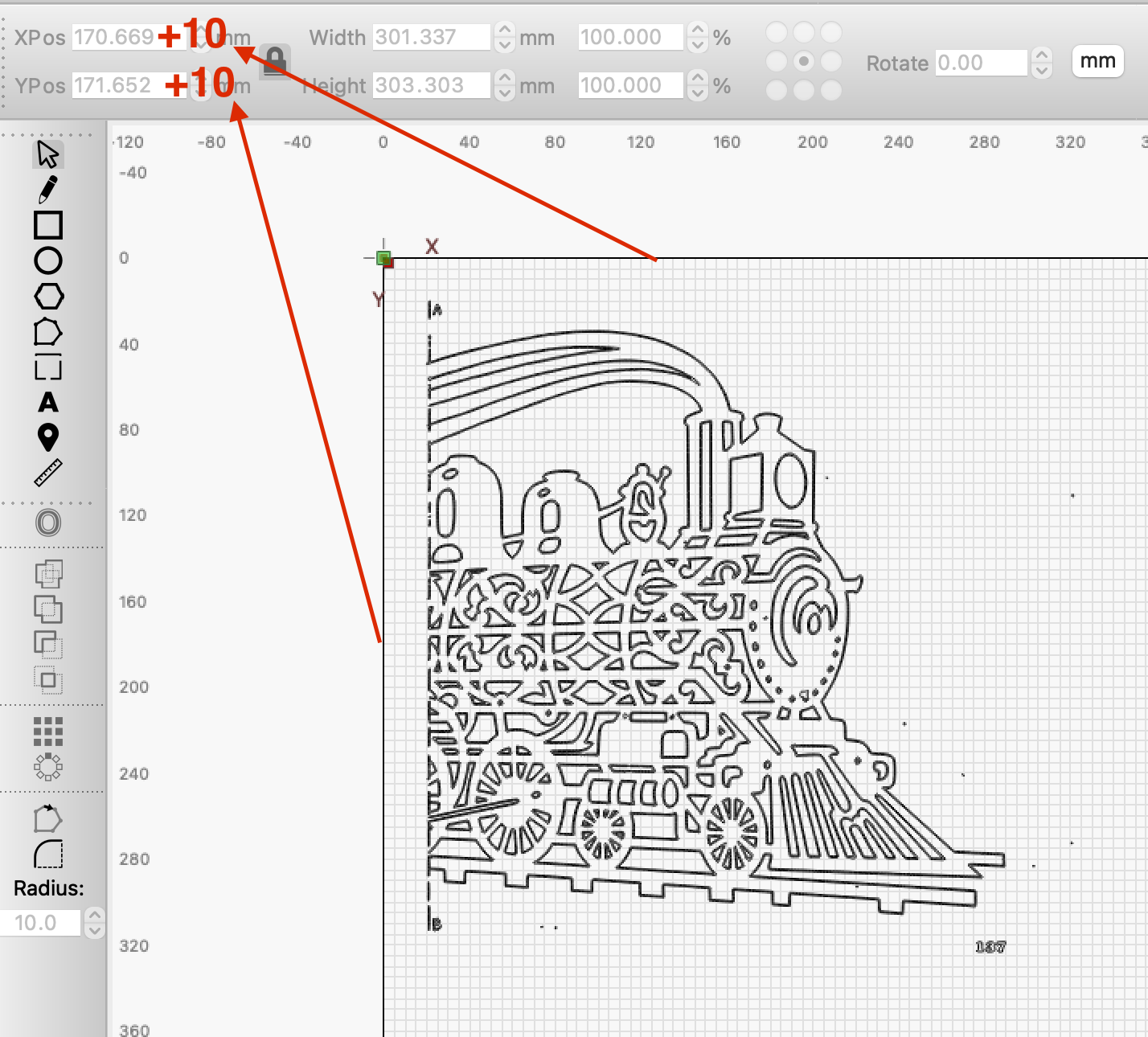
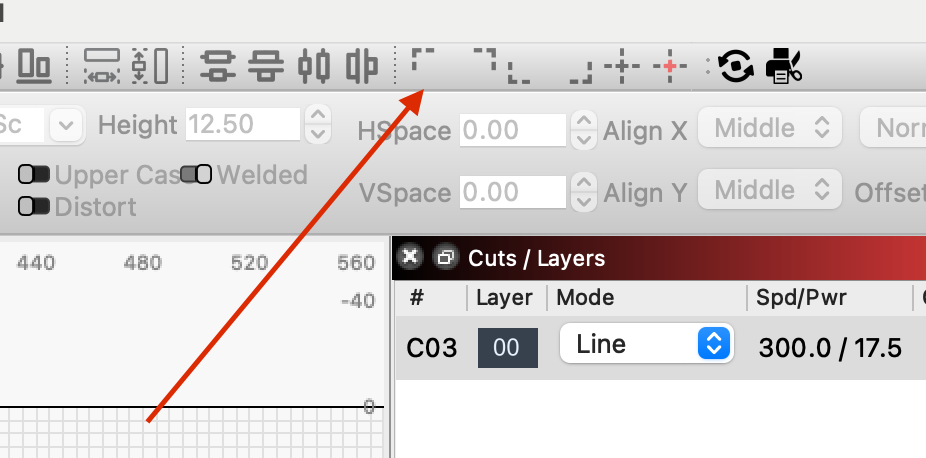
If I have understood you correctly, you can just write “+ the value you want” in the X and Y field. (use the buttons from picture no. 2 first to get your train in “0:0”)
…in my example I use millimeters