Error in Routing

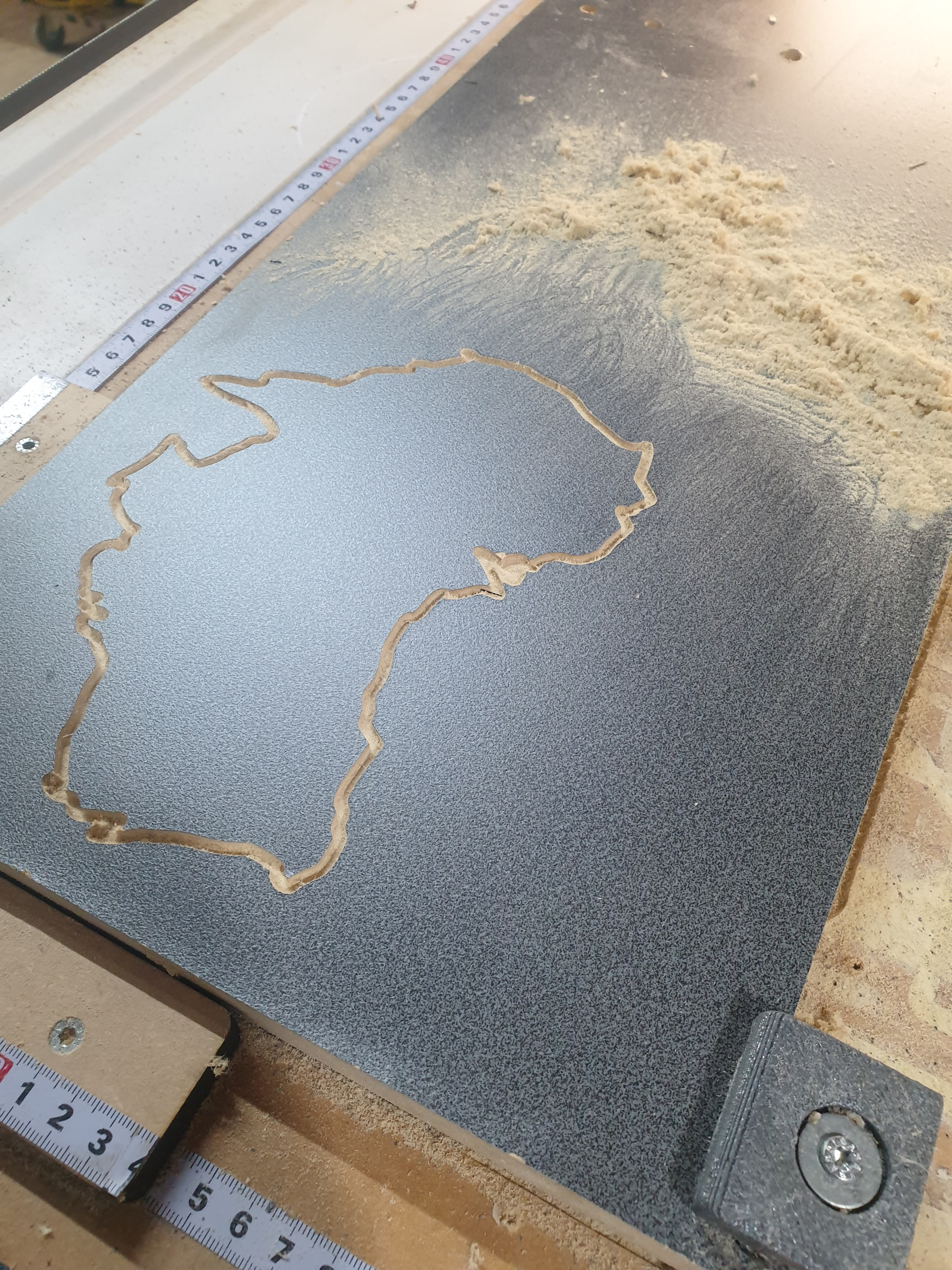
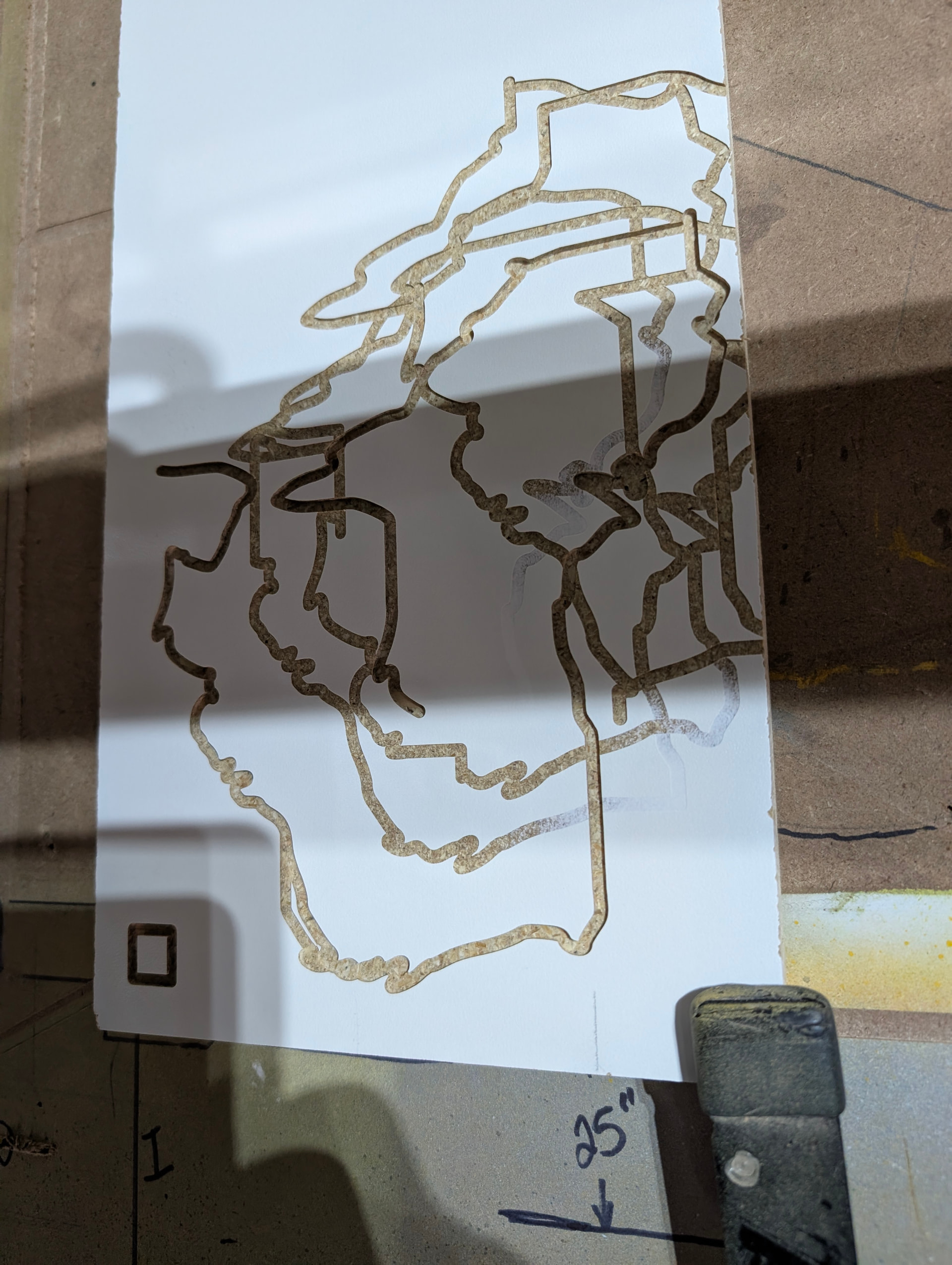
Tried to mill an outline of Australia, but the route kept going off the rails.
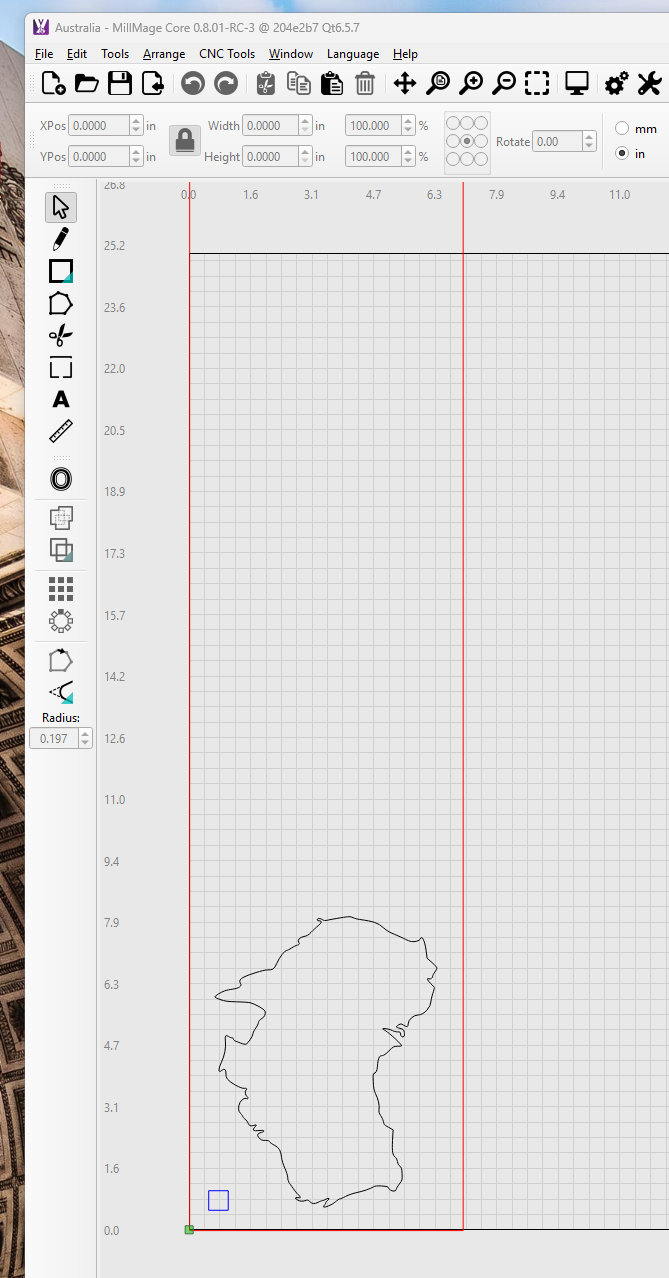
The “View” simulation showed the correct result.
Is this a controller error (buffer overflow maybe) or a GCode error or Comms error?
How can I correct this? Slow the feedrate down? Any suggestions are appreciated.
I am using a:
32 bit ESP32 GRBL expansion board MKS DLC32 control card

Thanks

Is this the first time it went crazy and you have previously made good parts with MillMage? What version does it show at the upper left of MillMage (a screen snapshot would be ideal).

Can you upload the .mage design file so we can investigate?

1 Like

Millmage has worked fine previously, although I had not done anything complex.


The version is Millmage Core 0.8.01-RC-3 as per the screen shot.
How do I send the .mage file?
Thanks
JohnS

Just drag it into the Reply box. Or use the little arrow thingie at the top of the Reply box.

Mike,
the mage file.
Australia.mage (194.0 KB)

JohnS

try updating to this as it is the latest version

https://forum.lightburnsoftware.com/t/millmage-0-8-01-patch-release/188656

set up a new device and retry file , do it on the damaged piece so u dont waste more material :slight_smile:

just looked at your file ur ramp is 4xs faster than your feed rate , i run slower than feed with ramp

material looks like particle board, cabinetry type .i run mdf at 600mm/m with a 3mm chip board around 800 mm/m on particle board

why is your start depth 0.51 mm and not 0

i changed your operation setting and ran job ran sweet

Australia 2.mage (194.0 KB)

1 Like

just my opinion , id do it with a 20 deg v bit will give you better detail on the finer points and curves

Thanks for jumping in! I just now got back to this.

If the file @wanderingtruckie provided does not cut like his, or like you expected, then [1] reinstall MillMage (no need to uninstall first) or [2] flash the controller board, in that order.

make sure you back up your bundles of your tools and operation library b4 new install sso you can import them

Terry,

thanks for the input. The material was a piece of scrap as I was verifying the operation initially. I am also a bit of a novice at this and am still getting a feeling for what numbers (rate etc) work best, and as such appreciated the feedback.
I will also try the latter version as suggested earlier. From your results, looks like it is all very feasible and promising.
I like the program and the simplicity it offers going from concept to machine (obviously a lot of complexity behind the scenes).
Thanks again for the help.
JohnS

1 Like

ur welcome , im still a novice also , yes MM is an awesome program

I had similar problems.. the problem was solved when I changed the machine card.. be careful there are two cards, one for the laser and the other for the machine.. the machine card

You haven’t given any details about what kind of machine you have, just the control board.

You’re using a 1/8" end mill, and going only 12 inches/min on the cut, but almost 50 inches/min for the ramp.

This part is kind of concerning:

The lower right of the image shows a path that “fades”, which means it started barely cutting then began to cut deeper as it progressed. There’s a vertical cut through the part that’s faded that then appears to get shallower as it goes to the left. To me, it looks like your bit is slipping in the collet, causing it to raise or lower during the cut, which would cause serious issues.

It could be a combination of both issues - If the ramp speed + the start depth is causing the bit to drag the wood (or skip the motors), each pass would start at a different place, and would therefore be doing a full depth cut each time, instead of just cutting deeper along the previously cut path. Shoving the bit full speed into uncut material (we do fast plunges) would make this worse.

With regard to the fading, the Z axis did not change, nothing wrong with the software. The first pass was very shallow as I did not zero the Z very carefully and the base table had a few minor “bumps” in it so the white scrap material was not totally level. I was not going for a perfect cut, just checking the X,Y tracking.
The “Machine” as in the steppers and lead screws etc is a Next Wave Automation HD5. I did not like the proprietary nature of the controller and replaced it with a MKS-DLC32 TS24 control board with upgraded drivers. I have had no other issues with the operation of the entire unit, just with this particular cut. I did install the latest MillMage software, but have not yet double checked (or re-loaded) the controller firmware. With the latest MillMage software it still goes off the rails, so I am assuming it might be something to do with the controller. Still investigating.
Thanks for the interest.