Ok hopefully this is where I need to be. Several weeks ago my falcon 10w quit engraving and cutting unless I was in 100% power and a slow speed. I figured the module gave up so I bought a Laser Tree from Amazon. I managed to get it installed and found it did not work any better. So I thought rather than e mail back and forth to someone in China it would be better to use AI. After 1 1/2 hrs. and doing some changes, that I do not remember, I quit with AI. In the meantime, I got another module from Creality and installed it.  same thing. Originally, I was able to engrave at 2000 IPM/ 50-60%, around there. I have been working in inches since day one and now it shows I am using IPM but does not act like it. Now in order to cut I have to be below around 35-40 IPM and 100% power. I wonder if doing the latest update would correct this. I am still using it but it’s a challenge to have to use different settings. Well actually all this is a challenge for me. This is what I have now.
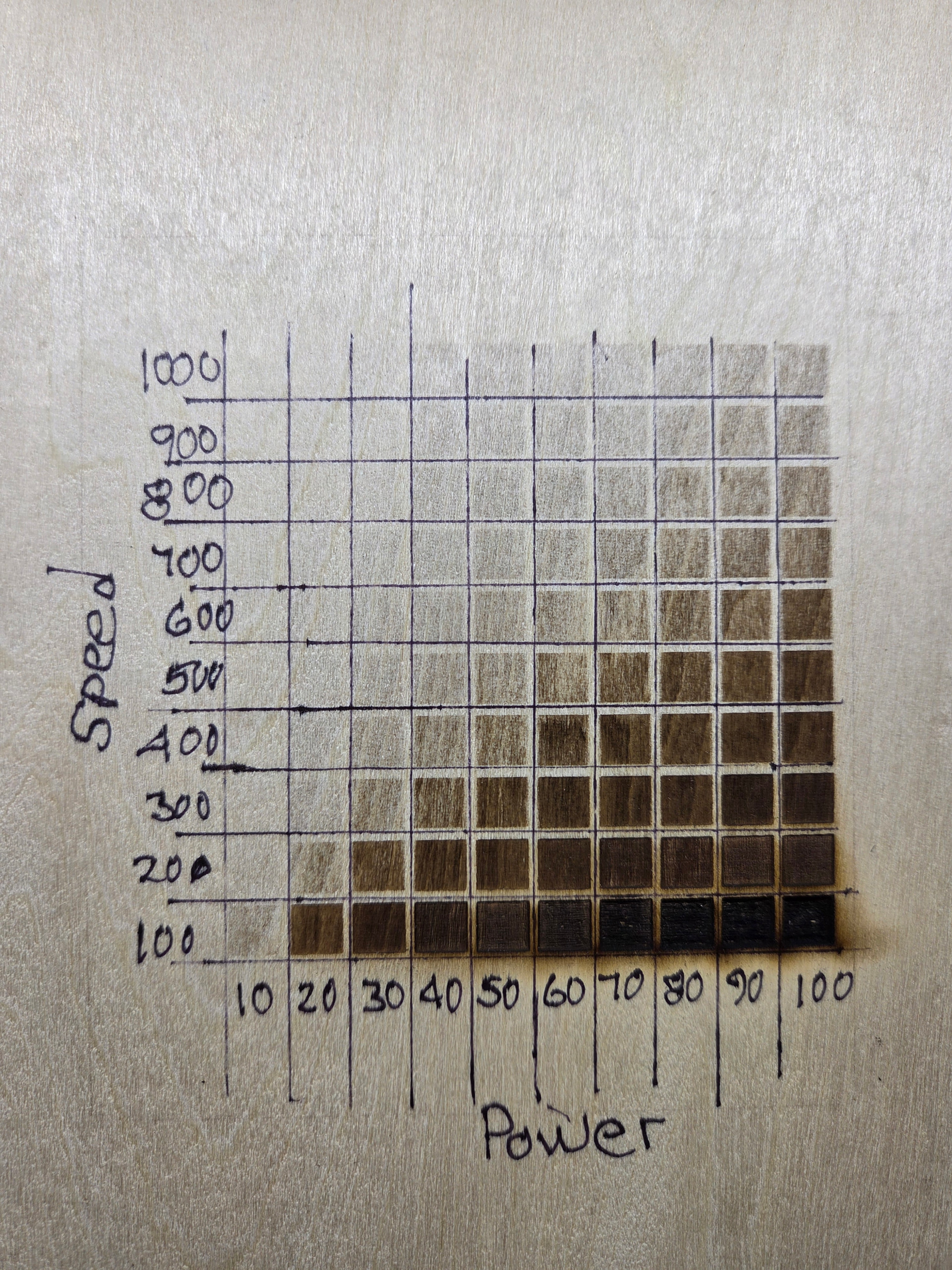
I am having very similar issues on a Lasermatic MK2 (10w/30w). I read and tried all sorts of troubleshooting. I had updated to the most recent software version. I even uninstalled and REinstalled the software. I am running a MacBook Pro M4 (IOS Tahoe 26.5.2) and the most current version of LB (2.1.03). I have been troubleshooting (watching videos, reading threads, etc.) for two days. Any help would be appreciated.
Since the Falcon 10w is a diode try 2000 mm/min
But why would I switch to mm when I have been running in. since day one.
Are you sure? You could design in inches, and run in mm previously.
2000IPM is 50800mm/m. I seriously doubt your diode gantry machine is capable of that speed.
Now that linking is controlled by a new switch.
Hmmmmmm… Now that you mentioned it… U are right and I never thought of it . Well I know what I was setting and it was 2000 something.. SO now I an really confused Mike. How can I go back to what I was doing?
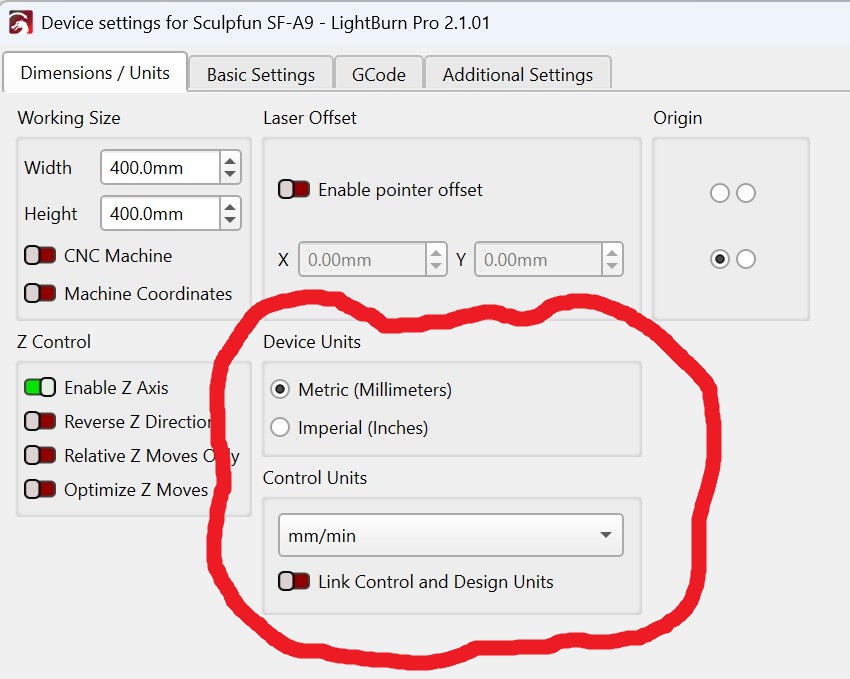
The Device Settings window has changed…
Device Units is your design section.
Control Units is your laser settings, in the Cuts window.
The Link Control and Design Units switch makes them the same no matter the setting window.
I always use mm/m for the laser control. I often switch between inches and mm when working up a project. If you want to design in inches, but run in mm/m for the laser (diode recommendation), then turn off the switch.
Now set your Control Units to mm/m in the Device Settings window. then set your Speed (mm/min) to your favorite 2000 value.
Use in or mm as you see fit (at the top) in the Lighturn design grid and don’t worry about the Device Units in the Device Settings window..
Let us know if this gets you back in business.
I can not believe how something like this happened. It must of been when AI was trying to help me.
But, but… I will try this tomorrow, Mike, thank you. How, something else for this old brain to learn.