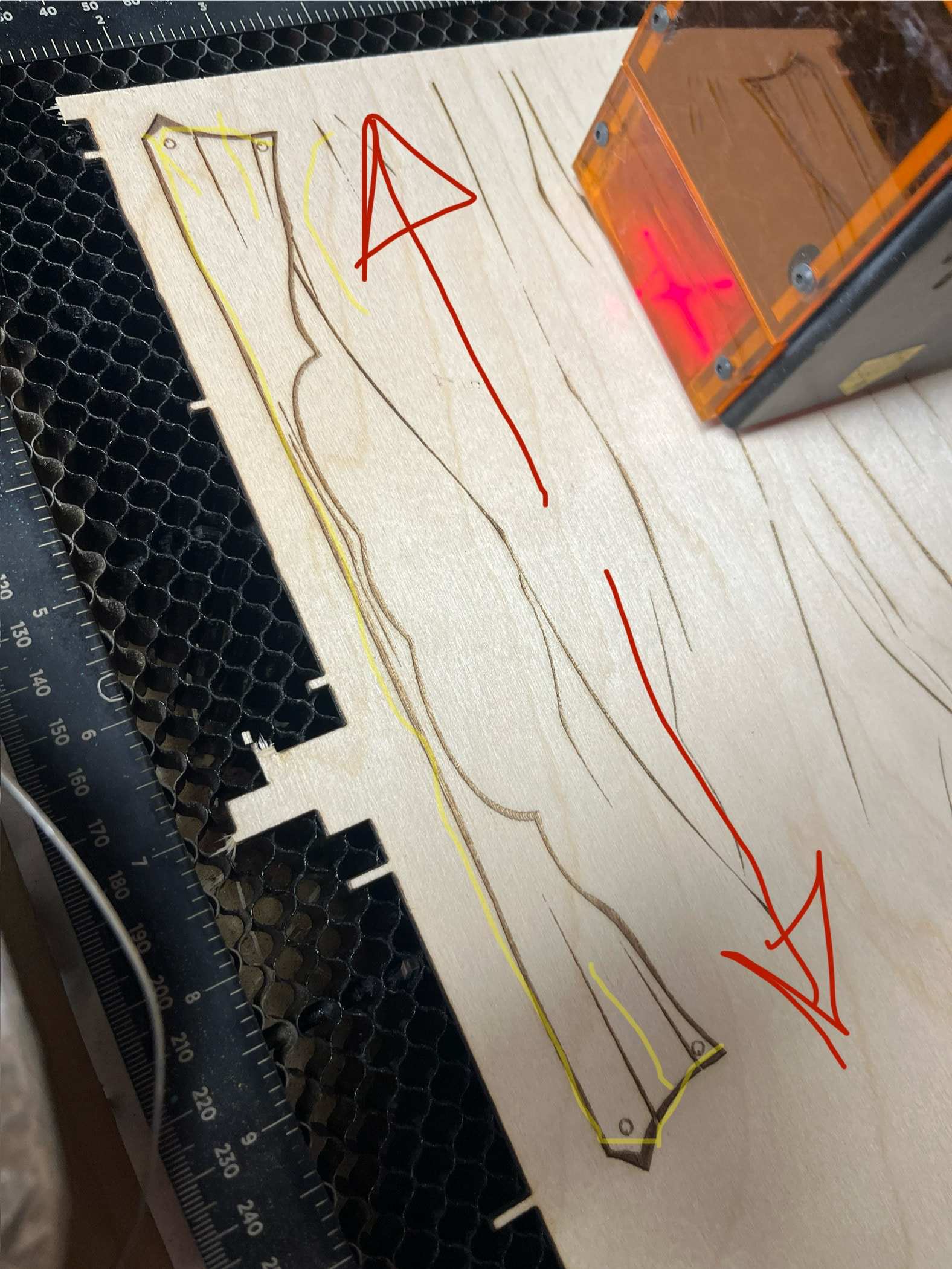
Hello and sorry if this was already asked, I searched but didn’t find.
I have a shapeoko 2xl with a Tech 64W diode. I use a lot of .svg files to add to my wood work and right now I am making a book chest aprox 9”x7”. If i would be working with a inc and router the bit would carve what it needs and the is all. with the laser weather I use fil groups, fill all shapes, fill individual it still goes from one side to the other. example on the pic the red arrow, well is what it does, is there any settings or ways that it would follow a inc router pattern like the yellow line, where it follows the line instead of overflying all the empty space. So instead of an hour job it would be probably cut by half.
Try using Line mode instead, then delete any extra lines you don’t need, you can also defocus a bit if you want a slightly more visible line and want to avoid cutting.
You may need to ungroup the shape first before you can select and delete the extra lines.
Thank you, yes there are options that can help speed-up producing these designs. The fastest option for doing these types of filled shapes is to use the ‘Offset Fill’ feature explained in detail in our docs starting here:
Offset Fill is intended for designs with a lot of empty space within graphics, to cut down on the amount of travel time necessary to fill large, hollow shapes. If that description fits your design, Offset Fill will most likely be much faster than Fill Mode. If that doesn’t apply to your graphics, it’s usually best to use Fill instead of Offset Fill.
Note the time difference marked with red rectangles in the image below:
Thanks Rick I will certainly have a look, I mean it can cut a line or zigzag around so I figured there must be a way for the cnc to follow the design of the lines and not spend all this time over dead space. Thank you, Still learning a heck of a lot and thanks to all your support everyone.